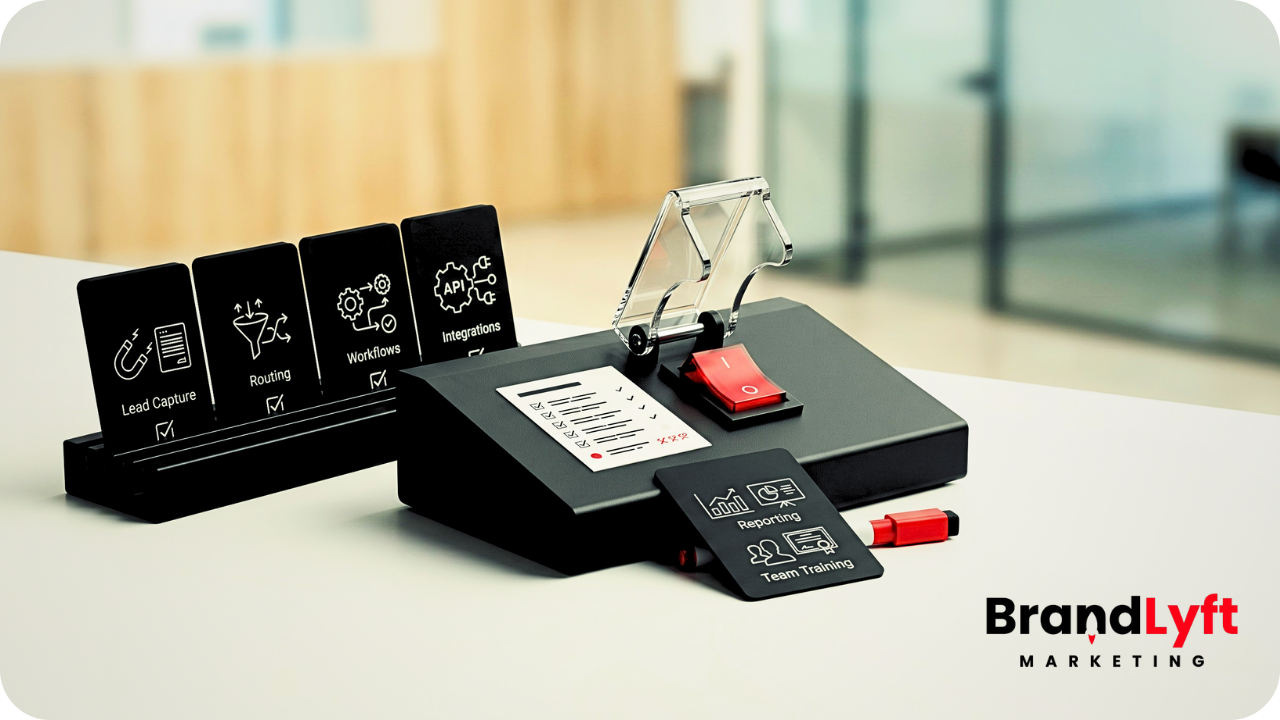
A GoHighLevel buildout should not go live just because the forms, pipelines, and workflows exist.
That is where a lot of businesses get into trouble.
The account looks close. The pages are built. The calendar is connected. A few automations are active. Someone can technically submit a form and land in the CRM.
But “technically live” is not the same as ready for real leads.
A proper GoHighLevel buildout has to prove the whole path works before the business starts trusting it with calls, form fills, texts, bookings, follow-up, and reporting. If that testing does not happen before launch, the account may look finished while leads are already slipping through weak routing, unclear ownership, broken workflow logic, or missed response windows.
That is why the buildout timeline matters.
The goal is not to rush the account live. The goal is to make sure the setup can handle real traffic without forcing the team to babysit every step.
Start With the GHL Buildout Guide
Before your account goes live, check what should already be mapped, connected, tested, and trusted.
Why a GoHighLevel Buildout Needs a Timeline
A good buildout has an order.
If the order is wrong, the account gets messy fast.
Businesses often want to jump straight into workflows because automation feels like progress. But if the pipeline stages are unclear, the routing logic is loose, and nobody has decided who owns the lead after capture, the workflow only moves the mess faster.
The same thing happens with calendars. A booking link can look simple from the outside, but the setup gets more fragile when different staff, locations, services, or appointment types are involved.
That is why BrandLyft’s Revenue System Build page frames the work around lead capture, routing, follow-up, attribution, pipeline visibility, and workflows the team can actually use. A real buildout is not a pile of features. It is a lead-to-close path the business can run day to day.
Stage 1: Map the Sales Path Before the GoHighLevel Buildout Starts
The first step is not opening the workflow builder.
The first step is mapping how the business actually sells.
Where does a lead come from? What happens after a form fill? Who gets notified after a missed call? When should a lead move into the pipeline? What does “booked” actually mean? What happens after an estimate? What happens if nobody answers?
Those answers need to exist before the account gets built.
If they do not, the setup becomes guesswork. The pipeline stages become generic. The workflows become patches. The team ends up with a CRM that technically has structure, but not the structure they actually need.
This is also where the buildout should separate simple cleanup from deeper implementation work. If the sales path is still fuzzy, the account is not ready for automation yet.
Stage 2: Build the Pipeline Around Real Opportunity Movement
The pipeline should show where opportunities actually stand.
That sounds obvious, but it is one of the easiest places to get wrong.
A weak pipeline has stages that sound good but do not help the team make decisions. A stronger pipeline shows the real movement from new lead to contacted, booked, estimated, won, lost, or delayed.
The point is not to create more stages.
The point is to create stages the team will use because they match the real process.
HighLevel’s own pipeline documentation says pipelines help users manage opportunities as they move through stages in the sales or service workflow. That is the standard your buildout should meet before launch. Review HighLevel’s pipeline guide before renaming, deleting, or rebuilding active stages.
If the pipeline is part of a bigger cleanup, BrandLyft’s article on a stalled GoHighLevel account is a strong next read because it shows how weak stages, broken handoff, and low team trust start leaking leads quietly.
Stage 3: Connect Lead Capture Without Stopping at the Form
Lead capture is only the front door.
A form submission, chat lead, missed call, phone call, paid ad form, or outside lead-source integration does not mean the setup is ready. It only means the lead entered the account.
The real question is what happens next.
Does the contact get created with the right fields? Does the lead source get tracked? Does the opportunity land in the right pipeline? Does the right person get notified? Does the first response fire quickly? Does the team know what action comes after that?
A proper GoHighLevel buildout checks those handoffs before launch.
This matters even more when the website is connected to the CRM. BrandLyft’s web design service makes the same point: forms should push into the pipeline, speed-to-lead workflows should fire, and web chat should capture leads that would otherwise bounce.
Stage 4: Build Routing and Ownership Before Automation Gets Heavy
Automation is useful only when ownership is clear.
If the account does not know who owns the lead, the workflow cannot fix the confusion. It can send messages, add tags, create tasks, and move opportunities, but it cannot decide the business process for you.
Before launch, routing should answer a few basic questions.
Who gets the lead first? What happens if that person is unavailable? Does the lead route by service, location, job type, source, or calendar? Who owns follow-up after an estimate? Who gets alerted when a high-value lead has not been touched?
When this logic is missing, the buildout feels active but still unreliable.
That is why speed-to-lead work cannot sit on top of weak ownership. BrandLyft’s Speed to Lead service exists because response time only matters when the right person gets the right lead fast enough to act.
Stage 5: Build the Workflows After the Process Is Clear
This is the part many businesses want first.
It should not come first.
Workflows should be built after the sales path, pipeline, lead capture, and ownership rules are clear. Otherwise, the workflow becomes a pile of “if this, then that” decisions nobody wants to test later.
A good workflow setup should support the process, not bury it.
That means reminders fire at the right time. Lead acknowledgements go out quickly. Internal notifications hit the right people. No-show logic is clear. Estimate follow-up makes sense. Old leads do not get forgotten. Hot leads do not sit untouched.
HighLevel’s workflow documentation explains that workflows begin with triggers and then run actions after the contact enters the workflow. That is simple on paper, but the buildout still has to prove those triggers and actions make sense in the actual business. Review HighLevel’s workflow basics before treating workflow volume as proof that the account is launch-ready.
If your buildout needs more than basic reminders and follow-up, BrandLyft’s article on marketing automations for service businesses gives a cleaner view of what automation should actually support.
Stage 6: Set Up Calendars and Booking Logic Before Launch
A calendar link can look finished before the booking logic is ready.
That is the trap.
Before launch, the buildout should check availability, staff assignment, appointment types, confirmation messages, reminders, cancellation rules, no-show follow-up, and what happens inside the pipeline after someone books.
If the business has one user and one appointment type, this may stay simple.
If the business has multiple staff, multiple services, locations, call types, or round-robin needs, the calendar becomes part of the routing system.
HighLevel’s calendar docs show how many moving parts can exist around appointment tools, booking, services, linked calendars, conflict calendars, notifications, and troubleshooting. That is why calendar QA belongs in the timeline before launch. Review HighLevel’s calendar documentation before going live with booking logic you have not tested.
Stage 7: Connect Integrations and Handoff Points Carefully
A lot of messy accounts start with one sentence: “It should be connected.”
That is not enough.
If the buildout depends on outside tools, lead vendors, call tracking, Zapier, webhooks, payment tools, calendars, AI voice, chat, or custom forms, every handoff needs to be tested.
Fields need to map correctly. Lead source needs to stay visible. Notifications need to hit the right users. Opportunities need to land in the right stage. Contacts need enough information for the team to act.
This is where a GoHighLevel buildout starts to move beyond basic setup.
If the account needs custom lead handoffs, non-standard CRM behavior, or outside software connected cleanly, BrandLyft’s CRM and app development service is a better fit than another layer of patchwork.
Stage 8: Add AI Voice, Chat, or Conversation Tools Only After the Core Path Works
AI tools can make a good setup faster.
They can also make a weak setup messier.
If AI voice, live chat, or conversation bots are part of the buildout, they should be connected after the core lead path is already clear. The business needs to know where the conversation goes, who owns the next step, what counts as a qualified lead, and how the handoff gets tracked.
Otherwise, the account collects conversations without turning them into movement.
BrandLyft’s AI Voice service fits best when it supports the larger lead-response path instead of sitting beside the CRM as another disconnected tool.
Stage 9: Run Launch QA Before Real Leads Enter the System
This is the part that separates a clean buildout from a risky one.
Before launch, somebody needs to test the account like a real lead would use it.
Submit the form. Trigger the workflow. Book the appointment. Miss the call. Reply to the text. Move the opportunity. Check the notification. Confirm the pipeline stage. Review the source field. Watch what happens when a lead does not answer.
The buildout is not ready until those paths make sense.
This is also when duplicate workflows, broken tags, old users, weak notifications, missing attribution, or wrong calendar routing usually show up.
A launch-ready account should not depend on hope.
It should survive a normal lead journey before the business pays to send traffic into it.
Stage 10: Train the Team on the Parts They Actually Use
A finished setup still fails when the team does not know what to do with it.
Training does not need to turn into a long course. It needs to show the team how to use the parts that affect daily work.
Where do new leads land? What should reps check first? What stages matter? When should a task be closed? When should a lead be moved? What should happen after a booked appointment? Who checks stuck opportunities?
If the team cannot answer those questions, the account will start drifting right after launch.
That is why BrandLyft’s If Sales Stop When You Step Away, You Don’t Have a Sales System article connects well here. A setup is not truly live if the owner still has to watch every handoff to keep the process moving.
What Should Be Ready Before Your GoHighLevel Buildout Goes Live?
Before the account goes live, the basics should already be tested.
The sales path should be mapped. The pipeline should match real movement. Forms should create clean contacts and opportunities. Routing should send leads to the right person. Workflows should fire at the right time. Calendars should book correctly. Integrations should pass usable data. AI or chat tools should hand off clearly. Reports should tell a story the business can trust.
If those pieces are still unclear, the account is not launch-ready.
It is just live-looking.
And live-looking is where leads get expensive.
Use the GHL Buildout Guide Before You Go Live
Check the pieces that should already be mapped, tested, connected, and trusted before real leads start moving through the account.
What to Do Next
For more complex accounts, a GoHighLevel custom build may be cleaner than forcing every process into standard fields, tags, and workflows.
If your account is still small and simple, use the guide to tighten the obvious pieces before launch.
Clean the stages. Test the forms. Check the routing. Confirm the calendar. Run the workflow paths. Make sure the team knows what happens after a new inquiry comes in.
If the account is already live but still not launch-ready in practice, stop adding random fixes on top of a shaky setup.
That is when a discovery call is worth it.
Not because you need more features.
Because you need to find which part of the buildout is stopping the business from trusting the system.
FAQ
What is a GoHighLevel buildout?
A GoHighLevel buildout is the process of setting up the account so it can capture leads, route them, trigger follow-up, book appointments, track opportunities, and show the team what needs to happen next.
How long does a GoHighLevel buildout take?
The timeline depends on how many pipelines, workflows, lead sources, calendars, integrations, and team roles are involved. A simple account may only need light setup. A larger service business may need a deeper buildout before it is safe to trust with real leads.
What should be included in a GoHighLevel buildout?
A proper GoHighLevel buildout should include sales-path mapping, pipeline setup, lead capture, routing, workflows, calendars, integrations, launch QA, reporting checks, and team training around the parts people use every day.
Should I hire a GoHighLevel expert before going live?
If the account is simple, DIY setup may be fine. If the setup touches multiple lead sources, users, automations, calendars, integrations, AI voice, or speed-to-lead workflows, hiring a GoHighLevel expert can save time and prevent launch problems.
Leave a Reply