GoHighLevel Reporting for Multi-Location Brands: What Owners Need to See Across Every Location
GoHighLevel reporting for multi-location brands often looks active before it tells the owner anything useful.
The account may show new leads, appointments, pipeline stages, messages, tasks, and workflows. A dashboard may have numbers. Local teams may say they are using the system.
Yet the owner still has to ask basic questions.
Which locations respond fast? Which ones let leads sit? Who books the most appointments? Where do opportunities stall? Which teams follow up after no answer? Which locations work inside GHL, and which ones quietly work around it?
That is the reporting problem.

For a single-location business, basic activity reporting may be enough for a while. For a franchise or multi-location brand, basic activity does not tell the full story. Owners need to see what each location does with the leads after they enter the system.
If GoHighLevel captures the lead but leadership cannot see response speed, booking outcomes, pipeline movement, follow-up activity, missed opportunities, and location-level adoption, the setup still has work to do.
The tool may be live. The account may be busy. The reports may still fail the owner.
Can You See What Every Location Is Actually Doing?
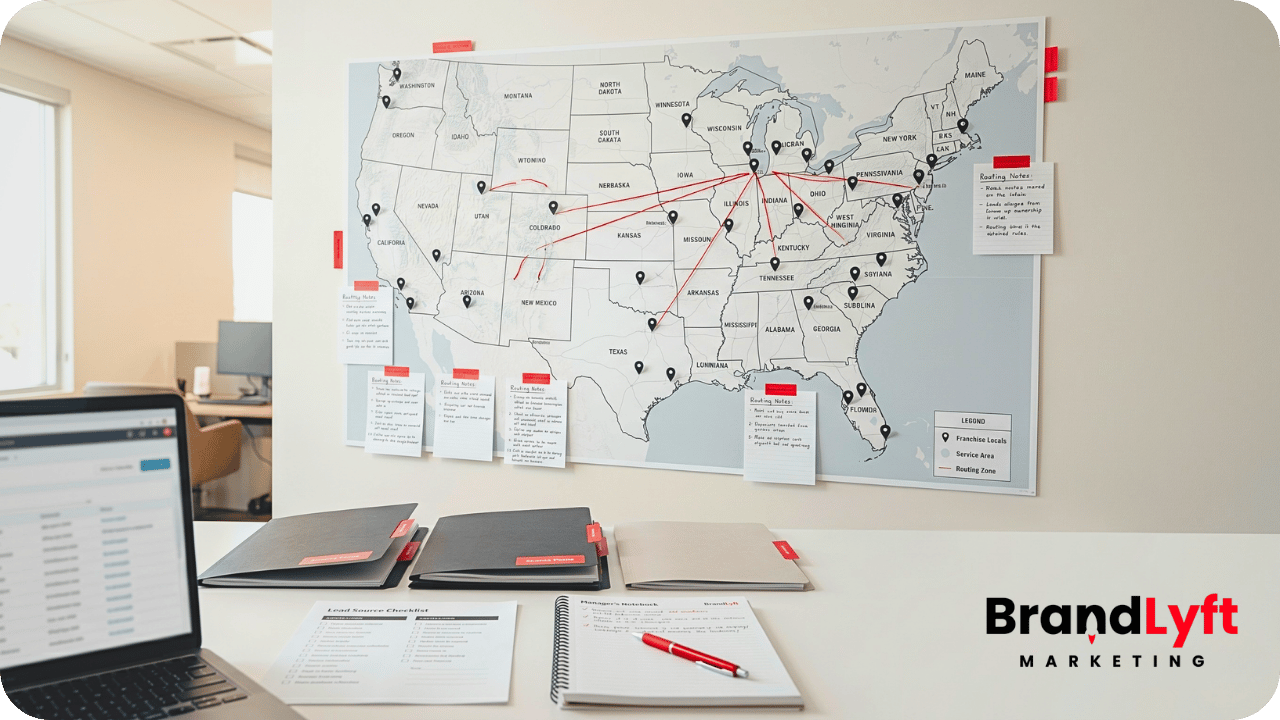
The Franchise GHL Optimization Map helps multi-location teams review routing, bookings, follow-up, reporting, and adoption before weak visibility turns into missed revenue.
Why GoHighLevel Reporting for Multi-Location Brands Gets Misread
GoHighLevel reporting for multi-location brands gets misread when the owner looks at account activity instead of location performance.
Activity only tells part of the story.
A workflow fired. A message went out. A lead moved into the pipeline. Someone booked an appointment. Those details matter, but they do not always show whether each location follows the same process.
One location may respond within five minutes. Another may wait until the next day. One manager may update every pipeline stage. Another may leave records untouched. One team may work tasks in GHL. Another may text from personal phones and leave the CRM half-empty.
The dashboard may count all of that as account activity. The owner needs more than that.
Multi-location reporting should help leadership compare location behavior, not just count total actions across the account.
This is why BrandLyft’s GoHighLevel for Franchises work focuses on how the system gets used across locations, not just whether the account exists.
What Owners Need From GoHighLevel Reporting for Multi-Location Brands
Owners do not need another dashboard full of disconnected numbers.
They need reporting that answers the questions they already ask in meetings, Slack threads, calls, and spreadsheets.
Where did the lead come from? Which location received it? How fast did the team respond? Did someone book the appointment? Did the lead move through the pipeline? Did follow-up continue after no answer? Did the location update the opportunity? Did the team use GHL or work outside it?
Good GoHighLevel reporting for multi-location brands should help owners see those answers without chasing each manager manually.
That does not mean every owner needs a giant reporting build.
It means the reporting has to match the operating model. A franchise with ten locations does not need the same view as a company with two branches. A high-ticket appointment business does not need the same reporting as a high-volume local service brand.
The right report starts with the decisions leadership needs to make.
Reporting Gap 1: Lead Response by Location
Lead response is one of the first metrics owners should see by location.
Total lead volume is useful, but it can hide local follow-up problems. A brand may generate strong lead flow while one or two locations quietly miss the window where buyers are most likely to respond.
Owners need to see which locations respond quickly, which ones lag, and which ones leave leads untouched.
That view should include more than “message sent.” Automated messages can create the appearance of response even when no local team member has taken ownership. A text may go out, but the lead may still need a real call, booking step, or manual follow-up.
Speed-to-lead reporting should show the difference between system activity and human ownership.
This is where BrandLyft’s Speed to Lead service fits naturally. Fast follow-up only works when the reporting can show who responded, how fast they responded, and where the gap appeared.
If a dashboard only shows total new leads, the owner still has to guess which branch needs coaching.
Reporting Gap 2: Bookings vs. Leads Received
A location can receive leads and still fail to turn them into appointments.
That gap matters because owners often care less about raw lead count and more about what happened next.
Reporting should show how many leads each location received, how many turned into booked appointments, how many missed booking, and how many still need follow-up.
Without that view, a busy location can look productive just because it has high activity. A quieter location can look weak even if it converts better.
That creates bad decision-making.
Owners may push more leads into a location that cannot handle them. They may blame ad performance when the booking process caused the drop. They may miss a training problem because total volume hides the issue.
HighLevel’s calendars and appointments resources support the booking layer inside the platform. For multi-location brands, the more important question is whether the calendar data gives owners a fair location-by-location view.
GoHighLevel reporting for multi-location brands should connect lead source, location assignment, calendar booking, and follow-up status. When those pieces stay apart, owners lose the story behind the numbers.
Reporting Gap 3: Pipeline Movement Across Locations
Pipeline movement tells owners whether leads actually progress.
A lead entering GHL is not enough. An opportunity sitting in the first stage for two weeks does not help the business. A pipeline full of stale records can make the account look full while revenue slips away.
Owners need to see how each location moves opportunities through stages.
That includes new lead, contacted, booked, showed, no-show, won, lost, and follow-up stages when those labels fit the business. The exact stage names can change, but the reporting logic should stay clear.
Each stage should mean the same thing across locations.
If one branch moves a lead to “Contacted” after an automated text, while another moves it only after a live phone call, pipeline reporting loses trust. The owner may compare two locations without realizing they use different definitions.
HighLevel’s documentation on understanding pipelines explains how pipeline stages organize opportunities. For franchise and multi-location teams, those stages only help when the business defines them clearly and every location follows the same rule.
BrandLyft’s Revenue System Build work often becomes relevant here because messy reporting usually points to deeper issues in routing, pipeline structure, workflow ownership, and follow-up logic.
Reporting Gap 4: Follow-Up Activity After No Answer
Most missed opportunities do not happen at the first contact attempt.
They happen after the first attempt fails.
A lead does not answer. A team member leaves a voicemail. A text goes out. The buyer waits. The location gets busy. The opportunity sits.
Owners need reporting that shows what happens after no answer.
Did the location try again? How many touches happened? Did the workflow support the local team? Did a task get created? Did anyone close the loop? Did the lead eventually book, stall, or disappear?
Basic activity counts do not answer those questions clearly.
A report may show messages sent, but it may not show whether the local team followed the process. A workflow may create a task, but the owner still needs to know whether the team completed it. A pipeline may show open opportunities, but it may not show which ones already went cold.
GoHighLevel reporting for multi-location brands should make follow-up gaps visible by location. Otherwise, the owner only sees the problem after lead quality, ad spend, or location performance starts getting questioned.
Reporting Gap 5: Missed Calls and Missed Opportunities
Missed calls deserve their own reporting view.
For many local and franchise businesses, a missed call is not just a call log. It can be a missed booking, a missed consultation, a missed estimate, or a missed sale.
Owners need to see missed calls by location, time, source, follow-up status, and outcome.
Did the location call back? How long did it take? Did the missed call turn into a booked appointment? Did the team mark the opportunity properly? Did the same location miss calls every week?
Those questions matter because a location can look healthy in the dashboard while phone handling quietly hurts revenue.
Missed-call reporting also helps leadership avoid the wrong fix. If lead volume looks low, the owner may push for more ads. If the real issue sits in missed calls and weak follow-up, more ads will only create more lost chances.
This is one reason BrandLyft’s article on a stalled GoHighLevel account pairs well with this topic. A GHL account can stay busy while leads leak through small breakdowns that reporting does not expose clearly enough.
Reporting Gap 6: Location-Level Adoption
Reporting should not only show what leads do.
It should also show what teams do.
Location-level adoption becomes one of the biggest problems after a franchise or multi-location brand launches GHL. Some teams use the CRM daily. Others only open it when corporate asks. A few may keep working from inboxes, spreadsheets, text threads, or old habits.
Owners need to see adoption differences before they become performance differences.
Useful adoption reporting may show task completion, pipeline updates, appointment notes, opportunity movement, response activity, user logins, missed follow-up, or location-specific process gaps.
The goal is not to watch people for the sake of watching them. The goal is to know whether the system has become part of the local operating rhythm.
BrandLyft’s article on GoHighLevel for franchises and location usage covers this wider adoption problem. Reporting gives owners the visibility they need to see where usage breaks down.
If a location does not use GHL consistently, its numbers will not tell the truth.
Reporting Gap 7: Permissions and Visibility
Reporting does not only depend on dashboards.
It also depends on who can see what.
Owners, corporate teams, regional managers, location managers, sales reps, and front desk teams may all need different views. A local rep may need assigned leads and tasks. A manager may need team performance. Corporate may need cross-location comparison.
When permissions stay too loose, people see too much noise. When permissions get too tight, the wrong people lose the context they need to act.
HighLevel’s docs on user roles, permissions, and assigned data show how access rules affect what users can see inside a sub-account. HighLevel also documents dashboard permissions, which matter when teams need different reporting views.
For multi-location brands, permission design should match the reporting model.
Owners need cross-location visibility. Regional managers may need a subset of locations. Local teams need the records they own. Reporting gets harder when those roles blur.
BrandLyft’s GoHighLevel Partner team can help review this when the account already exists but visibility, permissions, and reporting still feel messy.
Reporting Gap 8: Dashboards That Show Data Without Decisions
A dashboard can look impressive and still fail the business.
Charts, tables, widgets, and totals only matter when they help owners decide what to do next.
A useful owner dashboard should point toward action. One location needs faster response. Another needs booking support. A third needs pipeline cleanup. A fourth needs coaching because follow-up drops after the first attempt.
If a report cannot guide action, it becomes decoration.
HighLevel supports custom dashboards, dashboard widgets, and custom metrics. Its docs cover custom dashboard creation, dashboard widgets, and custom metrics for dashboard reports.
Those tools can help, but the owner still needs the right reporting questions first.
What should corporate inspect weekly? What should a regional manager review? What should a local manager fix before the next staff meeting? What should trigger a coaching conversation?
GoHighLevel reporting for multi-location brands works best when the dashboard turns messy account activity into clear operating signals.
How to Review Multi-Location GHL Reporting
A reporting review should start with the buyer journey and the owner’s decision points.
Do not begin with the dashboard layout. Begin with the moments that matter.
Track a lead from source to location, then from response to booking, then from booking to pipeline movement, then from follow-up to outcome. Repeat that process across several locations.
During the review, ask direct questions:
- Can owners compare lead response by location?
- Can corporate see booked vs. unbooked leads?
- Can managers spot stale pipeline stages?
- Can teams see missed calls and missed follow-up?
- Can leadership compare location adoption?
- Can reporting separate automation activity from human follow-up?
- Can each role see the right data without getting buried?
That kind of review usually exposes the real issue fast.
Sometimes the dashboard needs cleanup. Other times, the pipeline stages lack clear meaning. In many accounts, the bigger problem comes from inconsistent local usage. The reporting looks weak because the inputs are weak.
For teams that need cleaner data flow between GHL and other tools, BrandLyft’s CRM and app development work can support custom dashboards, integrations, webhooks, forms, apps, and cleaner reporting paths.
What BrandLyft Looks For in a Reporting Cleanup
When BrandLyft reviews GoHighLevel reporting for multi-location brands, the question is not “Does the account have a dashboard?”
The better question is “Can owners see what every location does with every serious lead?”
A reporting cleanup may review lead sources, UTM tracking, source fields, opportunity stages, pipeline definitions, user roles, assigned data, dashboard permissions, location tags, calendar activity, task completion, missed-call handling, workflow outcomes, and adoption signals.
The work may also expose old setup decisions.
Maybe the first location had one pipeline. Maybe later locations copied it without local rules. Maybe corporate added new dashboards before teams cleaned up the data. Maybe reports now show numbers, but no one trusts the meaning behind them.
BrandLyft looks for the gap between account activity and owner visibility.
If the owner cannot see lead response, bookings, pipeline movement, follow-up activity, missed opportunities, and location adoption, the system still needs refinement.
Your Dashboard Should Show More Than Activity
Use the Franchise GHL Optimization Map to check whether your setup gives owners real visibility across lead response, bookings, pipeline movement, follow-up, and location usage.
FAQ About GoHighLevel Reporting for Multi-Location Brands
What should GoHighLevel reporting for multi-location brands show?
GoHighLevel reporting for multi-location brands should show lead response, bookings, pipeline movement, follow-up activity, missed opportunities, and location-level adoption. Owners need to compare how each location works the system, not just see total account activity.
Why does GHL activity not always give owners the full picture?
Activity can show that messages, tasks, workflows, or pipeline updates happened. It may not show whether each location responded quickly, booked the lead, completed follow-up, or used the CRM consistently.
Do multi-location brands need custom dashboards in GoHighLevel?
Some do. A smaller multi-location team may start with cleaner pipeline views and basic dashboard cleanup. A larger franchise may need custom dashboards, role-based views, location filters, custom metrics, and clearer reporting rules.
Can reporting problems come from poor local adoption?
Yes. Reporting depends on clean inputs. If local teams skip stages, ignore tasks, work outside GHL, or update records differently, the dashboard may look active but still fail to tell the truth.
The Real Goal Is Owner-Level Visibility
GoHighLevel reporting for multi-location brands should help owners see what is happening across every location without chasing updates manually.
The goal is not more charts.
The goal is cleaner visibility.
Which locations respond fast? Which ones miss booking chances? Where do leads stall? Who follows up after no answer? Which teams use the CRM properly? Which reports should corporate trust?
When owners can answer those questions, GHL becomes more useful across the brand.
When those answers stay hidden, the account may still look busy while the business keeps losing visibility.
If your multi-location brand already uses GoHighLevel but still relies on manual updates, manager check-ins, spreadsheets, or gut feel to understand location performance, start with reporting.
The issue may not be that GHL lacks activity.
The issue may be that your owners cannot see the right activity clearly enough to act.