A GoHighLevel implementation partner should do more than build pages, pipelines, and workflows. The right partner should understand how your business captures leads, routes them, follows up, books appointments, tracks opportunities, and keeps the team using the system after launch.
That is the difference between a clean implementation and another account your team does not trust.
Many businesses hire GoHighLevel help after the account already feels heavy. A few workflows exist. The pipeline is there. Forms are connected. Calendars may be live. But the setup still leaks leads because nobody mapped the real sales path before building inside the platform.
That is usually when the search for a GoHighLevel implementation partner starts.
The hard part is knowing who can actually fix the system and who is only good at clicking around the platform.
Why Hiring a GoHighLevel Implementation Partner Is Different From Hiring Setup Help
Setup help usually starts inside the tool.
An implementation partner should start before the tool.
That distinction matters because most GoHighLevel problems are not caused by missing features. They happen because the account was built in the wrong order. Someone created workflows before ownership was clear. Someone added pipeline stages before the sales process was mapped. Someone connected a calendar before deciding who should receive the booking. Someone turned on notifications before defining what counts as urgent.
From the outside, the account looks active.
Inside daily work, the team still guesses.
A real GoHighLevel implementation partner should slow the project down just enough to answer the right questions. Where do leads enter? Who owns the first response? What happens after a missed call? Which pipeline stage means a real sales action happened? What should the team do when a lead books, cancels, no-shows, replies, or goes quiet?
Without those answers, the build may look finished without being usable.
That is why BrandLyft treats GoHighLevel as part of a bigger revenue system, not just a software account. If your current setup already feels patched together, BrandLyft’s GoHighLevel Partner service is the more relevant path than generic setup help.
What a GoHighLevel Implementation Partner Should Check First
A good GoHighLevel implementation partner should not open the account and immediately start adding more automations.
More automation can make a broken setup harder to read.
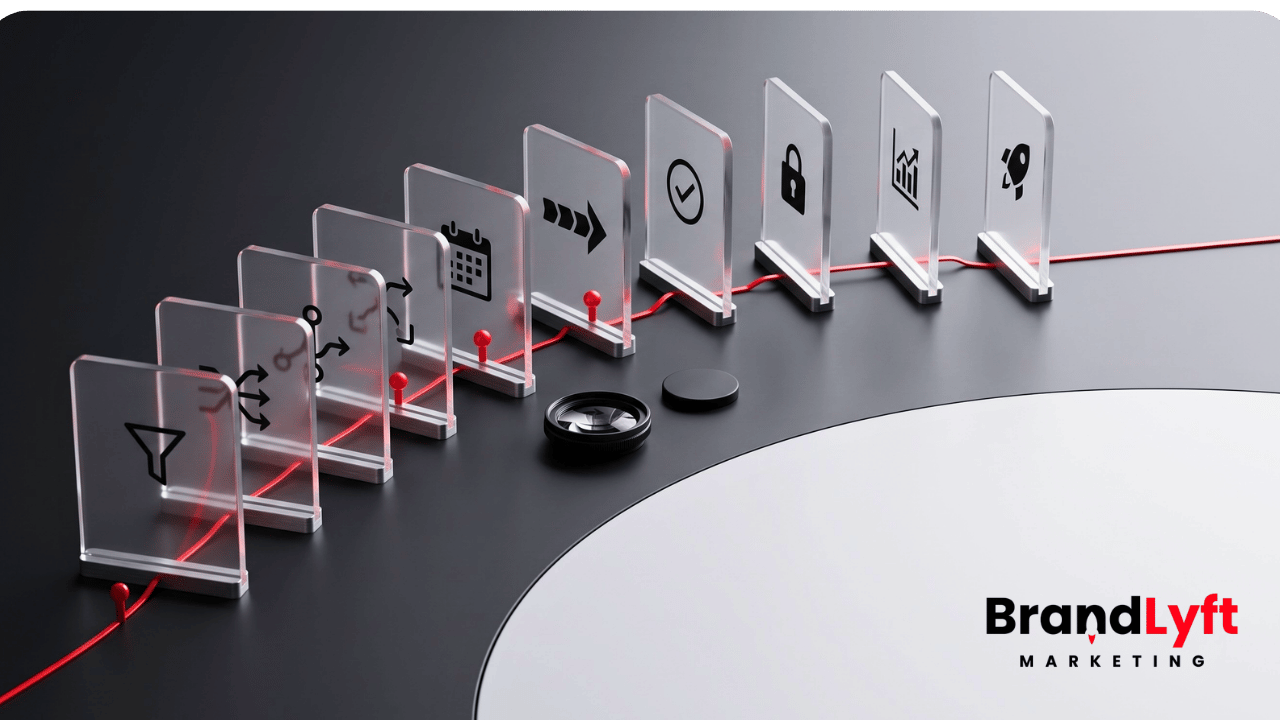
The first job is diagnosis. The partner should inspect the account in the same order your business works: lead capture, routing, ownership, pipeline movement, follow-up, booking, integrations, reporting, and team use.
If they skip that step, they may fix the visible mess and leave the real leak untouched.
Lead Capture
The partner should check every place a lead can enter the system. That includes website forms, landing pages, call tracking, missed calls, chat, ads, manual entry, referrals, imports, and third-party tools.
The question is not only “does the lead enter GoHighLevel?”
The better question is “does the lead enter the right path with the right source, owner, task, notification, pipeline stage, and next step?”
A lot of accounts fail right there.
A form works, but the lead has no clear owner. A call is logged, but no follow-up task fires. A Facebook lead enters the CRM, but the pipeline does not show what happened next. A web lead gets tagged, but nobody knows who should call first.
That is not a small setup issue. That is a revenue leak.
BrandLyft’s article on GoHighLevel setup mistakes covers this same problem from the account-cleanup side: a setup can have the right pieces and still fail if those pieces do not match the way the business sells.
Routing and Ownership
Lead routing is where many GoHighLevel builds start sounding better than they work.
The account may assign a lead to someone. That does not mean the assignment matches the business. A partner should ask how routing actually works across services, teams, territories, calendars, locations, reps, booking types, and fallback rules.
For a single-location service business, this might mean assigning by service type or first available rep. For a franchise or multi-location business, routing may need to account for territory, branch, zip code, service area, call source, local availability, or regional oversight.
This is where a basic builder often struggles. They can create the workflow. They may not understand the operating rule behind it.
If your business has multiple branches or locations, BrandLyft’s GoHighLevel for Franchises support is the better fit because the work is not just setup. It is rollout logic.
Workflows and Automation Logic
Workflows should support the sales path. They should not become the sales path.
A GoHighLevel implementation partner should review active workflows, draft workflows, triggers, actions, wait steps, branches, tags, task creation, notifications, pipeline movements, and dead ends. HighLevel’s own Workflow Builder Walkthrough shows how workflows rely on triggers and actions, which means weak trigger logic can send the wrong lead into the wrong path.
The partner should also test workflows with fresh contacts, not assume they work because they are published.
This is one of the biggest differences between setup and implementation. Setup asks, “Did we build the workflow?” Implementation asks, “Does this workflow behave correctly when a real lead enters from a real source at the wrong time of day?”
That second question is where lead leakage gets found.
If your account already has duplicate workflows, old branches, unclear tags, or automations nobody wants to touch, start with BrandLyft’s article on a stalled GoHighLevel account before adding more logic.
Pipeline Stages
Pipelines are not just columns on a screen.
HighLevel’s pipeline documentation describes opportunities moving through defined stages. That means the stages need to match real movement in the sales or service process, not vague labels that make reporting look cleaner than it is.
A partner should check whether each pipeline stage has a clear meaning. The team should know when to move a lead, who moves it, what action caused the movement, and what happens when the lead gets stuck.
Weak stages create weak reporting.
For example, “New Lead,” “Contacted,” “Interested,” and “Won” may look fine in a simple account. But in real daily work, those stages may not tell you who called, whether the customer replied, whether the quote went out, whether the appointment was booked, or whether the job is waiting on a deposit.
If the pipeline does not match how the team sells, people will create side notes somewhere else. That is when the CRM starts losing trust.
Calendars and Booking Logic
Booking is often treated like a simple calendar link. It is not.
A GoHighLevel implementation partner should check calendar availability, booking rules, assigned staff, appointment types, reminders, reschedule logic, no-show follow-up, and calendar permissions. HighLevel has dedicated Calendars & Appointments documentation because scheduling depends on more than one link.
A calendar can technically accept bookings and still hurt the business.
It may show times that do not match staff availability. It may route appointments to the wrong person. It may lack follow-up after a cancellation. It may send reminders that do not match the service. It may let team members see or change calendar items they should not touch.
That is why calendar setup needs to connect with routing, pipeline movement, and team roles.
If the business depends on fast booking, BrandLyft’s Speed to Lead work is also relevant because the first few minutes after a lead comes in often decide whether the opportunity moves or stalls.
Permissions and Team Access
User permissions are not a boring admin task.
They affect adoption, security, cleanup, and trust.
HighLevel supports user roles, assigned data, and granular permissions across modules such as workflows, calendars, contacts, opportunities, dashboards, and more. Its sub-account user roles and permissions documentation explains how access can be assigned or restricted across the account.
A partner should know how to design access based on how the team works, not just give everyone admin access because it is faster.
Good permissions help each person see what they need and avoid what they should not change.
For franchise and multi-location teams, this becomes even more important. Corporate may need account-wide reporting. Regional managers may need several locations. Local managers may need full access inside their location. Front desk or sales staff may only need conversations, calendars, opportunities, tasks, and assigned contacts.
If those roles are not thought through, the team either feels boxed in or has too much room to break the setup.
After The First System Check
See Where the GHL Build Is Already Weak
If lead capture, routing, workflows, calendars, or pipeline stages already feel unclear, run the GHL Implementation Scorecard before you add another builder to the account.
Signs You Are Talking to the Wrong GoHighLevel Implementation Partner
The wrong partner usually sounds confident too early.
They say they can build anything before they ask how your business works. They promise quick turnaround without asking about lead sources, booking paths, follow-up standards, integrations, team roles, reporting, or launch testing.
Fast is not always bad.
Fast without diagnosis is the problem.
They Lead With Features Instead of Flow
If the first conversation is mostly about funnels, snapshots, AI, automations, dashboards, or templates, be careful.
Those pieces may matter. But they only matter after the business flow is clear.
A GoHighLevel implementation partner should ask about how money moves through the business. How do leads become booked calls, appointments, estimates, consultations, jobs, memberships, or closed deals? What usually causes a lead to get lost? Who owns the next step? Where does the team currently work outside the CRM?
If they cannot explain the flow, they should not build the system.
They Treat a Snapshot Like a Finished System
Snapshots can be useful. They can save time and create a cleaner starting point.
But a snapshot is not an implementation.
A snapshot does not know your sales process. It does not know who handles missed calls. It does not know which locations need different calendar rules. It does not know which pipeline stages your team will actually update. It does not know how your staff talks to leads.
A partner can use a snapshot as a base, but they still need to adapt the setup to your actual operation.
They Cannot Explain Their QA Process
Ask how they test the account before handoff.
A weak answer sounds like, “We check everything before launch.”
A useful answer names the tests. Form submissions. Missed calls. SMS replies. Email delivery. Booking paths. Calendar assignment. Pipeline movement. Workflow branches. Task creation. Notifications. User permissions. Source tracking. Reporting fields. Mobile behavior. Team handoff.
Testing should not happen after the first week of live leads exposes the problem.
They Avoid Ownership Questions
Automation without ownership creates fake movement.
The system sends a text. A task appears. A tag gets added. A stage changes. But nobody knows who should call, who should check the reply, who should move the opportunity, or who should review stuck leads.
A partner who avoids ownership questions may create a busy account without creating a usable system.
That is one reason BrandLyft’s Revenue System Build path starts with the system behind the CRM, not just the CRM settings.
They Sell Ongoing Support Without Cleaning the Build
Support can be useful after launch.
But ongoing support should not become a paid workaround for a bad build.
If the account is unstable, the first job is to clean the logic, routing, ownership, and reporting. After that, support can help the system stay healthy.
Before paying for monthly GHL support, ask what will be fixed first and what will be monitored after launch.
Questions to Ask a GoHighLevel Implementation Partner Before You Hire
The right questions expose how the partner thinks.
Do not only ask what they can build. Ask how they diagnose, test, and hand off the system.
1. How do you map the sales process before touching GoHighLevel?
This question shows whether they think like an operator or a button-clicker.
A good answer should mention lead sources, sales stages, ownership, response standards, booking paths, follow-up rules, close points, reporting needs, and team behavior.
2. How do you find lead leakage inside an existing account?
If your account already exists, the partner should know how to trace a lead from entry to close.
They should inspect forms, calls, workflows, conversations, pipeline stages, tasks, calendars, notifications, integrations, and reporting fields. If they only talk about redesigning funnels, they may miss the deeper leak.
BrandLyft’s GoHighLevel audit guide is a useful reference for what this kind of review should check before more buildout work begins.
3. What do you test before launch?
A good partner should have a launch test list.
That list should include lead capture, routing, workflow triggers, actions, wait steps, pipeline movement, appointment booking, missed-call response, SMS and email behavior, user permissions, source tracking, and reporting.
If the partner cannot name the tests, the account may become the test.
4. How do you handle workflows that already exist?
This matters if your account is already patched together.
The partner should not blindly delete old workflows or build new ones over the top. They should inspect what exists, identify what still works, mark what should be retired, and map the new logic before making changes.
That is especially important when live leads are still entering the account.
5. How do you decide what belongs in GoHighLevel and what should stay in another tool?
GoHighLevel can handle a lot, but that does not mean every business process should be forced into it.
A good implementation partner should understand integrations, handoff points, and tool boundaries. They should know when GHL should become the main operating layer and when it should connect cleanly to another system.
If the project involves custom integrations or more advanced system work, BrandLyft’s CRM and app development support may be part of the conversation.
6. How do you train the team after buildout?
Training should match roles.
Owners need to know how to read the system. Managers need to know what to review. Sales or front desk staff need to know what to update. Local teams need to know what happens after a new lead, booking, reply, missed call, or stuck opportunity.
A generic walkthrough is not enough.
The team needs operating rules, not a tour of every tab.
7. What happens after launch?
A serious partner should explain the first few weeks after launch.
Who checks if leads are routing correctly? Who reviews stuck pipeline stages? Who watches workflow errors or missed notifications? Who checks adoption? Who handles small fixes before the team loses trust?
Launch is not the finish line.
It is the first real test.
What a Serious GHL Buildout Should Include
A serious GHL implementation does not need to be bloated. It needs to be complete enough to support the way the business actually works.
The scope depends on the business, but a strong buildout usually includes the following areas.
Lead Source and Capture Map
Every source should have a defined path into GoHighLevel.
That includes website forms, landing pages, calls, missed calls, ads, referrals, chat, imports, and integrations. Each source should create the right contact record, source label, task, notification, owner, and pipeline entry.
Pipeline Architecture
The pipeline should match real sales behavior.
Stages should be clear enough that the team knows when to move an opportunity. The pipeline should help managers see stuck leads, late follow-up, unbooked consultations, open estimates, no-shows, and closed revenue without guessing.
Workflow Buildout and Cleanup
Workflows should have clear names, clean triggers, useful conditions, tested actions, and a reason to exist.
Old workflows should be reviewed before new ones are added. Duplicate automations should be removed or retired carefully. Live workflow changes should be handled with care if leads are still moving through the account.
Calendar and Appointment Rules
Calendars should match staffing, location, service type, availability, booking rules, reminders, and ownership.
A calendar link that books the wrong person or creates the wrong follow-up is not working just because it accepts appointments.
Reporting Setup
Reporting should show the real state of the pipeline.
That means lead source, speed to lead, booking movement, pipeline stage movement, stuck opportunities, conversion points, and location-level differences when relevant.
If the data entering the system is weak, reporting will be weak too.
Launch QA
Before launch, the partner should test the system with realistic lead paths.
That includes form submissions, calls, missed calls, bookings, replies, cancellations, follow-up timing, pipeline movement, user permissions, and notifications. The goal is not to prove the build exists. The goal is to catch the breaks before live leads do.
Team Handoff
The final handoff should not be a long video nobody watches.
It should explain what each role needs to do inside the system. Who checks new leads? Who moves opportunities? Who watches late follow-up? Who owns booking issues? Who updates closed deals? Who can change workflows?
Without that handoff, the account may slowly drift back into manual work.
When You Need an Implementation Partner Instead of Another Freelancer
A freelancer can be useful for small fixes.
If you need one funnel cleaned up, one workflow adjusted, or one form connected, a smaller task-based hire may be enough.
But if the account affects lead response, booking, pipeline trust, reporting, multiple users, several lead sources, franchise locations, or paid traffic, the risk is higher.
That is when you need an implementation partner.
You are not just buying task completion. You are buying system judgment.
You need someone who can decide what should be fixed first, what should be left alone, what should be rebuilt, and what should be tested before more leads enter the account.
This matters even more if your current GoHighLevel account has already been touched by several people. When too many hands have edited the same system, the account can carry old logic, hidden triggers, duplicate automations, inconsistent names, outdated users, and unclear reporting.
That kind of account does not need more random edits.
It needs a controlled review.
How BrandLyft Fits as a GoHighLevel Implementation Partner
BrandLyft is a fit when your business needs GoHighLevel to become a working revenue system, not just a cleaner software account.
That usually means one of three situations.
First, you are planning a serious buildout and want it mapped correctly before launch.
Second, your current account already exists, but the setup feels half-built, patched, or hard to trust.
Third, your business has multiple locations, teams, lead sources, or service paths and needs GHL to support real daily work without creating a support mess.
BrandLyft can help review lead capture, routing, workflows, calendars, pipelines, reporting, permissions, integrations, and team handoff. The work is not about adding more features for the sake of it. It is about building the path from lead entry to booked call, appointment, estimate, sale, or closed job.
That is the standard a GoHighLevel implementation partner should meet.
Before You Hire, Check the Account First
If your GoHighLevel account is already live, do not hire based only on who sounds confident.
Run the account through a basic check first.
Look at where leads enter. Check who owns them. Review what workflows fire. Test what happens after a form submission, missed call, booking, reply, cancellation, and no-show. Look at whether the pipeline matches real sales movement. Ask if the team trusts the account enough to run from it.
If the answer is no, you are not just looking for setup help.
You are looking for a GoHighLevel implementation partner who can find the weak points, rebuild the right pieces, and help the team use the system after launch.
When The Account Already Feels Patched
Don’t Hire Another Builder Until You Know the Real Fix
If the account has duplicate workflows, unclear routing, weak reporting, or low team trust, the next move may not be more setup. It may be a controlled rescue plan.
The right partner will not rush to impress you with everything GoHighLevel can do.
They will show you what your system needs to do first.