Category: Marketing

  • Moving to GoHighLevel: What Data Is Worth Bringing Into the New CRM

    Moving to GoHighLevel: What Data Is Worth Bringing Into the New CRM

    A CRM export can make a migration look simple. Thousands of contacts fit in a file. Pipeline stages fit into columns just as easily. Old tags, custom fields, notes, owners, and source values all look portable because they already exist somewhere.

    That does not mean they belong in the new account.

    When a business plans to migrate to GoHighLevel, the first useful decision is not the maximum amount an import tool can carry. It is which information the team still needs to sell, follow up, report, and keep active customer relationships intact after the old CRM stops being the daily workspace.

    Dragging every historical choice into the new system can recreate the exact structure the business wanted to leave. The better migration keeps useful context, protects active work, and leaves dead structure behind on purpose.

    Before You Migrate to GoHighLevel, Decide What the New CRM Needs

    The old CRM grew over time. Teams added some fields for campaigns that ended years ago. Different contractors may have created tags for their own work. Pipeline stages may reflect an old sales process. A contact can have three owners because nobody removed earlier assignments. Notes may contain useful customer context mixed with reminders nobody needs anymore.

    An export treats all of that as data.

    The new CRM should treat it as a set of decisions.

    BrandLyft’s article on GoHighLevel buildout cost explains why migration quality affects implementation work. A small file full of conflicting records can take more thought than a much larger clean database. This article goes one level deeper. It is about deciding what deserves to become part of the working CRM at all.

    Start with the record somebody will open when a customer calls tomorrow. The sales team needs a usable status, any promised follow-up, source data that still matters, and enough context to avoid starting the relationship over.

    If a piece of old data cannot answer a current business question or support a current action, it should not automatically earn a place in GoHighLevel.

    Active Relationships Deserve Priority Over Raw Contact Count

    The contact table is usually the biggest export, so it attracts the most attention. Record count is easy to measure. Relationship value is harder.

    An active customer with an open issue, a warm prospect waiting on an estimate, and a five-year-old lead who never replied are all contacts. They are not equally important to the migration.

    Build the first migration group around people the business still has a reason to recognize. Current customers, active prospects, open opportunities, recent leads, referral partners, and contacts with a live follow-up commitment usually deserve closer review.

    Older records need a different test. A dormant contact may still matter because the company runs reactivation campaigns, maintains a long buying cycle, or needs the history for customer service. Another old record may contain nothing except a name, a dead phone number, and three obsolete tags.

    Do not keep the second record merely to say the migration preserved 100 percent of the database.

    HighLevel currently supports contact imports through CSV and lets users map standard and custom fields before the import. Users can leave unmatched columns out. Its contact import documentation makes the technical option clear. The business decision comes earlier: an importable column is not automatically a useful one.

    Dead Pipeline History Does Not Need to Become a Live Opportunity

    Pipeline history creates another trap.

    A business may have years of won, lost, abandoned, duplicated, and half-finished deals in the old CRM. Copying every one into a working GoHighLevel pipeline can make the new account look busy on day one while giving the sales team nothing useful to do.

    Open opportunities need careful treatment because somebody may still owe the prospect a call, appointment, proposal, revision, or decision. Those records should arrive with enough context to continue the work rather than restarting the sale.

    Closed history is different. Some of it may still matter for source analysis, customer value, warranty or service context, salesperson history, or future reactivation. That does not mean every old deal needs to sit beside today’s opportunities.

    A lost opportunity from four years ago can stay in an archive or reporting dataset if the business needs the historical fact. Recreating its exact old stage, task sequence, and obsolete owner inside the live pipeline may add noise without helping anybody act.

    HighLevel can import contacts and opportunities together, and its opportunity import flow maps records to existing pipeline structures. The important word is existing. Build the new pipeline around the process the team intends to use, then decide how old opportunities fit it. Do not rebuild weak stages only because the export contains them.

    Keep Lead Source Data That Still Explains How the Relationship Started

    Source data is easy to damage during migration because several fields may look similar.

    The old CRM may contain Original Source, Latest Source, Campaign, Referrer, UTM values, Lead Vendor, Imported From, or a custom field somebody created for one promotion. Some businesses also overwrite the original source each time a new interaction occurs.

    The migration should protect the fields that still answer a reporting question.

    If leadership needs to know which channels created customers, preserve the best available original-source evidence. Keep campaign identifiers when the business still uses them for reporting. If a value only says “CRM Import” because someone moved the contact between systems three years ago, it probably should not replace the source that describes how the person first found the company.

    This is also a good point to document uncertainty. Old attribution may already be incomplete. A migration should not turn weak historical data into false precision simply because the new CRM has a cleaner field name.

    If old attribution is weak, keep the useful evidence without pretending it became more accurate during migration. New records can start under cleaner source rules after cutover.

    Ownership and Relationship Status Are Operational Data

    A contact owner is not just a name in a column when that person still owes the customer something.

    Moving an active account without its current owner can create a quiet handoff failure. A customer replies after launch, the new CRM has no usable assignment, and several people assume somebody else is handling it.

    Preserve ownership when it reflects a current responsibility. If the old owner left the company, map the relationship to the person or team taking over rather than importing a dead user reference. If assignment will change under the new routing model, document that choice before the import.

    Relationship status matters for the same reason. A current customer should not arrive looking like a cold lead. A former customer should not enter new-lead nurture by accident. An active opportunity should not lose the stage that tells staff what action comes next.

    The useful migration record answers a simple question when staff open it: who is this person to us now?

    Notes Should Carry Context, Not the Entire History of the Company

    Notes can be some of the most valuable information in an old CRM. They can also be some of the worst.

    A good note tells the next person something they would otherwise have to ask again. Maybe the customer prefers afternoon calls. One buyer already rejected a particular option. Another property has a known access issue. A promised callback may be waiting on a document. The team may also need to recognize that a referral partner owns the relationship.

    Other notes are internal debris: “called,” “left VM,” “try Friday,” repeated system messages, old task text, copied email fragments, or comments tied to a process the company no longer uses.

    Do not solve this by pasting every historical note into one giant field.

    HighLevel’s CSV import guidance limits how that flow brings contact notes across. Other migration methods may support different history. For example, HighLevel’s current HubSpot importer can move supported notes and tasks for eligible accounts. The method depends on the source system and the migration route.

    The selection rule stays the same. Preserve context people still need. Keep full history somewhere accessible when there is a business reason. Do not make the working contact record harder to read just to prove the migration kept everything.

    Custom Fields Have to Earn Their Place in GoHighLevel

    Old CRMs collect fields because fields are easy to add and hard to retire.

    One campaign needs a dropdown. A salesperson asks for a checkbox. An integration creates a hidden status. A vendor adds five more fields. Years later, nobody knows which ones control anything.

    Rebuilding every field inside GoHighLevel preserves the clutter and may also preserve old assumptions about the business.

    Review each field by use, not by familiarity. Do staff use it? Could a workflow depend on it? What changes if the field disappears from routing, qualification, reporting, customer service, or an outside integration? Is the value current enough to trust?

    A field that survives this review deserves a clear name, owner, field type, and reason to exist. One that fails can stay in the archived export instead of becoming permanent CRM furniture.

    This matters technically too. HighLevel requires non-standard CSV data to map to existing custom fields if the business wants to import those values. Creating the destination field is a deliberate act. Use that moment to decide whether the field still belongs.

    Migration Scope Check

    Do not rebuild the old CRM inside the new one

    BrandLyft’s Revenue System Build starts with the system the business needs to run now. Migration decisions should support that structure instead of copying old fields, stages, and tags by habit.

    Review the Revenue System Build

    Need implementation support around the new account? See BrandLyft’s GoHighLevel Partner service.

    Consent and Communication Preferences Need More Care Than a Yes or No Field

    Contact data is not only names, phone numbers, and email addresses. The old system may also contain opt-outs, Do Not Disturb settings, channel preferences, consent timestamps, subscription status, or suppression lists.

    Those records can change what the new system sends and which channels it uses.

    Do not infer a fresh permission merely because a contact exists in the export. Preserve the recorded communication preference that the business relies on, and review how that preference maps into the new account.

    HighLevel supports channel-specific DND settings for contacts. Its CSV import documentation also notes an important migration detail: importing a basic DND column applies DND across all channels in that import flow. If the old CRM distinguishes SMS, email, and call preferences, flattening everything into one flag can lose useful information.

    Separate channel controls illustrating why communication preferences should remain distinct when migrating to GoHighLevel.
    Channel-specific preferences lose meaning when several separate communication choices are flattened into one migration status.

    This is a field-mapping issue with a real customer consequence. Treat preference records as operating data, not cleanup noise.

    Upcoming Appointments and Promised Follow-Up Cannot Sit in the Archive

    Some records matter because of what happens next Tuesday.

    An upcoming sales appointment, estimate review, onboarding call, renewal discussion, or promised callback cannot disappear while the team debates historical data. These commitments need their own migration review because they cross the cutover date.

    Identify every future-facing obligation before the old CRM stops being the daily workspace. Confirm the customer, owner, date, time, appointment type, current status, and any context the staff member needs.

    Do the same for open tasks and active follow-up. A task saying “call this week” may be useless without the note that explains why. Recreating a future appointment can also cause trouble if the old calendar keeps sending reminders while the new one starts a second set.

    This article is not a cutover runbook, but the selection principle is clear: anything the business has already promised deserves a controlled transition. The team should not discover a missed commitment after launch because a customer asks why nobody showed up.

    BrandLyft’s GoHighLevel buildout timeline covers the larger launch sequence and testing work after the team settles the migration scope.

    Duplicate Identities Need a Business Decision Before Deduplication

    Duplicate contacts are not always simple duplicates.

    Two records may share a phone number because a couple uses one household number. One person may have a work email and personal email. A property manager may appear under several buildings. Past customers sometimes return years later through another lead source. Another pair of records may truly be the same person created twice by two forms.

    Blindly merging them can destroy context. Blindly keeping them can split conversations, attribution, and ownership.

    Create a rule for identity before cleaning the file. Decide which fields make a match strong enough, what happens when values conflict, how the team treats secondary contact details, and which record wins when two sources disagree.

    HighLevel can match or update contacts during CSV imports based on identifiers and account deduplication settings. That feature does not decide which historical record is more trustworthy. The business still needs the reconciliation rule.

    Do not let the import tool become the first place that rule gets tested.

    Some Historical Data Belongs in an Archive, Not the Working CRM

    Leaving data out of GoHighLevel does not have to mean deleting it.

    A migration can keep a read-only archive of the original exports, reports, or source-system records when the business needs historical access but not daily CRM access. This is often cleaner than forcing every old activity into the live contact timeline.

    Archived history may still support finance, customer service, reporting, dispute resolution, warranty questions, or internal research. The retention need depends on the business and the data involved. The key is separating “we may need to look this up someday” from “our staff needs this field every day.”

    That separation protects the new CRM from becoming a museum.

    It also makes future maintenance easier. If the team treats every imported tag, field, stage, and activity as sacred, nobody wants to remove anything later. Starting with a smaller working record gives staff a clearer system and a known place to look when older context is genuinely needed.

    Migration Complete Means the Team Can Continue the Work

    A successful import count is not the same as a completed migration.

    The project is closer to complete when staff recognize active relationships, open opportunities still have owners and next actions, source data works for the reports the business actually uses, communication preferences survive correctly, the team accounts for upcoming commitments, and staff can find the context they need without reopening the old CRM for ordinary work.

    Test those conditions with real records.

    Pick a small group of real records and make them uncomfortable on purpose. Use a current customer, a recent lead, an opportunity close to a decision, a contact with an opt-out, somebody with a future appointment, and one of the duplicate identities that caused trouble in the old system. Compare the details against the source export and see if staff can tell what happens next.

    HighLevel’s opportunity import documentation warns that CSV opportunity imports cannot simply be undone. That is another reason to test mappings and sample records before treating a large import as the first real QA pass.

    Keep an exception list for records that fail the test. Fix the rule behind the problem before repeating the import across the whole database.

    “Migration complete” should describe a usable business state, not a percentage bar.

    Migrate to GoHighLevel Without Carrying Every Old Decision Forward

    The old CRM contains history. It also contains years of temporary choices, abandoned campaigns, outdated stages, duplicate records, and fields that survived because nobody had a reason to remove them.

    A new GoHighLevel account does not need to inherit all of it.

    The migration should leave staff with enough history to recognize the relationship and enough structure to keep working. The business can keep older information outside the daily CRM when staff may need access later but no longer need a field, tag, stage, or task inside the live account.

    That is a cleaner starting point without pretending the past never happened.

    GoHighLevel Migration Scope

    Move the data the new system actually needs

    BrandLyft can help map the working CRM, migration scope, field structure, pipeline, and launch requirements before the team copies old data into a new account.

    Book a Discovery Call

    Need the wider implementation path? Review GoHighLevel Partner support.

  • PPC Services Cartersville: What to Fix Before You Spend More on Ads

    PPC Services Cartersville: What to Fix Before You Spend More on Ads

    PPC services Cartersville businesses can trust should not start with “spend more.” If missed calls, slow replies, weak landing pages, bad tracking, and loose follow-up are already costing jobs, more ad budget may only send more leads into the same leak.

    Local service businesses miss this part all the time.

    Google Ads can create calls.

    Meta ads can create form fills.

    A landing page can create quote requests.

    Still, none of that matters when the phone gets missed, the form sits too long, the lead source looks unclear, or the business cannot tell which clicks became booked jobs.

    For Cartersville-area contractors, home service companies, med spas, repair shops, tree services, plumbers, roofers, HVAC companies, pest control companies, and local operators, PPC should not act like a traffic faucet.

    PPC should feed a lead system that can catch what the ads create.

    Why PPC Services Cartersville Businesses Need Should Start With the Lead Path

    PPC services Cartersville businesses need should start by checking what happens after a paid click.

    Ads are not always the problem.

    Paid campaigns can work.

    The issue is that paid ads expose weak systems faster than organic traffic does. Every missed call, ignored form, slow reply, weak booking path, or untracked lead becomes more expensive when the business pays for each click.

    A customer clicks an ad for roof repair and calls.

    No one answers.

    A homeowner searches for HVAC repair and fills out a quote form.

    The form goes to a shared inbox.

    A pest control lead clicks a landing page and asks about recurring service.

    The CRM only shows “new lead.”

    A med spa lead books a consultation through a paid campaign.

    The booking happens, but the source never makes it into the pipeline.

    Small details decide whether paid ads create booked work or just paid activity.

    BrandLyft’s Paid Ads Management should sit close to tracking, landing pages, CRM, and follow-up because clicks alone do not pay the bills. The lead path after the click matters just as much as the campaign itself.

    Ads Alone Do Not Fix Weak Follow-Up

    Many local businesses ask for PPC because they want more leads fast.

    That makes sense when the schedule is light, phones are quiet, or crews have open time.

    But PPC does not fix the business process behind the lead.

    When the team replies slowly now, more ad spend will not make the team faster.

    When calls already get missed, more ad spend will create more missed calls.

    When the website form feels weak, more traffic will create more vague form fills.

    When the CRM feels unclear, more leads will make the pipeline harder to trust.

    When tracking is broken, more budget will make reporting even harder to read.

    A Cartersville digital marketing plan should not treat PPC as a standalone channel. PPC has to connect to the website, phone path, CRM, booking flow, source tracking, and follow-up.

    That is why BrandLyft’s Revenue System Build fits this kind of work. A paid campaign should feed a working revenue path, not drop leads into a system the team has to chase manually.

    Where PPC Campaigns Usually Leak Leads

    PPC leaks rarely look dramatic.

    They usually show up in normal places.

    The ad gets clicked.

    A landing page loads.

    The visitor calls, fills out a form, starts a chat, or tries to book.

    Then the handoff breaks.

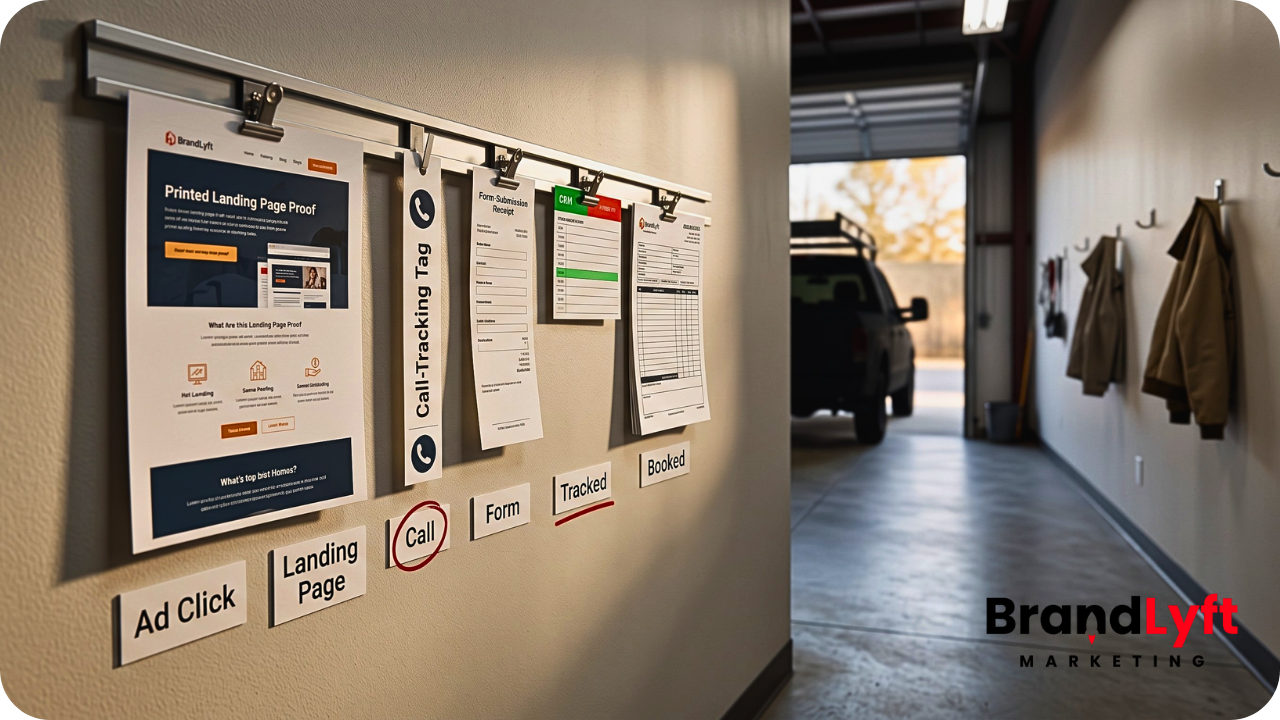
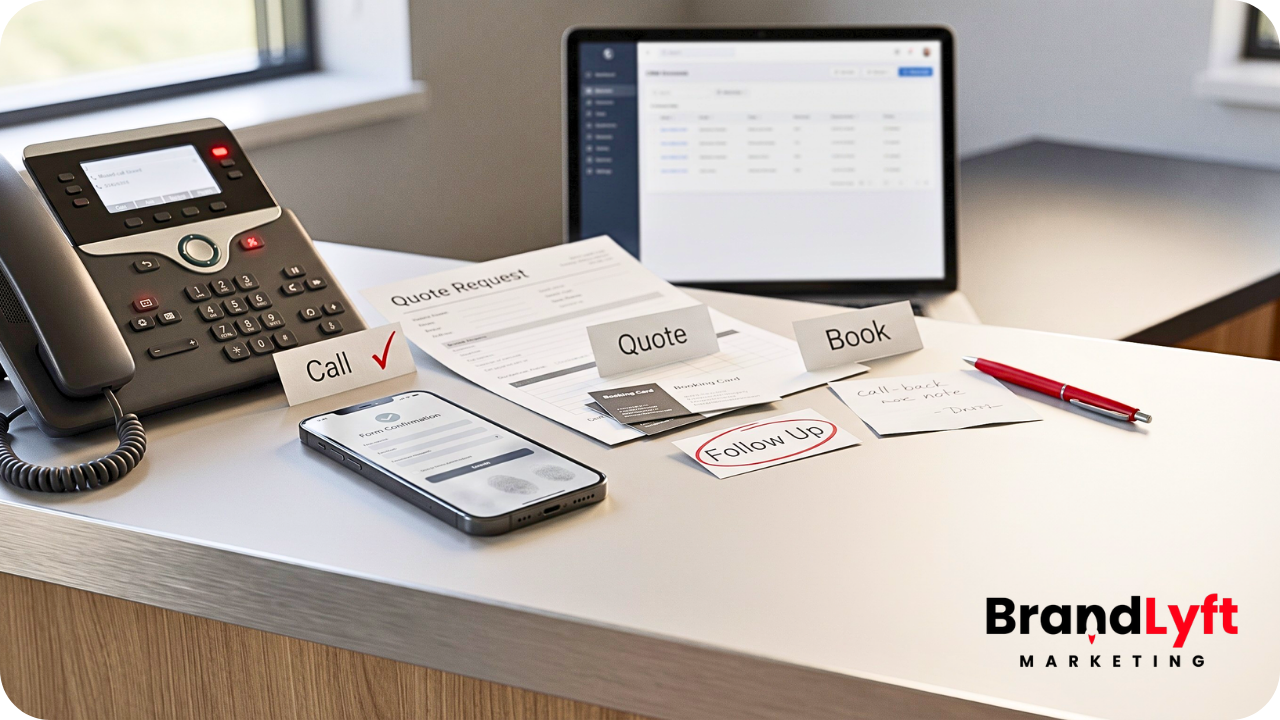
    ppc services Cartersville lead leak review showing ads missed calls landing pages tracking CRM routing and follow-up gaps

    Missed Calls From Paid Ads

    Phone calls are still one of the biggest conversion paths for local service businesses.

    That is especially true for urgent work. A leaking roof, broken AC unit, septic issue, pest problem, tree damage, or plumbing emergency often starts with a call.

    If the call comes from a paid ad and nobody answers, the business may pay for the click and still lose the job.

    Google Ads supports phone call conversion tracking for calls from ads, call assets, location assets, and website phone calls. That helps businesses see when ads create calls. But tracking the call does not recover the lead by itself.

    The business still needs a missed-call text-back, a call-back task, a clear owner, and a follow-up path.

    BrandLyft’s Speed to Lead work fits this part of PPC because fast response only matters when the next step is clear.

    Slow Replies After Form Fills

    A paid search lead has intent.

    They searched, clicked, read enough to act, and submitted a form.

    If the response comes hours later, the business may already be late.

    Fast form follow-up does not need a complicated setup. The system should confirm the request, alert the right person, create a task, mark the source, and move the lead into the right pipeline stage.

    If the form only sends an email, the business has to depend on someone checking the inbox at the right time.

    That is not a lead system.

    Weak Landing Pages

    A paid ad should not send traffic to a page that makes the customer work too hard.

    The landing page should make the offer clear. It should show the service area, the service type, the next step, trust signals, phone number, form, and what happens after the customer reaches out.

    For a Cartersville service business, the page does not need to be fancy.

    It needs to answer the practical question quickly: “Can this company help me, and what do I do next?”

    BrandLyft’s Web Design work matters here because paid traffic should not land on pages that look unclear, slow, generic, or disconnected from the follow-up path.

    Bad Source Tracking

    PPC reporting can look cleaner than it really is.

    The ad platform may show clicks and conversions. Google Analytics may show sessions. The CRM may show leads. The sales team may talk about booked jobs.

    Those numbers do not always agree.

    Google Analytics uses campaign links with UTM parameters, including source, medium, and campaign values. Google Ads also supports website conversion measurement for actions users take after clicking an ad.

    That tracking only helps when it connects to the CRM and the sales outcome.

    If the CRM only shows “website lead,” the business may not know whether the booked job came from Google Ads, Meta, organic search, Maps, referral, or repeat customer activity.

    That makes PPC budget decisions weaker.

    Leads That Never Become Booked Jobs

    Not every PPC lead is ready to buy on the first touch.

    Some need a quote.

    Others need a call-back.

    A few need scheduling.

    Some ask one question and go quiet.

    Plenty compare three companies before choosing one.

    The follow-up path should account for that.

    A paid lead should not disappear after one call attempt or one email. The business needs a second touch, a third touch when appropriate, and a clear stop point when the lead is truly not a fit.

    BrandLyft’s GoHighLevel Partner work fits businesses that already have GHL but need cleaner routing, follow-up, pipeline stages, and tracking before they put more money into ads.

    Paid Lead Leak Check

    Before More Cartersville PPC Spend Goes Live, Check These Gaps

    If the ads are sending leads into missed calls, slow replies, weak landing pages, unclear tracking, or loose follow-up, the next budget increase may only make the leak more expensive.

    Paid calls are missed or not recovered.
    Form fills sit too long.
    Landing pages do not make the next step clear.
    Tracking shows leads but not booked jobs.

    Start the Teardown

    Need the first-response path checked too? Review Speed to Lead or book the discovery call.

    What to Fix Before Hiring for PPC Services Cartersville

    Before hiring for PPC services Cartersville businesses should review the pieces that decide whether a paid lead becomes a booked job.

    Start with the phone path.

    Call the number from a mobile phone. Call it after hours. Let it ring. Check the missed-call path. See who gets alerted. Look for the lead inside the CRM. Reply to the text-back and check who owns the answer.

    Then review the landing page.

    Does the page match the ad? Does it explain the service clearly? Does it show the local area? Does it make the next step obvious? Does the page load cleanly on mobile? Does the phone number work? Does the form ask for the right details?

    After that, review the form path.

    Submit the form like a real customer. Watch how fast the team gets notified. Check the source. Confirm the lead gets assigned. Look for a task. See whether the pipeline stage changes.

    Then review tracking.

    Look at the ad platform, Google Analytics, call tracking, CRM, and booked jobs. If every system tells a different story, do not scale the budget yet.

    Last, review follow-up.

    What happens after the first call attempt? What happens after the quote goes out? What happens when the lead does not answer? What happens when the lead books but cancels?

    PPC should not feed a dead-end path.

    It should feed a working sales process.

    What a Strong PPC Landing Page Should Do

    A strong PPC landing page does not need to be overloaded.

    It needs to reduce doubt and make action easy.

    For local service businesses, the landing page should usually cover:

    • The exact service being advertised
    • The area served, including Cartersville when relevant
    • The main reason to choose the business
    • Clear phone and form options
    • Trust signals such as reviews, photos, proof, or service details
    • A simple explanation of what happens after the request

    The last point matters more than many businesses think.

    People hesitate when they do not know what happens after they submit.

    Will someone call?

    Will they get a quote?

    Will they book an estimate?

    Will the team ask for photos?

    Will the lead move to a calendar?

    A landing page should set that expectation clearly.

    BrandLyft’s Home Services Marketing page speaks directly to businesses where leads, calls, fast response, and booked jobs matter. That is the right world for this PPC article.

    Tracking Should Show More Than Cost Per Lead

    Cost per lead is useful, but it is not enough.

    A low cost per lead can still waste money if the leads do not book.

    A higher cost per lead can still make sense if the leads turn into better jobs.

    The business needs to know more than how many leads came in.

    It needs to know which campaigns created the right leads, which keywords created calls, which landing pages created form fills, which sources created booked work, and which follow-up paths lost people.

    Google Ads conversion tracking can measure meaningful actions such as sales or leads. Google Ads also supports call conversion tracking for calls from ads and call assets. Google Analytics campaign URL tools can identify source, medium, and campaign data when links use proper tags.

    Even then, reporting will not tell the whole story by itself.

    The CRM and team process still need to connect the lead to the final outcome.

    What to Ask Before You Spend More on Ads

    Before adding budget, ask practical questions.

    Can we answer or recover paid calls fast?

    Can we tell which ads created booked jobs?

    Can we see which form fills came from which campaign?

    Can the sales team trust the pipeline?

    Does the landing page match the ad?

    Does follow-up change when the lead replies, books, cancels, or goes quiet?

    Do we know how many paid leads were lost because nobody responded fast enough?

    Do we know which jobs came from PPC and which came from other channels?

    If the answer is no, the business may not need more ad spend first.

    It may need a lead-leak teardown.

    When PPC Services Cartersville Businesses Are Actually Ready For

    PPC services Cartersville businesses hire should come after the basics are clear.

    The business does not need a perfect system before running ads.

    But it should have enough of a system that paid leads are not wasted.

    That means:

    • The landing page matches the offer.
    • The phone path has been tested.
    • The team recovers missed calls fast.
    • Forms create real tasks.
    • Sources are tracked clearly.
    • The CRM shows the real sales stage.
    • Follow-up continues after the first touch.
    • The business can compare leads to booked jobs.

    Once that path is ready, PPC becomes easier to judge.

    If the ads are weak, the numbers will show it.

    If the landing page is weak, the behavior will show it.

    If follow-up is weak, the drop-off will show it.

    Without that path, every problem gets blamed on the ads.

    How BrandLyft Fits PPC Services Cartersville Businesses Need

    BrandLyft is a fit when a Cartersville-area business wants paid ads, but also needs the system behind those ads to work.

    That may include landing pages, Google Ads, Meta ads, call tracking, missed-call recovery, CRM routing, follow-up automation, reporting, and sales pipeline cleanup.

    For home service businesses, BrandLyft already speaks to the work that matters: more leads, faster response, reviews, reactivation, and jobs that do not slip through a weak system.

    For businesses already using GoHighLevel, BrandLyft can also review the account, clean up routing, improve lead handling, and connect paid traffic to a follow-up path that the team can actually use.

    BrandLyft’s stalled GoHighLevel account article is a useful next read if the business already has GHL but the account feels active without creating clear sales movement.

    The stronger PPC conversation is not “How much should we spend?”

    It is “Can the business catch the leads this spend creates?”

    Before More PPC Spend, Find the Leak

    Paid ads can help local businesses grow.

    They can also make weak systems more expensive.

    If a Cartersville business misses calls, replies slowly, sends traffic to weak landing pages, loses source data, or fails to follow up after the first touch, more PPC spend may not be the right first move.

    The first move is to find the leak.

    Then fix the path.

    After that, decide how much paid traffic the business is ready to handle.

    Before The Next PPC Budget Increase

    Check If Paid Leads Are Already Slipping

    If calls, forms, landing pages, tracking, and follow-up are not clean yet, more ads can create more lost chances. Start with the lead path before the next campaign push.

    Start the Teardown

    Want the response path checked too? Check Speed to Lead or book the discovery call.

  • Exercise Equipment SEO Agency – How Fitness Equipment Brands Get Found by Buyers

    Exercise Equipment SEO Agency – How Fitness Equipment Brands Get Found by Buyers

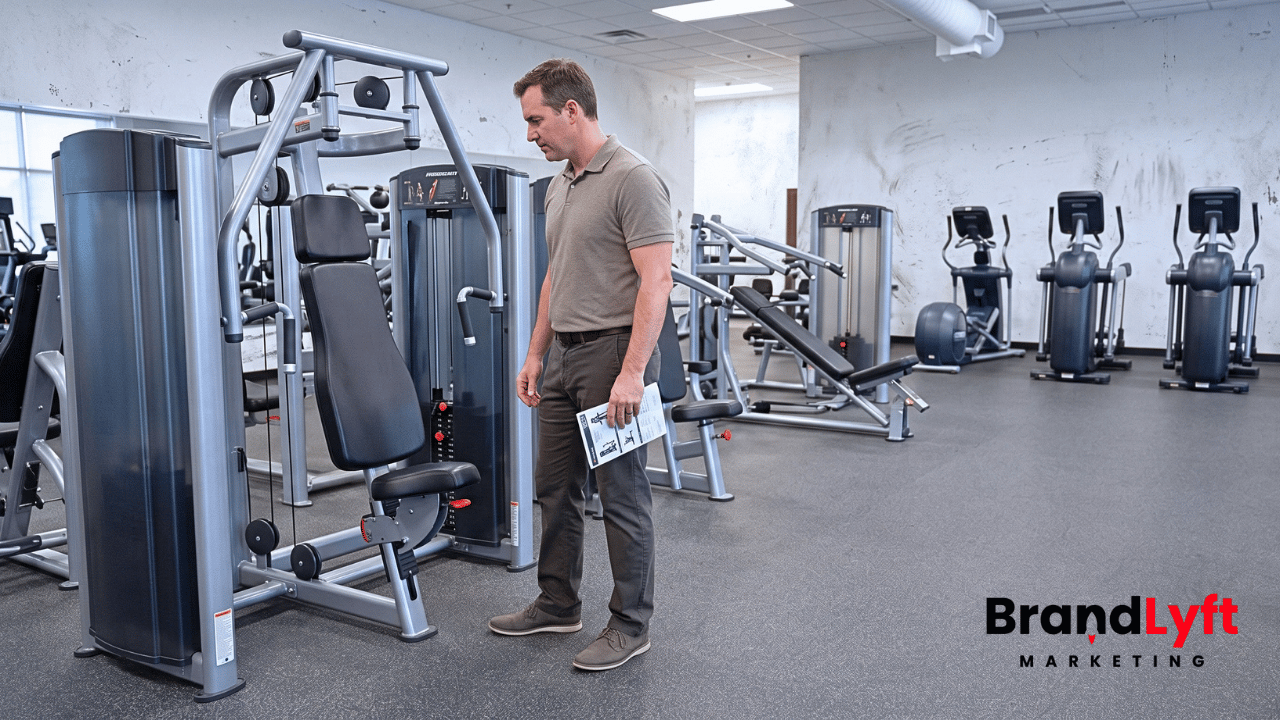
    An exercise equipment SEO agency should help buyers find the right products before they ever talk to sales. If your fitness equipment website has weak category pages, thin product pages, unclear dealer pages, missing local visibility, or a slow quote path, search traffic may never turn into real buyers.

    That matters for fitness equipment sellers, suppliers, dealers, commercial gym brands, wellness equipment companies, and related B2B or B2C sellers.

    People do not always search for your brand first.

    They search for a product type.

    They search by use case.

    They compare brands, specs, price ranges, delivery options, installation needs, warranties, local dealers, and commercial gym fit.

    If your site does not answer those searches clearly, buyers may find another seller before they understand what you offer.

    Why an Exercise Equipment SEO Agency Has to Think Beyond Rankings

    An exercise equipment SEO agency should not treat every fitness equipment website like a simple brochure site.

    Fitness equipment buyers often search with a specific need already in mind. A gym owner may look for commercial treadmills. A physical therapy clinic may compare rehab equipment. A hotel buyer may search for compact gym packages. A home user may want a folding treadmill, dumbbell set, rowing machine, squat rack, or replacement part.

    Each search carries a different buyer intent.

    Some visitors want product details.

    Some want a category page that narrows the options.

    Some want a quote.

    Some want a local dealer.

    Others need delivery, installation, financing, warranty, or service information before they feel ready to contact anyone.

    SEO has to support that path.

    BrandLyft’s SEO Services fit this kind of work when the site needs better organic structure, stronger on-page signals, useful content, and cleaner search paths for real buyers.

    How Fitness Equipment Buyers Actually Search

    Fitness equipment buyers rarely move in a straight line.

    A commercial buyer may begin with a broad search like “commercial gym equipment supplier.” Then they narrow the search to cardio equipment, strength machines, functional training racks, studio flooring, recovery tools, or specific equipment packages.

    A local buyer may search for “fitness equipment dealer near me,” “gym equipment showroom,” or “exercise equipment installation.”

    A home buyer may search by product type, size, budget, space limit, or feature.

    That means a fitness equipment website needs more than a homepage and a few product pages.

    It needs a structure that matches how buyers look for equipment.

    A strong site usually needs:

    • Clean product category pages
    • Useful product pages
    • Clear comparison and buying-guide content
    • Dealer, showroom, or local availability pages when relevant
    • Quote, consultation, or checkout paths that feel easy to follow
    • Tracking that shows which pages create real sales conversations

    Without that structure, SEO traffic can look active while buyers still drift away.

    What an Exercise Equipment SEO Agency Should Fix First

    An exercise equipment SEO agency should start by checking the pages that carry buyer intent.

    The homepage matters, but it rarely does the whole job.

    For equipment brands and dealers, the money usually sits deeper in the site: product categories, individual products, commercial use cases, local dealer pages, and quote paths.

    If those pages are thin, duplicated, hard to navigate, or missing useful detail, buyers may not trust the site enough to move forward.

    Category Pages Need to Do More Than List Products

    Category pages often carry strong search intent.

    A buyer searching for treadmills, strength equipment, recovery tools, studio bikes, weight benches, racks, or functional training equipment may land on a category page before a product page.

    That page should help the buyer narrow the choice.

    Weak category pages usually show a grid and stop there.

    Better category pages explain what belongs in the category, who the equipment fits, what buyers should compare, and how to move toward a quote or purchase.

    For commercial buyers, the category page may also need to mention installation, facility type, volume needs, durability, warranty, service, and planning support.

    BrandLyft’s E-commerce Development work connects here because product visibility does not live only in copy. It also depends on store structure, product data, inventory logic, page speed, and the way the site moves buyers toward action.

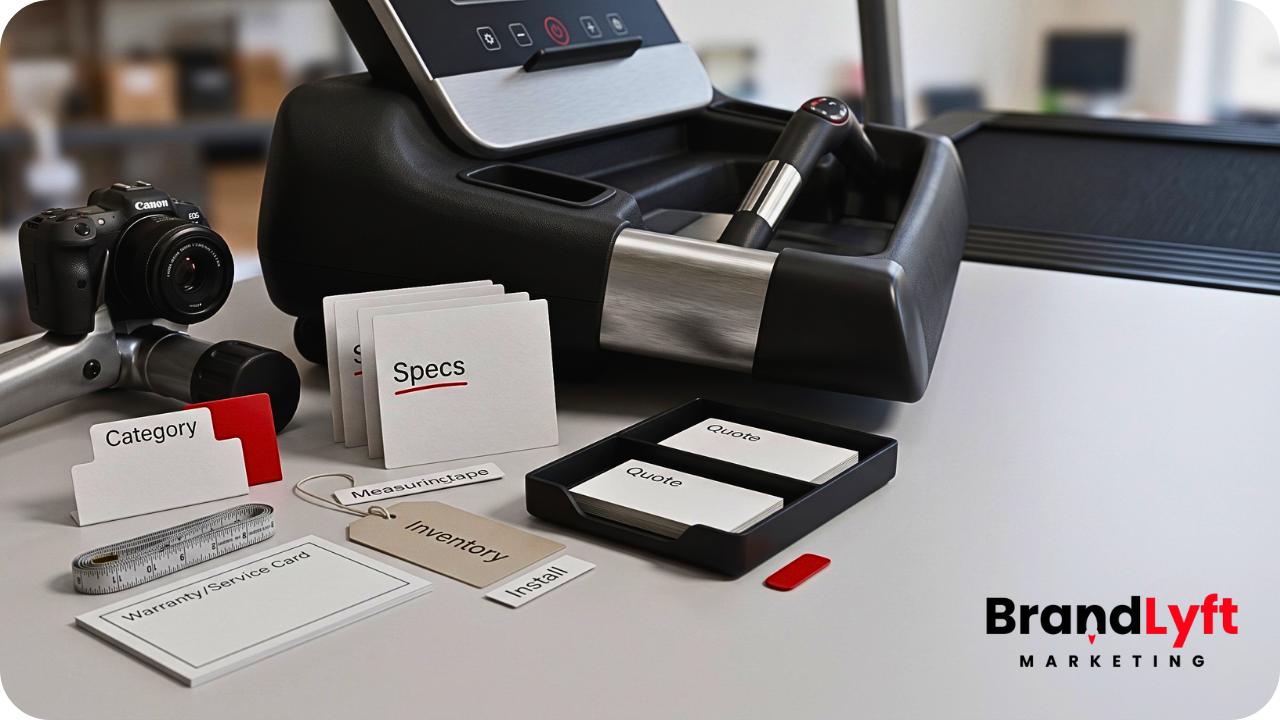
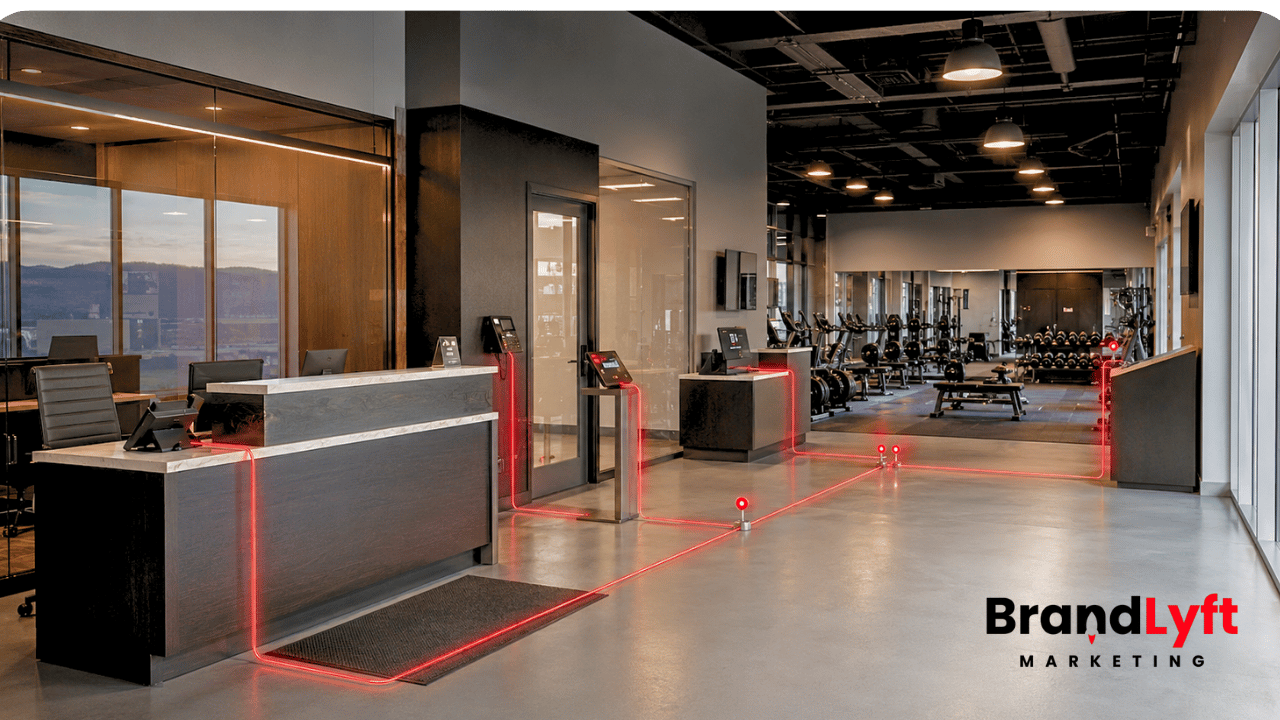
    exercise equipment seo agency reviewing category pages product pages dealer visibility and conversion paths for fitness equipment buyers

    Product Pages Need Buyer-Ready Detail

    A product page should answer the buyer’s practical questions before they leave the page.

    That may include product dimensions, use case, target user, commercial or home fit, installation needs, delivery options, service expectations, warranty details, accessories, related products, and quote or checkout next step.

    Google’s product structured data documentation explains how product markup can help potential buyers see product information in Search when the page meets the requirements.

    That does not mean markup alone creates sales.

    The visible page still has to help the buyer decide.

    Dealer and Local Pages Need Real Purpose

    Some fitness equipment brands sell directly. Others rely on local dealers, showrooms, installers, service partners, or regional sales teams.

    If local visibility matters, the site needs pages that explain where buyers can get help, what each location or dealer supports, and how the buyer should contact the right person.

    Thin dealer pages can create the same problem as thin city pages.

    They exist, but they do not help the buyer.

    Google’s LocalBusiness structured data documentation explains how local business details can help search systems understand business information such as business hours and departments. For fitness equipment dealers or showrooms, the larger job is still the page itself: make the local buying path clear.

    Conversion Paths Need to Match the Sale

    Fitness equipment sales can be simple or complex.

    A single home product may need a checkout path.

    A commercial gym package may need a quote request, layout conversation, equipment plan, financing discussion, or delivery call.

    A service or installation request may need location details, equipment type, timeline, and contact information.

    If the website gives every buyer the same contact form, the team may lose useful context before the sales conversation starts.

    BrandLyft’s Web Design service matters here because the site has to guide search visitors toward the right next step, not only look polished.

    Product Search Check

    Before More Buyers Hit the Site, Check the Pages They Actually Land On

    If product pages, category pages, dealer pages, quote forms, and tracking already feel thin or unclear, more traffic may only expose the same sales leak faster.

    Category pages only show product grids.
    Product pages miss buyer details.
    Dealer pages do not explain the local path.
    Quote forms do not capture enough context.

    Start the Teardown

    Need the search path reviewed first? Review SEO Services or book the discovery call.

    Why Website Structure Matters for Fitness Equipment SEO

    Website structure tells buyers and search engines how your equipment catalog fits together.

    If the structure is messy, important pages may compete with each other.

    A treadmill category page, commercial treadmill page, home treadmill page, used treadmill page, and treadmill product page should not all try to do the same job.

    Each page should have a clear role.

    The category page helps buyers narrow the type.

    The product page sells the specific item.

    The commercial page speaks to gyms, studios, hotels, schools, or clinics.

    The dealer page helps local buyers find help near them.

    The buying guide answers questions before the buyer is ready to request a quote.

    When every page has a job, SEO gets easier to understand.

    When every page says the same thing, the site becomes harder to trust.

    What Product and Category Pages Should Include

    Fitness equipment pages should not make buyers guess.

    For product pages, useful content may include:

    • Product name and clear category
    • Commercial, home, wellness, rehab, or studio use case
    • Dimensions, specs, power needs, and space requirements
    • Delivery, installation, service, and warranty details when relevant
    • Related products or accessories
    • Quote, checkout, dealer, or consultation path

    For category pages, useful content may include:

    • How to choose within the category
    • Who the equipment fits
    • Commercial vs home-use differences
    • Common buyer questions
    • Featured products or subcategories
    • Clear next step for quote, showroom, dealer, or checkout

    Google’s product snippet documentation covers product information that may appear in richer search results, such as ratings, price, and availability, when the page qualifies and the markup follows the rules.

    That makes product data cleaner for search.

    It still has to match visible, useful page content.

    Product Data Can Make or Break Search Visibility

    Product data matters because fitness equipment catalogs often contain many similar products.

    A buyer may compare two ellipticals, five benches, three squat racks, or several commercial cardio packages. Search systems and shopping surfaces need clean data to understand what each item is, who it fits, and how it differs from nearby products.

    Google Merchant Center’s product data specification explains that Google uses product data to match products to the right queries. Bad, missing, or inaccurate product data can cause display issues or limit how products appear.

    For fitness equipment sellers, that means product names, descriptions, images, availability, pricing, identifiers, categories, and feed data should not live as an afterthought.

    The product feed, product page, and category structure should tell the same story.

    If they do not, buyers may see confusing results or land on pages that do not match their search.

    Local and Dealer Visibility Need a Different SEO Path

    Some exercise equipment brands need national ecommerce visibility.

    Others need local dealer visibility.

    Many need both.

    A buyer may want to search online, visit a showroom, talk to a dealer, check local inventory, or ask about delivery and installation in their area.

    That kind of search path needs more than product descriptions.

    Dealer pages should explain what the local buyer can do next. Can they visit a showroom? Request a quote? Check availability? Schedule installation? Talk to a regional rep? Get service for existing equipment?

    Google Merchant Center’s local inventory documentation explains how local inventory data can tell Google which stores have certain products. For dealers and showroom-based sellers, that kind of inventory clarity can matter when buyers search with local intent.

    BrandLyft’s Specialty Retail page fits this part of the conversation because product-driven businesses often need SEO, local visibility, reputation, and conversion paths working together.

    Content Should Support Buyers Before They Ask for a Quote

    Not every buyer is ready to contact sales.

    Some are still comparing product types.

    Some are deciding between commercial and home equipment.

    Some need to understand space planning.

    Some want to know which equipment fits a hotel gym, apartment gym, school weight room, boutique studio, physical therapy clinic, or corporate wellness room.

    Good SEO content helps buyers move from research to decision.

    That may include buying guides, comparison pages, use-case pages, installation guides, maintenance content, product selection pages, and dealer support content.

    The goal is not to publish random blog posts.

    The goal is to answer the questions buyers ask before they raise their hand.

    Conversion Still Matters After the Buyer Finds the Page

    Search visibility is not the finish line.

    A buyer still needs to act.

    That action may be checkout, quote request, dealer contact, showroom visit, call, financing inquiry, service request, or product consultation.

    If the call to action does not match the sale, conversion drops.

    A commercial buyer may not click “Add to Cart” on a full gym package. They may need “Request a Commercial Quote” or “Talk to a Gym Equipment Planner.”

    A local buyer may need “Find a Dealer” or “Check Local Availability.”

    A home buyer may need clear product specs, shipping details, and a simple checkout path.

    BrandLyft’s Revenue System Build connects to this problem because the website should not only capture interest. It should route buyer interest into a path the team can follow, track, and close.

    Paid Ads and SEO Should Not Fight Each Other

    Fitness equipment brands often run paid campaigns while trying to grow organic search.

    That can work well when the pages are built properly.

    A strong product category page can support SEO, paid search, Shopping campaigns, retargeting, and sales follow-up. A weak page forces each channel to compensate for the same missing content.

    If paid traffic keeps landing on thin product pages, ads become more expensive to judge.

    If SEO traffic lands on pages with unclear next steps, organic growth may not create sales conversations.

    If tracking stops at form submissions, the team may not know which pages create quotes, dealer calls, or purchases.

    BrandLyft’s Paid Ads Management becomes stronger when the landing pages, product data, tracking, and follow-up path already support buyer intent.

    What to Ask Before Hiring an Exercise Equipment SEO Agency

    Before hiring an exercise equipment SEO agency, ask practical questions.

    Will they review category pages before writing blog posts?

    Will they check product page detail, not just keyword use?

    Will they look at product data, feeds, and structured data?

    Will they review local or dealer visibility if your buyers search by area?

    Will they connect SEO traffic to quote requests, calls, dealer inquiries, showroom visits, and sales follow-up?

    Will they help decide which pages should rank and which pages should support?

    Will they check conversion paths before increasing traffic?

    If the answer is no, the agency may treat your equipment catalog like ordinary content.

    That is not enough for a product-led business.

    How BrandLyft Fits Fitness Equipment SEO

    BrandLyft is a fit when a fitness equipment company needs more than scattered SEO work.

    The site may need a cleaner category structure.

    Product pages may need stronger buyer information.

    Dealer or local pages may need a clearer role.

    Tracking may need to show which pages create quote requests, calls, or booked sales conversations.

    The follow-up path may need to connect website interest to CRM, email, SMS, tasks, and sales ownership.

    BrandLyft’s Proof page shows how the company talks about growth through lead response, attribution, reputation, and systems behind the marketing. That matters for product-led companies too, because visibility alone does not close the sale.

    For a fitness equipment seller, SEO should help the right buyer find the right page, understand the right product path, and take the right next step.

    That is the real job.

    Before More Traffic, Fix the Buyer Path

    An exercise equipment SEO agency should help fitness equipment brands get found by buyers, but the work should not stop at rankings.

    The site has to support product discovery, category decisions, local or dealer visibility, product data, conversion, and follow-up.

    If the buyer lands on a thin category page, confusing product page, weak dealer page, or vague quote form, search traffic may not turn into real demand.

    Fix the buyer path first.

    Then build the search program around it.

    What This Means

    If Buyers Can Find the Product But Still Do Not Act, the Page Path Needs Review

    Search visibility only helps when product pages, category pages, dealer pages, quote forms, and follow-up paths make the next step clear. Start by finding where the buyer path leaks.

    Start the Teardown

    Need the organic path reviewed too? Review SEO Services or book the discovery call.

  • Cartersville Digital Marketing Agency: What Local Service Businesses Need Before More Leads

    Cartersville Digital Marketing Agency: What Local Service Businesses Need Before More Leads

    A Cartersville digital marketing agency should not push more leads into a broken follow-up path. If your website, calls, forms, booking flow, tracking, and lead response are not ready yet, more traffic can make the leak worse.

    That is the part local service businesses need to check first.

    More leads sound good until the phone rings during a job, the form goes to the wrong inbox, the CRM does not show the source, or nobody knows who should call the customer back.

    For a Cartersville contractor, home service company, med spa, repair shop, local clinic, tree service, HVAC company, plumber, roofer, or smaller operator, the problem is not always demand.

    Sometimes the problem is what happens after demand shows up.

    Why a Cartersville Digital Marketing Agency Should Check the Lead Path First

    A good Cartersville digital marketing agency should care about the whole lead path, not only the campaign that created the lead.

    That path starts before the click and ends only when the business knows what happened.

    Did the person find you from Google Search, Google Maps, a paid ad, a referral, an old email, a social post, or your website?

    Did they call, submit a form, request a quote, start a chat, click to book, or send a message?

    Did your team respond fast enough?

    Did the lead go to the right person?

    Did the CRM show the source clearly?

    Did the lead move into the right follow-up path?

    Did anyone mark the outcome?

    If those answers are unclear, more leads may not fix the problem. More leads may only make the problem harder to see.

    BrandLyft’s Speed to Lead work fits this exact issue because local service leads often go cold fast. The first response should not depend on someone remembering to check a missed call, inbox, form notification, or sticky note.

    More Leads Do Not Help If the Business Cannot Handle Them

    Local service businesses often ask for more leads because that is the easiest problem to name.

    The phone is not ringing enough.

    The website is not producing enough form fills.

    The calendar is not full.

    The crew has open time.

    The slow season feels too slow.

    Those are real problems. But they are not always ad problems.

    A business can spend more on Google Ads and still lose the job because the call was missed.

    A business can improve SEO and still lose the quote because the website form does not create a clear next step.

    A business can rank on Google Maps and still lose the customer because the team waited three hours to reply.

    A business can get more traffic and still not know which lead source created booked work.

    That is why a local lead-leak review should happen before the next budget increase.

    Where Local Service Leads Usually Fall Apart

    Lead leaks usually happen in plain places.

    The customer clicks.

    The customer calls.

    The customer fills out a form.

    The customer requests a quote.

    The customer expects a response.

    Then the business side gets messy.

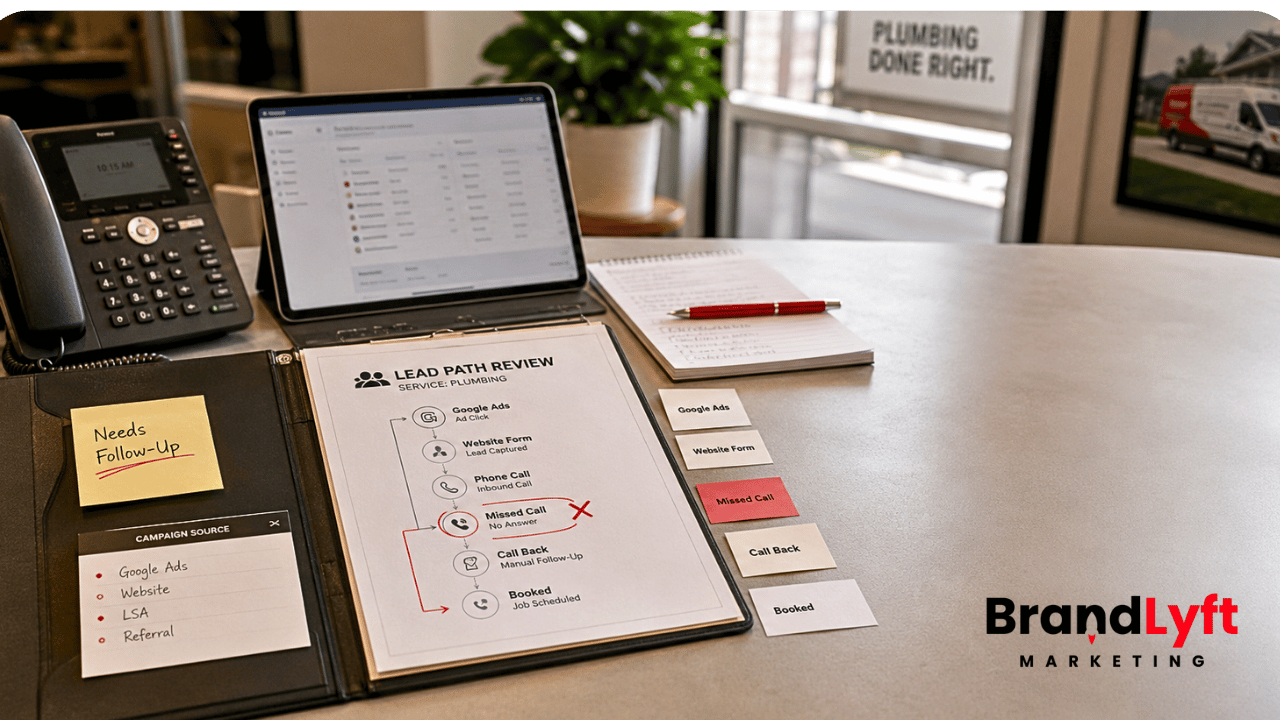
    cartersville digital marketing agency lead path review for local service business calls forms booking tracking and follow-up gaps

    Missed Calls With No Recovery Path

    For many service businesses, the highest-intent lead is still a phone call.

    That is especially true for urgent work: plumbing issues, HVAC repairs, roof leaks, electrical problems, tree damage, appliance repair, pest issues, and other problems where the customer wants help now.

    If the call gets missed, the business needs more than voicemail.

    There should be a text-back, a call-back task, a clear owner, and a follow-up path. A missed-call text-back without a person watching the reply is not enough.

    It only says, “We saw you called.”

    It does not win the job by itself.

    Website Forms That Do Not Trigger Real Action

    A contact form should not just send an email.

    It should tell the team what the customer needs, where the lead came from, who owns the first response, and what should happen next.

    If the form sends a vague notification to a shared inbox, the business has to rely on memory. That works until the day gets busy.

    A better setup sends the lead into the CRM, tags the source, alerts the right person, creates a task, and starts a follow-up path that matches the request.

    That is the difference between a form submission and a lead system.

    Booking Paths That Stop Too Early

    Some local businesses let customers request appointments, consultations, estimates, inspections, or calls online.

    That is useful only if the booking path stays connected.

    The customer should know what happens next. The staff should get the right alert. The CRM should track the source. The appointment should connect to the right pipeline stage. If the customer cancels or no-shows, the follow-up should not depend on someone noticing it later.

    BrandLyft’s Revenue System Build exists for this kind of gap. The point is not just getting the lead. The point is building the system that catches it, routes it, tracks it, and keeps it moving.

    Tracking That Shows Leads But Not Booked Work

    Lead count can be misleading.

    A campaign may create form fills, but not booked jobs.

    A channel may create calls, but not profitable work.

    A landing page may look busy, but the sales team may not trust the leads.

    If tracking stops at “lead submitted,” the business does not know which source deserves more money.

    That is where Google Business Profile performance, Google Ads conversion tracking, CRM source tracking, and pipeline stages need to agree. Google’s Business Profile performance documentation explains that owners can see searches, calls, website clicks, directions, messages, and bookings when those metrics apply. Google Ads also documents website conversion measurement for actions users take after clicking an ad.

    The tools can show activity.

    The business still has to connect that activity to real sales outcomes.

    Lead-Leak Check

    Before More Cartersville Leads Come In, Check Where They Go

    If calls, forms, booking requests, source tracking, and follow-up already feel unclear, more leads may only hide the real issue. Start by finding the leak.

    Missed calls are not recovered fast.
    Forms do not create a clear next step.
    Lead sources are hard to trust.
    Booking requests do not move cleanly.

    Start the Teardown

    Need the response path reviewed too? Review Speed to Lead or book the discovery call.

    What a Cartersville Digital Marketing Agency Should Review Before More Budget

    A Cartersville digital marketing agency should review the parts of the system that turn attention into booked work.

    That does not mean every business needs a complicated setup.

    It means the basics need to work.

    The Website Has to Make the Next Step Obvious

    A local service website should make it easy to call, request a quote, book, or ask a question.

    That sounds simple, but many websites hide the next step under weak buttons, long pages, vague service copy, slow mobile layouts, or forms that ask for too much too soon.

    For a Cartersville business, the website should answer the practical questions fast.

    What do you do?

    Where do you serve?

    Can I trust you?

    How do I get help?

    What happens after I reach out?

    BrandLyft’s Web Design work matters because a service business website is not just a brochure. It has to turn local intent into a clean next step.

    The Paid Ads Need Tracking Before Scale

    Paid ads can create fast demand, but they can also expose weak tracking.

    If the business cannot see which campaigns created booked appointments, sales calls, estimates, or real jobs, the ad account becomes harder to trust.

    Clicks are not enough.

    Form fills are not enough.

    Call volume is not enough.

    The business needs to know which campaigns create the right kind of lead and which leads move forward.

    That is why BrandLyft’s Paid Ads Management should sit close to the follow-up system. Paid traffic and lead handling should not operate like two separate worlds.

    The CRM Has to Match the Way the Business Sells

    Many local businesses have some kind of CRM, inbox, spreadsheet, job board, software account, or calendar.

    The problem is not always missing software.

    The problem is often that the software does not match the way the business actually handles leads.

    A roofing lead may need an inspection path.

    An HVAC lead may need an emergency response path.

    A med spa lead may need a consultation path.

    A pest control lead may need a recurring-service path.

    A tree service lead may need urgent storm cleanup routing.

    If every lead enters the same pipeline, the team has to sort the details manually. That slows everything down.

    BrandLyft’s GoHighLevel Partner work fits businesses that already have GHL but need the setup to match real sales, routing, follow-up, and reporting.

    The Local Trust Signals Need to Be Clean

    Local buyers make fast trust decisions.

    They check reviews, photos, service pages, location details, business hours, licensing signals when relevant, and whether the company looks real.

    Google’s LocalBusiness structured data documentation explains how business details can help search systems understand local business information. Structured data alone does not create trust, but clean business details support a better local presence.

    The bigger point is plain: a local business should not send paid traffic to a page that still feels unfinished, vague, or hard to trust.

    Why Local Service Businesses Near Cartersville Lose Leads After They Get Them

    Cartersville-area businesses do not always lose leads because competitors have better ads.

    Sometimes competitors simply answer faster, explain the next step better, or follow up more clearly.

    That matters for smaller operators because one missed estimate, one unanswered urgent call, or one lost quote can hurt the week.

    Common leak points include:

    • A call comes in while the team is on a job.
    • A form notification goes to an inbox nobody checks fast enough.
    • A lead source appears as “website” with no useful detail.
    • A booked estimate never moves into the right pipeline stage.
    • A missed call gets a text, but nobody owns the reply.
    • A quote goes out, but no follow-up happens after two days.
    • A customer asks a question through chat, but the team sees it too late.

    None of those problems require a bigger ad budget first.

    They require a cleaner lead path.

    What to Fix Before Asking for More Leads

    Before hiring a Cartersville digital marketing agency or increasing the monthly marketing budget, review the core path.

    Start with the phone.

    Call the main number during business hours. Call it after hours. Check what happens when no one answers. Check the text-back. Check who gets alerted. Check whether the lead appears in the CRM.

    Then test the website forms.

    Submit the form like a customer. Use a real service need. Watch how fast the notification arrives, where the lead goes, what source appears, and who owns the reply.

    Then review the booking path.

    If customers can request appointments or estimates, check the confirmation, staff alert, calendar logic, and follow-up.

    Then review tracking.

    Look at Google Business Profile, website analytics, ad conversions, call tracking, form submissions, CRM stages, and booked jobs. If those systems do not tell the same story, do not scale spend yet.

    Then review the follow-up.

    Look at what happens after the first reply. Many leads are not lost on the first touch. They are lost because no second, third, or quote follow-up happens when the customer hesitates.

    That is where AI Conversational Bot, missed-call handling, nurture paths, and human task ownership can help — but only when the setup matches the business.

    What the Free Lead-Leak Teardown Should Help You See

    The Free Lead-Leak Teardown should help a local service business see where the lead path is breaking before more money goes into ads, SEO, or new campaigns.

    The teardown should not be about blaming one tool.

    It should answer practical questions:

    Are calls being answered or recovered?

    Are forms tracked clearly?

    Are leads routed to the right person?

    Are sources easy to trust?

    Does the CRM show the real sales stage?

    Does follow-up happen after the first response?

    Does the website make the next step obvious?

    Does the business know which channels create booked work?

    Once those answers are clear, the next move becomes easier.

    The business may need better local SEO.

    It may need paid ads.

    It may need a website cleanup.

    It may need speed-to-lead automation.

    It may need a CRM rebuild.

    Or it may need all of those in the right order.

    BrandLyft’s Proof page is useful when you want to see how the company talks about service-business growth, lead response, CRM, and marketing systems in the real world.

    Before More Leads, Build the Path That Holds Them

    A Cartersville digital marketing agency can help a local business get more attention.

    But attention is not the same as booked work.

    If the phone is missed, the form is vague, the CRM is hard to trust, the booking path is unclear, or the follow-up depends on memory, more leads may only create more dropped chances.

    For local service businesses in and around Cartersville, the better first move is to check the system behind the lead.

    Fix the leak.

    Then decide what kind of marketing spend makes sense.

    Cartersville Lead Readiness Check

    Do Not Pay for More Leads Until the Follow-Up Path Is Clear

    If calls, forms, booking requests, tracking, and CRM follow-up already feel scattered, start with the leak. The next campaign will only help if the business can catch the leads it creates.

    Start the Teardown

    Need someone to review the response path with you? Check Speed to Lead or book the discovery call.

  • Marketing Automation Atlanta – What Service Businesses Need Before They Spend More on Ads

    Marketing Automation Atlanta – What Service Businesses Need Before They Spend More on Ads

    Marketing automation Atlanta service businesses can trust should do more than send texts after someone fills out a form. If you are paying for ads in Atlanta but losing leads through slow follow-up, missed calls, weak routing, poor source tracking, or a CRM your team does not trust, the ad budget is not the first thing to fix.

    The follow-up system is.

    A plumbing company can pay for clicks and still miss the phone call.

    A roofing company can get form fills and still route them to the wrong person.

    A med spa, fitness studio, tree service, pest control company, or home service business can have a CRM full of contacts and still lose the lead because nobody knows who owns the next step.

    That is the part most “more ads” conversations skip.

    If the path after the lead is weak, more traffic only makes the leak bigger.

    Why Marketing Automation Atlanta Service Businesses Need Comes Before More Ads

    Atlanta-area service businesses compete in a busy market. People search, call, compare, ask for estimates, book appointments, and move on fast when they do not hear back.

    That does not mean every business needs more ad spend first.

    Some businesses need a tighter lead response system.

    If your ads already create calls, form fills, chat requests, booking attempts, or quote requests, the next question is simple: what happens after the lead arrives?

    Does someone respond fast?

    Does the lead go to the right person?

    Does the missed call get a useful text-back?

    Does the CRM show the source clearly?

    Does the pipeline show what happened next?

    Does the team follow a real process, or does everyone work from memory?

    That is where marketing automation for service businesses earns its place. It should connect the ad, the lead source, the call, the form, the CRM, the staff member, the follow-up path, and the sales pipeline.

    BrandLyft’s Speed to Lead work fits this problem because response time is not just about sending a fast text. It is about making sure the first response creates a real handoff, a real task, and a real next step.

    The Real Lead Leak Is Usually After the Click

    Many Atlanta service businesses look at ad performance first.

    That makes sense. Ad cost is visible. Leads are visible. Calls are visible. Form fills are visible.

    But the real leak often happens after the click.

    A homeowner clicks a roofing ad and fills out a form. The form enters the CRM, but the lead source is vague. A staff member calls once and forgets the second touch. The opportunity sits in the wrong pipeline stage. Nobody checks it until the homeowner already booked another contractor.

    A pest control lead calls from a Google Business Profile listing. The call comes in during a job, lunch rush, or after hours. HighLevel can send a missed-call text-back, but if nobody owns the reply, the business still loses the job.

    A med spa or fitness studio gets a booking request. The automation sends a message, but the calendar, pipeline, and staff follow-up do not agree. The lead looks captured, but the visit never gets booked.

    None of these are ad problems by themselves.

    They are lead handling problems.

    marketing automation atlanta service business lead leak review showing missed calls CRM routing source tracking and speed to lead gaps

    A smart Atlanta digital marketing agency should catch that before telling you to spend more.

    What Marketing Automation Atlanta Businesses Should Check First

    Marketing automation Atlanta service businesses need should start with a lead path review.

    Not a dashboard review.

    Not a campaign review.

    A lead path review.

    That means tracing a real lead from the first touch to the booked job, estimate, appointment, consultation, or sale.

    The review should answer six questions.

    1. Where Did the Lead Come From?

    Lead source tracking is easy to talk about and easy to break.

    A service business may receive leads from Google Ads, Local Services Ads, Meta ads, organic search, Google Business Profile, referral partners, landing pages, website forms, chat, phone calls, SMS, old campaigns, and manual entries.

    If those sources all enter the CRM with weak labels, reporting becomes hard to trust.

    You may know that leads came in.

    You may not know which source produced booked jobs.

    That matters because an Atlanta service business can waste money by cutting the wrong channel or scaling the wrong one.

    HighLevel’s external tracking documentation shows how form submissions and UTM parameters can be captured when tracking is set up correctly. That kind of source clarity matters before the business spends more on ads.

    2. Who Owns the First Response?

    Fast follow-up only works when ownership is clear.

    A new lead may need to go to a dispatcher, front desk team, sales rep, estimator, clinic coordinator, franchise location, or owner. If everyone sees the lead but nobody owns it, the system creates noise instead of action.

    A good marketing automation setup should assign the lead, notify the right person, create the right task, and show what should happen next.

    That is not just a workflow setting.

    It is an operating rule.

    BrandLyft’s Revenue System Build is built around that bigger path: capture, response, follow-up, attribution, and the sales process behind the CRM.

    3. What Happens After a Missed Call?

    Missed calls are one of the easiest places for service businesses to lose money.

    A lead who calls usually has intent. They may need a quote, appointment, repair, inspection, consultation, or same-day answer. If nobody answers, they may call the next company on the list.

    HighLevel’s missed-call text-back feature can automatically send a text after an inbound call is missed. That helps keep the conversation alive, but the text is only the first step.

    The business still needs to know who checks the reply, who calls back, what happens after no reply, and where that lead should sit in the pipeline.

    A missed-call text-back without ownership is not speed-to-lead automation.

    It is a polite receipt.

    4. Does the CRM Route Leads by Service, Location, or Source?

    Simple routing may work for a small business with one owner handling every lead.

    It breaks when the business has multiple services, field teams, office staff, sales reps, service areas, locations, or ad campaigns.

    A home service lead for an emergency repair may need a different path than a maintenance plan inquiry. A med spa consultation may need a different path than a membership question. A pest control lead from a residential campaign may need a different path than a commercial account lead.

    If the CRM treats every lead the same, the team has to interpret context manually.

    That slows the response and weakens reporting.

    5. Does the Pipeline Match the Sales Process?

    A pipeline should show where the lead stands in the real sales process.

    HighLevel pipelines and opportunities can track leads as they move through stages, but the stages need to match the way the business sells.

    For many service businesses, “New,” “Contacted,” and “Won” are not enough.

    You may need stages like new lead, first response sent, estimate scheduled, estimate completed, quote sent, waiting on customer, job booked, job completed, lost, and reactivation candidate.

    The exact names depend on the business.

    The point is that the pipeline should tell the team what needs action.

    6. Is Follow-Up Based on Behavior?

    Follow-up should change based on what the lead does.

    A lead who replies should not keep receiving the same cold automation. A lead who books should move into a booking or confirmation path. A lead who misses an appointment should enter a recovery path. A lead who asks for price may need a different message than someone who asks about availability.

    HighLevel workflow triggers can start actions from contact, appointment, opportunity, communication, and ad events. The setup still has to decide which event matters and what should happen next.

    If every lead gets the same follow-up, the automation may look active while the sales process stays weak.

    Lead-Leak Check

    Before More Atlanta Ad Spend Goes Live, Check These Five Gaps

    Missed calls have no clear owner.
    Lead sources are hard to trust.
    The CRM routes every lead the same way.
    The pipeline does not show the real sales stage.
    Follow-up does not change when the lead replies.

    Start the Teardown

    Need the response path reviewed with someone? Review Speed to Lead or book the discovery call.

    Why Speed to Lead Automation Matters More Than More Traffic

    Speed to lead automation matters because the first business to respond often shapes the conversation.

    That does not mean the answer is to blast every lead with instant texts forever.

    The better answer is to build a clear first-response path.

    For an Atlanta-area service business, that may include:

    • Instant confirmation after a form fill
    • Missed-call text-back after an unanswered call
    • Internal notification to the right team member
    • Task creation for the first human follow-up
    • Pipeline movement based on response or booking status
    • Source tracking so the business knows which ads create real opportunities

    The first response should not feel like a robot taking attendance.

    It should help the lead keep moving.

    That is the part many businesses miss. They set up an auto-text and call it speed to lead. But if the text does not connect to ownership, pipeline movement, and a second touch, the lead can still go cold.

    Speed without a system becomes another notification.

    Speed with a system becomes a sales advantage.

    What a Good Atlanta Digital Marketing Agency Should Check Before Scaling Ads

    A good Atlanta digital marketing agency should not judge the account only by ad clicks, cost per lead, or campaign spend.

    Those numbers matter, but they do not tell the whole story.

    A low cost per lead can still be expensive if the lead is not called back.

    A high call volume can still be weak if missed calls do not get recovered.

    A strong form-fill rate can still fail if the CRM does not route leads by service, source, or urgency.

    Before more budget goes into paid search, Local Services Ads, Meta, SEO, or retargeting, the agency should check the system behind the lead.

    The Website and Landing Pages

    Forms should capture the right information without adding friction.

    Phone numbers should be tracked correctly.

    Calls should route to the right team.

    Landing pages should clearly identify the offer, service, area, source, and follow-up path.

    BrandLyft’s Web Design work matters here because a service-business website is not just a brochure. It has to feed clean leads into the next step.

    The CRM and Lead Routing

    The CRM should show where the lead came from, what the lead wants, who owns the response, and what should happen next.

    If the CRM only stores names and phone numbers, the team still has to interpret everything manually.

    That is where mistakes start.

    BrandLyft’s GoHighLevel Partner service fits when the business already uses GHL but the routing, workflows, or pipeline no longer match the way the business sells.

    The Missed-Call Path

    Missed-call handling should be treated like a sales path, not a feature toggle.

    If a call is missed, the system should send the right text, alert the right person, create a task if needed, and move the lead into a place where the team can see it.

    HighLevel can also support call tracking and missed-call text-back through Google Business Profile setups, depending on configuration.

    That matters for Atlanta service businesses because many high-intent calls come from local search behavior, not just paid landing pages.

    The Pipeline and Opportunity Stages

    The pipeline should tell the truth.

    If leads sit in “New” for days, the pipeline is not helping.

    If won jobs never get marked, reporting is weak.

    If estimates, appointments, calls, and quotes all live in the same stage, the manager has to guess what happened.

    BrandLyft’s article on GoHighLevel audit checks is useful here because a stalled account usually leaks leads through routing, workflow, pipeline, and reporting problems before anyone notices the pattern.

    The Reporting

    Reporting should not stop at lead count.

    A service business needs to know which source produced the lead, which source produced the booked appointment, which source produced the estimate, and which source produced the job.

    Otherwise, the team may scale the campaign that creates activity instead of the campaign that creates revenue.

    That is where BrandLyft’s Paid Ads Management should connect with automation, attribution, and follow-up. Ads should not sit apart from the system that handles the lead.

    Marketing Automation for Service Businesses Should Match the Sales Process

    Marketing automation for service businesses should start with how the business sells.

    A tree service does not handle leads the same way as a med spa.

    A pest control company does not qualify leads the same way as a fitness studio.

    An HVAC company does not treat emergency repair calls the same way as replacement estimate requests.

    A specialty contractor does not follow up with a commercial lead the same way it follows up with a homeowner.

    The automation has to match those differences.

    That means the setup should account for service type, urgency, lead source, staff availability, service area, quote process, booking process, and sales cycle.

    If the business has multiple locations or service areas, routing matters even more.

    BrandLyft’s Home Services Marketing page is relevant for businesses where calls, appointments, and speed to lead decide whether the lead becomes a booked job.

    Where Atlanta Service Businesses Lose Leads Inside GHL

    Many service businesses already have GoHighLevel or another CRM in place.

    The problem is not always missing software.

    The problem is often drift.

    Someone built a workflow months ago. Someone else edited the form. A campaign changed. A staff member left. A new service line was added. The pipeline stages no longer match how the team sells. A phone number forwards to the wrong place. Old tags still fire automations nobody remembers.

    The account still works in pieces.

    But the full lead path is no longer clean.

    That is why a lead-leak teardown should look at the whole path, not just the ads.

    Common GHL Lead Leaks

    The most common leaks show up in ordinary places.

    A form submits, but the source is missing.

    A missed call gets a text, but the reply is not assigned.

    A lead is assigned, but no task is created.

    A task is created, but the pipeline does not move.

    A pipeline moves, but the reporting does not show the source.

    An old workflow still fires after a newer workflow took its place.

    A staff member gets notified, but the manager cannot see what happened later.

    That is how businesses end up saying, “We are getting leads, but we are not sure what is happening to them.”

    BrandLyft’s article on a stalled GoHighLevel account leaking leads covers that exact issue from the account-health side.

    What to Fix Before You Increase Ad Spend

    Before the next budget increase, fix the lead path.

    Start with missed calls.

    Check the phone numbers, forwarding rules, call tracking, missed-call text-back, reply ownership, and fallback path.

    Then check form fills.

    Submit each important form like a real lead. Watch where it goes, how fast the notification appears, who owns it, what task gets created, what source appears, and what pipeline stage receives it.

    Then check CRM routing.

    Make sure leads route by service, source, location, urgency, or assigned team when those differences matter.

    Then check the pipeline.

    Each stage should show a real sales step. If nobody knows when to move the lead, the stage is too vague.

    Then check reporting.

    The business should be able to see which channels create leads, which channels create appointments, and which channels create booked work.

    If those items are unclear, the ads may not be the problem.

    The system behind the ads is.

    How BrandLyft Fits for Marketing Automation Atlanta Service Businesses

    BrandLyft is a fit when an Atlanta-area service business already has marketing activity but needs the system behind that activity to work better.

    That may mean better missed-call handling, cleaner source tracking, faster lead response, stronger CRM routing, better pipeline stages, or follow-up paths your team can actually use.

    For some businesses, the work starts with a lead-leak teardown.

    For others, the more useful path is a Speed to Lead review or full discovery call.

    The right next step depends on how much of the system is already live and how much of it your team trusts.

    BrandLyft’s Proof page shows the kind of service-business and GoHighLevel work the company is already positioned around: speed to lead, follow-up, attribution, reputation, appointment flow, and operational CRM support.

    This is the part that matters most: BrandLyft should not be positioned as just another Atlanta digital marketing agency selling more traffic.

    The stronger lane is sharper than that.

    BrandLyft helps service businesses fix the revenue system behind the marketing.

    Before You Spend More, Find the Lead Leak

    If your Atlanta service business is already paying for ads, do not assume the next move is more budget.

    Check what happens after the click, call, form fill, chat, booking request, or missed call.

    If the first response is slow, source tracking is weak, missed calls are not owned, routing is unclear, or the pipeline does not match the sales process, more ad spend may only create more lost opportunities.

    That is the reason marketing automation Atlanta businesses need should start with the lead path.

    Not the dashboard.

    Not the ad account.

    The actual path a lead takes from interest to booked work.

    Atlanta Lead Response Checkpoint

    If Leads Are Coming In But Jobs Are Still Slipping, Check the System First

    A service business can have good ads and still lose leads through missed calls, slow replies, weak routing, unclear source tracking, and pipeline gaps. Find the leak before more budget goes live.

    Find the Lead Leak

    Need the response path rebuilt? Review Speed to Lead or book the discovery call.

    More leads only help when the business is ready to handle them.

    Fix that path first.

  • Marketing Automation for Health Clubs Already Using GoHighLevel

    Marketing Automation for Health Clubs Already Using GoHighLevel

    A health club marketing agency should not treat GoHighLevel like a generic follow-up tool. For gyms, fitness studios, and health clubs already using GHL, the real problem is usually not that automation is missing. The problem is that the automation does not match how trials, calls, class bookings, memberships, and local teams actually work.

    A trial lead comes in, but the follow-up feels too slow.

    A missed call gets a text, but nobody owns the next step.

    A class booking reminder goes out, but the front desk still does not know who showed, canceled, or needs a second touch.

    A former member gets a reactivation message, but the offer does not match why they left.

    That is where marketing automation for health clubs starts getting messy. The account may look active. Workflows may be running. Calendars may be live. Pipelines may show movement. But if the club team still works around the system, the setup is not doing its job.

    This is the difference between having GoHighLevel and having a health club revenue system your team can actually use.

    Why a Health Club Marketing Agency Should Start With Your GHL Setup

    A health club marketing agency can run ads, build landing pages, write offers, and promote trials. But if the GHL setup behind those campaigns is weak, more traffic only exposes the leak faster.

    Health clubs do not sell like a basic local service business.

    A gym lead may want a free trial, personal training consult, group class, kids program, recovery service, membership tour, or seasonal challenge. A health club may have several locations, different class types, different staff schedules, and different rules for who handles a new lead.

    If all of those leads enter one general pipeline, the team has to figure out the real context manually.

    That is where the account starts losing trust.

    The front desk may rely on sticky notes. Sales staff may keep side spreadsheets. Managers may chase lead status in Slack or text threads. Owners may look at reports but still not know which location is slow to respond, which offer is converting, or which follow-up path is failing.

    BrandLyft’s GoHighLevel for Franchises work fits this exact problem because multi-location fitness and health club systems need more than a copied setup. They need routing, calendars, workflows, reporting, and local team usage that hold up across locations.

    Marketing Automation for Health Clubs Is Not Just More Text Messages

    Marketing automation for health clubs should not mean sending more texts to every lead.

    That usually creates more noise.

    The real job is to make the next step obvious. A trial lead should know what to do. A staff member should know who owns the response. A manager should know which leads are stuck. An owner should know which locations are turning interest into booked visits, trial starts, and memberships.

    That means automation has to support the sales path, not replace it.

    A good setup should help answer practical questions:

    • Did the trial request go to the right location?
    • Did the lead get a fast first response?
    • Did someone call or text again if the lead did not book?
    • Did the class reminder match the booking type?
    • Did the no-show enter a recovery path?
    • Did the trial member get a membership follow-up?
    • Did the former member receive the right reactivation offer?

    If GoHighLevel cannot answer those questions cleanly, the health club does not need random new automations. It needs a better operating path.

    That is why BrandLyft’s Revenue System Build is relevant for clubs already using GHL. The work is not about building more workflows for the sake of it. It is about making sure each lead gets captured, routed, followed up with, tracked, and reviewed in a way the team can run day to day.

    Where Health Club GHL Automation Usually Breaks First

    The first breaking point is rarely one giant failure.

    It is usually a set of small gaps that repeat every week.

    A trial lead comes in after hours. A call gets missed during a busy class changeover. A prospect books a tour but does not show. A member cancels and gets no useful save path. A past trial lead never gets checked again. One location updates the pipeline carefully. Another location only uses conversations. Another location forgets to mark anything after the tour happens.

    health club marketing agency reviewing GoHighLevel automation for trial follow-up missed calls class bookings and member reactivation

    From the owner’s view, GHL may look busy.

    Inside the club, people still do too much by memory.

    Trial Follow-Up Gets Too Generic

    Trial leads are not all the same.

    Someone requesting a seven-day gym pass is different from someone asking about personal training. A parent asking about youth classes is different from a former member thinking about coming back. A lead from a paid ad may need a faster response than someone filling out a general contact form late at night.

    If every lead gets the same message path, the automation may feel efficient but still miss the actual sales moment.

    A health club marketing agency should check whether trial follow-up changes based on lead source, offer, location, service interest, booking status, and response behavior. If a lead books, the follow-up should shift. If a lead does not book, the path should keep pushing toward the next real action. If the lead replies, the right person should see it fast.

    Missed Calls Get a Text But No Owner

    Missed-call text-back can be useful for health clubs because front desk staff may be helping members, checking someone in, giving a tour, or handling a class rush.

    But a text-back alone does not fix the lead.

    If someone calls about a trial, receives an auto-text, replies, and nobody owns the next step, the club still loses the opportunity. The automation created movement without accountability.

    A stronger GHL setup should connect missed calls to ownership, tasks, pipeline status, and follow-up timing. It should also account for location. A missed call for the downtown club should not sit in the same pile as a missed call for the suburban club if each location has its own staff and schedule.

    BrandLyft’s Speed to Lead service fits this part of the work because response speed only matters if the handoff after the first response is clear.

    Class Booking Reminders Do Not Match the Real Class Flow

    Health clubs and fitness studios often depend on class attendance.

    That makes reminders useful, but only when the booking logic is clean. A reminder for a group class should not behave exactly like a private consultation reminder. A no-show path should not look the same as a cancellation path. A recurring member class may need a different communication path than a first-time trial class.

    HighLevel supports class booking calendars and appointment notifications, but the setup still has to match the way the club runs sessions. If the calendar is wrong, the automation will be wrong too.

    A health club marketing agency should check whether class booking calendars, confirmations, reminders, reschedules, cancellations, and no-show follow-up all point to the right next step.

    Lead Routing Breaks Across Locations

    For a single gym, routing may be simple.

    For a multi-location health club, routing can get messy fast.

    A lead might come from a main website, a local landing page, a Facebook campaign, Google Business Profile, a referral, a missed call, a class inquiry, or a campaign tied to one location. If GHL does not identify where that lead belongs, the wrong location may follow up or nobody may follow up at all.

    This is where a generic setup starts to fail.

    Health club automation needs location logic. It may need routing by branch, zip code, service area, campaign, class type, staff availability, or offer. If the system only says “new lead,” the local team still has to solve the real question manually.

    BrandLyft’s article on GoHighLevel location usage is a useful bridge here because it explains how GHL starts breaking when each location uses the system differently.

    Member Reactivation Feels Random

    Member reactivation is not just sending “we miss you” texts.

    A former member may have left because of schedule, price, injury, relocation, motivation, class availability, staff experience, or lack of use. A past trial lead may not have joined because nobody followed up after the first visit. A former personal training client may need a different path than someone who only attended group classes.

    If reactivation messages do not reflect those differences, they can feel flat.

    A stronger GHL setup should segment contacts by history, interest, stage, location, and last meaningful action. Then the club can send fewer, better messages instead of blasting the same offer to everyone.

    Before You Push More Fitness Leads

    Check Where the Health Club GHL Setup Is Already Leaking

    If trial follow-up, missed calls, class reminders, routing, or reactivation already feel uneven across locations, use the Franchise GHL Optimization Map before sending more leads into the same setup.

    What a Health Club Marketing Agency Should Fix Inside GoHighLevel

    A health club marketing agency should not start by asking how many workflows can be added.

    The better question is what the club needs GHL to do every day.

    For a gym or fitness business, that usually means the account has to support five real jobs: capture the lead, route the lead, book the visit, follow up after the visit, and bring quiet contacts back into the schedule.

    Build Separate Paths for Trial Leads, Class Leads, and Membership Inquiries

    Most clubs have more than one kind of lead.

    A “join now” inquiry is different from a class question. A seven-day pass lead is different from a personal training consultation. A franchise development lead is different from a local membership inquiry. A corporate wellness inquiry is different from a single trial form.

    If those leads all enter the same GHL path, the team ends up interpreting the lead by hand.

    Separate paths do not need to be complicated. They just need to make the next step clear. The form, tag, pipeline, workflow, task, and assigned owner should match the offer the lead responded to.

    Match Calendars to Real Club Operations

    Calendars are one of the easiest places to create hidden friction.

    A club may need different booking paths for tours, intro classes, personal training consults, group sessions, recovery services, or membership calls. One location may have staff available in the morning. Another may only book tours during certain windows. One class may have seat limits. Another may require a staff member to confirm manually.

    HighLevel can support appointment calendars, class booking calendars, and notifications, but the club still has to decide how those tools should work before they go live.

    The health club marketing agency should check whether each calendar matches the real appointment type, location, staff availability, reminder timing, cancellation path, and no-show recovery path.

    Create Pipeline Stages That Match the Health Club Sales Path

    A generic pipeline may look clean but still hide the real sales process.

    For a health club, stages like “New Lead,” “Contacted,” and “Won” are usually too thin. They do not show whether the person booked a tour, attended the trial, missed the class, received the membership offer, joined, paused, canceled, or needs reactivation.

    HighLevel pipelines can track opportunities through stages, but the stages have to match the real club process.

    A better pipeline might separate new trial request, first response sent, visit booked, visit completed, offer presented, joined, no-show, lost, and reactivation candidate. The exact stage names depend on the club. The point is that the pipeline should help the team see what needs action.

    Connect Missed Calls to Tasks and Pipeline Movement

    Missed-call recovery should not stop at the first text.

    If the caller replies, the team needs to know. If the caller does not reply, the system should create a second step. If the call came from a campaign or location page, the owner should be clear. If the call was about a class or trial, the pipeline should reflect that.

    That is the difference between a quick auto-response and real speed-to-lead support.

    BrandLyft’s article on speed-to-lead automation for franchises explains this same handoff issue for multi-location teams already using GHL.

    Use Member Reactivation Based on Behavior, Not Just Time

    Reactivation should be tied to what happened.

    A former member who stopped attending may need a different message than someone who canceled after one month. A trial lead who attended but never joined may need a different offer than someone who requested info and never booked. A personal training client who went quiet may need a different path than a class member who missed several sessions.

    That means the health club marketing agency should check the contact data before writing the reactivation workflow.

    Good reactivation depends on the lead’s history, not just the date of the last message.

    How GHL Can Support Health Club Marketing Automation When It Is Built Right

    GoHighLevel can support health club marketing automation well when the account reflects the real operating model.

    The platform has tools for workflows, calendars, appointment status, class bookings, missed-call text-back, opportunities, pipelines, notifications, forms, and conversations. But tools only work when the account knows what each tool is supposed to do.

    A workflow trigger can start the next action. A calendar can book the session. A pipeline can show the sales stage. A notification can alert the team. A missed-call text can recover the first response.

    None of that automatically means the lead moved closer to joining.

    The setup has to connect the pieces.

    For example, a trial request should not just create a contact. It should identify the location, offer, source, booking path, owner, follow-up timing, and pipeline stage. A class booking should not just send a reminder. It should update the right record and create a no-show path if the person does not attend. A reactivation workflow should not just send a message. It should point the contact toward a real offer or conversation.

    That is what separates useful automation from busy automation.

    Why Health Clubs Already Using GHL Still Need Cleanup

    A lot of health clubs already have the pieces.

    They have forms. They have calendars. They have workflows. They have pipelines. They may even have missed-call text-back turned on.

    The issue is that the pieces may not agree with each other.

    The form may tag the lead one way. The workflow may route based on another rule. The calendar may assign the wrong staff member. The pipeline may not show what actually happened. The local team may use conversations but ignore opportunities. The owner may look at reports that do not show why leads stalled.

    That kind of setup does not need more campaigns first.

    It needs cleanup.

    BrandLyft’s article on appointment-based wellness franchises outgrowing a basic GoHighLevel setup covers a similar problem. Wellness, fitness, and health club brands often grow past the point where one basic calendar and one basic pipeline can support every appointment path.

    When to Bring in a Health Club Marketing Agency for GHL Cleanup

    A health club marketing agency makes the most sense when the marketing problem and the GHL problem are now connected.

    That usually happens when the club is paying for leads but cannot clearly see what happens after the lead arrives.

    Look for these signs:

    • Trial leads come in, but booking rates are hard to track.
    • Front desk staff respond differently at each location.
    • Missed calls get auto-texts but no clear owner.
    • Class bookings and reminders do not match the real schedule.
    • No-shows are not entering a recovery path.
    • Former members get the same reactivation message.
    • Owners cannot compare lead response by location.
    • Managers do not trust the GHL pipeline.

    If those problems are already happening, a general campaign vendor may not be enough.

    You need someone who can look at the system behind the campaigns.

    BrandLyft’s GoHighLevel Partner service fits this stage because the work is implementation and cleanup, not just surface-level campaign support.

    What to Review Before Building More Health Club Campaigns

    Before launching another trial offer, challenge, or membership campaign, review the GHL setup underneath it.

    Start with lead capture.

    Every form, landing page, phone number, missed call, chat widget, ad source, and manual entry path should send the lead into the right place.

    Then review routing.

    Each lead should have a clear location, owner, task, pipeline stage, and next step.

    Then review booking.

    Trial bookings, class bookings, tours, consults, and personal training sessions should each have the right calendar rules, reminders, and follow-up paths.

    Then review reactivation.

    Past members, former trial leads, quiet contacts, and no-shows should not all receive the same message.

    Then review reporting.

    Owners should be able to see which sources, offers, locations, and follow-up paths are creating booked visits and memberships. If the report only shows activity, the club still has to guess.

    BrandLyft’s article on GoHighLevel integrations for franchise brands is also useful when a health club uses outside booking tools, phone systems, review tools, ad platforms, or member software that needs to connect back to GHL.

    How BrandLyft Fits as a Health Club Marketing Agency

    BrandLyft is a fit when a health club, gym group, or fitness franchise already has marketing activity but needs the GHL system behind it to work better.

    That may mean cleaning up trial follow-up, missed-call response, class booking reminders, lead routing, member reactivation, pipeline stages, reporting, or location-level usage.

    For a single club, the work may focus on lead response and booking flow.

    For a multi-location health club or fitness franchise, the work usually has to go deeper. Each location needs the right access, routing, calendars, workflows, reporting, and local handoff. Corporate needs visibility without forcing every local team into a setup that does not match how the club operates.

    That is why the right health club marketing agency should understand both sides: the marketing that brings in leads and the GHL setup that turns those leads into booked visits, trials, classes, and memberships.

    BrandLyft can help review the current account, find the weak spots, and build a cleaner path from lead capture to membership follow-up.

    Before You Hire or Build More, Check the Health Club Automation Path

    If your health club already uses GoHighLevel, do not judge the setup by whether workflows exist.

    Judge it by what happens after a real person shows interest.

    Do they get the right response? Does the right location see the lead? Does the booking path match the class, trial, or tour? Does a no-show get followed up with? Does a former member get a useful reactivation path? Can the owner tell which location is moving leads and which one is letting them sit?

    If the answer is unclear, the next move is not just more automation.

    The next move is a cleaner GHL review.

    When The Club Already Uses GHL

    Turn the Account Into a Health Club Sales System

    If GHL is live but trial follow-up, booking flow, missed-call handling, and reactivation still feel uneven, BrandLyft can help review the setup before more campaigns push more leads into the same gaps.

    A better health club marketing agency will not only ask how many leads you want.

    It will ask what happens to those leads after they enter the system.

  • Marketing Automation for Occupational Health Clinics: Multi-Location GoHighLevel Guide

    Marketing Automation for Occupational Health Clinics: Multi-Location GoHighLevel Guide

    Marketing automation for occupational health clinics gets messy fast when every location handles employer inquiries, appointment reminders, intake, follow-up, and reporting a little differently. One clinic uses a shared inbox. Another relies on front desk sticky notes. Another has a manager who knows how to move every employer account forward, but the process lives mostly in that person’s head.

    That may work for one clinic with a small team. It breaks down once the business has several locations, employer accounts, recurring screenings, walk-ins, after-hours calls, drug testing requests, DOT physicals, workers’ comp referrals, and HR teams asking for updates.

    Marketing automation for occupational health clinics should not feel like a pile of random texts and workflows. It should create one clean operating path from inquiry to booked appointment, from visit to follow-up, and from location-level activity to owner-level visibility.

    That is where GoHighLevel can fit well. Used the right way, it can support lead capture, appointment flow, location routing, reminders, missed-call follow-up, pipeline tracking, employer reactivation, review requests, and reporting. Used halfway, it becomes another place where data gets parked but nobody fully trusts it.

    This guide breaks down how marketing automation for occupational health clinics can work across multiple locations without turning the clinic into a software project.

    Why Marketing Automation for Occupational Health Clinics Needs a Different Setup

    Occupational health clinics do not operate like a basic local service business.

    The buyer is often an employer, HR director, safety manager, staffing coordinator, risk manager, transportation company, or franchise operator. The person receiving the service may be an employee, applicant, driver, injured worker, or returning team member. The clinic has to manage both sides of that relationship without confusing the process.

    That is why marketing automation for occupational health clinics needs more than a generic CRM pipeline. The system has to sort employer inquiries, employee appointment flow, service type, location, urgency, and follow-up status.

    For example, a clinic may need separate paths for:

    Pre-employment physicals, DOT physicals, drug testing, respirator fit testing, hearing testing, vaccines, titers, workers’ comp visits, employer account inquiries, on-site service requests, and recurring compliance-related programs.

    Some of those requests are patient-facing. Some are employer-facing. Some need a same-day callback. Some need account setup. Some need documentation before the employee arrives.

    A generic “new lead” workflow is too blunt for that.

    Marketing automation for occupational health clinics should help the team know what came in, who owns it, where it belongs, and what needs to happen next.

    Where Multi-Location Clinic Systems Usually Break

    Most multi-location clinic problems do not start as major failures. They start as small workarounds.

    Quick Gut Check

    If Each Location Handles Leads Differently, Your CRM Is Already Telling You Something

    Before adding more workflows, it may be smarter to see where the handoff is breaking first. A Franchise GHL Location Usage Audit gives you a clear read on which locations are following the system, which ones are working around it, and where leads are getting stuck.

    Find the Location Gaps

    A front desk person calls an employer back manually. A location manager keeps a spreadsheet of key accounts. Appointment reminders are inconsistent. A form sends to one inbox, but the person responsible for that service works at another location. A clinic marks an inquiry complete even though the employer never received the next step.

    Over time, the system becomes harder to trust.

    Marketing automation for occupational health clinics should reduce those quiet leaks. The goal is not to automate every judgment call. The goal is to remove avoidable delay, missed handoff, and unclear ownership.

    Common issues include employer inquiries going to the wrong location, service forms that do not identify the right appointment type, missed calls with no fast text-back, no-shows with no reschedule path, pipeline stages that do not match the clinic’s real process, and reporting that shows activity without showing which locations are actually moving.

    GoHighLevel can support these pieces, but only if the setup reflects the real clinic workflow. A copied snapshot or basic template will not understand your service lines, clinic locations, employer account process, or staff responsibilities.

    Start With the Real Intake Paths

    The first step in marketing automation for occupational health clinics is mapping every front door.

    That means more than the contact page. A multi-location occupational health clinic may receive inquiries through website forms, landing pages, paid ads, phone calls, referral partners, HR emails, chat widgets, Google Business Profile clicks, repeat employer contacts, and manual staff entry.

    Each source needs a clear path.

    A “schedule a physical” form should not move the same way as a “set up an employer account” request. A DOT physical inquiry should not get the same follow-up as a workplace injury visit. An on-site testing request should not land in the same bucket as a single applicant appointment.

    BrandLyft’s own GoHighLevel audit content makes this same point in a broader GHL context: lead capture is only useful when each entry point is connected, tagged correctly, attributed correctly, and routed into the right path. That is why this article fits naturally beside a real GoHighLevel audit conversation.

    For occupational health clinics, those tags and routing rules may include clinic location, service category, employer account status, appointment urgency, source, campaign, assigned staff member, and next required action.

    Marketing automation for occupational health clinics works better when intake is boring, clear, and repeatable.

    Build Service-Based Routing Inside GoHighLevel

    Once intake is mapped, routing becomes the next big piece.

    For multi-location clinics, routing should usually answer four questions:

    Which location should handle this? Which service line does this involve? Is this a new employer, existing employer, applicant, employee, or referral? What should happen first?

    That logic can drive pipeline placement, user assignment, internal alerts, appointment links, and follow-up timing.

    A new employer inquiry may need a fast sales or account setup path. An existing employer sending an employee for testing may need a simpler scheduling path. A missed call after hours may need an instant text-back that asks what service the caller needs, then routes the response to the right team.

    This is where a GoHighLevel build needs clinic-specific thinking. Marketing automation for occupational health clinics should not dump every inquiry into one general pipeline. It should create simple lanes that the team can understand and actually use.

    A clean setup might include separate pipeline stages for new employer inquiry, account setup needed, appointment requested, appointment booked, visit completed, follow-up pending, employer reactivation, and closed.

    The names matter less than the behavior. If staff cannot tell what stage means, the stage will not last.

    Use Appointment Reminders Without Creating Compliance Drag

    Appointment reminders are one of the easiest wins, but clinics need to use them carefully.

    HHS says covered health care providers may communicate electronically with patients when reasonable safeguards are applied, and it gives appointment reminders as an example of communications a provider may accommodate by email when reasonable. That does not mean every clinic should blast detailed health information through SMS or email. It means reminders should be simple, limited, and built with privacy in mind.

    For marketing automation for occupational health clinics, the safest operational pattern is usually short reminders that confirm the appointment time, location, and basic prep instructions without exposing unnecessary details.

    A reminder can say the appointment is coming up and include what to bring. It does not need to include sensitive clinical details. The clinic’s own compliance lead should decide what language is approved.

    GoHighLevel can support reminders, confirmations, no-show follow-up, and reschedule prompts, but the content should be reviewed before it goes live.

    Marketing automation for occupational health clinics should reduce no-shows and confusion without creating a new privacy problem.

    Clean Up Employer Follow-Up

    Employer follow-up is where many clinics leave money sitting.

    An employer asks about setting up a new account. Someone responds once. The employer gets busy. No one follows up. Three months later, the clinic is still hoping that account comes back around.

    Marketing automation for occupational health clinics can keep those employer conversations alive without forcing the staff to remember every manual follow-up.

    A good employer follow-up path can include an instant confirmation, a task for the assigned team member, a short follow-up sequence, reminders to check back, and a pipeline stage that shows account status.

    The message should sound human, not like a drip campaign. Employers are not looking for ten marketing emails. They need a clear next step, clean scheduling, simple service information, and someone who responds when the need is active.

    This is where BrandLyft’s Revenue System Build angle fits. The point is not “more automation.” The point is a system where every lead gets captured, routed, followed up with, and tracked through a pipeline the team can run day to day.

    For occupational health, that means employer accounts should not disappear into a shared inbox.

    Give Each Location Room Without Losing Central Visibility

    A multi-location clinic has a real tension. Each location has local staffing, hours, capacity, and service mix. Ownership still needs one clear view of performance.

    Marketing automation for occupational health clinics should standardize the parts that need consistency while leaving room for location-level reality.

    That may mean shared pipeline logic across all clinics, but separate calendars by location. Shared employer intake forms, but location-specific routing. Shared reporting rules, but local staff assignments. Shared reminder language, but different availability and service options.

    BrandLyft’s Who We Serve page says the agency builds systems for service businesses that rely on calls, leads, and booked appointments, including multi-location businesses where routing complexity and reporting consistency matter. That maps cleanly to occupational health clinics with several offices.

    The wrong setup makes every location feel trapped inside a corporate CRM. The right setup gives each team a clear operating lane while ownership can still see where inquiries, bookings, and bottlenecks are happening.

    Marketing automation for occupational health clinics should make the business easier to read, not harder to manage.

    Connect Forms, Calendars, Calls, and Reporting

    A lot of GoHighLevel accounts fail because the pieces exist but do not talk cleanly.

    The form captures the inquiry. The calendar books the appointment. The phone number receives calls. The pipeline tracks movement. The reporting dashboard shows outcomes. But if those pieces are not connected, the team still has to stitch the story together manually.

    That defeats the purpose.

    Marketing automation for occupational health clinics should connect the core workflow:

    A lead comes in. The service type is captured. The location is assigned. The right team is notified. The appointment path starts. The pipeline updates. The employer or patient receives the right next step. The report shows what happened.

    This is where a GoHighLevel partner can be useful. The job is not just turning on features. The job is wiring forms, calendars, workflows, pipeline stages, reminders, alerts, and reporting around how the clinic actually operates.

    Before You Build More Automation

    See What Your GoHighLevel Account Is Actually Doing Across Locations

    Most messy GHL accounts do not need more features first. They need a cleaner read on forms, calendars, workflows, routing, pipelines, reminders, and reporting. That is what the audit is built to uncover.

    If the clinic uses other systems for EHR, billing, lab results, occupational medicine records, or employer portals, GoHighLevel should not be treated as the clinical source of truth. It can still handle marketing, intake, follow-up, and routing if the boundaries are clear.

    Use Automation for Speed-to-Lead, Not Clinical Judgment

    Occupational health clinics still need trained staff making the right decisions.

    Marketing automation for occupational health clinics should not replace clinical review, compliance judgment, or staff responsibility. It should speed up the parts that do not need a person thinking from scratch every time.

    That includes instant missed-call text-back, appointment confirmations, reminders, internal notifications, task creation, employer follow-up, reactivation, review requests, and pipeline movement.

    It should not include unreviewed medical advice, sensitive diagnosis details, or anything that should live inside a clinical workflow.

    This boundary matters. OSHA’s medical screening and surveillance guide points employers back to specific standards and notes that its guide is a general overview, not a standard or regulation. Occupational health work can involve real compliance requirements, so automation should support the process without pretending to replace professional review.

    The strongest marketing automation for occupational health clinics respects the line between operational follow-up and clinical decision-making.

    Create Reporting That Owners Can Actually Use

    Reporting is where multi-location clinic leaders often find the real problem.

    They may know total lead volume. They may know appointment counts. But they may not know which location is slow to respond, which source brings employer accounts, which services create repeat demand, where no-shows are highest, or which follow-up path is failing.

    Marketing automation for occupational health clinics should make those questions easier to answer.

    Useful reporting may include inquiry source by location, booked appointments by service line, speed-to-lead, missed-call volume, no-show trends, employer account status, pipeline aging, follow-up completion, and location-level conversion.

    This does not need to become a heavy data project. The first version can be simple. The key is that the data has to be clean enough to trust.

    BrandLyft’s CRM and app development work is a natural fit when clinics need integrations, custom workflow logic, dashboards, and cleaner data flow across systems.

    For a clinic group, better reporting is not just a management perk. It shows where staff need support, where demand is coming from, and where the process is quietly leaking.

    Add Employer Reactivation and Retention Paths

    Occupational health clinics often have past employer relationships that went quiet.

    Some sent candidates for drug testing last year. Some booked physicals during a hiring push. Some asked about on-site services but never moved forward. Some were active accounts until a coordinator changed jobs.

    Marketing automation for occupational health clinics can help identify and re-engage those accounts.

    A reactivation path does not need to be aggressive. It can be a simple check-in tied to hiring season, annual testing needs, flu shot timing, respirator fit testing cycles, DOT renewal reminders, or updated employer service options.

    The key is relevance. If every employer receives the same broad message, it will feel like generic marketing. If the message reflects the employer’s prior service interest, it feels more useful.

    BrandLyft already has a Speed to Lead service path for faster response, and the same logic can support cleaner employer reactivation for occupational health clinics.

    Marketing automation for occupational health clinics should support new inquiries, but it should also protect the value of accounts the clinic already earned.

    Add AI Carefully Where It Helps

    AI can help occupational health clinics, but only in narrow, practical ways.

    AI chat can help collect basic inquiry details, point visitors toward the right service path, and reduce abandoned website visits. AI voice or conversational tools can help after-hours callers get a fast response and route basic requests.

    But AI should not create confusion around medical guidance, patient privacy, or service promises.

    Marketing automation for occupational health clinics can use AI well when the job is intake support, routing, FAQs, and next-step collection. It becomes risky when the tool starts acting like a clinician, benefits administrator, or compliance officer.

    A safer setup is to use AI to gather structured information, then hand the lead to the right team. For example, an AI chat widget can ask if the visitor is an employer, applicant, or current account, then route the conversation based on location and service need.

    That fits BrandLyft’s broader AI Live Chat and AI conversation direction without turning the clinic website into an uncontrolled advice tool.

    What a Clean GoHighLevel Build Could Include

    A strong GoHighLevel setup for occupational health clinics should feel practical.

    It may include location-based calendars, employer inquiry forms, service-specific forms, missed-call text-back, appointment reminders, no-show follow-up, employer account pipelines, lead source tracking, internal notifications, staff tasks, winback lists, review requests, and reporting dashboards.

    Marketing automation for occupational health clinics becomes stronger when those pieces are simple enough for staff to trust.

    That means clean naming conventions, clear ownership, limited duplicate workflows, documented routing rules, and testing before launch. It also means checking the system after real leads start moving through it.

    The goal is not to make GoHighLevel impressive. The goal is to make the clinic’s lead flow, appointment flow, and employer follow-up easier to run.

    A multi-location occupational health clinic does not need a beautiful CRM that nobody uses. It needs a working system that supports real clinic behavior.

    When to Audit Before Rebuilding

    If a clinic already uses GoHighLevel, do not start by adding more workflows.

    Start by checking what is already there.

    The Next Workflow Can Wait Until You Know What Is Broken

    If your clinic group already has GoHighLevel, the smartest move is not guessing which automation to add next. Start with the usage audit, then fix the account around the way each location really works.

    Show Me What To Fix First

    Marketing automation for occupational health clinics can get messy when multiple people have edited the account over time. Before rebuilding, review the forms, calendars, users, custom fields, tags, workflows, pipelines, triggers, integrations, phone numbers, reporting, and automations that already exist.

    Look for duplicate workflows, outdated reminders, broken routing, confusing tags, unused pipeline stages, missing attribution, and team workarounds.

    That is why the right CTA for this article is a Franchise GHL Location Usage Audit. It gives a clinic group a way to see how each location is using the system, where staff trust it, where they avoid it, and where the setup no longer matches the real workflow.

    Marketing automation for occupational health clinics should begin with truth. If the current account is already unstable, adding more automation only makes the mess harder to diagnose.

    Final Takeaway

    Marketing automation for occupational health clinics is not about replacing clinic staff with software. It is about reducing the manual drag around employer inquiries, appointment scheduling, follow-up, location routing, and reporting.

    For multi-location occupational health clinics, the real win is consistency. Every location should know what to do when an inquiry comes in. Every employer should get a clear next step. Every appointment should have a reminder path. Every missed call should get a response. Every owner should be able to see what is working without chasing spreadsheets.

    GoHighLevel can support that kind of system, but only when it is built around the way the clinic actually operates.

    If your occupational health clinic group already uses GoHighLevel, start with a Franchise GHL Location Usage Audit before adding another workflow. Find the gaps first. Then build the automation around the real clinic process.

    Request a Franchise GHL Location Usage Audit

    If your clinic group has multiple locations using GoHighLevel, BrandLyft can help you find where the account is clean, where it is patched together, and where location usage is creating hidden lead leaks.

    Start with a Franchise GHL Location Usage Audit so your team can see what needs cleanup before more automation gets added.

  • How Our HighLevel Growth Plan Benefits Your Roofing Business

    How Our HighLevel Growth Plan Benefits Your Roofing Business

    HighLevel is indeed a powerful platform, but if it’s not used strategically, it can feel more like a burden than a benefit. With BrandLyft’s HighLevel Growth Plan, we take the complexity out of the equation, allowing you to focus on what you do best: running a successful roofing business. Here’s how:

    1. Workflow Automation Buildouts: Say Goodbye to Lost Leads

    Imagine this: A potential client visits your website, fills out a form requesting a roofing estimate, and… nothing happens. Without the right workflows in place, this high-intent lead can easily slip through the cracks. With BrandLyft’s HighLevel Growth Plan, that won’t happen.

    Here’s What We Do:

    • Lead Capture Automation: When someone fills out your website form or engages with an ad, our custom-built workflows immediately trigger follow-up actions.
    • Automated Follow-Up Sequences: Every lead is nurtured with timely, relevant messages—whether through SMS, email, or even voicemails—keeping your business top of mind and encouraging conversions.
    • Lead Assignment and Task Automation: Automations ensure that your team is alerted to new leads instantly, assigning tasks based on lead location, urgency, or other factors unique to roofing projects.

    With HighLevel’s automation, expertly configured by BrandLyft, you can eliminate lost leads and watch your conversion rate soar.

    2. Custom Integrations: Make HighLevel Work Seamlessly with Your Existing Tools

    Maybe you already use a project management software or specific roofing CRM to handle on-the-job details. HighLevel can integrate with these tools, creating a single ecosystem that enhances your efficiency.

    Our Integration Process Includes:

    • Job Management Integration: We set up integrations with job management tools (Like JobNimbus) so that data flows seamlessly between systems. From the initial lead capture to the project’s final stages, everything is connected.
    • Custom API Integrations: If you need something specific, our team can create custom integrations to align with your unique needs.

    These integrations streamline your operations, reducing time-consuming manual tasks and giving you full visibility into your business at a glance.

    3. Training and Onboarding: Empower Your Team with HighLevel

    One of the biggest challenges roofing companies face with HighLevel is simply getting their team up to speed. HighLevel can feel intimidating, especially for non-tech-savvy staff members. With BrandLyft’s training, we make sure everyone on your team knows exactly how to use it to achieve the best results.

    Our Training Covers:

    • Sales and Customer Service Training: We show your sales and support team how to use HighLevel’s CRM and automation tools to respond quickly and efficiently to leads and clients.
    • Ongoing Support: Beyond initial training, we provide resources, live support, and guidance whenever you need it.
    • HighLevel Certification: As a certified HighLevel partner, we’re experts in the platform, and we keep your team informed on the latest updates, so you’re always ahead of the curve.

    With BrandLyft, you get more than just tools—you get the knowledge and confidence to make HighLevel an indispensable part of your business.

    4. Slack-Based Support: Your Lifeline for Real-Time Help

    HighLevel is powerful, but let’s face it—things can get complicated fast. That’s why we provide Slack-based support to all our clients. Think of it as having a direct line to HighLevel experts who understand your business and are ready to help.

    How Slack Support Works:

    • Instant Access to Experts: Get answers quickly without having to go through long email chains or support tickets.
    • Real-Time Troubleshooting: When issues arise, we’re on it, ensuring minimal downtime for your business.
    • Collaborative Planning: We work with you to develop new strategies, make adjustments, and ensure that your Growth Plan remains aligned with your evolving needs.

    Having a dedicated support channel gives you peace of mind, knowing that help is just a message away, anytime you need it.

    Real-Life Success Stories from Roofing Companies We’ve Helped

    Case Study 1: Multi-Location Roofing Business
    A multi-location roofing company was struggling to manage leads effectively across different regions. Their system was chaotic, with no centralized place for tracking, follow-ups, or reporting. With our HighLevel Growth Plan, we integrated their lead management process into one streamlined system and customized workflows for each location. Now, their team can focus on sales instead of admin work, with a clear picture of their pipeline across every location.

    Case Study 2: Solo Roofing Contractor
    A single-location roofing contractor wanted to make a bigger impact in their local market. We built an automated lead capture and follow-up system that allowed them to engage every lead within minutes, all while keeping overhead low. As a result, their business grew by 50% in just six months.

    Case Study 3: High-Ticket Roof Repairs and Installations
    For a roofing business that specializes in high-ticket services, we developed a nurturing sequence that educated leads about the benefits of premium roofing solutions. Through educational drip campaigns, custom landing pages, and retargeting ads, we helped increase their high-ticket conversion rate by 30%.

    Why BrandLyft? Your Partner in HighLevel-Powered Growth

    BrandLyft isn’t just another agency—we’re your growth partner, specializing in HighLevel to support roofing businesses just like yours. As a certified HighLevel partner, we steward hundreds of subaccounts, and our expertise extends to consulting with franchises and multi-location businesses, as well as roofing companies aiming to unlock HighLevel’s full potential.

    Why Choose BrandLyft?

    • Experienced in Roofing Industry Needs
    • Certified HighLevel Partner
    • Custom Automation and Integration Services
    • Ongoing Slack-Based Support
    • Proven Results Across Roofing Companies of All Sizes

    With our HighLevel Growth Plan, you’re not just getting access to powerful tools—you’re getting a team that knows how to use them to maximize your success.

    Ready to Transform Your Roofing Business? Let’s Talk!

    If you’re tired of dealing with inadequate support, complex workflows, and missed opportunities, it’s time to take the next step. BrandLyft’s HighLevel Growth Plan is here to simplify your processes, boost your lead generation, and put you on a path to sustainable growth.

    Book a discovery call with us today, and let’s discuss how we can help you harness HighLevel to its fullest potential. With BrandLyft by your side, you’ll be equipped to overcome any marketing challenge and reach new heights in your roofing business.

  • Marketing Automations Every Service-Based Business Needs

    Marketing Automations Every Service-Based Business Needs

    In the fast-paced world of service-based businesses, staying ahead of the competition means not only offering superior services but also ensuring your marketing strategies are efficient and effective. This is where marketing automation comes into play, streamlining processes and maximizing results. 

    However, diving into automation can be overwhelming without a trusted guide. Enter BrandLyft Marketing, a HighLevel Partner Agency committed to transforming your digital marketing efforts. With our expertise, we promise not just an improvement but a revolution in attracting and retaining customers, delivering 200-400% more customers each month through proven digital marketing strategies and automation systems. If you’re tired of the confusion and stress that often comes with digital marketing, it’s time to explore the automations that every service-based business—maybe even yours—desperately needs.

    Appt Reminders & Missed Call Text Back

    No shows and missed calls can significantly impact your service business’s bottom line. Implementing automated appointment reminders and missed call text-back services ensures that your appointments stick and any potential client reaching out through a call is immediately acknowledged, even when you’re unable to answer.

    New Lead Notifications & Reactivation Campaigns

    When new leads come in, time is of the essence. Automated notifications can prompt your team to act swiftly, making the difference between securing a new client or losing them to a competitor. Similarly, reactivation campaigns can breathe new life into dormant leads, transforming them from cold to sales-ready.

    Client Experience Tasks & Stale Lead Notifications

    Automating client experience tasks, such as onboarding emails or satisfaction surveys, helps in cultivating a relationship with your clients. For leads that haven’t engaged in a while, stale lead notifications can prompt your sales team to re-engage, ensuring that no potential client slips through the cracks.

    Proposal Reminders & Contract Reminders

    Streamlining the proposal and contract process not only saves time but also increases the closing rate. Automated reminders can keep these critical tasks on your client’s radar, reducing turnaround times and improving conversion rates.

    Conversational AI Booking Assistant & Automated Review Campaigns

    Leverage AI to manage bookings, ensuring that potential clients can schedule your services 24/7 without human intervention. Post-service, automated campaigns can encourage satisfied clients to leave reviews, boosting your business’s online reputation and attracting more customers.

    Long-Term Nurture Sequences & Database Reactivation

    Nurturing leads over time with automated emails keeps your brand top of mind, slowly moving leads down the sales funnel. Additionally, regular database cleaning and reactivation campaigns can unearth opportunities from your existing contacts.

    Course Gamification & Certification

    If your service includes educational components, adding gamification and offering certifications through automated systems can enhance client engagement and perceived value, encouraging loyalty and referrals.

    Cross-Selling, Renewal Follow-Ups & Social Media Planning

    Automated systems can identify opportunities for cross-selling, manage renewal follow-ups efficiently, and even help in planning and executing your social media strategy, ensuring consistent online presence and engagement.

    Sales Pipeline Management & Referral Program

    Automating sales pipeline management helps in visualizing and streamlining the sales process, while an affiliate system or referral program automation encourages your satisfied clients to become brand ambassadors, directly contributing to your business growth.

    Partner With A Proven HighLevel Agency

    Adding more depth to the insights on marketing automations, let’s take a moment to appreciate the levity that occasionally surfaces in the digital marketing realm. Picture this: an AI, trained to engage with clients, subtly incorporating dad jokes into conversation starters, boosting engagement through sheer novelty and humor. It’s not just about streamlining processes; it’s about creating memorable experiences for your customers. Who said automation has to be mundane?

    In addition to the innovative features already listed, it’s vital to highlight the importance of analytics and reporting in automation. With BrandLyft Marketing, your business will not just have access to top-tier automation tools but also to comprehensive analytics that detail every facet of your digital marketing campaign’s performance. Imagine knowing exactly how each campaign contributes to your ROI, adjusting strategies in real time to optimize performance. Our promise at BrandLyft Marketing, a HighLevel Partner Agency, goes beyond simplifying marketing; it’s about offering clarity and control over your digital future.

    Metrics play a crucial role in illustrating the success of incorporating automation into your marketing strategy. On average, our clients witness a 300% increase in lead engagement and a 50% reduction in time spent on repetitive tasks. This not only maximizes team productivity but also significantly boosts the bottom line.

    “To automate is to liberate,” says BrandLyft, CEO of BrandLyft Marketing. “Our clients find themselves spending less time on mundane tasks and more on what truly matters—growing their businesses and enhancing customer relationships.”

    In conclusion, embracing marketing automation with BrandLyft Marketing, a distinguished HighLevel Partner Agency, means not only ensuring your business remains competitive but setting a new standard for what it means to be at the forefront of digital innovation. Our suite of automation solutions is designed not just for efficiency but for propelling your service-based business toward a future where every interaction is an opportunity for growth.

    In the complicated world of service-based business management, marketing automation is not just a convenience—it’s a necessity. BrandLyft Marketing understands the nuances of digital marketing and the transformative power of automation. Our role as a trusted HighLevel Partner Agency equips us with the tools and knowledge to tailor these automation solutions specifically to your business needs, propelling you towards unprecedented growth.

    Ready to unleash the full potential of your service-based business? It’s time to move beyond the chaos of traditional marketing methods. Embrace efficiency, effectiveness, and exponential growth with BrandLyft Marketing. Contact us today, and let’s ignite your business growth together. Explore our services further, and let’s chart the course to exponential growth. After all, in the world of service-based business, the right automation partner doesn’t just support your work; it enhances every aspect of your customer interaction and paves the way for unforeseen success. Visit our website to learn more, and together, let’s make marketing automation your business’s new best friend! Book your free discovery call today.

  • BrandLyft Marketing – Why We’re The Premier Agency For Your HighLevel Projects

    BrandLyft Marketing – Why We’re The Premier Agency For Your HighLevel Projects

    In the dynamic landscape of modern business, navigating the realms of marketing automation with finesse is not just a choice; it’s a necessity. At BrandLyft Marketing, we stand as your premier agency, ready to steer your HighLevel projects towards unparalleled success. Whether you’re an ambitious marketing agency, a budding small business, or a forward-thinking franchise, our expertise is tailored to elevate your ventures within the HighLevel ecosystem.

    For small businesses, we have meticulously crafted our own white-labeled version of HighLevel – an iteration refined for simplicity, optimized user experiences, unwavering support, and seamlessly integrated plug-and-play strategies. Our track record, marked by hundreds of satisfied clients, attests to our ability to drive lead generation, foster engagement, nurture prospects, and secure conversions, all through the strategic implementation of HighLevel.

    Picture this: a seamless series of interactions that seamlessly guide your leads from discovery to conversion. Whether you’re a marketing agency aiming to dazzle clients or a small business striving for efficient customer engagement, our team specializes in the art of designing workflows that do more than automate – they elevate.

    Our collaborative approach is at the heart of our workflow design process. We’re not just consultants; we’re partners invested in your success. Through in-depth consultations, we immerse ourselves in your brand, your voice, and your goals. By synergizing your insights with our marketing prowess, we co-create workflows that are tailored to your specific needs.

    Are you envisioning personalized email sequences that captivate your audience at every touchpoint? Perhaps you desire a lead nurturing journey that feels like a genuine conversation. Whatever your vision, we transform it into a reality using HighLevel’s versatile toolkit. From lead scoring and segmentation to dynamic content delivery, we harness the power of marketing automation to orchestrate experiences that resonate.

    Our journey within the HighLevel ecosystem dates back to 2019, giving us an insightful edge that few possess. Throughout these years, we’ve fostered strong relationships with key figures such as Shaun Clark, Robin Paulson, and Chase, as well as several other HighLevel executives. These connections provide us with invaluable insights into the transformative shifts reshaping the landscape of online marketing automation.

    Whether you require assistance with onboarding, seamless setup, complex migration, strategic guidance, or comprehensive end-to-end implementation, our adept team is equipped to tackle every facet of your marketing automation needs. With BrandLyft Marketing by your side, harness the power of HighLevel with confidence and stride ahead in the journey of digital business transformation.

    Worried about transitioning from your current marketing automation platforms like HubSpot, ActiveCampaign, or Keap (formerly known as Infusionsoft)? Rest assured, our team possesses extensive experience in seamless migration. We comprehend the intricacies of these platforms and have successfully orchestrated smooth transitions for numerous clients. With meticulous planning and strategic execution, we ensure your data, campaigns, and strategies smoothly transition to HighLevel, preserving your hard-earned progress while opening doors to new possibilities.

    Your journey towards streamlined and effective marketing automation begins with a simple step – scheduling a discovery call with BrandLyft Marketing. Together, we can uncover the potential that HighLevel holds for your business and chart a course towards unparalleled growth and efficiency.