Tag: Revenue Systems

  • Bought GoHighLevel and Got Stuck? The Honest Reasons Your GHL Deployment Stalled

    Bought GoHighLevel and Got Stuck? The Honest Reasons Your GHL Deployment Stalled

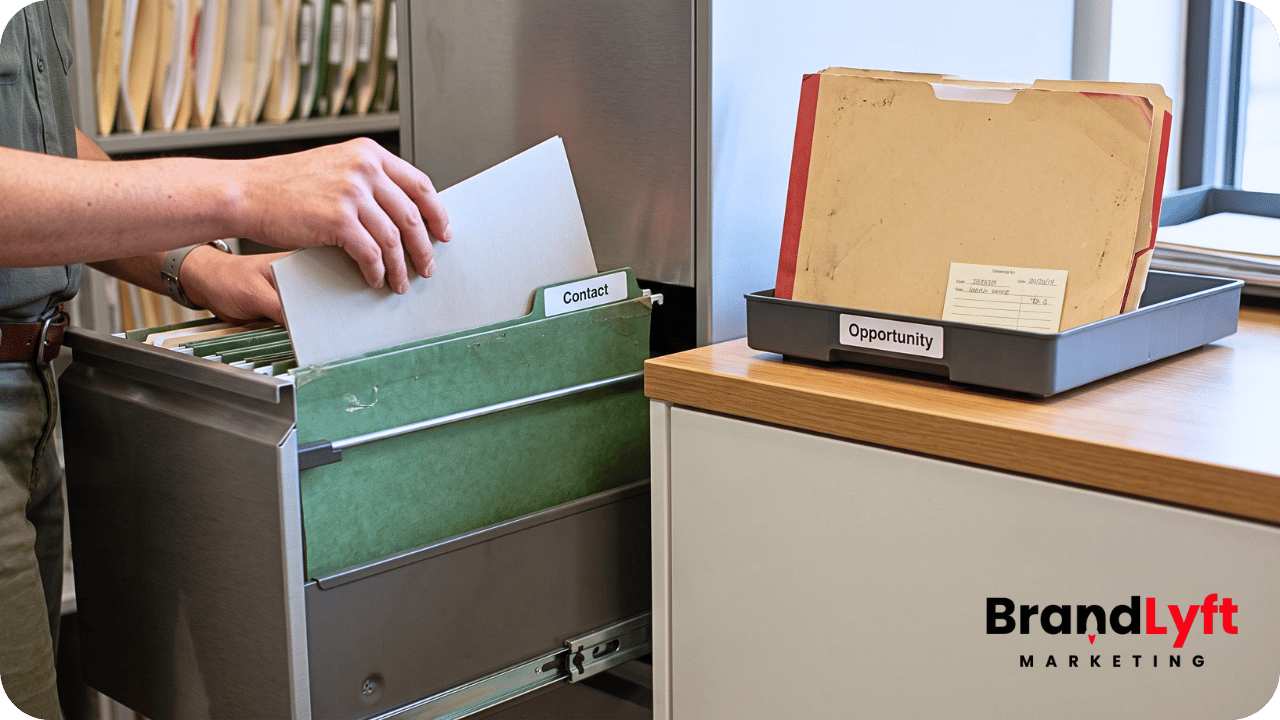
    GoHighLevel deployment stalled for a small service business with unfinished CRM setup and workflow gaps

    If your GoHighLevel deployment stalled, it does not always mean you bought the wrong tool.

    Most service business owners hit this wall because no one turned the account into a working system for their actual business.

    You signed up because GoHighLevel looked like it could solve real problems: missed leads, slow follow-up, scattered tools, unclear pipelines, and weak visibility into where prospects get stuck.

    Maybe you found it through YouTube. Maybe a peer recommended it. Maybe a free trial made it look simple enough to handle in-house.

    After logging in, the account looked full of promise.

    Forms, funnels, calendars, pipelines, workflows, tags, SMS, email, conversations, opportunities, and automation tools all sat there waiting.

    Yet the system never came together.

    Leads enter, but the next step feels unclear. Workflows exist, but you may not know which ones run live. The calendar connects, but bookings still feel shaky. A pipeline exists, but your team may not use it the same way. You watched enough tutorials to know what should happen, but the account still feels unfinished.

    A small team does not need a huge enterprise rollout. You may run one location, two locations, or three. You need GHL to capture leads, route them, follow up, book appointments, track deals, and show what happened.

    Simple does not mean automatic.

    Why Your GoHighLevel Deployment Stalled After Signup

    A GoHighLevel deployment stalled because buying software and building a working system are two different jobs.

    Software gives you the pieces.

    Deployment decides how those pieces should work together for your business.

    That gap matters.

    For a local service business, GHL is not just a login. The account needs to answer basic operating questions. Where does a new lead enter? Who gets the alert? What happens when nobody answers the call? When should the system create an opportunity? Which pipeline stage should receive that lead? What message goes out first? When does a human step in? What happens after the appointment gets booked? What should the owner check each week?

    Without those answers, GHL becomes another tool the owner has to babysit.

    That is usually the real stall.

    The account may stay active, but the business does not trust it yet.

    BrandLyft sees this pattern often with service businesses that tried to set up GHL on their own. The owner knew what they wanted: faster lead response, cleaner follow-up, less manual chasing, and better visibility. But the setup turned into a pile of half-finished pieces.

    That is not a personal failure.

    The business has a deployment problem.

    Once you see it that way, the fix gets less emotional. A GoHighLevel deployment stalled when the account lacks a clear path from lead capture to booked appointment, not because every feature inside the platform needs a rebuild.

    Reason 1: Your GoHighLevel Deployment Stalled Before the Sales Path Got Clear

    Many GHL accounts stall because the build starts inside the tool instead of inside the business.

    The owner logs in and starts clicking.

    First comes a form. Then a pipeline. After that, a calendar, a workflow, another workflow, a funnel, a few tags, and a test contact show up. When something fires unexpectedly, the owner pauses and watches another tutorial.

    That pattern makes the account confusing before it becomes useful.

    GHL needs a clear sales path before the build starts.

    For a small service business, the path may look like this: a lead calls, fills out a form, starts a chat, or books online. The system captures the lead. The right person gets the alert. The lead gets a fast response. The opportunity enters the right pipeline stage. Your team follows up. The appointment lands on the calendar. The outcome gets tracked.

    You should be able to explain that path out loud.

    If you cannot explain it, the account probably will not run it cleanly.

    This is where a Revenue System Build makes more sense than random setup work. The better question is not “Can GHL do this?” The better question is “What should happen in our business when a new lead shows up?”

    Once that answer gets clear, the tool has something real to follow.

    Reason 2: The Pipeline Looked Complete, But It Did Not Guide the Team

    A stalled GHL account often shows cracks in the pipeline first.

    You may see too many stages, vague stage names, or template stages that do not match the way your business sells.

    HighLevel describes pipelines as a way to move opportunities through defined stages in a sales or service workflow. The key word is “defined.” If the team does not know what each stage means, the pipeline becomes decoration. You can review HighLevel’s pipeline basics in its official pipeline guide.

    A stage like “Follow Up” often creates confusion.

    Follow up how? After which action? Who owns it? When should the opportunity move? What happens if the lead does not respond? Does “Contacted” mean a voicemail, a text, or a real conversation?

    Those details matter because workflows and reporting often depend on stage movement.

    Unclear stages create unclear automation.

    A stalled account usually needs fewer stages with stronger rules. For example, “New Lead,” “Attempted Contact,” “Appointment Booked,” “Estimate Sent,” “Won,” and “Lost” may work better than a long pipeline nobody updates correctly.

    The goal is not to make the pipeline look complete.

    The goal is to make it usable on a busy day.

    Reason 3: Your GoHighLevel Deployment Stalled Because Workflow Triggers Stayed Loose

    A GoHighLevel deployment stalled often because workflows exist, but nobody fully trusts when they fire.

    That creates a real problem.

    HighLevel workflows run from triggers and actions. A trigger starts the workflow, then the actions run after that trigger. The structure sounds simple, but the details decide whether the system works. HighLevel explains this trigger-and-action logic in its workflow setup documentation.

    If a workflow starts when someone submits a form, which form starts it? If a tag starts the workflow, who adds that tag? When an appointment gets booked, which calendar should matter? When an opportunity moves stages, who moved it and why?

    Loose rules let workflows fire too early, too late, twice, or not at all.

    This is one reason DIY GHL setup gets messy. Tutorials usually show clean examples. Real businesses have returning leads, existing contacts, missed calls, spam, duplicate forms, different services, after-hours inquiries, and team members who forget to update stages.

    The workflow may not be wrong.

    Loose trigger rules may be the real issue.

    A good workflow needs a clear trigger, proper filters, a simple purpose, and a test path. You should be able to open your workflows and know which ones run live, which ones are tests, and which ones no longer belong.

    BrandLyft’s GoHighLevel setup mistakes guide is a useful next read if your account has workflow clutter.

    Reason 4: The Calendar Connected, But Nobody Tested the Booking Path

    Calendar setup looks easy until real leads start using it.

    A calendar can exist inside GHL and still fail the business.

    The account may offer the wrong appointment type. The available hours may not match real staff capacity. Notifications may go to the wrong person. Confirmation messages may sound too generic. Reminder timing may feel weak. A lead may book, but the team may not know what to do next.

    This frustrates owners because the calendar technically works.

    Technical success does not mean customer-ready.

    Service businesses need calendar logic that matches real capacity. A roofing company, med spa, home service provider, gym, clinic, or local contractor does not just need a booking link. The right request has to reach the right person at the right time.

    For one location, the path may stay simple.

    With two or three locations, small routing mistakes create confusion fast. The wrong staff member, service type, or location can make the system feel unreliable.

    If the team still double-checks every booking manually, the deployment has not fully landed.

    Test the calendar from the customer side and the staff side. Submit the form. Book the appointment. Watch the notification. Read the confirmation. Check the pipeline. Confirm the opportunity. Review the reminder. Then ask, “Would this hold up during a busy week?”

    If not, the calendar still needs work.

    For many small teams, this is the moment the GoHighLevel deployment stalled without anyone realizing it. The booking link exists, but the follow-through around that booking never got fully tested.

    Reason 5: Your GoHighLevel Deployment Stalled When Lead Ownership Stayed Vague

    Lead routing is not just a notification.

    Routing decides who owns the next action.

    This is one of the biggest reasons small teams stall inside GHL. The account may send an email, SMS, or app alert when a lead comes in, but nobody has clear responsibility after that.

    A quiet gap opens.

    The owner assumes the team saw the alert. A team member assumes someone else replied. The lead waits. The opportunity sits in the pipeline. Later, everyone blames the tool.

    The tool may have done exactly what someone told it to do.

    Weak ownership rules created the gap.

    Strong routing answers practical questions. Who gets the first alert? What happens when that person does not respond? Who backs them up? Should missed calls trigger a text? Should high-value leads move differently? Should after-hours inquiries get a different reply? Should the owner see every lead or only stalled ones?

    This is where Speed to Lead matters. Fast response is not just automation speed. It combines capture, routing, notification, ownership, and fallback logic.

    If your GHL account catches leads but prospects still slip through the cracks, your issue may not be lead generation.

    Lead ownership may be the missing piece.

    Reason 6: Tutorial Pieces Created Noise Instead of One Clear System

    Many stalled GHL deployments look like a museum of tutorials.

    One workflow came from a YouTube video. Another came from a template. A pipeline came from a snapshot. Someone added a funnel from a free download. Another expert gave you a missed-call flow. A nurture campaign came from somewhere else.

    Each piece may make sense on its own.

    Together, those pieces do not always create one system.

    That is why DIY accounts can feel strangely heavy. You may have done a lot of work, but the pieces did not come from one operating plan.

    This creates duplicated messages, overlapping triggers, inconsistent names, unused tags, and automations that compete with each other.

    A small service business does not need every GHL feature active at once.

    It needs the right few parts working reliably.

    Usually, that means lead capture, pipeline visibility, speed-to-lead follow-up, calendar booking, basic nurture, missed-call recovery, and clean reporting. Once those pieces hold up, you can add more.

    If the foundation stays unstable, more features only make the account feel worse.

    Reason 7: Your GoHighLevel Deployment Stalled Because Nobody Owned the System

    GoHighLevel is not a set-it-and-forget-it tool.

    Someone has to own it.

    That owner does not need to be technical. The role simply needs authority to check the system, review leads, test forms, watch workflow behavior, clean old opportunities, update team rules, and notice when the account no longer matches the business.

    This is where many service businesses stall.

    The owner stays busy. The front desk focuses on customers. The sales person only wants to see their own leads. A marketing assistant may know some pieces, but not the whole account. Nobody wants to break anything, so the system slowly drifts.

    Small issues then become bigger issues.

    A form sends leads to the wrong pipeline. A staff member leaves. A calendar changes. Someone updates a phone number. A workflow gets paused during testing and never comes back on. A tag gets renamed. A lead source changes. Suddenly the team no longer trusts the account.

    This does not mean GHL is too hard for small teams.

    The system just needs ownership rules.

    Someone should know what to check weekly. Someone should know which workflows run live. Someone should know what the pipeline stages mean. Someone should know where leads should go.

    Without an owner, the system will drift.

    Reason 8: Reporting Started Before the Inputs Were Clean

    Owners want GHL to show what works.

    That ask makes sense.

    Still, reporting depends on clean inputs.

    If the account misses lead source data, uses stages inconsistently, skips outcome tracking, collects weak notes, or creates duplicate contacts, the dashboard will not feel trustworthy.

    This is one of the most honest reasons a GoHighLevel deployment stalled. The owner expected visibility, but the setup never collected the data needed for visibility.

    Reports do not fix messy behavior.

    They expose it.

    Before reporting becomes useful, the account needs clear rules. Which lead sources matter? When should the team mark a lead as contacted? When does an estimate count as sent? When does a deal become won or lost? Who updates the opportunity? Which fields need human input, and which ones can automation handle?

    Without those rules, the owner may log in, review the dashboard, and still not know what happened this week.

    That is not only a dashboard issue.

    It is a system design issue.

    Reason 9: Your GoHighLevel Deployment Stalled After More Automation Added More Confusion

    Automation helps when the process is clear.

    Automation creates trouble when the process is fuzzy.

    If a business does not know who should follow up, when to stop following up, when to move stages, or what message should go out after each action, automation will not solve the confusion.

    It will repeat the confusion faster.

    That is why “more automation” often gives stalled GHL accounts another problem instead of a fix.

    Start by simplifying.

    Turn off test workflows. Remove old tags. Rename the important pieces. Confirm the pipeline. Test the forms. Check the calendar. Follow one lead from entry to close. Write down what should happen. Then rebuild only the workflows that match that path.

    Once the path gets clean, automation becomes useful again.

    Until then, it is just noise with timing rules.

    Reason 10: The Setup Never Got a Real Launch Test

    A GHL account can look ready from inside the builder and still fail in real use.

    Launch testing prevents that.

    A real launch test does not mean clicking one form and calling the setup done. It means testing the full path like a customer and like the team.

    Submit a lead. Miss a call. Book an appointment. Reply to a text. Cancel a booking. Move an opportunity. Mark one won. Mark one lost. Test after hours. Test from mobile. Test with a new contact. Test with an existing contact. Check who gets the alert. Check what the customer receives. Check what the team sees.

    Most stalled accounts never go through that process.

    Owners build the account in pieces, test it in pieces, then pause when something feels off.

    A clean launch test makes the gaps visible before real leads depend on the system.

    That is the point where the account starts becoming trustworthy.

    Find Where Your GoHighLevel Deployment Stalled

    Before you rebuild everything, trace the exact point where the account stopped becoming useful. The issue may sit in routing, calendar logic, pipeline rules, workflow triggers, or the missing launch test.

    How to Tell If Your GoHighLevel Deployment Stalled for the Right Reason

    Sometimes the stall protects the business.

    If you paused because something felt wrong, you may have noticed a real issue before it cost you leads. Maybe the pipeline did not match the sales process. Maybe the workflows felt risky. Maybe the booking path needed more testing. Maybe the customer messages felt wrong.

    That pause can help.

    Staying paused creates the bigger problem.

    To move forward, sort the stall into one of three groups.

    The account needs cleanup

    Choose cleanup when too many pieces exist, but the main path still feels simple.

    You may need to remove old workflows, simplify tags, clean pipeline stages, rename assets, and test the core lead path.

    The account needs a better build plan

    Choose a better build plan when the pieces are not all wrong, but the setup came together in the wrong order.

    You may need to map the lead path, define ownership, rebuild the pipeline, then connect workflows and calendars around that process.

    The account needs outside help

    Choose outside help when you have already spent too much time guessing, leads may be slipping, or nobody on the team can confidently own the system.

    At that point, help may cost less than another month of half-working automation.

    For many small teams, BrandLyft’s GoHighLevel Partner support is not about making the account more complex. The goal is to make the useful parts work together.

    What to Fix First When Your GoHighLevel Deployment Stalled

    If your GoHighLevel deployment stalled, do not start by adding more features.

    Start by making the system trustworthy.

    A practical recovery plan should check these areas first:

    • Lead sources and forms: confirm where leads enter and what data gets captured.
    • Pipeline stages: simplify the stages and define when each one should be used.
    • Lead ownership: decide who gets the first action and what happens when they miss it.
    • Workflow triggers: confirm what starts each workflow and whether filters are needed.
    • Calendar behavior: test booking, reminders, alerts, and staff handoff.
    • Missed-call handling: decide what happens when a prospect calls and nobody answers.
    • Reporting inputs: define the few fields and outcomes that must be tracked.
    • Launch testing: run the full path before trusting the system with real leads.

    This work is not flashy.

    It is the work that makes GHL useful.

    If the account already runs live but still leaks leads, read BrandLyft’s guide on a stalled GoHighLevel account. That angle fits businesses where the system technically exists, but prospects still fall between the cracks.

    What Not to Do When Your GoHighLevel Deployment Stalled

    Do not buy another template before you know what failed.

    Avoid adding five more workflows because the first five feel unclear.

    Do not rebuild the whole account just because one piece broke.

    Check the system before blaming the team.

    Do not assume GHL is too advanced for your business just because the first setup attempt stalled.

    Most of the time, the better move is more boring and more useful.

    Trace one real lead.

    Start from the first touch. Follow the record through the form, phone number, conversation, pipeline, workflow, calendar, reminders, notes, and outcome. Find where the path breaks. Fix that point. Then test again.

    That single exercise will tell you more than another week of watching tutorials.

    BrandLyft’s View: Fix the System Behind a Stalled GoHighLevel Setup

    GHL should not become another thing the owner has to chase.

    The platform should make the business easier to run.

    For a small service business, that means leads get captured, follow-up happens faster, the team knows who owns the next step, appointments become easier to book, and the owner can see what happened without digging through five tools.

    That is the practical value.

    A huge automation map does not prove the setup works. A complicated dashboard does not prove the team can use the system. A pile of features does not prove the business has better follow-up.

    A working system proves it.

    If your GoHighLevel deployment stalled, the next step is not always a bigger build. It may be a cleaner one.

    That is where BrandLyft’s GoHighLevel Partner, Revenue System Build, and Speed to Lead work can help small teams turn a stuck account into something the business can actually use.

    FAQ

    Why Your GoHighLevel Deployment Stalled After Signup

    Your GoHighLevel deployment likely stalled because the account did not follow your actual sales process. Common causes include unclear pipeline stages, weak lead routing, untested calendars, loose workflow triggers, too many tutorial-based pieces, and no clear owner for the system after setup.

    Does a stalled GHL account mean GoHighLevel is wrong for my business?

    No. A stalled GHL account often means the setup path lacked clarity, not that the tool is wrong. Many small service businesses can use GoHighLevel well once the lead path, pipeline, workflows, calendar, and reporting inputs get cleaned up.

    Should I rebuild my GoHighLevel account from scratch?

    Not always. If the core pieces still make sense, cleanup may work better than a full rebuild. Start by tracing one real lead from capture to outcome. When duplicate workflows, confusing tags, broken pipeline rules, and weak ownership appear everywhere, a rebuild may deserve review.

    What should I fix first when a GoHighLevel deployment stalled?

    Fix the main lead path first. Confirm where leads enter, who owns follow-up, which pipeline stage receives the lead, what workflow fires, how appointments get booked, and what the team sees. Do not add more automation until that path works.

    Can BrandLyft help if I already bought GoHighLevel myself?

    Yes. BrandLyft can review where the account stalled, clean up the setup path, improve routing and workflows, and rebuild the parts needed to make GHL useful for your business.

  • The GoHighLevel Custom Build Layer: What Standard Configuration Cannot Solve

    The GoHighLevel Custom Build Layer: What Standard Configuration Cannot Solve

    GoHighLevel custom build layer for advanced CRM handoffs and automation limits

    A GoHighLevel custom build usually becomes necessary after the normal setup is already working.

    That is what makes this stage different.

    You are not asking whether GoHighLevel can capture leads, move opportunities, send reminders, fire workflows, or book appointments. You already know it can. You have built enough pipelines, forms, calendars, tags, custom fields, triggers, filters, and automation paths to know where the platform is strong.

    The harder question is what happens when standard configuration stops matching the way the business actually runs.

    That is where the custom build layer starts.

    For agency owners, marketing consultants, freelance GHL specialists, and in-house operators, this is the point where another workflow is not always the answer. Sometimes the account needs a cleaner data model. Sometimes it needs an external system connected the right way. Sometimes the reporting problem is not a dashboard problem. Sometimes the client is asking for portal behavior, approval logic, quoting flow, intake routing, or multi-step handoff that does not fit inside a basic sub-account setup.

    This article is for that layer.

    Not beginner setup.

    Not another “what is GoHighLevel” guide.

    This is the part where standard GHL configuration runs out of clean answers, and the build has to move from setup work into system design.

    What the GoHighLevel Custom Build Layer Actually Means

    The GoHighLevel custom build layer is the part of a project that goes beyond normal account configuration.

    Standard configuration uses the tools already inside GHL: pipelines, forms, surveys, workflows, calendars, opportunities, users, permissions, custom fields, tags, templates, snapshots, dashboards, and conversation tools.

    A custom build starts when those pieces are no longer enough by themselves.

    That does not always mean custom code right away. It can mean a deeper data structure, custom object planning, webhook logic, API-based handoffs, outside database support, reporting cleanup, client portal planning, or a controlled connection between GHL and another business platform.

    The mistake is assuming custom work begins only when a developer opens a code editor.

    In reality, the custom layer starts earlier. It starts when the business process cannot be represented cleanly through standard fields, tags, workflows, and pipeline movement without creating a fragile mess.

    For example, a simple service business may only need one contact, one opportunity, one pipeline, one calendar, and a few follow-up workflows. That is standard setup.

    But a more complex account may need to track multiple properties under one contact, multiple applicants under one account, several locations tied to one parent organization, renewals attached to different service terms, or equipment records that need their own lifecycle. At that point, forcing everything into contact fields can make the account harder to use.

    That is where a GoHighLevel custom build can make more sense than stacking more labels on the same basic record.

    Standard Configuration Is Still the First Layer

    Custom work should not be used to cover up weak setup.

    If the pipeline is unclear, the lead source is missing, the calendar is not tested, or the workflows have no ownership logic, the account does not need custom development yet. It needs basic operating cleanup.

    That matters because custom work can make a bad setup harder to untangle.

    If the sales path is still fuzzy, a webhook will not fix it. If the client cannot define when an opportunity should move stages, a custom dashboard will not make reporting trustworthy. If nobody owns the lead after capture, an API connection will only move confusion from one tool into another.

    This is why BrandLyft treats GoHighLevel as part of a bigger revenue system, not just a software account. A clean build still starts with lead capture, routing, follow-up, attribution, pipeline visibility, and workflows the team can use. If that foundation is missing, review the Revenue System Build path before jumping into custom work.

    For GHL specialists, this distinction protects the project.

    Some clients ask for “custom” because they are frustrated. But frustration is not always a custom build signal. Sometimes the account has duplicate workflows, weak naming, bad pipeline stages, loose trigger filters, or no QA process. In that case, a GoHighLevel setup mistakes cleanup may solve more than a custom feature request.

    The custom layer should come after the standard layer has been tested and found too limited for the real process.

    When a GoHighLevel Custom Build Becomes the Cleaner Option

    A GoHighLevel custom build becomes worth considering when standard configuration creates more work than it removes.

    The warning sign is usually not one big failure.

    It is a pattern.

    The account technically works, but the team keeps adding workarounds. Custom fields multiply. Tags start carrying business logic they were never meant to carry. Workflows get duplicated for edge cases. Reporting requires spreadsheet cleanup. The client keeps asking for views GHL does not show natively. External systems pass partial data, then staff fix the rest by hand.

    That is the point where the operator should stop and ask a harder question.

    Are we configuring the platform, or are we forcing the business into a structure that no longer fits?

    Custom build work often makes sense in situations like these:

    • The account needs to track records that are not just contacts or opportunities.
    • Outside systems need to send structured data into GHL.
    • GHL needs to send clean data out to another system.
    • The client needs conditional intake logic that standard forms cannot handle well.
    • Reporting depends on data that is spread across too many fields, tags, or tools.
    • The client needs a portal, approval path, quoting flow, or non-standard user experience.
    • Multi-location or multi-team handoff rules have outgrown a cloned snapshot.

    None of those automatically require a large custom app.

    But they do require better architecture than “add another field and trigger another workflow.”

    Limit 1: Standard Fields Cannot Always Carry the Real Data Model

    Custom fields are useful until they become the storage room for everything.

    Early in a GHL build, fields feel simple. Add a field for service type. Add another for location. Add another for lead source. Add another for appointment preference. Add another for package interest.

    That works for simple records.

    But some businesses do not revolve around one contact and one opportunity. They revolve around related records.

    A property service company may need to track several properties under one customer. A healthcare-adjacent service may need separate appointment types, packages, intake states, and payer details. A franchise operator may need location records, owner records, team records, and local pipeline behavior. A B2B provider may need parent companies, contacts, service sites, contracts, and renewal dates.

    When all of that gets flattened into contact fields, the account becomes hard to read.

    That is where HighLevel’s Custom Objects can matter. Custom Objects are designed to model records beyond Contacts and Opportunities, with their own fields, associations, and automation use cases. HighLevel’s Custom Objects documentation explains how they can represent entities like properties, pets, cases, or vehicles when standard objects are not enough.

    A GoHighLevel custom build may use Custom Objects, outside storage, or a hybrid setup depending on the client’s real need.

    The point is not to make the account more technical.

    The point is to stop pretending every business record belongs inside the same contact profile.

    Limit 2: Workflows Cannot Replace Business Logic

    Workflows are powerful, but they are not a substitute for decision design.

    HighLevel workflows are built around triggers and actions. A trigger starts the workflow. Actions run after the trigger fires. HighLevel’s workflow guide explains that structure clearly.

    The problem is what agencies and operators often build on top of it.

    When the client asks for more logic, the first instinct is to add more branches. More If/Else paths. More tags. More filters. More waits. More duplicated workflows for special cases.

    That can work for a while.

    Then the workflow map becomes unreadable.

    A custom build becomes useful when the decision logic needs to live somewhere cleaner. That might mean preprocessing data before it enters GHL. It might mean sending data to a middleware layer first. It might mean using an external rules table. It might mean building a custom intake step that decides where the record should go before the workflow ever starts.

    This matters most when the account has many conditions.

    Think of lead routing by location, service type, licensing area, booking capacity, customer status, past purchase, team availability, and source quality. You can try to build that inside one giant workflow, but somebody has to maintain it later.

    Good custom work reduces workflow clutter.

    Bad custom work hides the clutter somewhere else.

    The test is simple: after the custom layer is added, can the operator still explain what happens when a lead enters the system?

    If the answer is no, the build is not cleaner. It is just harder to inspect.

    Limit 3: Pipelines Cannot Represent Every Operational State

    Pipelines are built for opportunity movement.

    They are not meant to represent every state a client, job, record, task, asset, approval, service, payment, renewal, or project can be in.

    HighLevel’s pipeline documentation describes pipelines as visual tools that show opportunities moving through defined stages in a sales or service workflow. The official pipeline guide also points out that stages should be clear and action-oriented.

    That is the standard.

    But many advanced builds stretch pipelines too far.

    The pipeline becomes a project board. Then a support queue. Then a renewal tracker. Then an onboarding system. Then a fulfillment tracker. Then a reporting workaround.

    At first, it feels practical because the team can see everything in one place.

    Later, the pipeline stops telling a clean story.

    Opportunities sit in stages that are not really sales stages. Automations fire based on stage movement that means different things to different users. Reports become noisy because the pipeline is carrying multiple processes at once.

    A GoHighLevel custom build can separate those states.

    Sales opportunities can stay in the sales pipeline. Fulfillment can move into a Custom Object, external app, project tool, or controlled handoff. Renewals can be tracked through fields, objects, workflows, or another system based on how the team works.

    This is also where BrandLyft’s CRM and app development lane fits naturally. Some accounts do not need more pipeline stages. They need a cleaner place for non-sales data to live.

    Limit 4: Native Forms Cannot Handle Every Intake Experience

    GHL forms and surveys are enough for many lead capture paths.

    They can collect basic lead data, trigger workflows, update contacts, and push opportunities forward. For a normal service business, that may be enough.

    But advanced intake can get messy.

    A client may need multi-step qualification. Conditional pricing logic. File uploads with review steps. Location-specific availability. Approval routing. Internal scoring. Duplicate checks. Data validation against another system. A customer-facing form that changes based on account type, service tier, or prior answers.

    You can force some of that into standard form logic.

    But not all of it should live there.

    A custom intake layer can collect the data first, shape it properly, then send only the right fields into GHL. That makes the CRM cleaner because the data arrives with more structure.

    This is especially useful when the user experience matters.

    If the form feels clunky, too long, too generic, or too limited, the lead may drop before the CRM ever sees them. A custom front-end intake flow can make the experience easier for the user while still feeding the right contact, opportunity, object, or workflow data into HighLevel.

    The key is not to build custom intake just because it looks better.

    Build it when the native form experience cannot support the decision path cleanly.

    Limit 5: Webhooks Need an Actual Handoff Plan

    Webhooks are where many advanced GHL builds start to feel possible.

    They are also where messy builds start to break quietly.

    HighLevel’s inbound webhook documentation explains that external systems can send data into GHL using HTTP request methods like POST, GET, and PUT, allowing outside tools to pass data into workflows. The inbound webhook guide also notes practical constraints around JSON structure, mapping references, email or phone requirements for contact creation, and data structure changes.

    That is why webhook work should not be treated like a magic connector.

    A webhook is only as clean as the handoff plan behind it.

    Before building one, the operator needs to know what system sends the data, what event triggers the send, what payload is expected, what record should be created or updated, what happens if the contact already exists, what fields are required, what gets logged, and what failure looks like.

    Without that plan, the webhook may technically receive data while still creating bad records.

    Common issues include missing phone numbers, inconsistent field names, changed payload structures, duplicate contacts, incomplete opportunity records, and workflows that depend on data that did not arrive.

    A GoHighLevel custom build should treat webhooks as part of the system boundary.

    That means mapping payloads, testing edge cases, documenting required fields, watching failure points, and making sure the team knows what to check when data does not arrive as expected.

    Limit 6: Reporting Cannot Be Fixed After Bad Data Enters

    Many clients ask for custom reporting when the real issue is dirty input.

    They want better dashboards. Better attribution. Better location views. Better source breakdowns. Better sales team visibility. Better close-rate reporting.

    Those are fair asks.

    But reporting cannot fully fix weak source data, unclear pipeline rules, inconsistent user behavior, or records that were never structured correctly.

    If the system does not know where the lead came from, who owned it, what stage it reached, what service it requested, what location handled it, and what happened next, the report will always need interpretation.

    A custom reporting layer may still be useful.

    But it should come after the account’s inputs are cleaned up.

    For advanced GHL operators, this is one of the cleanest ways to explain the difference between a dashboard request and a build request. A dashboard request asks, “Can we see this?” A build request asks, “Are we collecting and structuring the right data so this view can be trusted?”

    If the second question is not solved, the first one will keep breaking.

    This is why BrandLyft’s Speed to Lead work and GHL buildout work connect back to reporting. Fast response, clean routing, and trusted reporting all depend on the same thing: the system needs to know what happened, when it happened, and who was supposed to act.

    Limit 7: Multi-Client Agency Builds Need Repeatability Without Becoming Rigid

    Agency owners and freelance GHL specialists face a different version of the custom problem.

    Their issue is not always one complex client.

    Sometimes it is the same messy problem repeating across many clients.

    A snapshot solves part of that. It gives the agency a starting point. It can package common workflows, pipeline stages, forms, templates, calendars, and settings.

    But snapshots can become too rigid when every client needs small variations.

    One client needs different routing. Another needs intake tied to territory. Another needs custom package logic. Another needs a different reporting view. Another needs an outside system connected before the lead hits the pipeline.

    The agency then starts making manual changes client by client.

    That is the drag.

    A GoHighLevel custom build can create a smarter repeatable layer. It might include reusable intake logic, documented webhook patterns, standard field maps, cleaner naming rules, custom reporting templates, or a repeatable way to connect outside tools without rebuilding from scratch every time.

    This is not about making every client identical.

    It is about reducing avoidable rebuild work while still leaving room for real business differences.

    For agencies already selling GHL services, BrandLyft’s GoHighLevel Partner page is the closest internal fit for this conversation. The buyer is not asking for basic setup help. They are looking for the layer that keeps delivery from becoming custom chaos every time a client has a non-standard requirement.

    When Custom Code Is the Wrong Move

    Not every advanced account needs code.

    This matters because custom work creates new responsibilities.

    Someone has to maintain it. Someone has to document it. Someone has to test it after GHL updates, API changes, app changes, payload changes, or client process changes. Someone has to know what happens when the developer is unavailable.

    Custom code is the wrong move when the client cannot explain the process, when the standard setup has not been tested, when the issue is only a naming problem, or when a normal workflow can solve the need cleanly.

    It is also risky when the client wants custom behavior because they do not want to make operating decisions.

    For example, if nobody knows who should own a lead after hours, custom logic will not solve that. It will only encode the confusion. If nobody knows when an opportunity should move from “New Lead” to “Contacted,” a custom dashboard will not make the pipeline better.

    Custom work should make the system cleaner, not hide weak decisions behind technical buildout.

    A Simple Decision Filter for the GoHighLevel Custom Build Layer

    Before recommending a GoHighLevel custom build, run the request through a simple filter.

    Can standard configuration solve this cleanly?

    If a normal workflow, custom field, pipeline change, calendar setting, or form adjustment solves the issue without creating long-term confusion, use the standard tool.

    Do not make the build more complex just to make it feel advanced.

    Is the current setup already trusted?

    If the team does not trust the current pipeline, routing, or workflow behavior, fix that before adding a custom layer.

    Otherwise, the custom build will sit on top of an unstable base.

    Is the data model the real problem?

    If the account is trying to represent too many related records inside one contact or one opportunity, custom fields may not be enough.

    This is where Custom Objects, outside storage, or a custom app layer may be worth reviewing.

    Does another system need to exchange data with GHL?

    If outside systems are part of the process, define the handoff before building the connection.

    That includes payloads, required fields, duplicate logic, failure handling, and who owns fixes when the connection breaks.

    Will someone maintain this later?

    If nobody can maintain the custom layer, the project may create future risk even if it solves the current request.

    Good custom work includes documentation, testing notes, ownership, and a plan for changes.

    What a Strong Custom Build Scope Should Include

    A custom GHL project should not start with tools.

    It should start with the process.

    Before anything gets built, the scope should define what the business is trying to track, what users need to do, what data needs to move, what systems are involved, and what the team should see when the process is working.

    A strong scope usually covers these pieces:

    • The business process being solved.
    • The standard GHL pieces that will still be used.
    • The parts standard configuration cannot handle cleanly.
    • The data model, including contacts, opportunities, custom fields, Custom Objects, and external records.
    • The workflow logic and where decisions should happen.
    • The webhook or API handoff plan, if outside tools are involved.
    • The reporting outcome the client expects.
    • The maintenance owner after launch.
    • The QA path before real leads or users depend on it.

    This scope protects both sides.

    The client gets a clearer build. The operator gets fewer surprise requests. The agency gets a better way to price the work because the project is not described as “just a few custom tweaks.”

    How BrandLyft Thinks About Custom GHL Work

    BrandLyft’s position is simple: custom should serve the revenue path.

    If the custom layer does not make lead capture, routing, follow-up, booking, reporting, handoff, or team usage cleaner, it probably does not belong in the first phase.

    That is why this work connects to multiple BrandLyft lanes.

    A business that needs better lead movement may start with Revenue System Build. A team that needs faster response may need Speed to Lead. A franchise or multi-location group may need GoHighLevel for Franchises. A client with non-standard records, custom handoffs, or app-like behavior may need CRM and app development.

    The point is not to force custom development into every GHL account.

    The point is to know when basic setup has reached its limit.

    For advanced operators, that judgment matters more than the build itself.

    Anyone can add another workflow. Anyone can add another field. Anyone can connect another tool and call it done.

    The stronger move is knowing when the account needs a different layer, and when it just needs a cleaner version of what already exists.

    The Real Test: Does the System Get Easier to Run?

    A GoHighLevel custom build should not make the account feel more mysterious.

    It should make the system easier to run.

    The client should understand where data enters, what gets created, who owns the next step, what gets automated, what gets reported, and what happens when something fails.

    The team should not need to guess which tag matters, which workflow is current, which field is safe to edit, or which system owns the source of truth.

    The account should feel less patched.

    Less fragile.

    Less dependent on one person remembering how everything was wired together.

    That is the real value of the custom layer.

    Not more technical work for its own sake.

    A cleaner operating path when standard configuration cannot carry the full job anymore.

    Is This a Custom Build Problem or a Setup Problem?

    Before you add another workflow, field, webhook, or outside tool, map where the standard GHL setup is actually running out of room. The right answer may be cleanup, custom architecture, or a better handoff between both.

    What to Do Next

    If the account is still simple, do not overbuild it.

    Tighten the normal setup first. Clean the pipeline. Test the workflows. Check the routing. Confirm calendar logic. Remove duplicate fields and tags. Make sure the team can explain what happens after a lead enters the system.

    If the account is already beyond that point, stop patching.

    Map the part that standard configuration cannot solve. Is it the data model? The intake experience? The external handoff? The reporting layer? The client portal requirement? The multi-location logic? The repeatable agency delivery system?

    That answer tells you what kind of custom layer is actually needed.

    And it keeps the project from turning into a pile of advanced features that still do not solve the real operating problem.

    FAQ

    What is a GoHighLevel custom build?

    A GoHighLevel custom build is a setup layer that goes beyond normal GHL configuration. It may include Custom Objects, webhooks, API-based handoffs, custom intake flows, reporting layers, app-like screens, or deeper system design when standard fields, workflows, forms, and pipelines are no longer enough.

    When should I use custom development instead of standard GHL workflows?

    Use custom development when the business process cannot be represented cleanly with standard workflows, fields, tags, forms, calendars, and pipelines. If a normal workflow can solve the issue without making the account harder to maintain, use the standard workflow first.

    Can HighLevel Custom Objects replace custom development?

    Sometimes. Custom Objects can model records beyond Contacts and Opportunities, which can solve some data-structure problems inside HighLevel. But if the project needs a custom user experience, outside system logic, advanced validation, or non-native reporting, Custom Objects may be only one piece of the build.

    Do agencies need a custom GHL layer for every client?

    No. Most clients should start with a clean standard setup. Agencies need a custom layer when repeated client requests are creating manual rebuild work, messy workflow stacks, inconsistent field maps, or handoff needs that cannot be handled cleanly through a normal snapshot.

    What should be documented in a GoHighLevel custom build?

    Document the process being solved, data model, field map, workflow logic, webhook or API handoffs, source-of-truth rules, error handling, QA steps, and maintenance owner. Without documentation, custom work can become harder to support than the original problem.