Tag: Nextdoor

  • Nextdoor Leads Do Not Share One Attribution Path

    Nextdoor Leads Do Not Share One Attribution Path

    A homeowner sees a roofing recommendation on Nextdoor, calls the company two days later, and books an inspection. Another neighbor taps a paid ad, lands on a tracked page, and submits a form. A third person fills out a Nextdoor lead form without visiting the website at all.

    All three may become jobs. They do not arrive with the same source evidence.

    That is the starting point for Nextdoor lead attribution. A single label such as “Nextdoor” may describe the channel, but it does not explain whether the inquiry came from a paid website click, native form, call, message, recommendation, or self-reported referral. The tracking method has to match the entry path.

    For a home-service business using GoHighLevel, the practical job is to preserve the strongest source evidence available when the opportunity is created, then connect the appointment, won job, completed work, or collected revenue without letting later activity rewrite the original job source.

    Nextdoor Lead Attribution Starts With the Entry Path

    Nextdoor can produce several kinds of contact. Treating them as one technical source creates clean-looking reports and weak conclusions.

    A useful source map separates at least these paths:

    • Paid website click: The person taps an ad and reaches a page the business controls.
    • Native lead form: The person submits details inside Nextdoor without visiting the website.
    • Direct call: The person taps a call action or uses a phone number shown on the Business Page or ad.
    • Business Page message: The conversation begins inside Nextdoor messaging.
    • Recommendation or organic discovery: A neighbor sees a recommendation, post, or Business Page, then contacts the company later through another route.
    • Opportunity Alert: The business responds to a nearby service request and the eventual inquiry arrives later.

    Each path carries different identifiers. Website clicks may preserve UTMs and browser-session data. Native forms may carry platform metadata through an integration. Recommendations that turn into calls on the main number may carry nothing except the customer’s answer when staff asks how they heard about the company.

    BrandLyft’s older HighLevel and Nextdoor integration article gives the broader channel context. This article focuses on the measurement layer after those inquiries begin moving into the business.

    BrandLyft’s home-services work connects the wider call, booking, and job path.

    Separate Channel, Entry Path, Campaign, and Source Confidence

    One source field should not hold every part of the attribution story.

    A practical structure can separate:

    • Channel: Nextdoor
    • Entry path: Paid website click, native form, click-to-call, Business Page call, message, recommendation, Opportunity Alert, or self-reported referral
    • Campaign: The paid campaign name or ID when known
    • Ad or creative: The ad-level identifier when available
    • Source confidence: Verified, tracked, self-reported, staff-entered, inferred, or unknown

    This separation keeps durable information apart from temporary campaign naming. “Nextdoor” remains the channel even after a campaign ends. The entry path explains how the person contacted the company. Campaign and creative fields carry the paid-ad detail. Source confidence tells the reader how much proof sits behind the label.

    A staff-entered source can still be useful. It should not be presented as the same kind of evidence as a tracked click or native lead record.

    Track Paid Website Visits With UTMs and the Nextdoor Pixel

    Paid traffic that reaches a business-owned page gives the strongest opportunity for deterministic tracking.

    Use a campaign URL with consistent UTM values. The landing page or form should preserve the source, campaign, content, and other useful parameters. Hidden fields can save those values into the contact or opportunity record when the business controls the form.

    The Nextdoor Pixel serves a different job. It records website conversion events for Nextdoor Ads reporting. UTMs help the CRM understand the visit. The Pixel helps Nextdoor connect website actions to its advertising.

    Those systems should use the same naming logic, but they should not be mistaken for one data source.

    HighLevel records first and latest attribution on the contact. That gives useful session history, but later activity can change the latest attribution. When the person returns through Google or email before the job closes, the contact’s latest source may no longer represent the Nextdoor opportunity that started the work.

    Move Native Lead Forms Into GHL Without Inventing Website Data

    A Nextdoor-native lead form does not pass through the business website. It will not carry the site’s hidden fields, website number swapping, or browser session.

    Map the native lead into GHL through an available path such as Nextdoor’s Zapier CRM integration and preserve the platform fields that actually exist:

    • Nextdoor channel
    • Native lead-form entry path
    • Campaign or form identifier
    • Submission time
    • Contact details supplied
    • Service or request information
    • Integration source

    Check for an existing contact before creating another one. Then decide whether the submission should create a new opportunity, update an open opportunity, or route to staff for review.

    Do not fill missing UTM fields with guessed values. “Native form” is more accurate than pretending the contact visited a campaign landing page.

    When “Nextdoor” Hides Several Different Sources

    Check the GHL Fields and Opportunities Before More Data Gets Patched In

    Already using GoHighLevel? Use the Rescue Decision Guide to inspect capture, source fields, ownership, workflows, and reporting before another workaround enters the account.

    Use the Rescue Guide

    Building the source model from scratch? Review GoHighLevel Partner support.

    Direct Calls Need a Different Tracking Method

    Call attribution depends on where the number appears.

    A static number dedicated to Nextdoor can identify calls that use that number. It may cover a Business Page, a click-to-call ad, or another Nextdoor placement. The method identifies the broad source, but it may not distinguish the exact campaign, ad, recommendation, or surface unless the business uses separate numbers.

    A HighLevel website number pool works differently. The number changes on a controlled website according to the visitor session. That can connect a Nextdoor ad click with a later website call.

    The pool does not help when the person taps a Nextdoor click-to-call action and never visits the site.

    Choose the method based on the path:

    • Use campaign URLs and website number swapping for paid visits that reach the site.
    • Use a static source number when the call begins directly from Nextdoor.
    • Use staff source capture when the caller reaches an untracked main number.

    BrandLyft’s Speed to Lead work supports the response side once the call enters GHL. Attribution still needs the correct number and source rules before the phone rings.

    Record Messages and Recommendations Without Pretending They Were Clicks

    Organic Nextdoor activity often produces incomplete source evidence.

    A person may see a recommendation, read a neighborhood discussion, visit the Business Page, and call the main business number several days later. No UTM or click ID may survive that path.

    Ask a source question during the form, call, or booking flow:

    How did you first hear about us?

    Preserve the customer’s answer along with who entered it and when. A recommendation can be marked as self-reported. A staff member who infers Nextdoor from the conversation should use a lower confidence value.

    Do not overwrite verified paid attribution merely because the customer also remembers seeing a recommendation. The business may need both facts: the tracked acquisition path and the customer’s remembered influence.

    Opportunity Alerts and Business Page messages need a deliberate handoff into GHL. The office should record the Nextdoor entry path, create or match the contact, and attach the conversation notes before an opportunity is created.

    Freeze the Source on the Opportunity

    Contact attribution and job attribution answer different questions.

    First and latest attribution describe recorded touchpoints for the person. An opportunity source should describe the acquisition evidence for one specific inquiry or job.

    A homeowner may first hire the company through Nextdoor, return through Google months later, and request work at another property. Giving every future job to the first Nextdoor source overstates the channel. Giving the first job to the latest Google visit can understate it.

    When the opportunity is created:

    1. Copy the strongest available source evidence into opportunity-level fields.
    2. Save the entry path, campaign details, and confidence level.
    3. Keep the snapshot stable unless staff document a correction.
    4. Attach appointments, estimates, won status, and final value to that opportunity.
    5. Create a separate opportunity when a later acquisition event starts another job.

    This model keeps the contact history intact while protecting the source tied to the individual job.
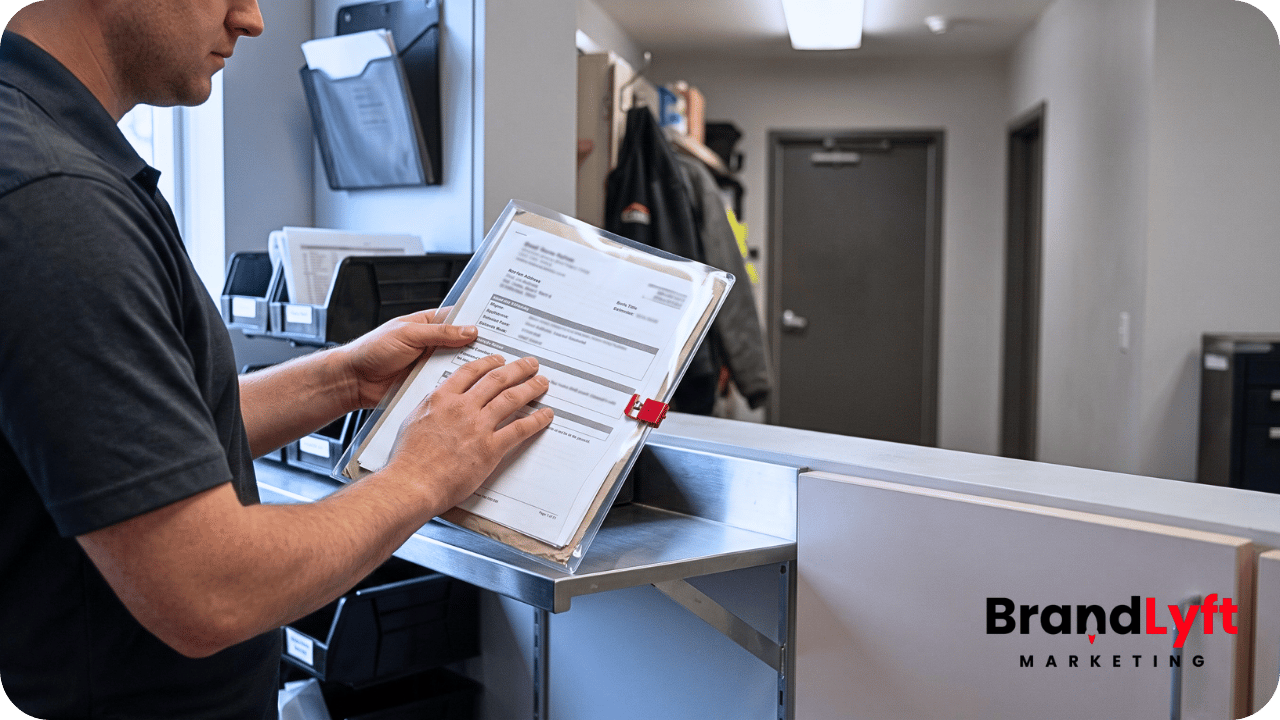
    Nextdoor lead attribution separated between contact history and the source saved on a GoHighLevel opportunity

    Decide Which Conversion the Report Will Count

    “Booked job” and “revenue” are not the same event.

    A home-service path may include:

    • Lead created
    • Contact made
    • Inspection or appointment booked
    • Appointment completed
    • Estimate sent
    • Estimate accepted
    • Job scheduled
    • Job completed
    • Invoice issued
    • Payment collected

    Choose the event that matches the question.

    Booked appointments show whether the lead-response process works. Accepted estimates or closed-won jobs show sales performance. Completed work reflects delivery. Collected payment reflects cash received.

    The opportunity value must also have one definition. Estimated value, contract value, completed-job value, invoice amount, and collected payment should not share one field without clear rules.

    Bring the Final Outcome Back From the Job System

    GHL may capture the inquiry and book the visit while another system owns dispatch, estimating, invoicing, or payment.

    In that setup, attribution stops early unless the final result returns.

    A small business may update the opportunity manually after the job closes. Larger teams may need Zapier, a webhook, or an API connection that returns:

    • Job identifier
    • Final status
    • Completed date
    • Contract or invoice value
    • Collected amount when needed
    • Location or service line

    BrandLyft’s API Integration service fits this point when CRM, dispatch, field-service, accounting, and marketing tools need to exchange the same job result.

    Do not call an estimated GHL opportunity value “closed revenue” when the official amount lives elsewhere and never returns.

    Keep CRM Reporting and Nextdoor Ads Reporting Separate

    The CRM and the ad platform answer related questions.

    GHL reporting should show which Nextdoor inquiries became appointments, won jobs, completed work, or revenue. Nextdoor Ads reporting should show which paid campaigns received credit for website or offline conversion events.

    The Nextdoor Pixel can report website events. The Conversion API can send website, app, or offline events back to Nextdoor. A mature paid setup may send a qualified lead, won job, or other approved downstream event after the business defines the event and matching data.

    Pixel and CAPI events also need deduplication rules so the same conversion does not count twice.

    None of that reconstructs an organic recommendation that never carried an identifier. Keep paid-ad attribution, CRM job attribution, and self-reported influence visible as separate evidence.

    Test the Failure Paths Before Trusting the Dashboard

    A clean test lead from one ad proves very little.

    Run scenarios that expose the source model:

    • Paid click submits the website form with complete UTMs
    • Paid click calls through a swapped website number
    • Click-to-call lead never visits the site
    • Native lead form matches an existing contact
    • Business Page call uses the static Nextdoor number
    • Recommendation lead calls the untracked main number
    • Contact returns through Google before the Nextdoor job closes
    • One contact creates a second job from another source
    • Integration creates a duplicate opportunity
    • UTM or campaign data is missing
    • Job system fails to return the final value
    • Pixel and CAPI send the same event

    Check the contact attribution, opportunity snapshot, campaign fields, confidence level, owner, pipeline, job identifier, final status, and value for every case.

    HighLevel dashboards can filter contact and opportunity widgets by first or latest attribution and UTM values. Those controls help only when the business has decided what each field means and which record owns the job-level source.

    Know When Attribution Needs More Than Standard GHL Setup

    Standard configuration may be enough when the business uses one landing page, one call path, one pipeline, and manual job updates.

    The setup grows harder when Nextdoor native forms, several tracking numbers, multiple locations, offline revenue, duplicate rules, Pixel, CAPI, field-service software, or accounting systems all participate.

    At that point, the work is not another source tag. The business needs a defined data contract:

    • Which system creates the contact?
    • What event creates the opportunity?
    • Which fields freeze the source?
    • Where do the job status and value live?
    • What result returns to GHL?
    • Which conversion goes back to Nextdoor?

    BrandLyft’s Revenue System Build connects capture, routing, follow-up, pipeline movement, and reporting. Custom integration work becomes necessary when the final job outcome sits outside GHL.

    Attribution Is Only as Strong as the Evidence That Survived

    Nextdoor lead attribution should not turn uncertain data into a certain story.

    A paid website click, native form, tracked call, Business Page message, and neighbor recommendation may all create valuable work. They do not produce the same proof.

    Classify the entry path, preserve the strongest evidence at the opportunity level, choose the conversion that matters, and return the final job result from the system that owns it. The report can then show what the business knows, what the customer reported, and what remains unknown.

    When the Lead Starts in Nextdoor but the Revenue Ends Somewhere Else

    Map the Attribution Path Across GHL and the Job System

    Bring the current ads, forms, tracking numbers, pipelines, booking process, and revenue system. BrandLyft can help define how source data enters, where it stays, and how the final job result returns.

    Book the Attribution Review

    Need the systems connected before the report can be trusted? Review API Integration.
  • GoHighLevel Integrations for Franchise Brands With Multiple Locations

    GoHighLevel Integrations for Franchise Brands With Multiple Locations

    GoHighLevel Integrations for Franchise Brands With Multiple Locations

    GoHighLevel integrations for franchise brands matter most when GHL is already part of the system, but the rest of the business still runs somewhere else.

    The franchise may use GoHighLevel for lead capture, follow-up, texts, forms, campaigns, pipelines, or reporting. At the same time, booking, dispatch, job management, memberships, front desk activity, advertising data, customer records, or local reporting may live in another platform.

    That is where the integration problem starts.

    GHL can look active while the franchise still has disconnected systems behind it. Leads enter one place. Appointments get booked somewhere else. Job details live in another system. Local teams update records manually. Corporate tries to compare location performance from reports that do not agree.

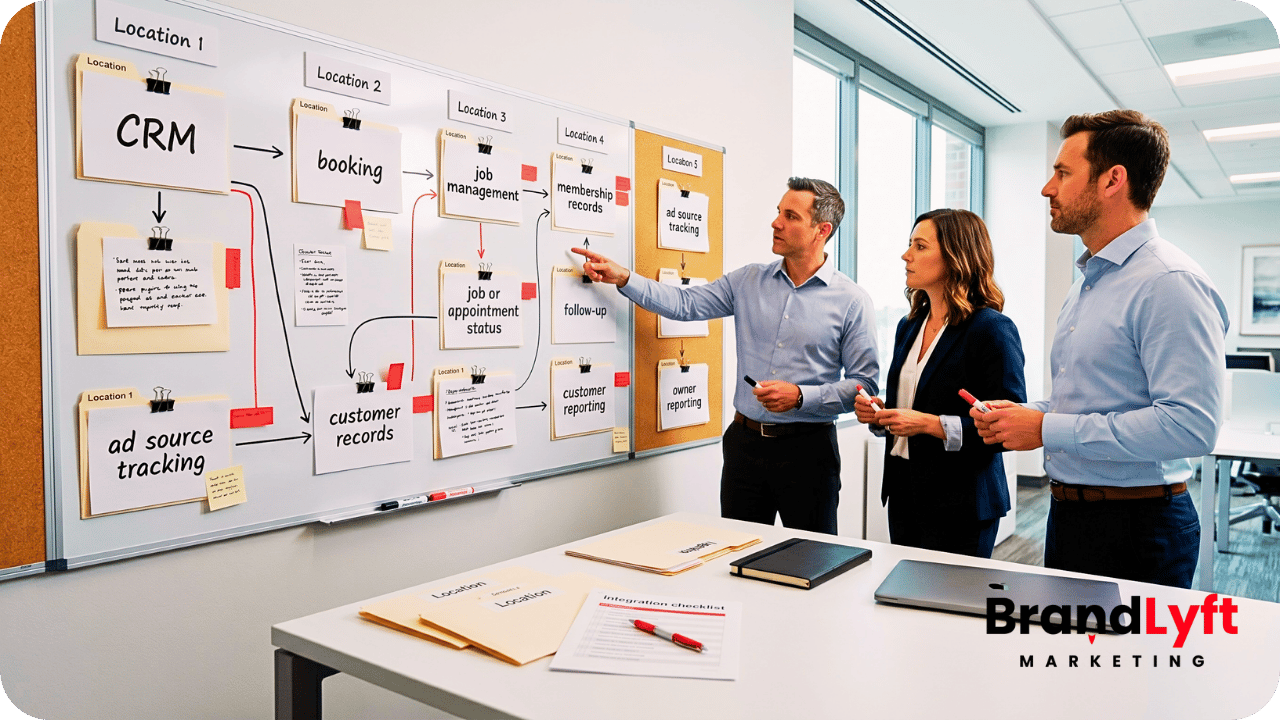
    GoHighLevel integrations for franchise brands showing connected CRM booking reporting and location systems

    The point is not that every franchise needs a complicated integration project.

    The point is simpler: if GoHighLevel does not connect cleanly to the systems that already run the franchise, the setup may never give owners the full picture.

    Good integrations help the franchise see what happened from first lead to booked appointment, service request, customer record, follow-up, and location-level reporting.

    Weak integrations create the opposite problem. They add another active tool without connecting the real operating flow.

    Before You Connect More Tools, Map the Real Handoff

    The GoHighLevel Implementation Playbook helps franchise teams review the systems, workflows, handoffs, and reporting paths that need to be clear before integrations spread across more locations.

    Use the Integration Playbook
    Map the Franchise Gaps

    Why GoHighLevel Integrations for Franchise Brands Get Messy

    GoHighLevel integrations for franchise brands get messy when the team starts connecting tools before naming the operating rules.

    That is common in multi-location systems.

    A franchise may add GHL after the business already uses ServiceTitan, JobNimbus, Mindbody, Boulevard, Nextdoor, a call platform, a booking tool, a payment system, a reporting dashboard, or a custom database.

    Each tool may have a real job.

    Service businesses may depend on a field service or job system. Wellness franchises may depend on a booking and membership platform. Home service brands may need estimate, dispatch, and job status data. Local marketing teams may need ad source data from platforms like Nextdoor or other location-based channels.

    GHL can support the revenue path, but it does not automatically become the source of truth for every part of the franchise.

    That is why integration planning matters.

    The team has to decide what GHL should own, what another platform should own, what data needs to move between them, and what should happen when the data does not match.

    BrandLyft’s GoHighLevel for Franchises work is built around that kind of rollout logic. The goal is not just to turn on GHL. The goal is to make it fit how the franchise actually sells, books, follows up, reports, and supports locations.

    What GoHighLevel Should Own in a Franchise System

    Before a franchise connects GHL to outside tools, leadership should decide what role GHL should play.

    For many franchise brands, GHL works best as the lead capture, follow-up, pipeline, automation, and communication layer.

    That may include forms, landing pages, call tracking, SMS, email, appointment reminders, nurture, reactivation, lead routing, local follow-up, opportunity stages, and owner-level reporting.

    Another platform may still handle scheduling, jobs, technicians, memberships, payments, inventory, service notes, client profiles, or operational records.

    That split is not a problem by itself.

    The problem starts when the split is unclear.

    If GHL creates a lead, but the booking platform owns the appointment, the integration needs to answer a few practical questions. Does the booking status return to GHL? Does the pipeline update? Does the local team get a task? Does the owner see the appointment by location? Does the no-show trigger follow-up?

    Without those answers, the franchise may end up with two systems that both look active but tell different stories.

    GoHighLevel integrations for franchise brands should reduce confusion. They should not create another place where teams have to check manually.

    Integration Gap 1: Lead Sources Do Not Carry Clean Location Data

    Many franchise integration problems begin with lead source data.

    A lead may come from a corporate landing page, local page, paid ad, marketplace listing, referral campaign, missed call, chat widget, or event form. If that lead enters GHL without clean location data, the rest of the setup starts weak.

    The integration may not know which branch should receive the lead.

    The pipeline may not know which location owns the opportunity. The reporting may count the lead under corporate instead of the local team. The follow-up workflow may fire, but the wrong manager may receive the alert.

    This is why field mapping matters.

    Every serious franchise integration should decide which fields carry location identity. That may include location name, location ID, market, region, ZIP code, service area, owner group, lead source, campaign, booking type, or platform source.

    If those fields stay inconsistent, every connected system inherits the problem.

    BrandLyft’s Speed to Lead work connects directly to this issue. Fast follow-up only works when the system knows which location should respond and who owns the next step.

    Integration Gap 2: Booking Platforms Do Not Feed the Pipeline

    Booking data often lives outside GHL.

    That is normal for many franchise businesses. Appointment-based brands may use a separate booking platform. Home service brands may use job scheduling or dispatch software. Wellness, spa, fitness, and med-adjacent brands may have a front desk or membership platform that holds booking activity.

    The problem is not that booking happens outside GHL.

    The problem is that GHL reporting and follow-up may never receive the booking result.

    A lead can book an appointment in another system while the GHL pipeline still shows the person as a new lead. Another lead may cancel or no-show while GHL keeps sending reminders that no longer match reality. A location may have strong booking performance, but corporate cannot see it clearly inside the CRM.

    That is where integration logic matters.

    HighLevel supports API and webhook paths that can help send or receive data between systems. Its developer documentation covers REST API resources, and its outbound webhook workflow action explains how GHL can send contact data to external services in real time.

    The technical option is only one part of the work. The franchise still has to decide what a booking should do inside GHL.

    Should it move the opportunity? Should it stop a nurture workflow? Should it alert the location? Should it trigger prep messages? Should it show up in a location-level report?

    GoHighLevel integrations for franchise brands work better when every integration event has a clear business meaning.

    Integration Gap 3: Job and Service Systems Hold the Real Outcome

    For service-based franchises, the most valuable outcome may not happen inside GHL.

    The lead may enter through GHL, but the real work may happen in a job system, dispatch platform, estimate tool, or field service platform.

    That creates a reporting gap.

    GHL may know that a lead came in. The job system may know that the estimate was scheduled, completed, sold, delayed, canceled, or lost. If those systems do not share enough information, corporate cannot see the full path from lead to revenue.

    This matters for platforms like ServiceTitan and JobNimbus because many franchise or multi-location service businesses may already depend on those systems for job management, estimates, production, dispatch, or service records.

    ServiceTitan has developer/API resources for building integrations, and JobNimbus documents an Open API for custom integrations when its existing catalog does not cover the needed connection. For franchise teams, those resources matter because the system connection may need to reflect how the business actually tracks jobs and outcomes.

    In practice, the integration does not always need to sync everything.

    A cleaner plan may only pass the fields that support follow-up, reporting, and ownership. That may include job status, estimate booked, appointment completed, sale won, sale lost, cancellation, no-show, or customer type.

    BrandLyft’s Revenue System Build service fits this kind of work because integrations usually touch more than one tool. They affect pipelines, reporting, workflows, sales handoff, location ownership, and follow-up timing.

    Integration Gap 4: Membership and Package Data Stays Outside Follow-Up

    Some franchise brands do not only sell one appointment.

    They sell memberships, packages, recurring services, consultations, renewals, upgrades, or reactivation opportunities.

    That makes integration planning more important.

    If membership or package data lives in another platform, GHL may not know which contacts should receive renewal messages, winback campaigns, upgrade offers, review requests, or local follow-up.

    This is common for appointment-based franchises that depend on tools like Mindbody or Boulevard.

    Mindbody has a developer portal for wellness technology integrations, and Boulevard has developer resources for its scheduling and point-of-sale platform. Those resources do not automatically create a finished GHL setup, but they show why franchise brands should treat booking and customer-system data as part of the integration conversation.

    For example, a lead may book a first consultation, purchase a package, miss a visit, or become inactive. Each event may need a different follow-up path.

    If GHL does not receive that status, the franchise may keep sending generic messages.

    That can make follow-up feel disconnected. A current member may receive a new-lead nurture message. A lapsed customer may never enter a winback path. A local manager may not know which clients need outreach this week.

    GoHighLevel integrations for franchise brands should help the follow-up match the actual customer stage, not just the original form submission.

    Integration Gap 5: Ad and Local Platform Data Does Not Tie Back to Outcomes

    Franchise marketing teams often look at ad performance by location.

    That gets harder when ad source data, lead records, bookings, and sales outcomes sit in separate places.

    A local campaign may create leads through a platform like Nextdoor, Meta, Google, a directory, or a location-specific landing page. GHL may capture the lead. Another tool may handle booking or job outcome. Corporate may need to know which locations convert the traffic into real appointments or customers.

    If the systems do not share the right identifiers, reporting turns into guesswork.

    Nextdoor has developer resources for partners and local/community apps, and many advertising platforms offer their own conversion or data paths. The larger point is not that every ad platform needs a deep custom build. The point is that source data must survive the handoff into GHL and beyond it.

    At minimum, franchise teams should protect campaign source, location, service type, lead owner, booking result, and final outcome where possible.

    Otherwise, the marketing team may see leads, the local team may see bookings, and the owner may never see the connection clearly.

    That makes budget decisions weaker.

    The team may cut a campaign that produced good leads but suffered from poor local follow-up. It may increase spend in a market where the issue was booking capacity, not lead quality. It may blame an integration when the real issue was bad field mapping.

    Good integration planning protects the signal from source to outcome.

    Integration Gap 6: Duplicate Records Create Confusing Follow-Up

    Duplicate contacts can break trust fast.

    A franchise may have one customer record in GHL, another in a booking platform, another in a job system, and another in a payment or membership tool.

    When those records do not match, teams start guessing.

    One system may show the customer as booked. Another may show the same person as a new lead. A local rep may call someone who already scheduled. A nurture workflow may continue after the buyer converts. Corporate may see inflated lead counts because the same person entered through more than one path.

    Integrations need matching rules.

    The business should decide which identifiers matter most. Email may work in some cases. Phone number may work better in others. Location ID, customer ID, booking ID, opportunity ID, or external platform ID may also matter.

    The goal is not perfect data for its own sake.

    The goal is to stop bad data from creating bad follow-up.

    BrandLyft’s CRM and app development work can support deeper integration needs when a franchise needs custom data flow, app logic, dashboards, webhooks, or workflow behavior that basic setup does not cover.

    Integration Gap 7: Local Teams Do Not Know Which System to Trust

    Integration problems are not only technical.

    They create behavior problems inside local teams.

    When two systems disagree, team members choose the one that helps them get through the day. A front desk team may trust the booking platform. A sales rep may trust GHL. A manager may trust a spreadsheet. Corporate may trust a dashboard that local teams never update.

    That creates a quiet adoption problem.

    People stop using the system the same way. One location updates GHL carefully. Another treats it as a notification tool. Another logs notes somewhere else. Another ignores pipeline stages because the “real” status lives in the booking or job platform.

    GoHighLevel integrations for franchise brands should make the working path clearer for local teams.

    That means the team should know where to look first, where to update status, which system owns each step, and what happens automatically after a record changes.

    BrandLyft’s article on GoHighLevel for franchises and location usage connects to this issue because weak integrations often lead to inconsistent CRM adoption across locations.

    Integration Gap 8: Corporate Reporting Still Needs Manual Cleanup

    One of the main reasons franchise teams want integrations is reporting.

    Owners want to see the full path.

    Lead source. Location. Response time. Booking. Job or appointment status. Follow-up. Outcome. Adoption. Revenue signal when available.

    Integrations should make that easier.

    But many teams still end up exporting reports, cleaning spreadsheets, asking local managers for updates, and comparing numbers from several systems.

    That usually means the integration moved data without solving the reporting question.

    A strong integration plan starts with the reports leadership needs to trust. Then it works backward into fields, workflows, ownership, and source systems.

    For example, if corporate wants to compare booking rate by location, the setup needs clean lead count, location assignment, booking status, and date ranges. If owners want to see revenue influenced by campaigns, the system needs source data and outcome data. If managers want to catch stalled leads, the setup needs pipeline stage rules and task visibility.

    GoHighLevel integrations for franchise brands should make reports easier to trust, not harder to explain.

    BrandLyft’s article on GoHighLevel reporting for multi-location brands is the natural follow-up for teams that need better owner-level visibility after the integration path is mapped.

    What a Clean Franchise Integration Plan Should Decide

    A clean integration plan should answer practical questions before anyone connects tools.

    Start with the role of each system.

    Which system captures the lead? Which system owns the appointment? Which system owns the job, ticket, consultation, membership, or service record? Which system owns follow-up? Which system should leadership use for reporting?

    Then define the data that needs to move.

    That may include contact details, location ID, service type, appointment time, booking status, job status, membership status, campaign source, pipeline stage, owner, follow-up status, or outcome.

    Next, define the trigger points.

    What should happen when a lead enters GHL? What should happen when someone books? What should happen when a job closes? What should happen when a customer no-shows? What should happen when a package expires? What should happen when a location fails to follow up?

    Finally, define the fallback path.

    Integrations fail sometimes. APIs change. Fields get renamed. Staff members enter data incorrectly. A tool may not send the expected value. A workflow may fire without the status needed for the next step.

    The franchise needs a way to catch those breaks before they become lost leads or bad reports.

    HighLevel’s inbound webhook workflow trigger can receive outside data into workflows, and its outbound webhook action can send data out. Those tools are useful, but the business rules still matter more than the connection method.

    What BrandLyft Looks For in GoHighLevel Integrations for Franchise Brands

    When BrandLyft reviews GoHighLevel integrations for franchise brands, the first question is not “Can these tools connect?”

    The better question is “What business handoff should this connection protect?”

    A good integration should support a real workflow, not just move data because it can.

    BrandLyft looks at lead sources, location rules, field mapping, source-of-truth decisions, booking status, pipeline movement, follow-up logic, missed-call handling, local team behavior, owner reporting, permissions, duplicate records, and fallback paths.

    The review may show that a native connection is enough. It may show that a webhook path makes sense. It may require API work. It may need middleware. It may reveal that the real fix is not an integration at all, but cleaner process rules inside GHL.

    That distinction matters.

    Some franchise teams try to solve unclear ownership with another connection. That usually creates more noise. The better move is to define the handoff first, then decide what should connect.

    BrandLyft’s GoHighLevel Partner team can help review the account when GHL is already live but the connected systems still feel disconnected.

    Your Integrations Should Protect the Handoff, Not Add Noise

    Use the Franchise GHL Optimization Map to check where lead capture, booking, job status, follow-up, reporting, and location ownership need cleaner connection logic.

    Check Integration Gaps
    Walk Through the Systems

    FAQ About GoHighLevel Integrations for Franchise Brands

    What are GoHighLevel integrations for franchise brands?

    GoHighLevel integrations for franchise brands connect GHL with the other systems a franchise uses for booking, jobs, memberships, ads, reporting, follow-up, or customer records. The goal is to help the business move cleaner data across locations and reduce manual handoff problems.

    Does every franchise need custom GHL integrations?

    No. Some franchise brands only need cleaner GHL workflows, better fields, stronger routing, and clearer reporting. Others need native connections, webhook logic, API work, middleware, or custom app support because key data lives in another platform.

    Which systems might franchise brands connect to GoHighLevel?

    Common examples include booking platforms, job systems, field service tools, ad platforms, payment tools, membership systems, call tracking, dashboards, and custom databases. Some franchise brands may need to account for systems like ServiceTitan, JobNimbus, Mindbody, Boulevard, Nextdoor, or similar platforms.

    What should a franchise decide before building an integration?

    A franchise should decide which system owns the lead, booking, job, customer record, follow-up, and reporting view. It should also define required fields, trigger points, location IDs, duplicate rules, and fallback paths before connecting tools.

    The Real Goal Is Cleaner Franchise Visibility

    GoHighLevel integrations for franchise brands should not start with tools.

    They should start with the handoff.

    Where does the lead enter? Which location owns it? Where does booking happen? Which system holds the real outcome? What should GHL know? What should the other platform know? What does corporate need to see?

    When those answers stay unclear, integrations usually create more noise.

    When those answers are clear, GHL can become a stronger part of the franchise operating system. It can help capture leads, support follow-up, connect location activity, and give owners cleaner visibility across the brand.

    The right integration does not just move data.

    It protects the path from lead to booked appointment, customer outcome, local follow-up, and owner-level reporting.

    If your franchise already uses GHL but still relies on disconnected tools, manual exports, duplicate records, or inconsistent location updates, start by mapping the handoff before adding another connection.

    The fix may not be more software.

    It may be cleaner integration logic around the systems your franchise already uses.