Tag: Missed Calls

  • After-Hours Water Damage Calls Need a Confirmed Handoff

    After-Hours Water Damage Calls Need a Confirmed Handoff

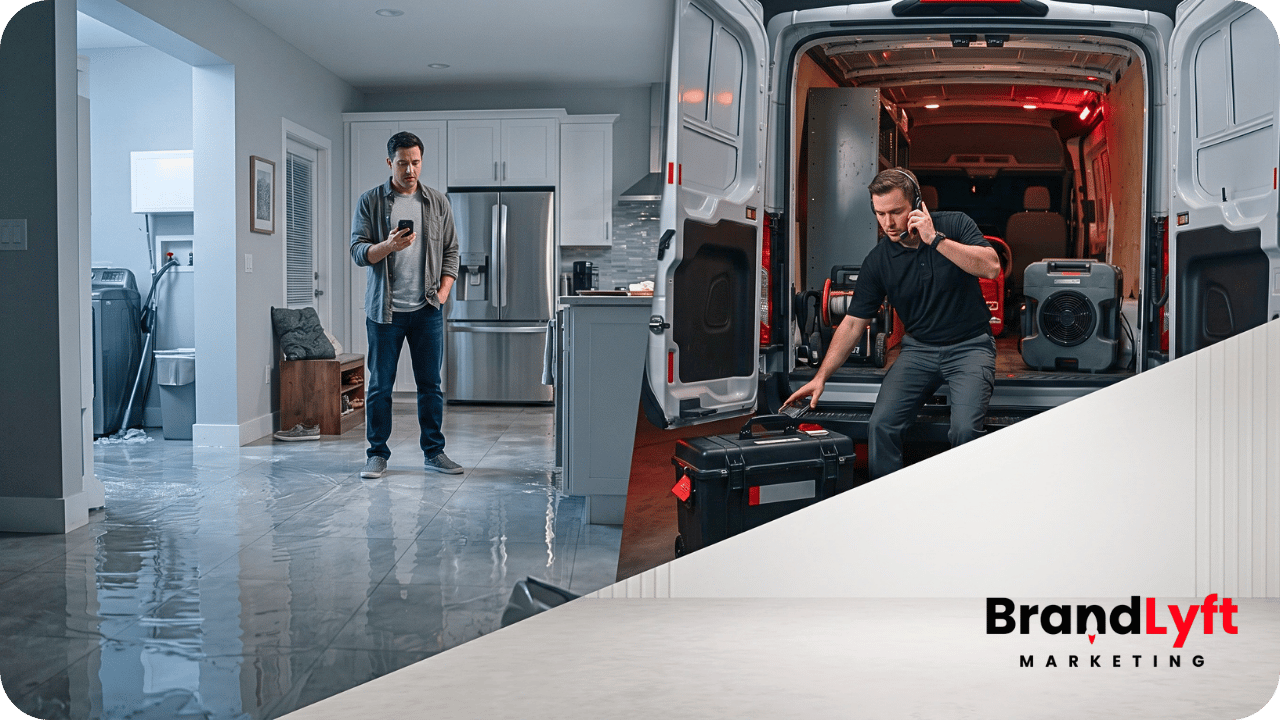
    A property owner finds water spreading across a floor after normal business hours. They call a restoration company, reach voicemail, and submit a website form while looking for another number.

    The system records both contacts and may send an automatic text. None of that proves a person has accepted the inquiry.

    Water damage restoration lead response has one job that ordinary office follow-up does not: move an urgent inquiry into confirmed human ownership. The company needs to know who received the handoff, whether the location and service fit, and what operational step happened next.

    Until somebody accepts that responsibility, the lead is still exposed.

    Water Damage Restoration Lead Response Is Not an Automatic Text

    Emergency response can look active inside a CRM while the real handoff remains unfinished. A text sends, the on-call list receives a notification, and a task appears. The contact may even move into a pipeline.

    Those actions show system activity, not that a qualified person accepted responsibility and can move the inquiry forward.

    Confirmed ownership means one person or active team has acknowledged the request and taken the next step: a live call, assessment offer, dispatch decision, escalation, or clear record that the company cannot serve it.

    BrandLyft’s Speed to Lead service applies to this gap. Faster automation helps, but the response path still needs a person who can take over when the message turns into a real water-damage conversation.

    Separate a New Water Loss From Other Calls

    Not every urgent-looking contact should enter the same new-lead path.

    A property owner may report a new loss, a plumber may send a referral, or a property manager could call about a commercial site. Existing customers and out-of-area callers need different handling.

    Treating all of those contacts as identical creates bad routing and duplicate work.

    First determine whether the contact represents:

    • A new water-damage inquiry
    • A professional or referral-partner handoff
    • An update connected to an existing job
    • An unsupported or out-of-area request

    That classification does not require a long interview. It needs enough context to stop the system from creating a fresh sales opportunity every time someone contacts the company about the same property.

    One person may call, leave a voicemail, submit a form, and reply by text. Phone number, property address, contact history, and active-job status should stay connected so the team avoids conflicting expectations or duplicate dispatch decisions.

    Capture Enough Context to Route, Not Diagnose

    The intake step should help the right person understand the request without turning automation into a restoration expert.

    Useful information may include:

    • Property address
    • Caller name and best contact number
    • Residential or commercial property
    • The caller’s description of what happened
    • When the issue was first noticed
    • Any immediate concern stated by the caller
    • Insurance involvement when the caller volunteers it
    • Permission to continue the conversation by text

    Automation should record the caller’s words and flag urgent information for human review. It should not assess safety, diagnose the source, estimate damage, promise coverage, or give technical instructions.

    A short form or text exchange can collect routing context. The restoration team still makes the judgment.

    Route by Service Area, Coverage, and Real Availability

    Emergency routing should reflect how the company actually works after hours. Service area, current coverage, job type, overflow support, and escalation may all affect the handoff. Assigning whoever appears first in a user list does not prove availability.

    Several offices may need location-specific coverage groups. A smaller operator may use one on-call owner and a backup, while surges may require overflow.

    BrandLyft’s AI Voice Solutions may support after-hours or overflow intake when a live team cannot answer every call. That option still needs boundaries, routing rules, and a human takeover point. AI should help preserve the conversation, not make an unverified service promise.

    In HighLevel, call outcomes can start follow-up or internal actions through a Call Details workflow trigger. The platform event is only the beginning. The business must decide who receives the alert, what happens if they do not respond, and how the inquiry reaches a final status.

    Require the On-Call Person to Accept the Handoff

    The most important step is easy to miss because many systems stop at assignment.

    Assignment answers, “Who should receive this?”

    Acceptance answers, “Who has taken responsibility for it?”

    A useful handoff process should make acceptance visible. The assigned person might acknowledge the task, update the opportunity, choose a response status, or confirm through another internal action. Teams can use different methods, but silence cannot count as acceptance.

    An on-call owner should receive enough context to act:

    • Caller name and phone number
    • Property address
    • Lead source
    • Caller description and notes
    • Call, voicemail, form, and text history
    • Any service-area or coverage result
    • Current owner and escalation status

    Once someone accepts the handoff, the inquiry is no longer unowned. Until then, escalation should remain active.

    water damage restoration lead response moving from after-hours inquiry to confirmed on-call ownership

    When the Alert Does Not Prove Ownership

    Trace the Gap Between the Missed Call and the On-Call Team

    BrandLyft connects after-hours capture, routing, escalation, and human ownership so urgent inquiries do not stop at an automated message.

    Review Speed to Lead

    See how the wider system fits restoration work: Review the restoration response system.

    Escalate When the First Owner Does Not Respond

    An on-call schedule needs a fallback path.

    If the first person does not accept the inquiry, a delivered notification cannot count as coverage. The escalation route may involve a backup owner, manager, second office, call center, or overflow team.

    The escalation rule should answer four practical questions:

    • What action counts as acceptance?
    • How does the system recognize no response?
    • Who receives the next alert?
    • When does a person review the unresolved queue?

    Escalation is not the same as notifying more people at once. When everybody receives the alert but nobody owns the next move, the ambiguity remains.

    A clean response path should show the current owner, the previous attempt, and the reason the inquiry moved to someone else.

    Missed-Call Text-Back Should Preserve Contact, Not Promise Dispatch

    Missed-call text-back gives the company another chance to connect. HighLevel’s missed-call text-back feature sends an SMS after an unanswered inbound call.

    That message should acknowledge the missed call, identify the company, invite a short reply, and set an honest expectation about human follow-up.

    Example: Hi [First Name], this is [Company]. We received your call about water damage. Please reply with the property address and a short description of what happened. A team member will review the request and contact you about availability.

    The message should not confirm dispatch, promise arrival, or claim the company can serve the address before someone checks coverage.

    HighLevel notes that its standard feature can text after every missed attempt, even when the same caller tries several times close together. A customized workflow can limit duplicate messages — useful when a caller keeps trying before anyone takes over.

    BrandLyft’s AI Conversational Bot can keep SMS or missed-call conversations moving long enough to gather context and route the exchange. A person still needs to accept the inquiry and make the service decision.

    Carry the Full Context Into the Live Handoff

    The caller should not have to rebuild the story every time the conversation changes channels.

    When a text exchange moves to a live call, or the office sends the inquiry to an on-call person, the address, notes, source, and message history should travel with it. The same rule applies when a professional referral reaches the company through a different number or form.

    Context loss makes customers repeat details, creates conflicting expectations, weakens source reporting, and can split one conversation across duplicate records.

    The CRM should act as the shared record, but the team needs a practical handoff habit. Notes should be readable. Status labels should match real events. The person taking over should know what the system already asked and what still needs a human answer.

    Record What Actually Happened

    “Contacted” is too vague for an emergency response path.

    A useful status should tell the company what happened outside the automation. Depending on the business, the outcome may be:

    • Awaiting human acceptance
    • Accepted by the on-call owner
    • Assessment scheduled
    • Dispatch decision pending
    • Dispatched
    • Outside the service area
    • Unable to serve
    • Existing job update
    • Customer unreachable
    • Closed or declined

    Those labels are examples, not a required pipeline. Use language the office and field teams understand.

    When the next step is a scheduled assessment, calendar activity should update the lead record and notify the right people. HighLevel supports calendar notifications for bookings, cancellations, reschedules, reminders, and follow-up. The schedule still has to match real coverage and availability.

    A dispatch decision may happen outside the CRM. Someone still needs to record the result so reporting does not confuse a sent text with a worked emergency.

    Measure Acceptance, Escalation, and Unowned Inquiries

    Strong water damage restoration lead response reporting goes beyond calls, forms, texts, and assignments. It should show whether an emergency reached a real owner.

    A restoration company should be able to review:

    • Urgent inquiries by source
    • Answered and missed calls
    • Automated acknowledgments sent
    • Human responses made
    • Handoffs accepted by an on-call owner
    • Inquiries that required escalation
    • Assessments scheduled
    • Jobs dispatched
    • Duplicate inquiries joined to an existing contact or job
    • Requests closed as out of area or unable to serve
    • Emergency inquiries with no recorded outcome

    The gap between automated acknowledgment and human acceptance matters. Message activity can look healthy while unresolved inquiries remain in a queue.

    Reporting should help an owner find the exact break: source capture, after-hours coverage, first assignment, acceptance, escalation, scheduling, dispatch, or final status.

    When the Whole Response Path Needs Review

    Water damage restoration lead response breaks at the system level when several tools disagree about the same inquiry.

    The call system records one outcome while the CRM shows another. Forms land in a shared inbox, the on-call schedule lives elsewhere, or technicians speak with customers without updating the opportunity. Reporting may count the automatic text as the response.

    At that point, another isolated workflow will not explain what is happening.

    BrandLyft’s Revenue System Build connects capture, routing, ownership, follow-up, scheduling, and reporting around the way the business operates. The article on GoHighLevel setup mistakes explains how system activity can hide weak ownership.

    A useful review should trace real inquiry types from beginning to end:

    • A direct after-hours call about a new water loss
    • A website form submitted after a missed call
    • A professional referral
    • An existing-job update
    • An out-of-area request
    • An inquiry the first on-call person did not accept

    That test shows whether the company has a response path or only a collection of messages and alerts.

    Know Who Accepted the Emergency and What Happened Next

    A restoration company should not have to search through voicemail, forms, text threads, and tasks to learn whether an urgent water-damage inquiry received a real response.

    The system needs to preserve the contact, collect enough routing context, and carry it into a live handoff. Visible proof of accepted responsibility matters just as much.

    Water damage restoration lead response is not complete when the software logs activity. It is complete when a real owner takes the inquiry and the business records the next operational outcome.

    When Emergency Handoffs Still Have No Clear Owner

    Walk Through the Response Path With BrandLyft

    Bring the current call, form, routing, and after-hours setup. We can discuss where the handoff breaks and what needs to change.

    Book the Response Review

    Already using GoHighLevel? Use the free Rescue Decision Guide to check routing, ownership, workflows, and reporting first.


  • Roofing Lead Follow-Up: From Quote Request to Booked Inspection

    Roofing Lead Follow-Up: From Quote Request to Booked Inspection

    A homeowner notices storm damage, finds a roofing company online, and submits a quote request. The company already paid to generate that inquiry, but nobody clearly owns it. No confirmation reaches the homeowner. The request sits in an inbox until someone remembers to call.

    By then, another roofer may already have the inspection booked.

    Roofing lead follow-up is the path between a new inquiry and a real inspection appointment. Getting the lead is only the first step. The roofing company still has to acknowledge the request, assign an owner, collect the right details, offer an inspection, and keep following up until the homeowner books, declines, or does not qualify.

    More roofing leads will not fix that path.

    They will put more pressure on it.

    Why Roofing Lead Follow-Up Breaks Before Inspection Booking

    Most roofing quote requests do not disappear because the homeowner suddenly stopped caring about a leak, missing shingles, storm damage, or an aging roof.

    They disappear because the business side becomes unclear.

    A website form sends an email, but it never creates a task. A missed call appears in the call log, but nobody sends a text. The CRM assigns the lead to someone who is unavailable. Sales assumes the office called. The office assumes a salesperson already took it.

    The contact technically exists.

    The next action does not.

    Common roofing follow-up gaps include:

    • Website forms that only send an email notification
    • Missed calls with no useful text response or call-back task
    • Leads routed to the wrong office, salesperson, or service area
    • No confirmation telling the homeowner what happens next
    • Quote requests sitting outside the sales pipeline
    • Sales staff assuming someone else already followed up
    • No recovery path when the homeowner does not answer

    BrandLyft’s Speed to Lead work connects directly to this problem. Fast response is useful, but only when the message leads to clear ownership and a real inspection path.

    What Roofing Lead Follow-Up Should Do as Soon as a Lead Comes In

    A new roofing lead needs a small set of actions to happen in the right order.

    The system should first acknowledge the homeowner. That message confirms that the request arrived and explains what will happen next.

    Next, the business should record the original lead source. A quote request from Google Ads, Local Services Ads, organic search, Facebook, a referral, or a roofing landing page should not enter the CRM as the same vague “website lead.”

    The right person then needs an alert and ownership of the next action. That may be an office manager, dispatcher, salesperson, inspector, or location-specific team member.

    The lead should also enter the roofing pipeline as an opportunity. A contact record alone does not show whether anyone called, qualified, or offered an inspection.

    HighLevel’s workflow documentation explains how a form submission can trigger actions such as sending a confirmation, creating internal notifications, and starting follow-up. The roofing company still has to decide who owns those actions and what each one means.

    BrandLyft’s Revenue System Build fits when forms, calls, assignments, calendars, and pipelines need to work as one roofing sales path instead of separate tools.

    What the First Roofing Confirmation Should Say

    The first message should sound helpful, not automated for the sake of automation.

    It should confirm receipt, name the roofing request, and tell the homeowner what happens next.

    Example: Hi [First Name], we received your roofing request for [Property Address]. Someone from [Roofing Company] will contact you to confirm the project details and available inspection times.

    That message does not need to sell the roof.

    It needs to remove uncertainty.

    A homeowner dealing with active damage may also need a clearer expectation around emergency availability. A replacement inquiry may need a normal inspection route. An insurance-related request may need someone to confirm storm date, claim status, or the next inspection step.

    The message should match the service path without asking the homeowner to explain everything again.

    Qualify the Roofing Lead Without Adding Friction

    Roofing qualification should collect enough information to route the request without turning the form or first call into an interrogation.

    The company usually needs:

    • Property address and service area
    • Repair, replacement, inspection, maintenance, or emergency need
    • Residential or commercial property
    • Insurance-related or retail project
    • Preferred inspection time
    • Best phone number and contact method

    Those details help the team decide who should handle the lead and how quickly the situation needs attention.

    An emergency leak may need a different path than a planned roof replacement. A commercial project may need a different salesperson from a residential inspection. An address outside the service area should not sit in the same queue as a qualified local homeowner.

    Ask only for details the team will actually use.

    If the form collects fifteen fields but sales still asks every question again, the process creates more work without improving the handoff.

    Route Roofing Leads by Area, Urgency, and Project Type

    One roofing workflow should not blindly treat every inquiry the same.

    The routing path may need to consider service area, project type, emergency status, residential or commercial work, insurance involvement, assigned salesperson, and inspector availability.

    This does not mean every roofing company needs complicated automation.

    A smaller roofer may route every qualified lead to one office manager. A larger operation may need territory rules, separate sales teams, storm-response assignments, or location-based calendars.

    The important part is that the lead reaches someone who can act.

    BrandLyft’s roofing industry page explains the broader relationship between lead generation, CRM follow-up, and booked roofing work. This article focuses on the tighter operating path that begins after the homeowner raises a hand. Review the broader roofing marketing system when the problem also includes lead volume, ads, local SEO, or wider campaign performance.

    Move Qualified Roofing Leads Into Inspection Booking

    Qualification should lead somewhere.

    Once the company confirms that the property, service area, and project type fit, the next step should be an inspection offer.

    The calendar needs to reflect real inspector availability. It may also need service-area rules, appointment buffers, travel time, project type, and limits on how many inspections one person can take.

    The homeowner should receive a confirmation after booking. Reminders should make the appointment easier to keep. Rescheduling should not force the homeowner to restart the process.

    HighLevel’s customer-booked appointment trigger can start actions after someone schedules. A roofing company might use that event to notify the assigned inspector, update the opportunity, send appointment details, or stop the pre-booking follow-up.

    The harder case is the homeowner who qualifies but does not choose a time.

    That lead should not remain trapped between “interested” and “booked.” The system needs a clear follow-up stage, an owner, and a task to help the homeowner finish scheduling.

    roofing lead follow-up path from quote request through qualification ownership and booked roof inspection

    Before You Buy More Roofing Leads

    Check Where the Quote-to-Inspection Path Is Breaking

    Use the GHL Rescue Decision Guide to check lead capture, ownership, follow-up, calendars, and reporting before more roofing quote requests enter the same setup.

    Start the Teardown

    The first-response path also needs work? Review Speed to Lead.

    Give Every Roofing Lead One Clear Owner

    Pipeline stages do not matter when nobody owns the next action.

    Each roofing lead needs one current owner. Other people may help with scheduling, inspection, estimating, or production, but the CRM should show who carries the lead right now.

    A focused quote-to-inspection pipeline could use stages like:

    • New Quote Request
    • First Response Sent
    • Contact Attempted
    • Qualified
    • Inspection Offered
    • Inspection Scheduled
    • Reschedule or No-Show
    • Unqualified

    Each stage needs a plain meaning.

    “First Response Sent” might mean the homeowner received the confirmation and the assigned person has a call task. “Qualified” might mean the address, service area, project type, and contact details fit. “Inspection Offered” should mean someone gave the homeowner a real scheduling option.

    HighLevel’s guide to pipelines and opportunity stages explains how stages organize opportunities. Roofing teams still need their own definitions so the pipeline reflects actual work instead of vague labels.

    BrandLyft’s article on HighLevel for roofing businesses covers the wider platform value. The more specific requirement here is simpler: one lead, one owner, one next action.

    Build Follow-Up for Homeowners Who Do Not Reply

    Many roofing leads will not answer the first call.

    The homeowner may be at work, talking to an insurance company, dealing with interior damage, comparing roofers, or waiting for another family member.

    One failed call attempt should not end the process.

    A practical roofing lead follow-up sequence can mix calls, texts, and email without sending the same pressure message repeatedly.

    The first follow-up should remind the homeowner why the company is contacting them. Later messages can offer the inspection again, ask one useful qualification question, or make rescheduling easier.

    Example: Hi [First Name], following up on your roofing request for [Property Address]. We can help confirm the project details and available inspection times. Is this for a repair, replacement, or storm-damage inspection?

    A missed inbound call needs its own recovery path. HighLevel’s missed-call text-back documentation explains how the account can send a message after an unanswered call.

    The text does not replace the salesperson or office team.

    Someone still needs to own the reply.

    Follow-up also needs stop conditions. Messages should end when the homeowner replies, books an inspection, declines, falls outside the service area, requests no further contact, or becomes unqualified.

    Without those conditions, automation creates noise and makes the roofing company look disconnected.

    Track Quote Requests Through Booked Inspections

    Lead volume alone does not tell a roofing owner if the follow-up path works.

    The owner should be able to see:

    • New quote requests by source
    • Leads that received a first response
    • Leads assigned to a real owner
    • Qualified roofing opportunities
    • Inspections offered
    • Inspections booked
    • Inspection show rate
    • Leads with no recorded next action

    That view helps separate marketing problems from follow-up problems.

    A source may generate plenty of roofing leads while the office books very few inspections. Another source may produce fewer inquiries but stronger inspection rates. Without clean ownership and stage movement, the business cannot make that comparison.

    HighLevel also documents how teams can use workflows for tasks such as assigning leads, scheduling appointments, and updating opportunity statuses. The account still needs stage rules that match the roofing process instead of moving leads merely because an automated message fired.

    What Happens After the Roof Inspection?

    The booked inspection completes this article’s page job.

    After the inspection, the opportunity should move into the roofing company’s estimate and sales process. That next path may include measurement, scope review, insurance documentation, estimate preparation, presentation, financing, decision follow-up, contract signing, and production handoff.

    Insurance, retail replacement, repair, maintenance, and commercial roofing projects may need different post-inspection stages.

    Do not force all of them into one generic follow-up sequence.

    A separate article should cover what happens after the estimate reaches the homeowner. Mixing that problem into this page would make both paths harder to explain.

    When Roofing Lead Follow-Up Needs More Than Another Workflow

    Sometimes the company does not have one broken follow-up message.

    It has several disconnected systems.

    The website form was built by one person. Another person built the calendar. Sales created the pipeline. The office handles calls in a different tool. Notifications go to old users. Reporting counts automated messages as response. Nobody can clearly trace a quote request from source to inspection.

    Adding another workflow may hide the problem for a while.

    It will not fix the operating path.

    BrandLyft’s article on costly GoHighLevel setup mistakes explains how forms, workflows, pipelines, calendars, and ownership break when teams build them separately. BrandLyft’s GoHighLevel Partner service fits when the roofing account needs a wider review rather than another isolated automation.

    A wider review should trace one real roofing lead through the entire path:

    • Where the inquiry entered
    • Which source appeared
    • Who received the alert
    • Who owned the first action
    • What confirmation reached the homeowner
    • How qualification happened
    • Which calendar offered the inspection
    • Where the opportunity moved
    • What happened after no reply
    • What the owner could see in reporting

    That test usually reveals more than reviewing the workflow list alone.

    Fix the Quote-to-Inspection Path Before Buying More Leads

    A roofing quote request is not a booked inspection.

    The homeowner still needs a clear response, a useful qualification path, the right salesperson or office owner, an inspection option, and follow-up that ends at the right time.

    If quote requests keep going cold, the roofing company may not need more leads yet.

    It may need a cleaner path for the leads it already receives.

    Bring Us the Lead Path

    Get a Second Set of Eyes on Your Roofing Follow-Up

    If quote requests are coming in but booked inspections stay inconsistent, the problem may sit between the form, the calendar, and the sales handoff.

    Book the Roofing Review

    Prefer to check the account first? Start the free teardown.

  • Marketing Automation Atlanta – What Service Businesses Need Before They Spend More on Ads

    Marketing Automation Atlanta – What Service Businesses Need Before They Spend More on Ads

    Marketing automation Atlanta service businesses can trust should do more than send texts after someone fills out a form. If you are paying for ads in Atlanta but losing leads through slow follow-up, missed calls, weak routing, poor source tracking, or a CRM your team does not trust, the ad budget is not the first thing to fix.

    The follow-up system is.

    A plumbing company can pay for clicks and still miss the phone call.

    A roofing company can get form fills and still route them to the wrong person.

    A med spa, fitness studio, tree service, pest control company, or home service business can have a CRM full of contacts and still lose the lead because nobody knows who owns the next step.

    That is the part most “more ads” conversations skip.

    If the path after the lead is weak, more traffic only makes the leak bigger.

    Why Marketing Automation Atlanta Service Businesses Need Comes Before More Ads

    Atlanta-area service businesses compete in a busy market. People search, call, compare, ask for estimates, book appointments, and move on fast when they do not hear back.

    That does not mean every business needs more ad spend first.

    Some businesses need a tighter lead response system.

    If your ads already create calls, form fills, chat requests, booking attempts, or quote requests, the next question is simple: what happens after the lead arrives?

    Does someone respond fast?

    Does the lead go to the right person?

    Does the missed call get a useful text-back?

    Does the CRM show the source clearly?

    Does the pipeline show what happened next?

    Does the team follow a real process, or does everyone work from memory?

    That is where marketing automation for service businesses earns its place. It should connect the ad, the lead source, the call, the form, the CRM, the staff member, the follow-up path, and the sales pipeline.

    BrandLyft’s Speed to Lead work fits this problem because response time is not just about sending a fast text. It is about making sure the first response creates a real handoff, a real task, and a real next step.

    The Real Lead Leak Is Usually After the Click

    Many Atlanta service businesses look at ad performance first.

    That makes sense. Ad cost is visible. Leads are visible. Calls are visible. Form fills are visible.

    But the real leak often happens after the click.

    A homeowner clicks a roofing ad and fills out a form. The form enters the CRM, but the lead source is vague. A staff member calls once and forgets the second touch. The opportunity sits in the wrong pipeline stage. Nobody checks it until the homeowner already booked another contractor.

    A pest control lead calls from a Google Business Profile listing. The call comes in during a job, lunch rush, or after hours. HighLevel can send a missed-call text-back, but if nobody owns the reply, the business still loses the job.

    A med spa or fitness studio gets a booking request. The automation sends a message, but the calendar, pipeline, and staff follow-up do not agree. The lead looks captured, but the visit never gets booked.

    None of these are ad problems by themselves.

    They are lead handling problems.

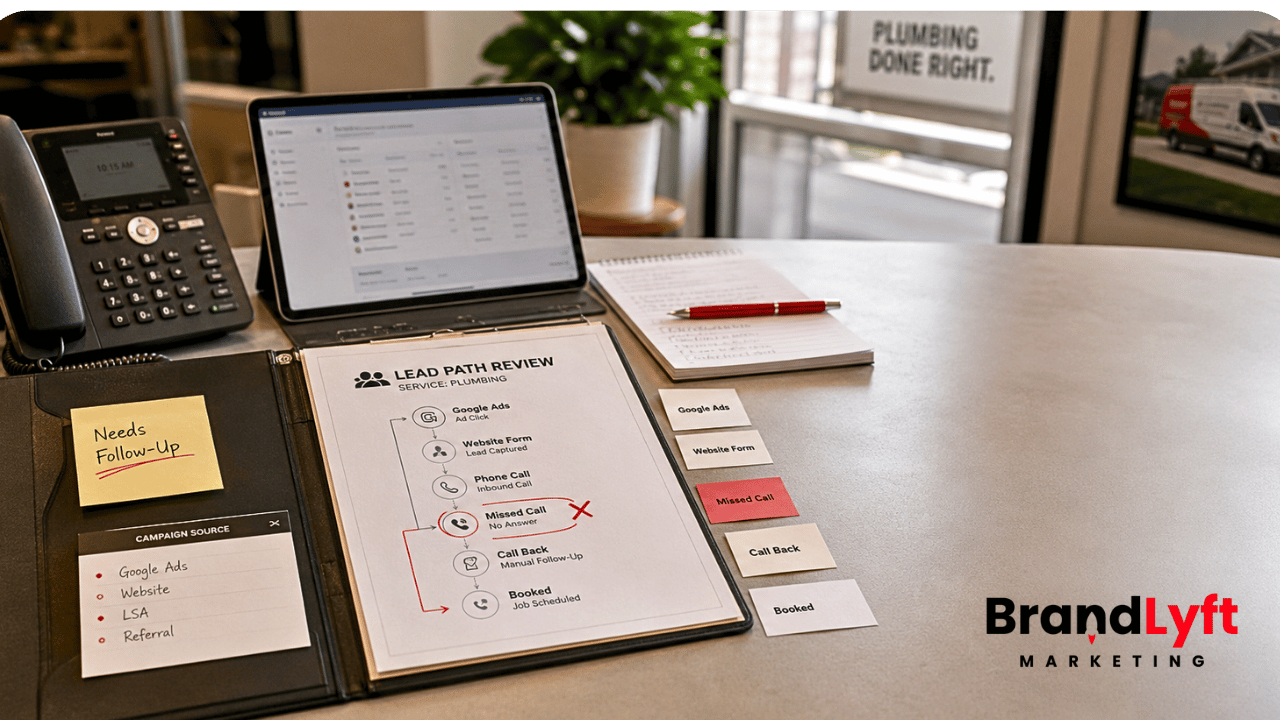
    marketing automation atlanta service business lead leak review showing missed calls CRM routing source tracking and speed to lead gaps

    A smart Atlanta digital marketing agency should catch that before telling you to spend more.

    What Marketing Automation Atlanta Businesses Should Check First

    Marketing automation Atlanta service businesses need should start with a lead path review.

    Not a dashboard review.

    Not a campaign review.

    A lead path review.

    That means tracing a real lead from the first touch to the booked job, estimate, appointment, consultation, or sale.

    The review should answer six questions.

    1. Where Did the Lead Come From?

    Lead source tracking is easy to talk about and easy to break.

    A service business may receive leads from Google Ads, Local Services Ads, Meta ads, organic search, Google Business Profile, referral partners, landing pages, website forms, chat, phone calls, SMS, old campaigns, and manual entries.

    If those sources all enter the CRM with weak labels, reporting becomes hard to trust.

    You may know that leads came in.

    You may not know which source produced booked jobs.

    That matters because an Atlanta service business can waste money by cutting the wrong channel or scaling the wrong one.

    HighLevel’s external tracking documentation shows how form submissions and UTM parameters can be captured when tracking is set up correctly. That kind of source clarity matters before the business spends more on ads.

    2. Who Owns the First Response?

    Fast follow-up only works when ownership is clear.

    A new lead may need to go to a dispatcher, front desk team, sales rep, estimator, clinic coordinator, franchise location, or owner. If everyone sees the lead but nobody owns it, the system creates noise instead of action.

    A good marketing automation setup should assign the lead, notify the right person, create the right task, and show what should happen next.

    That is not just a workflow setting.

    It is an operating rule.

    BrandLyft’s Revenue System Build is built around that bigger path: capture, response, follow-up, attribution, and the sales process behind the CRM.

    3. What Happens After a Missed Call?

    Missed calls are one of the easiest places for service businesses to lose money.

    A lead who calls usually has intent. They may need a quote, appointment, repair, inspection, consultation, or same-day answer. If nobody answers, they may call the next company on the list.

    HighLevel’s missed-call text-back feature can automatically send a text after an inbound call is missed. That helps keep the conversation alive, but the text is only the first step.

    The business still needs to know who checks the reply, who calls back, what happens after no reply, and where that lead should sit in the pipeline.

    A missed-call text-back without ownership is not speed-to-lead automation.

    It is a polite receipt.

    4. Does the CRM Route Leads by Service, Location, or Source?

    Simple routing may work for a small business with one owner handling every lead.

    It breaks when the business has multiple services, field teams, office staff, sales reps, service areas, locations, or ad campaigns.

    A home service lead for an emergency repair may need a different path than a maintenance plan inquiry. A med spa consultation may need a different path than a membership question. A pest control lead from a residential campaign may need a different path than a commercial account lead.

    If the CRM treats every lead the same, the team has to interpret context manually.

    That slows the response and weakens reporting.

    5. Does the Pipeline Match the Sales Process?

    A pipeline should show where the lead stands in the real sales process.

    HighLevel pipelines and opportunities can track leads as they move through stages, but the stages need to match the way the business sells.

    For many service businesses, “New,” “Contacted,” and “Won” are not enough.

    You may need stages like new lead, first response sent, estimate scheduled, estimate completed, quote sent, waiting on customer, job booked, job completed, lost, and reactivation candidate.

    The exact names depend on the business.

    The point is that the pipeline should tell the team what needs action.

    6. Is Follow-Up Based on Behavior?

    Follow-up should change based on what the lead does.

    A lead who replies should not keep receiving the same cold automation. A lead who books should move into a booking or confirmation path. A lead who misses an appointment should enter a recovery path. A lead who asks for price may need a different message than someone who asks about availability.

    HighLevel workflow triggers can start actions from contact, appointment, opportunity, communication, and ad events. The setup still has to decide which event matters and what should happen next.

    If every lead gets the same follow-up, the automation may look active while the sales process stays weak.

    Lead-Leak Check

    Before More Atlanta Ad Spend Goes Live, Check These Five Gaps

    Missed calls have no clear owner.
    Lead sources are hard to trust.
    The CRM routes every lead the same way.
    The pipeline does not show the real sales stage.
    Follow-up does not change when the lead replies.

    Start the Teardown

    Need the response path reviewed with someone? Review Speed to Lead or book the discovery call.

    Why Speed to Lead Automation Matters More Than More Traffic

    Speed to lead automation matters because the first business to respond often shapes the conversation.

    That does not mean the answer is to blast every lead with instant texts forever.

    The better answer is to build a clear first-response path.

    For an Atlanta-area service business, that may include:

    • Instant confirmation after a form fill
    • Missed-call text-back after an unanswered call
    • Internal notification to the right team member
    • Task creation for the first human follow-up
    • Pipeline movement based on response or booking status
    • Source tracking so the business knows which ads create real opportunities

    The first response should not feel like a robot taking attendance.

    It should help the lead keep moving.

    That is the part many businesses miss. They set up an auto-text and call it speed to lead. But if the text does not connect to ownership, pipeline movement, and a second touch, the lead can still go cold.

    Speed without a system becomes another notification.

    Speed with a system becomes a sales advantage.

    What a Good Atlanta Digital Marketing Agency Should Check Before Scaling Ads

    A good Atlanta digital marketing agency should not judge the account only by ad clicks, cost per lead, or campaign spend.

    Those numbers matter, but they do not tell the whole story.

    A low cost per lead can still be expensive if the lead is not called back.

    A high call volume can still be weak if missed calls do not get recovered.

    A strong form-fill rate can still fail if the CRM does not route leads by service, source, or urgency.

    Before more budget goes into paid search, Local Services Ads, Meta, SEO, or retargeting, the agency should check the system behind the lead.

    The Website and Landing Pages

    Forms should capture the right information without adding friction.

    Phone numbers should be tracked correctly.

    Calls should route to the right team.

    Landing pages should clearly identify the offer, service, area, source, and follow-up path.

    BrandLyft’s Web Design work matters here because a service-business website is not just a brochure. It has to feed clean leads into the next step.

    The CRM and Lead Routing

    The CRM should show where the lead came from, what the lead wants, who owns the response, and what should happen next.

    If the CRM only stores names and phone numbers, the team still has to interpret everything manually.

    That is where mistakes start.

    BrandLyft’s GoHighLevel Partner service fits when the business already uses GHL but the routing, workflows, or pipeline no longer match the way the business sells.

    The Missed-Call Path

    Missed-call handling should be treated like a sales path, not a feature toggle.

    If a call is missed, the system should send the right text, alert the right person, create a task if needed, and move the lead into a place where the team can see it.

    HighLevel can also support call tracking and missed-call text-back through Google Business Profile setups, depending on configuration.

    That matters for Atlanta service businesses because many high-intent calls come from local search behavior, not just paid landing pages.

    The Pipeline and Opportunity Stages

    The pipeline should tell the truth.

    If leads sit in “New” for days, the pipeline is not helping.

    If won jobs never get marked, reporting is weak.

    If estimates, appointments, calls, and quotes all live in the same stage, the manager has to guess what happened.

    BrandLyft’s article on GoHighLevel audit checks is useful here because a stalled account usually leaks leads through routing, workflow, pipeline, and reporting problems before anyone notices the pattern.

    The Reporting

    Reporting should not stop at lead count.

    A service business needs to know which source produced the lead, which source produced the booked appointment, which source produced the estimate, and which source produced the job.

    Otherwise, the team may scale the campaign that creates activity instead of the campaign that creates revenue.

    That is where BrandLyft’s Paid Ads Management should connect with automation, attribution, and follow-up. Ads should not sit apart from the system that handles the lead.

    Marketing Automation for Service Businesses Should Match the Sales Process

    Marketing automation for service businesses should start with how the business sells.

    A tree service does not handle leads the same way as a med spa.

    A pest control company does not qualify leads the same way as a fitness studio.

    An HVAC company does not treat emergency repair calls the same way as replacement estimate requests.

    A specialty contractor does not follow up with a commercial lead the same way it follows up with a homeowner.

    The automation has to match those differences.

    That means the setup should account for service type, urgency, lead source, staff availability, service area, quote process, booking process, and sales cycle.

    If the business has multiple locations or service areas, routing matters even more.

    BrandLyft’s Home Services Marketing page is relevant for businesses where calls, appointments, and speed to lead decide whether the lead becomes a booked job.

    Where Atlanta Service Businesses Lose Leads Inside GHL

    Many service businesses already have GoHighLevel or another CRM in place.

    The problem is not always missing software.

    The problem is often drift.

    Someone built a workflow months ago. Someone else edited the form. A campaign changed. A staff member left. A new service line was added. The pipeline stages no longer match how the team sells. A phone number forwards to the wrong place. Old tags still fire automations nobody remembers.

    The account still works in pieces.

    But the full lead path is no longer clean.

    That is why a lead-leak teardown should look at the whole path, not just the ads.

    Common GHL Lead Leaks

    The most common leaks show up in ordinary places.

    A form submits, but the source is missing.

    A missed call gets a text, but the reply is not assigned.

    A lead is assigned, but no task is created.

    A task is created, but the pipeline does not move.

    A pipeline moves, but the reporting does not show the source.

    An old workflow still fires after a newer workflow took its place.

    A staff member gets notified, but the manager cannot see what happened later.

    That is how businesses end up saying, “We are getting leads, but we are not sure what is happening to them.”

    BrandLyft’s article on a stalled GoHighLevel account leaking leads covers that exact issue from the account-health side.

    What to Fix Before You Increase Ad Spend

    Before the next budget increase, fix the lead path.

    Start with missed calls.

    Check the phone numbers, forwarding rules, call tracking, missed-call text-back, reply ownership, and fallback path.

    Then check form fills.

    Submit each important form like a real lead. Watch where it goes, how fast the notification appears, who owns it, what task gets created, what source appears, and what pipeline stage receives it.

    Then check CRM routing.

    Make sure leads route by service, source, location, urgency, or assigned team when those differences matter.

    Then check the pipeline.

    Each stage should show a real sales step. If nobody knows when to move the lead, the stage is too vague.

    Then check reporting.

    The business should be able to see which channels create leads, which channels create appointments, and which channels create booked work.

    If those items are unclear, the ads may not be the problem.

    The system behind the ads is.

    How BrandLyft Fits for Marketing Automation Atlanta Service Businesses

    BrandLyft is a fit when an Atlanta-area service business already has marketing activity but needs the system behind that activity to work better.

    That may mean better missed-call handling, cleaner source tracking, faster lead response, stronger CRM routing, better pipeline stages, or follow-up paths your team can actually use.

    For some businesses, the work starts with a lead-leak teardown.

    For others, the more useful path is a Speed to Lead review or full discovery call.

    The right next step depends on how much of the system is already live and how much of it your team trusts.

    BrandLyft’s Proof page shows the kind of service-business and GoHighLevel work the company is already positioned around: speed to lead, follow-up, attribution, reputation, appointment flow, and operational CRM support.

    This is the part that matters most: BrandLyft should not be positioned as just another Atlanta digital marketing agency selling more traffic.

    The stronger lane is sharper than that.

    BrandLyft helps service businesses fix the revenue system behind the marketing.

    Before You Spend More, Find the Lead Leak

    If your Atlanta service business is already paying for ads, do not assume the next move is more budget.

    Check what happens after the click, call, form fill, chat, booking request, or missed call.

    If the first response is slow, source tracking is weak, missed calls are not owned, routing is unclear, or the pipeline does not match the sales process, more ad spend may only create more lost opportunities.

    That is the reason marketing automation Atlanta businesses need should start with the lead path.

    Not the dashboard.

    Not the ad account.

    The actual path a lead takes from interest to booked work.

    Atlanta Lead Response Checkpoint

    If Leads Are Coming In But Jobs Are Still Slipping, Check the System First

    A service business can have good ads and still lose leads through missed calls, slow replies, weak routing, unclear source tracking, and pipeline gaps. Find the leak before more budget goes live.

    Find the Lead Leak

    Need the response path rebuilt? Review Speed to Lead or book the discovery call.

    More leads only help when the business is ready to handle them.

    Fix that path first.