Tag: Missed Call Recovery

  • Marketing Automation for Service-Based Businesses That Follows the Lead

    Marketing Automation for Service-Based Businesses That Follows the Lead

    A service business usually does not lose a lead because nobody owns marketing automation software. It loses the lead because the next step depended on somebody remembering to do it.

    The phone rings while the team is busy. A form sits in an inbox. The prospect gets an automatic reply, but no person owns the callback. Someone books and then no-shows. A completed customer never gets asked for a review. Six months later, the database is full of old leads and past customers nobody has contacted again.

    Marketing automation for service-based businesses should make those handoffs more dependable. It should capture the inquiry, acknowledge it quickly, give it an owner, support the booking path, keep follow-up moving, and stop when the situation changes.

    That last part matters. Automation should remove repeatable chasing and admin. It should not keep sending messages after a customer has replied, booked, opted out, become a customer, or reached a point where a person needs to take over.

    Marketing automation for service-based businesses starts with clean lead capture

    The first job is getting every real inquiry into a place where the business can see and work it.

    For a service company, that may mean calls, website forms, landing pages, web chat, paid-ad forms, referral forms, appointment requests, or other booking paths. Those sources do not have to look identical, but the business should be able to tell which person raised a hand, what they asked about, where the inquiry came from, and what should happen next.

    A weak setup starts automating before that foundation is clear. The form creates one contact. The phone call lives somewhere else. A chat conversation never reaches the sales pipeline. Paid leads lose the campaign or service information that would have helped the team respond properly.

    Before adding another sequence, check the capture path. One inquiry should produce one usable record whenever the business can confidently identify the same person. The important source and service context should stay attached. The team should know where to look when the customer comes back through another channel.

    The first automatic response should set up the human response

    An immediate acknowledgement is useful because it confirms the inquiry arrived and gives the prospect a sensible expectation.

    It does not need to pretend a staff member personally typed the message. A simple response can confirm receipt, give the next step, offer a booking option when that fits, or tell the person when somebody will call. The copy should match what the business can actually do.

    The internal side matters just as much. Somebody needs the lead, the context, and a next action. If a new inquiry receives three polished messages while nobody on the team knows they own the callback, the automation has made noise rather than improving the handoff.

    BrandLyft’s Speed to Lead service fits this part of the system. Fast automation is most useful when it leads into clear human ownership instead of becoming the whole response plan.

    Lead assignment needs a person, team, and fallback

    Assignment is where a lot of otherwise good automation becomes fragile.

    A service business should know how a new lead gets an owner. Routing may depend on location, service, territory, schedule, language, or the team handling that type of work. The exact logic varies, but the operating question does not: who is expected to do something next?

    That answer should include a fallback. People take days off. Technicians stay on jobs. Salespeople miss notifications. One person leaving the company should not leave a queue of new opportunities pointing at a user nobody monitors.

    Escalation also has to mean something. A manager alert can help when a lead has not been accepted or contacted within the time the business considers reasonable. Sending more internal notifications to the same unavailable person does not.

    Missed-call automation should recover the conversation

    Calls are easy to lose because the customer’s intent may never appear in a form.

    A missed-call text-back can acknowledge the call quickly and give the person a way to reply without waiting on hold or trying again later. That is the opening move. The useful version also creates a callback path for the team and keeps the inquiry connected to the same contact record.

    The automation should know when to stop. If the caller replies by text, somebody should own that conversation. If staff return the call and resolve the inquiry, the system should not keep sending the same missed-call recovery messages. Existing customers may also need different handling from new prospects.

    This is one reason broad service-business automation should be designed around business events instead of a pile of isolated campaigns. The missed call is not just a message trigger. It is a customer asking for attention.

    Booking automation should protect the appointment, not just create it

    A booking is another handoff point.

    The calendar should reflect the service, staff, location, and availability the business actually offers. Once the appointment exists, confirmation and reminder automation can reduce the amount of manual chasing around it.

    But a reminder sequence should react to the appointment record. If the customer reschedules, the old reminder should not keep promoting the original time. If the appointment is cancelled, the next message should not read as though it is still happening. When the customer has already completed the appointment, the system needs a different next step.

    For businesses that do not use appointments, the same principle applies to estimates, consultations, site visits, intake calls, demos, or whatever event moves the lead forward.

    No-response and no-show follow-up need different logic

    A lead who never replied is not the same as somebody who booked and missed.

    The first person may still need help choosing a time, understanding the service, or deciding whether to move forward. A no-show already made a stronger commitment and failed to complete it. The follow-up should reflect that difference.

    No-response automation can make several reasonable attempts across the channels the business uses, then slow down instead of repeating the same message forever. No-show automation can acknowledge the missed appointment and make rebooking easy. Staff may need a task when the prospect is high value or the conversation suggests a person should step in.

    The useful question is not how many messages a workflow can send. It is what new information or easier next step each message adds. Good marketing automation for service-based businesses should make the path clearer as the lead moves, not noisier.

    Pipeline movement should follow real business actions

    A CRM pipeline is useful when its stages tell the team what is actually happening.

    Automation can help move records when the event is clear. A new enquiry can enter the correct starting stage. Once a booking is confirmed, the opportunity can move into a booked stage. A completed consultation may create a follow-up task or another defined status.

    Problems start when the system guesses. Moving every lead to “Contacted” because an automatic text went out can make reporting look healthier than the sales work really is. A lead has not necessarily been contacted in the business sense just because software sent something.

    Use automation for stage changes that have a clear trigger. Keep human updates where judgment is involved. The pipeline should explain the state of the opportunity, not the activity of the workflow.

    Marketing automation for service-based businesses needs stop conditions

    Every follow-up path should have a way out.

    A prospect replies. The next step may be a booking. Someone may ask to stop receiving messages, become a customer, or tell the business they are not ready until a later date. Sometimes the conversation simply becomes complicated enough that automation is no longer the right voice.

    Those are not exceptions to work around. They are normal customer behavior.

    The automation should stop, pause, branch, or hand off based on the event. A person who booked should not keep getting “still interested?” messages. An opted-out contact should not remain in the marketing sequence. A customer with a complaint needs a person, not the next nurture step.

    Business eventUseful automationWhat still needs ownershipStop or branch when
    New form or chat inquiryCreate or update record, acknowledge, notifyFirst real response and qualificationLead replies, books, or is disqualified
    Missed callText back, create callback task, routeReturn call or live text conversationConversation is picked up or resolved
    Appointment bookedConfirmation and remindersThe service, consultation, or estimate itselfRescheduled, cancelled, completed, or no-show
    No responseTimed follow-up and task creationJudgment on high-value or unusual leadsReply, booking, opt-out, or nurture handoff
    Service completedReview request, retention, future reminderResolve service problems before promotionIssue, complaint, opt-out, or next service event

    Review requests should follow a real completed service

    Review automation works best when the business has a reliable event that says the customer actually received the service.

    A completed job, closed appointment, delivered project, or other confirmed milestone is a better trigger than an arbitrary number of days after the lead first appeared. The request then reaches a real customer at a point when the experience is still recent.

    Repaired customer boots ready for pickup inside a shoe repair workshop
    A reliable completed-service event is a better review trigger than an arbitrary delay after the original inquiry.

    Do not use automation to filter for only happy customers or trade discounts for positive reviews. Google’s Business Profile policies allow businesses to ask for reviews that reflect genuine experiences, but prohibit incentivized reviews and selective solicitation designed to manipulate ratings.

    If a customer reports a problem, route the issue to the team instead of pushing the review request harder. The business should fix the experience before asking the customer to market it.

    BrandLyft’s Reputation Engine service fits this part of the customer path when review generation needs its own operating system.

    Reactivation should start with history, not a giant old list

    Old leads and past customers can be useful because the business already knows something about them.

    That history should shape the automation. A lead who requested an estimate and never booked is different from a customer whose service was completed two years ago. A former client may be due for repeat work. Another contact may have opted out, complained, moved away, or already returned through a newer opportunity.

    Segment before sending. Use the last known stage, service history, timing, and consent information the business actually has. Give the person a reason to re-engage that fits the earlier relationship.

    BrandLyft’s Nurture & Winback service sits deeper in this part of the system. The broad automation foundation should make it possible to tell who belongs in a reactivation audience before another campaign begins.

    How marketing automation for service-based businesses should be measured

    Open rates and workflow counts can help diagnose the system. They are not the final business result.

    A service business should be able to connect automation to events that matter: how many inquiries were captured, how quickly they received a useful response, how many were assigned, how many booked, how many showed, how many opportunities stalled, how many customers left reviews, and how many old leads or past customers came back into a real sales conversation.

    Google Analytics lets important events be marked as key events and, where appropriate, used to create conversions for cross-channel measurement. Its current conversion guidance is useful for web-side actions, but the service business still needs CRM or operational data to explain what happened after the form or booking.

    Reporting should expose gaps instead of decorating them. If a lead received an automatic text but nobody called, the system should not count that as proof of a strong sales response. If a booking was created and then no-showed, the report should not stop at “appointment generated.”

    The useful question is whether automation helped move a real customer event forward.

    The foundation matters more than the number of workflows

    A weak automation setup often turns into a long feature list. That is easy to build and hard to operate. Useful marketing automation for service-based businesses is usually a smaller set of connected handoffs that the team can actually trust.

    The foundation is simple: capture the inquiry, keep the source and context, give it an owner, respond quickly, support the booking or next sales step, follow up when nothing happens, and stop when the situation changes. After the service, record the outcome, ask for a review at the right time, and keep enough history to re-engage the customer later when there is a sensible reason.

    Once that works, the business can add detail around specific services, locations, seasons, teams, or customer segments.

    The shape changes by industry. A home-service company may care heavily about missed calls and estimates. Clinics may care more about consultations and reminders. Fitness businesses may care about trials and no-shows. The foundation stays recognizable even when the triggers and handoffs change.

    A service business should be able to follow one lead from start to finish

    The simplest automation audit is to pick one ordinary inquiry and trace it.

    Where did it enter? Which record was created? What source stayed attached? Who owned the first response? What happened if the person did not answer? Could they book? Did reminders change when the appointment changed? What moved the opportunity? Which event stopped follow-up? What happened after the service? Could the business find that same person again six months later?

    If the answers live across five disconnected tools and three people’s memories, another workflow is probably not the first fix.

    BrandLyft’s Revenue System Build is the broader implementation path for businesses that need lead capture, routing, follow-up, booking, attribution, pipeline stages, and reporting built as one operating foundation.
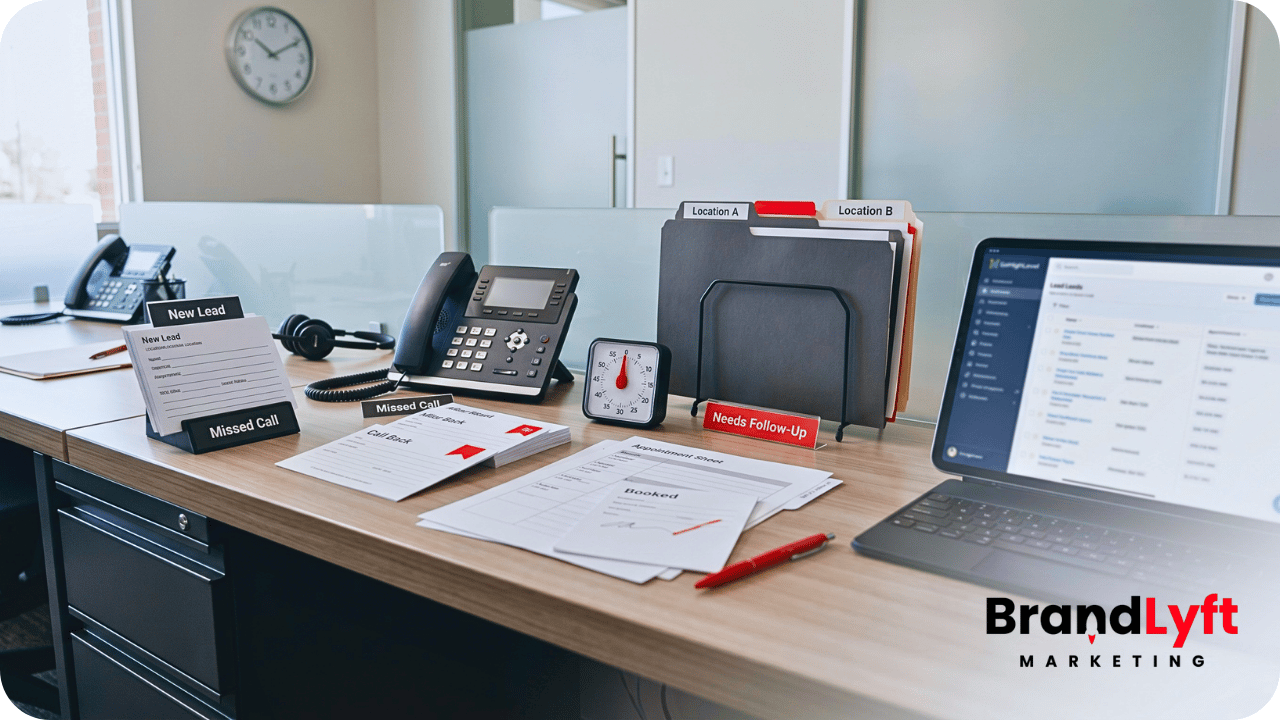
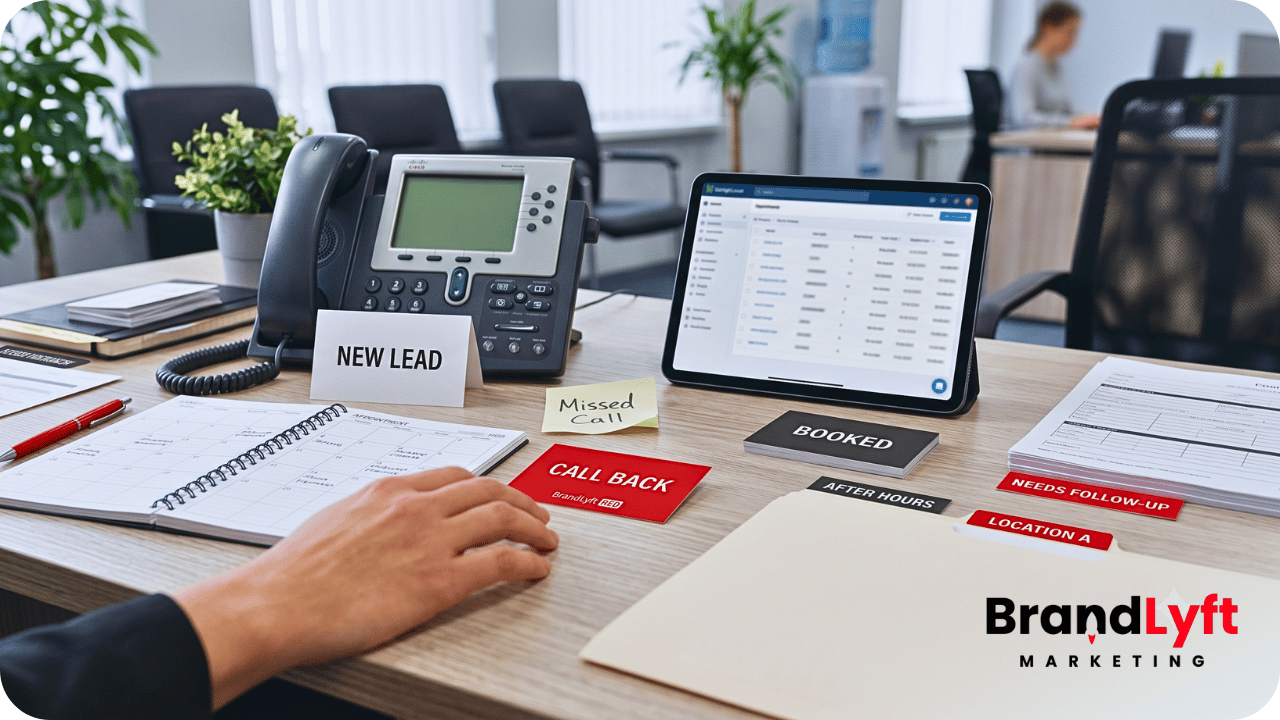
    Build the automation around the way the business actually handles a lead

    BrandLyft can connect lead capture, routing, missed-call recovery, follow-up, booking, reviews, reactivation, and reporting so the system follows the customer instead of a collection of isolated workflows.

    Review Revenue System Build

    Already know the current setup needs outside help? Book a discovery call.

  • Speed-to-Lead Automation for Franchise Teams Already Using GoHighLevel

    Speed-to-Lead Automation for Franchise Teams Already Using GoHighLevel

    Speed-to-Lead Automation for Franchise Teams Already Using GoHighLevel

    Speed-to-lead automation for franchises usually breaks when the first response happens fast, but the real follow-up still does not belong to anyone.

    The franchise may already use GoHighLevel. Forms may feed into GHL. Texts may send automatically. Workflows may notify local teams. Calendars may exist. Pipelines may track new leads.

    Still, owners keep seeing the same problem.

    Some locations respond quickly. Others let leads sit. Missed calls do not always get recovered. Booking links do not always match local availability. After-hours leads get generic messages. Corporate sees activity but not true response ownership.

    That is not a “you need GHL” problem.

    It is a speed-to-lead system problem inside a franchise setup that already has GHL.

    For franchise and multi-location teams, fast automation only matters when the right location receives the lead, the right person owns the next step, and the system catches the lead before it goes cold.

    A text message sent in seconds is not enough.

    The better question is what happens after that first message.

    Who calls? Who books? Who follows up when the buyer does not answer? What happens after a missed call? What happens after hours? What does leadership see by location?

    Speed-to-lead automation for franchises has to answer those questions before it can protect revenue across multiple locations.

    Build the First Response Before the Lead Goes Cold

    The GoHighLevel Implementation Playbook helps franchise teams review the workflows, routing rules, booking paths, and follow-up systems that need to work before more locations copy the same gaps.

    Use the GHL Playbook
    Review the Response Path

    Why Speed-to-Lead Automation for Franchises Breaks After GHL Goes Live

    Speed-to-lead automation for franchises breaks when the setup focuses on sending messages instead of owning the first few minutes.

    That distinction matters.

    A workflow can send a text. It can send an email. It can notify a user. It can move an opportunity. It can assign a task. Those actions help, but they do not automatically create local accountability.

    Franchise teams need more than automatic activity.

    They need a response path that matches how each location actually works.

    One location may have a front desk team. Another may route new leads to a manager. Another may rely on a sales rep. Another may take calls after hours through a call center or AI voice system. Another may only book during certain service windows.

    If the same speed-to-lead workflow treats every branch the same, the setup may respond fast and still create confusion.

    That is why BrandLyft’s Speed to Lead work focuses on more than quick replies. The real work is building the response path behind the reply.

    What Speed-to-Lead Automation for Franchises Should Do First

    Speed-to-lead automation for franchises should identify the lead, route it to the right location, start the right first response, and create a clear next action for the local team.

    That sounds simple until multiple locations enter the account.

    A single-location setup can usually survive a loose rule. A franchise cannot.

    The system needs to know which branch owns the lead. It needs to know when that branch should respond. It needs to know which contact method to use first. It also needs to know what happens when no one answers, no one books, or the location misses the first step.

    A clean first-response path usually includes four parts.

    • Lead capture that brings in clean source and location data.
    • Routing rules that send the lead to the right location or owner.
    • Automation that sends the first message and creates the next action.
    • Escalation rules that catch stalled leads before they disappear.

    Without those parts, the workflow may look busy while the franchise keeps losing response consistency.

    BrandLyft’s GoHighLevel for Franchises service fits this kind of work because franchise GHL systems need location rules, team behavior, and follow-up ownership built into the setup from the start.

    speed-to-lead automation for franchises using GoHighLevel to route leads recover missed calls and track follow-up

    Gap 1: Leads Route Fast, But Not Always to the Right Location

    Fast routing only helps when the right location gets the lead.

    A franchise can send an instant text and still fail the buyer if the wrong branch receives the alert. The local team may not know the customer. The service area may not match. The booking calendar may be wrong. The lead may need a different location based on ZIP code, service type, market, or availability.

    This is where many GHL accounts look better than they perform.

    The workflow fires. The notification goes out. The pipeline updates. But the lead still needs manual sorting because the routing rule is too generic.

    Speed-to-lead automation for franchises should connect response speed with location logic.

    That may mean routing by ZIP code, nearest location, market, appointment type, service area, ownership group, campaign source, or local availability. The best rule depends on how the franchise operates.

    BrandLyft’s article on GoHighLevel lead routing for franchises covers this handoff problem more deeply. For speed-to-lead work, routing is the first test. If the lead lands in the wrong place, fast automation only makes the wrong handoff happen sooner.

    Gap 2: The First Message Sends, But No One Owns the Reply

    Many franchise teams think the first automated text solves speed-to-lead.

    It does not.

    The first message starts the conversation. It does not finish the handoff.

    A lead may reply with a question. They may ask about pricing. They may want the closest location. They may need to reschedule. They may ask for a call. They may respond after hours. They may answer a day later when the local team has already moved on.

    If no one owns the reply, the buyer still gets a slow experience.

    HighLevel workflows can send automated SMS messages, and its documentation explains how the Send SMS action works inside workflows. That tool helps with first response, but the franchise still needs a rule for who watches the conversation after the message goes out.

    That rule should be plain.

    Who replies during business hours? Who watches after hours? Who handles pricing questions? Who books? Who takes over when the original owner is unavailable? Who closes the loop when the lead stops responding?

    The strongest speed-to-lead systems treat the first automated message as the opening move, not the whole response plan.

    Gap 3: Missed Calls Do Not Trigger a Real Recovery Path

    Missed calls are one of the biggest speed-to-lead leaks for franchise teams.

    A buyer may not fill out a form. They may not wait for a nurture sequence. They may just call.

    When the location misses that call, the clock starts immediately.

    A weak setup sends a generic “sorry we missed you” text and stops there. A stronger setup treats the missed call as a serious lead event.

    That means the system should create a recovery path.

    The missed call should trigger a fast text, a call-back task, a local manager alert when needed, and a follow-up sequence if the buyer does not respond. It should also attach the missed call to the right location, pipeline, and source when possible.

    For a franchise, the missed-call path has to work by location.

    One branch may miss calls during lunch. Another may miss calls after closing. Another may miss calls during high-volume weekends. Another may need overflow support from a call center, AI voice assistant, or regional team.

    If reporting only shows total missed calls, corporate may miss the location pattern.

    Speed-to-lead automation for franchises should help owners see which locations recover missed calls and which ones let them go cold.

    Gap 4: Booking Links and Calendars Do Not Match Local Availability

    A fast reply can still create friction if the booking path is wrong.

    This happens when a lead receives a booking link that does not match the local team, service type, time zone, staff availability, or appointment rules.

    The message may go out instantly. The buyer may click. Then the booking step creates confusion.

    Maybe the location does not offer that service. Maybe the calendar has no real availability. Maybe the appointment goes to the wrong staff member. Maybe the buyer books with one branch while another branch owns the lead.

    That slows the sale even though the automation worked on paper.

    HighLevel’s calendars and appointments resources cover the booking side of the platform. For franchise teams, the real issue is making the calendar layer match the local operating model.

    Speed-to-lead automation for franchises should connect the first response to the right booking path.

    That may mean different calendars by location, service, staff type, appointment length, region, or campaign source. It may also mean fallback booking paths for after-hours leads or overloaded teams.

    Fast response should reduce friction. It should not send buyers into the wrong calendar.

    Gap 5: After-Hours Leads Get Generic Follow-Up

    After-hours leads often expose weak automation.

    During business hours, a local team may catch the lead manually. After hours, the workflow has to carry more weight.

    A generic message may keep the lead warm for a moment, but it may not be enough.

    Buyers may want to book now. They may need a quick answer. They may be comparing locations. They may expect a reply before the next business day. They may need emergency, urgent, or high-intent handling depending on the franchise model.

    After-hours automation should not pretend every lead has the same urgency.

    The system should account for lead source, service type, location, time, and next step. A new consultation lead may need a booking link. A missed call may need a call-back task. A high-intent form may need manager notification. A low-intent guide download may need nurture instead of immediate sales pressure.

    That is where GHL can help when the workflow logic is clear.

    HighLevel’s trigger links can record clicks in the contact activity timeline and trigger workflow actions. That can help teams see who clicked a booking link, pricing page, or next-step resource after the first message.

    For franchises, click activity only matters when someone owns the follow-up after the click.

    Gap 6: Escalation Rules Are Missing

    Speed-to-lead systems need escalation.

    Many franchise workflows assume the first assigned person will respond. Real teams do not work that cleanly every day.

    People miss notifications. Phones get busy. A manager steps away. New employees forget the process. One branch gets overloaded. Another loses track of tasks. A lead replies after the assigned person leaves for the day.

    Without escalation, the workflow can start strong and still lose the lead.

    A practical escalation path should answer a few questions.

    How long can a new lead sit without a human response? Who gets alerted when that window passes? Should the lead move to a different owner? Should a manager get a task? Should corporate see overdue leads by location? Should the workflow change after business hours?

    The answer does not need to be complicated.

    It needs to be clear enough that stuck leads surface before they become lost leads.

    BrandLyft’s Revenue System Build service often comes into play when escalation, pipeline movement, reporting, and follow-up logic all need to work together instead of living in separate workflows.

    Gap 7: Automation Does Not Separate New Leads From Existing Contacts

    Franchise teams often treat every form submission like a new lead.

    That can create bad follow-up.

    An existing customer may fill out a form again. A past member may ask about coming back. A current client may request a new appointment. A previous estimate may return through a paid ad. A buyer may call and submit a form in the same hour.

    If the system treats all of those people the same, the message may feel wrong.

    A current customer should not always receive a new-lead script. A returning lead may need a different offer. A lapsed member may need reactivation. A repeat buyer may need a booking path, not a long intro sequence.

    Speed-to-lead automation for franchises should account for contact history when the data supports it.

    That can include tags, pipeline stage, customer status, membership status, past appointment status, location history, or previous campaign source.

    This does not mean every franchise needs advanced personalization on day one.

    It means the system should avoid obvious mismatches that make the brand look disconnected.

    Gap 8: Local Teams Work Around GHL After the First Alert

    Automation can start the process, then local behavior can break it.

    A lead enters GHL. The workflow sends a notification. A local rep calls from a personal phone. The conversation continues in a text thread outside GHL. The appointment gets noted in another system. The pipeline never updates.

    From the buyer’s point of view, the location may have responded.

    From the owner’s point of view, the system now has a blind spot.

    This is why speed-to-lead cannot stop at the first alert. The setup also needs clean local usage rules.

    Local teams should know where to call from, where to leave notes, when to move the opportunity, what to do after a reply, and how to close the loop after booking.

    BrandLyft’s article on GoHighLevel for franchises and location usage connects directly to this problem. Speed-to-lead automation only stays useful when local teams keep working inside the system after the first notification.

    Gap 9: Owners Cannot See Response Performance by Location

    Speed-to-lead needs reporting.

    Owners should not have to ask every manager who responded, who booked, who missed calls, or who let leads sit.

    The reporting should show that.

    At minimum, franchise teams should be able to review new leads by location, response time, booked appointments, missed calls, overdue tasks, stale opportunities, no-answer follow-up, and team activity.

    That kind of reporting helps owners see the difference between lead quality and follow-up quality.

    A location may complain about bad leads when the real issue is slow response. Another may look weak on lead volume but strong on booking rate. A third may have a missed-call problem. A fourth may work leads outside the CRM.

    Without location-level reporting, corporate has to guess.

    Speed-to-lead automation for franchises should create the data leaders need to see which locations respond well and which ones need help.

    BrandLyft’s article on GoHighLevel reporting for multi-location brands is a strong next read because response speed only matters when owners can see the result across every location.

    How to Audit Speed-to-Lead Automation for Franchises

    A speed-to-lead audit should follow a real lead path, not just scan the workflow list.

    Pick several lead types and test them.

    Use a paid ad lead, website form, local landing page form, missed call, after-hours form, returning contact, and booking request. Then follow each one from entry to outcome.

    During the audit, ask direct questions.

    • Which location receives the lead?
    • How fast does the first message go out?
    • Who owns the conversation after the first message?
    • Does the right person get a task or notification?
    • Does the booking link match the right location?
    • What happens when the lead does not answer?
    • What happens after a missed call?
    • Who gets alerted when the lead stalls?
    • Can owners see response performance by location?

    That test usually reveals the real gap.

    Sometimes the workflow works, but routing is weak. Sometimes routing works, but the local team does not own replies. Sometimes the first message works, but no-answer follow-up fails. Sometimes the booking path creates friction. Sometimes reporting cannot prove what happened.

    The fix depends on where the lead path breaks.

    That is why BrandLyft reviews speed-to-lead automation as a handoff path, not just a message sequence.

    What BrandLyft Looks For in a Speed-to-Lead Cleanup

    When BrandLyft reviews speed-to-lead automation for franchises, the first question is not “Did the workflow send a text?”

    The better question is “Did the right location take ownership fast enough to move the buyer forward?”

    A cleanup may review lead sources, forms, call tracking, missed calls, routing rules, contact assignment, pipeline stages, SMS/email timing, task creation, calendar links, after-hours logic, no-answer follow-up, escalation, reporting, and local team usage.

    It may also review where automation should stop.

    That part matters.

    Automation should support the first response. It should not hide the need for human follow-up when the buyer is ready to talk.

    Some franchise leads need a quick booking link. Some need a real call. Some need a manager alert. Some need a softer nurture path. Some need a missed-call recovery flow. Some need to route to a different location before any message goes out.

    BrandLyft looks for that decision logic.

    If the franchise already uses GHL but response still feels inconsistent, the account may not need more automation. It may need cleaner response rules, better routing, and stronger location accountability.

    BrandLyft’s GoHighLevel Partner team can review the account when GHL is already live but first-response, booking, and follow-up behavior still feel unreliable.

    Fast Automation Should Still Create Clear Ownership

    Use the GoHighLevel Implementation Playbook to review your workflows, response rules, booking paths, missed-call recovery, and location handoff before leads keep slipping between teams.

    Check the First Response
    Walk Through the Workflow

    FAQ About Speed-to-Lead Automation for Franchises

    What is speed-to-lead automation for franchises?

    Speed-to-lead automation for franchises is the workflow logic that helps a franchise respond to new leads quickly across multiple locations. It can include instant texts, email follow-up, routing, missed-call recovery, booking links, tasks, alerts, and escalation rules.

    Does GoHighLevel speed-to-lead automation replace local follow-up?

    No. GoHighLevel can support fast first response, but local follow-up still needs ownership. A franchise should know who watches replies, who calls, who books, who follows up after no answer, and who handles stalled leads.

    Why do franchise teams still lose leads after adding automation?

    Franchise teams lose leads when automation sends messages but does not connect routing, ownership, booking, missed-call recovery, after-hours logic, escalation, and reporting. The system may look active while the buyer still waits.

    What should franchise owners track in speed-to-lead reporting?

    Owners should track response time by location, missed calls, booked appointments, no-answer follow-up, overdue tasks, stale opportunities, reply ownership, and local team activity. Those signals show whether the first-response system works across locations.

    The Real Goal Is a Faster, Cleaner Handoff

    Speed-to-lead automation for franchises is not just about sending a message quickly.

    The real goal is a faster, cleaner handoff.

    The lead enters. The system identifies the right location. The first response goes out. The right person gets the next action. The booking path matches the buyer. Missed calls get recovered. Stalled leads surface before they go cold. Owners can see the result by location.

    That is the standard.

    If a franchise already uses GoHighLevel but still sees slow response, missed calls, unclear ownership, or weak follow-up across locations, the issue may not be the platform.

    The issue may be the response model inside the platform.

    Better speed-to-lead automation does not just create activity.

    It helps every location act faster, follow the same response rules, and give owners a clearer view of what happens after a lead raises a hand.