
Tag: location reporting

  • GoHighLevel Reporting for Multi-Location Brands: What Owners Need to See Across Every Location

    GoHighLevel Reporting for Multi-Location Brands: What Owners Need to See Across Every Location

    GoHighLevel Reporting for Multi-Location Brands: What Owners Need to See Across Every Location

    GoHighLevel reporting for multi-location brands often looks active before it tells the owner anything useful.

    The account may show new leads, appointments, pipeline stages, messages, tasks, and workflows. A dashboard may have numbers. Local teams may say they are using the system.

    Yet the owner still has to ask basic questions.

    Which locations respond fast? Which ones let leads sit? Who books the most appointments? Where do opportunities stall? Which teams follow up after no answer? Which locations work inside GHL, and which ones quietly work around it?

    That is the reporting problem.

    GoHighLevel reporting for multi-location brands showing owner visibility across lead response bookings pipeline movement and location adoption

    For a single-location business, basic activity reporting may be enough for a while. For a franchise or multi-location brand, basic activity does not tell the full story. Owners need to see what each location does with the leads after they enter the system.

    If GoHighLevel captures the lead but leadership cannot see response speed, booking outcomes, pipeline movement, follow-up activity, missed opportunities, and location-level adoption, the setup still has work to do.

    The tool may be live. The account may be busy. The reports may still fail the owner.

    Can You See What Every Location Is Actually Doing?

    The Franchise GHL Optimization Map helps multi-location teams review routing, bookings, follow-up, reporting, and adoption before weak visibility turns into missed revenue.

    Find the Reporting Gaps
    Pressure-Test Visibility

    Why GoHighLevel Reporting for Multi-Location Brands Gets Misread

    GoHighLevel reporting for multi-location brands gets misread when the owner looks at account activity instead of location performance.

    Activity only tells part of the story.

    A workflow fired. A message went out. A lead moved into the pipeline. Someone booked an appointment. Those details matter, but they do not always show whether each location follows the same process.

    One location may respond within five minutes. Another may wait until the next day. One manager may update every pipeline stage. Another may leave records untouched. One team may work tasks in GHL. Another may text from personal phones and leave the CRM half-empty.

    The dashboard may count all of that as account activity. The owner needs more than that.

    Multi-location reporting should help leadership compare location behavior, not just count total actions across the account.

    This is why BrandLyft’s GoHighLevel for Franchises work focuses on how the system gets used across locations, not just whether the account exists.

    What Owners Need From GoHighLevel Reporting for Multi-Location Brands

    Owners do not need another dashboard full of disconnected numbers.

    They need reporting that answers the questions they already ask in meetings, Slack threads, calls, and spreadsheets.

    Where did the lead come from? Which location received it? How fast did the team respond? Did someone book the appointment? Did the lead move through the pipeline? Did follow-up continue after no answer? Did the location update the opportunity? Did the team use GHL or work outside it?

    Good GoHighLevel reporting for multi-location brands should help owners see those answers without chasing each manager manually.

    That does not mean every owner needs a giant reporting build.

    It means the reporting has to match the operating model. A franchise with ten locations does not need the same view as a company with two branches. A high-ticket appointment business does not need the same reporting as a high-volume local service brand.

    For wellness and appointment-based brands, GoHighLevel for wellness franchises should show more than activity — owners need visibility into bookings, follow-up, memberships, and local team adoption.

    The right report starts with the decisions leadership needs to make.

    Reporting Gap 1: Lead Response by Location

    Lead response is one of the first metrics owners should see by location.

    Total lead volume is useful, but it can hide local follow-up problems. A brand may generate strong lead flow while one or two locations quietly miss the window where buyers are most likely to respond.

    Owners need to see which locations respond quickly, which ones lag, and which ones leave leads untouched.

    That view should include more than “message sent.” Automated messages can create the appearance of response even when no local team member has taken ownership. A text may go out, but the lead may still need a real call, booking step, or manual follow-up.

    Speed-to-lead reporting should show the difference between system activity and human ownership.

    This is where BrandLyft’s Speed to Lead service fits naturally. Fast follow-up only works when the reporting can show who responded, how fast they responded, and where the gap appeared.

    If a dashboard only shows total new leads, the owner still has to guess which branch needs coaching.

    Reporting Gap 2: Bookings vs. Leads Received

    A location can receive leads and still fail to turn them into appointments.

    That gap matters because owners often care less about raw lead count and more about what happened next.

    Reporting should show how many leads each location received, how many turned into booked appointments, how many missed booking, and how many still need follow-up.

    Without that view, a busy location can look productive just because it has high activity. A quieter location can look weak even if it converts better.

    That creates bad decision-making.

    Owners may push more leads into a location that cannot handle them. They may blame ad performance when the booking process caused the drop. They may miss a training problem because total volume hides the issue.

    HighLevel’s calendars and appointments resources support the booking layer inside the platform. For multi-location brands, the more important question is whether the calendar data gives owners a fair location-by-location view.

    GoHighLevel reporting for multi-location brands should connect lead source, location assignment, calendar booking, and follow-up status. When those pieces stay apart, owners lose the story behind the numbers.

    Reporting Gap 3: Pipeline Movement Across Locations

    Pipeline movement tells owners whether leads actually progress.

    A lead entering GHL is not enough. An opportunity sitting in the first stage for two weeks does not help the business. A pipeline full of stale records can make the account look full while revenue slips away.

    Owners need to see how each location moves opportunities through stages.

    That includes new lead, contacted, booked, showed, no-show, won, lost, and follow-up stages when those labels fit the business. The exact stage names can change, but the reporting logic should stay clear.

    Each stage should mean the same thing across locations.

    If one branch moves a lead to “Contacted” after an automated text, while another moves it only after a live phone call, pipeline reporting loses trust. The owner may compare two locations without realizing they use different definitions.

    HighLevel’s documentation on understanding pipelines explains how pipeline stages organize opportunities. For franchise and multi-location teams, those stages only help when the business defines them clearly and every location follows the same rule.

    BrandLyft’s Revenue System Build work often becomes relevant here because messy reporting usually points to deeper issues in routing, pipeline structure, workflow ownership, and follow-up logic.

    Reporting Gap 4: Follow-Up Activity After No Answer

    Most missed opportunities do not happen at the first contact attempt.

    They happen after the first attempt fails.

    A lead does not answer. A team member leaves a voicemail. A text goes out. The buyer waits. The location gets busy. The opportunity sits.

    Owners need reporting that shows what happens after no answer.

    Did the location try again? How many touches happened? Did the workflow support the local team? Did a task get created? Did anyone close the loop? Did the lead eventually book, stall, or disappear?

    Basic activity counts do not answer those questions clearly.

    A report may show messages sent, but it may not show whether the local team followed the process. A workflow may create a task, but the owner still needs to know whether the team completed it. A pipeline may show open opportunities, but it may not show which ones already went cold.

    GoHighLevel reporting for multi-location brands should make follow-up gaps visible by location. Otherwise, the owner only sees the problem after lead quality, ad spend, or location performance starts getting questioned.

    Reporting Gap 5: Missed Calls and Missed Opportunities

    Missed calls deserve their own reporting view.

    For many local and franchise businesses, a missed call is not just a call log. It can be a missed booking, a missed consultation, a missed estimate, or a missed sale.

    Owners need to see missed calls by location, time, source, follow-up status, and outcome.

    Did the location call back? How long did it take? Did the missed call turn into a booked appointment? Did the team mark the opportunity properly? Did the same location miss calls every week?

    Those questions matter because a location can look healthy in the dashboard while phone handling quietly hurts revenue.

    Missed-call reporting also helps leadership avoid the wrong fix. If lead volume looks low, the owner may push for more ads. If the real issue sits in missed calls and weak follow-up, more ads will only create more lost chances.

    This is one reason BrandLyft’s article on a stalled GoHighLevel account pairs well with this topic. A GHL account can stay busy while leads leak through small breakdowns that reporting does not expose clearly enough.

    Reporting Gap 6: Location-Level Adoption

    Reporting should not only show what leads do.

    It should also show what teams do.

    Location-level adoption becomes one of the biggest problems after a franchise or multi-location brand launches GHL. Some teams use the CRM daily. Others only open it when corporate asks. A few may keep working from inboxes, spreadsheets, text threads, or old habits.

    Owners need to see adoption differences before they become performance differences.

    Useful adoption reporting may show task completion, pipeline updates, appointment notes, opportunity movement, response activity, user logins, missed follow-up, or location-specific process gaps.

    The goal is not to watch people for the sake of watching them. The goal is to know whether the system has become part of the local operating rhythm.

    BrandLyft’s article on GoHighLevel for franchises and location usage covers this wider adoption problem. Reporting gives owners the visibility they need to see where usage breaks down.

    If a location does not use GHL consistently, its numbers will not tell the truth.

    Reporting Gap 7: Permissions and Visibility

    Reporting does not only depend on dashboards.

    It also depends on who can see what.

    Owners, corporate teams, regional managers, location managers, sales reps, and front desk teams may all need different views. A local rep may need assigned leads and tasks. A manager may need team performance. Corporate may need cross-location comparison.

    When permissions stay too loose, people see too much noise. When permissions get too tight, the wrong people lose the context they need to act.

    HighLevel’s docs on user roles, permissions, and assigned data show how access rules affect what users can see inside a sub-account. HighLevel also documents dashboard permissions, which matter when teams need different reporting views.

    For multi-location brands, permission design should match the reporting model.

    Owners need cross-location visibility. Regional managers may need a subset of locations. Local teams need the records they own. Reporting gets harder when those roles blur.

    BrandLyft’s GoHighLevel Partner team can help review this when the account already exists but visibility, permissions, and reporting still feel messy.

    Reporting Gap 8: Dashboards That Show Data Without Decisions

    A dashboard can look impressive and still fail the business.

    Charts, tables, widgets, and totals only matter when they help owners decide what to do next.

    A useful owner dashboard should point toward action. One location needs faster response. Another needs booking support. A third needs pipeline cleanup. A fourth needs coaching because follow-up drops after the first attempt.

    If a report cannot guide action, it becomes decoration.

    HighLevel supports custom dashboards, dashboard widgets, and custom metrics. Its docs cover custom dashboard creation, dashboard widgets, and custom metrics for dashboard reports.

    Those tools can help, but the owner still needs the right reporting questions first.

    What should corporate inspect weekly? What should a regional manager review? What should a local manager fix before the next staff meeting? What should trigger a coaching conversation?

    GoHighLevel reporting for multi-location brands works best when the dashboard turns messy account activity into clear operating signals.

    How to Review Multi-Location GHL Reporting

    A reporting review should start with the buyer journey and the owner’s decision points.

    Do not begin with the dashboard layout. Begin with the moments that matter.

    Track a lead from source to location, then from response to booking, then from booking to pipeline movement, then from follow-up to outcome. Repeat that process across several locations.

    During the review, ask direct questions:

    • Can owners compare lead response by location?
    • Can corporate see booked vs. unbooked leads?
    • Can managers spot stale pipeline stages?
    • Can teams see missed calls and missed follow-up?
    • Can leadership compare location adoption?
    • Can reporting separate automation activity from human follow-up?
    • Can each role see the right data without getting buried?

    That kind of review usually exposes the real issue fast.

    Sometimes the dashboard needs cleanup. Other times, the pipeline stages lack clear meaning. In many accounts, the bigger problem comes from inconsistent local usage. The reporting looks weak because the inputs are weak.

    For teams that need cleaner data flow between GHL and other tools, BrandLyft’s CRM and app development work can support custom dashboards, integrations, webhooks, forms, apps, and cleaner reporting paths.

    What BrandLyft Looks For in a Reporting Cleanup

    When BrandLyft reviews GoHighLevel reporting for multi-location brands, the question is not “Does the account have a dashboard?”

    The better question is “Can owners see what every location does with every serious lead?”

    A reporting cleanup may review lead sources, UTM tracking, source fields, opportunity stages, pipeline definitions, user roles, assigned data, dashboard permissions, location tags, calendar activity, task completion, missed-call handling, workflow outcomes, and adoption signals.

    The work may also expose old setup decisions.

    Maybe the first location had one pipeline. Maybe later locations copied it without local rules. Maybe corporate added new dashboards before teams cleaned up the data. Maybe reports now show numbers, but no one trusts the meaning behind them.

    BrandLyft looks for the gap between account activity and owner visibility.

    If the owner cannot see lead response, bookings, pipeline movement, follow-up activity, missed opportunities, and location adoption, the system still needs refinement.

    Your Dashboard Should Show More Than Activity

    Use the Franchise GHL Optimization Map to check whether your setup gives owners real visibility across lead response, bookings, pipeline movement, follow-up, and location usage.

    Check Location Visibility
    Walk Through the Reports

    FAQ About GoHighLevel Reporting for Multi-Location Brands

    What should GoHighLevel reporting for multi-location brands show?

    GoHighLevel reporting for multi-location brands should show lead response, bookings, pipeline movement, follow-up activity, missed opportunities, and location-level adoption. Owners need to compare how each location works the system, not just see total account activity.

    Why does GHL activity not always give owners the full picture?

    Activity can show that messages, tasks, workflows, or pipeline updates happened. It may not show whether each location responded quickly, booked the lead, completed follow-up, or used the CRM consistently.

    Do multi-location brands need custom dashboards in GoHighLevel?

    Some do. A smaller multi-location team may start with cleaner pipeline views and basic dashboard cleanup. A larger franchise may need custom dashboards, role-based views, location filters, custom metrics, and clearer reporting rules.

    Can reporting problems come from poor local adoption?

    Yes. Reporting depends on clean inputs. If local teams skip stages, ignore tasks, work outside GHL, or update records differently, the dashboard may look active but still fail to tell the truth.

    The Real Goal Is Owner-Level Visibility

    GoHighLevel reporting for multi-location brands should help owners see what is happening across every location without chasing updates manually.

    The goal is not more charts.

    The goal is cleaner visibility.

    Which locations respond fast? Which ones miss booking chances? Where do leads stall? Who follows up after no answer? Which teams use the CRM properly? Which reports should corporate trust?

    When owners can answer those questions, GHL becomes more useful across the brand.

    When those answers stay hidden, the account may still look busy while the business keeps losing visibility.

    If your multi-location brand already uses GoHighLevel but still relies on manual updates, manager check-ins, spreadsheets, or gut feel to understand location performance, start with reporting.

    The issue may not be that GHL lacks activity.

    The issue may be that your owners cannot see the right activity clearly enough to act.
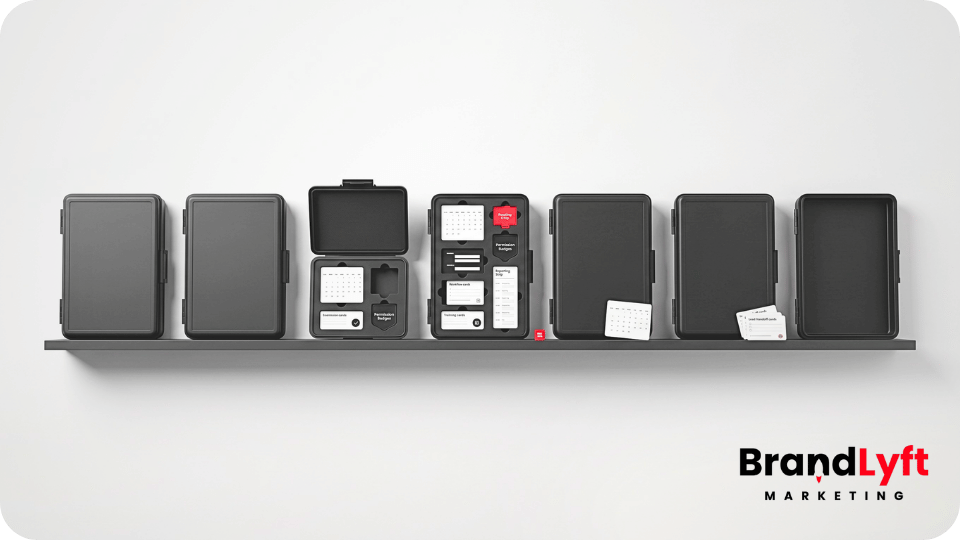
  • GoHighLevel Multi-Location Setup: Why Most Multi-Location GHL Deployments Stall

    GoHighLevel Multi-Location Setup: Why Most Multi-Location GHL Deployments Stall

    GoHighLevel multi-location setup usually works fine at the first location.

    That is why the stall catches operators off guard.

    The first location gets enough pieces live. The forms work. The pipeline exists. The calendar takes bookings. A few workflows fire. The team can see leads coming in, and the owner can tell the setup is useful enough to keep going.

    Then the second or third location gets added.

    That is when the cracks start showing.

    Lead routing gets inconsistent. Local teams handle follow-up differently. Calendars do not match real availability. Pipeline stages mean one thing at one location and something else at another. Reporting looks active, but nobody fully trusts what it says. The business bought GoHighLevel to create one operating path, but the rollout starts turning into several local habits inside the same tool.

    That is the real reason most GoHighLevel multi-location setup projects stall.

    The account is not always broken. The platform is not always the issue. The problem is that the build was good enough for a small pilot, but not structured enough to scale across the rest of the footprint.

    GoHighLevel multi-location setup rollout across locations

    Rollout Stall Check

    Before You Add the Next Location, Find the Breakpoints

    The GoHighLevel Implementation Playbook for Franchise Systems helps you review routing, calendars, permissions, workflows, reporting, and local follow-up before the same gaps get copied wider.

    Check the Stall Points

    Why GoHighLevel Multi-Location Setup Usually Stalls After the First Few Locations

    A single-location GHL setup can survive messy thinking.

    A GoHighLevel multi-location setup usually cannot.

    When only one team is using the account, informal workarounds can hide the weak spots. Someone remembers to check the inbox. Someone knows which lead belongs to which service area. Someone moves the opportunity manually. Someone checks the missed call. Someone fixes the calendar mistake before it becomes a pattern.

    That changes when the rollout spreads.

    Now the system has to support different teams, different managers, different lead sources, different calendars, different levels of user access, and different follow-up habits. The setup cannot depend on one person remembering how the account is supposed to work.

    That is why many businesses feel stuck after deploying GHL at one to three locations.

    The first version worked because the team could babysit it.

    The next version needs structure.

    BrandLyft’s franchise and multi-location GHL support fits this exact stage because the work is not just building pages or adding automations. It is turning GHL into something locations can actually use without corporate chasing every handoff.

    Problem 1: The Pilot Was Never Built to Scale

    Most stalled deployments started with a pilot that was never designed like a rollout.

    That is understandable.

    The business wanted to prove GHL could work. So the first location got a pipeline, a few forms, a calendar, some workflows, and enough reporting to show activity. That helped the team see value.

    But a pilot setup often carries hidden assumptions.

    It may assume one manager owns every lead. It may assume one booking path. It may assume one service area. It may assume one person knows how every workflow works. It may assume every location follows the same sales process.

    Those assumptions fall apart when more locations enter the system.

    A scalable GoHighLevel multi-location setup needs reusable standards before the next rollout. That means naming rules, pipeline definitions, source tracking, user permissions, workflow ownership, calendar rules, reporting fields, and escalation paths.

    Without those standards, every new location becomes a slightly different version of the pilot.

    That is how a rollout becomes a support problem.

    Problem 2: Lead Routing Gets Too Loose

    Lead routing is one of the first parts to break.

    At one location, routing may feel easy. All leads go to the same team. Everyone knows who answers calls. Everyone knows which pipeline to check.

    At multiple locations, that logic gets harder.

    A lead may come from a paid ad, local landing page, missed call, website form, chat widget, referral partner, Google Business Profile, or third-party lead source. The system has to know which location owns the lead, which user gets notified, which pipeline receives the opportunity, and what happens if nobody responds fast enough.

    If routing is fuzzy, leads wait.

    Worse, every team may assume another team is handling it.

    A strong GoHighLevel multi-location setup should define routing by location, lead source, service area, service type, ownership, response window, and escalation rule.

    That is also where Speed to Lead becomes more than a response-time feature. Fast response only matters when the right location gets the right lead with a clear next step.

    Problem 3: Pipelines Drift by Location

    A pipeline can look standardized and still behave differently across locations.

    Every location may have the same visible stages. New lead. Contacted. Booked. Estimate sent. Won. Lost.

    But the meaning may not match.

    One location moves a lead to contacted after one call attempt. Another waits until a real conversation happens. One team marks booked when the calendar invite is created. Another waits until the customer confirms. One manager closes lost leads after a week. Another leaves them sitting open for months.

    That kind of drift damages reporting.

    The dashboard may show pipeline activity, but leadership cannot compare locations cleanly because each team is using the same labels differently.

    HighLevel’s pipeline documentation explains that pipelines visually track opportunities through sales or service stages. That only helps a multi-location team if the stage definitions are consistent. Review HighLevel’s pipeline guide before copying stage names across every location.

    If your current GoHighLevel multi-location setup already has pipeline drift, BrandLyft’s article on a stalled GoHighLevel account connects directly because stalled accounts often leak leads through weak stages, broken handoff, and low team trust.

    Problem 4: Permissions Are Treated Like Admin Work

    Permissions are not just backend cleanup.

    They are part of the rollout design.

    Corporate may need full visibility. Regional managers may need access to a cluster of locations. Local managers may need full access inside their location. Front desk or sales users may only need contacts, conversations, calendars, tasks, and opportunities tied to their daily work.

    If permissions are too loose, users see too much and the setup gets risky.

    If permissions are too tight, local teams cannot work without asking for help.

    HighLevel’s user access documentation covers agency and sub-account access, roles, assigned data, and ways to give users the right scope of access. HighLevel also has sub-account role and permission controls for tools such as workflows. Review HighLevel’s user access documentation and sub-account permissions guide before adding more location users.

    A scalable GoHighLevel multi-location setup should decide who can view, edit, move, export, clone, delete, and rebuild before the next location goes live.

    Problem 5: Calendars Do Not Match Real Local Operations

    Calendar setup looks simple until each location has different staff, services, appointment types, availability, rooms, buffers, and local rules.

    A copied calendar can create quiet damage.

    One location may need round-robin booking. Another may need service-based calendars. Another may need staff-level calendars. Another may need extra buffers. Another may need linked calendars to avoid double booking.

    When the calendar does not match local work, the team starts working around it.

    They take appointments outside the system. They move bookings manually. They tell customers to call instead. They stop trusting calendar-based automation.

    HighLevel’s calendar documentation covers booking tools, calendar types, services, linked calendars, appointment notifications, integrations, and troubleshooting. That matters because calendars are part of the handoff path, not just a scheduling tool. Review HighLevel’s calendar documentation before copying the same booking setup across every location.

    A strong GoHighLevel multi-location setup should test calendars by location before real lead flow depends on them.

    Problem 6: Workflows Are Copied Without Ownership

    Workflows often make a rollout look more finished than it really is.

    The messages fire. The tasks appear. Tags get added. Opportunities move. Notifications go out.

    But if nobody owns what happens after the workflow fires, the system still stalls.

    That is common in a GoHighLevel multi-location setup.

    Corporate may create a shared workflow for every location. The workflow sends a confirmation, creates a task, and starts follow-up. But the task may go to the wrong user. The alert may go to a manager who is not watching that location. The follow-up may use the right template but the wrong handoff. The workflow may look correct from the builder and fail in daily use.

    HighLevel’s workflow documentation explains that workflows start with triggers and then run actions after a contact enters the workflow. That structure is useful, but the business still has to decide who owns the action after it fires. Review HighLevel’s workflow basics before cloning automations across locations.

    If your workflows already feel patched together, BrandLyft’s article on GoHighLevel setup mistakes is a useful next read.

    Problem 7: Reporting Shows Activity, Not Truth

    Reporting is usually why leaders want a multi-location CRM rollout in the first place.

    They want to know which locations respond fastest, which campaigns are producing leads, which teams are working opportunities, which locations are falling behind, and where revenue is getting stuck.

    But reporting only works when the inputs are clean.

    If lead sources are named differently, pipeline stages are used differently, users skip notes, calendars are inconsistent, and opportunities are moved late, the dashboard becomes a polished guess.

    HighLevel’s dashboard documentation covers custom dashboards and dashboard permissions, including access by user or role. That matters because leadership visibility depends on both clean data and the right access model. Review HighLevel’s custom dashboard guide and dashboard permissions guide before using dashboards to compare locations.

    A better GoHighLevel multi-location setup should show which locations are using the system well, not just which locations have the most CRM activity.

    BrandLyft’s Revenue System Build service fits this part of the work because the goal is not a nicer dashboard. The goal is lead capture, routing, follow-up, attribution, pipeline visibility, and reporting the team can trust.

    Problem 8: Local Teams Never Fully Adopt the System

    Adoption does not fail because local teams are lazy.

    It usually fails because the setup does not match daily work.

    If users do not know where leads appear, who owns the first response, when to move a stage, where to check replies, or what to do when a lead stalls, they will work around the CRM.

    They will text from personal phones. They will keep notes in a spreadsheet. They will ask a manager instead of checking the pipeline. They will trust memory more than the system.

    That is the point where the GoHighLevel multi-location setup exists but is not truly adopted.

    Training should not be a feature tour.

    Training should show each role what to do during normal work. Corporate users need reporting standards. Regional managers need location checks. Local managers need daily review habits. Front-line staff need to know how to respond, move, assign, and update.

    If every user gets the same walkthrough, adoption will stay shallow.

    What to Fix Before Scaling a GoHighLevel Multi-Location Setup

    Before adding more locations, fix the operating path.

    Start with lead source tracking. Then routing. Then pipeline definitions. Then calendars. Then workflow ownership. Then permissions. Then reporting. Then training.

    That order matters.

    If the routing is unclear, workflows will amplify confusion. If the pipeline definitions are weak, reporting will stay unreliable. If permissions are too loose or too tight, users will either break things or avoid the system. If training is not tied to role-based work, local adoption will stay uneven.

    A stalled GoHighLevel multi-location setup usually does not need one heroic rebuild.

    It needs the right sequence.

    BrandLyft’s GoHighLevel Partner service fits when the account already exists but needs someone to trace the system from lead capture to close, find the stall points, and rebuild the parts that keep breaking across locations.

    How to Tell If Your Multi-Location GHL Rollout Is Ready to Scale

    A rollout is ready to scale when each location can use the system without guessing.

    That means every location knows where new leads land, who owns first response, which pipeline stages matter, how calendars work, what workflows fire, what managers check daily, and what corporate reviews weekly.

    The system should pass a normal lead test.

    Submit a form. Trigger a missed-call path. Book an appointment. Move an opportunity. Let a lead go stale. Check the dashboard. Ask the local team what they would do next.

    If the answer changes by location, the rollout is not ready.

    If a local team still needs side notes, manual reminders, or a manager watching every handoff, the rollout is not ready.

    If reporting looks good but nobody trusts the data, the rollout is not ready.

    A strong GoHighLevel multi-location setup should make the system easier to copy, easier to train, easier to report on, and easier for locations to use.

    Scale Readiness Check

    Do Not Copy the Same Stall Point Across Every Location

    If the next locations will inherit unclear routing, uneven calendars, weak permissions, or dashboard data nobody trusts, pause the rollout and map the fix first.

    What to Do Next

    If your GoHighLevel multi-location setup is stalled after the first few locations, do not keep adding workflows on top of confusion.

    Start by finding where the rollout is actually stuck.

    Check the lead path. Check routing. Check pipeline definitions. Check calendars. Check permissions. Check workflow ownership. Check dashboards. Check whether local teams are using GHL the same way or quietly working around it.

    For multi-location teams, a custom build layer can help when routing, reporting, permissions, and handoff rules get too complex for a basic cloned setup.

    If the setup is mostly clean, you may only need light cleanup and better training.

    If the setup changes from location to location, the rollout needs a stronger operating model before the rest of the footprint inherits the same gaps.

    That is where the GoHighLevel Implementation Playbook for Franchise Systems fits.

    Use it to check whether your current setup is ready to scale, or whether it needs a cleaner rebuild before the next location goes live.

    A better GoHighLevel multi-location setup should not create more follow-up drag. It should make every location easier to support, easier to compare, and easier to trust.

    FAQ

    What is a GoHighLevel multi-location setup?

    A GoHighLevel multi-location setup is a GHL deployment built for more than one branch, franchise location, service area, or regional team. It usually needs clear routing, permissions, calendars, pipelines, workflows, reporting, and local follow-up ownership.

    Why do most GoHighLevel multi-location setup projects stall?

    Most GoHighLevel multi-location setup projects stall because the first location was built as a pilot, not a scalable rollout. Routing, permissions, calendars, pipeline definitions, workflow ownership, reporting, and training often get copied before they are truly ready.

    How do I know if my GoHighLevel multi-location setup is ready to scale?

    Your GoHighLevel multi-location setup is ready to scale when each location follows the same lead path, uses the same pipeline definitions, trusts the workflows, follows the calendar rules, and updates reporting in a consistent way.

    What should I fix first in a stalled GoHighLevel multi-location setup?

    Start with routing and ownership. If leads are not getting to the right location and person, every other fix becomes harder. After that, clean pipeline definitions, calendars, permissions, workflows, reporting, and role-based training.

    Should I hire a GoHighLevel expert for a multi-location rollout?

    You should consider hiring a GoHighLevel expert when the rollout involves several locations, different user roles, shared workflows, local calendars, reporting visibility, integrations, and speed-to-lead requirements that your team cannot clean up confidently in-house.

  • GoHighLevel for Franchises: What It Actually Takes to Deploy GHL Across Every Location

    GoHighLevel for Franchises: What It Actually Takes to Deploy GHL Across Every Location

    GoHighLevel for franchises is not hard because franchise teams do not understand CRM.

    It is hard because every location has to use the same system without losing the local handoff that makes follow-up actually happen.

    That is the part most generic GHL pitches skip.

    A franchise marketing director does not need another explanation of what pipelines, forms, calendars, workflows, and dashboards are. An operations lead does not need another sales demo promising that GoHighLevel can replace a messy stack. An emerging franchise founder does not need a feature tour.

    They need to know what it actually takes to deploy GoHighLevel for franchises across every location without creating a support mess, reporting problem, or location-level adoption failure.

    Because a franchise GHL deployment can look clean from the corporate side and still break inside daily location work.

    The snapshot imports. The workflows exist. The pipeline stages match. The calendars are connected. The dashboards look active. But one location follows the system, another works from memory, another keeps side notes, and another stops trusting the CRM after a few bad handoffs.

    That is not a software problem only.

    That is a deployment problem.

    A real GoHighLevel for franchises rollout has to protect corporate visibility and local execution at the same time.

    GoHighLevel for franchises deployment across every location

    Rollout Scan

    Before GHL Touches Every Location, Check the Weak Spots

    The Franchise GHL Optimization Map helps you review routing, permissions, workflows, calendars, reporting, and location-level follow-up before the rollout gets copied wider.

    Scan the Rollout

    Why GoHighLevel for Franchises Is Not Just a Bigger GHL Setup

    A single-location GHL setup can survive a little mess.

    A franchise rollout usually cannot.

    If one location has a confusing pipeline, the manager can still chase updates. If one location forgets to tag lead sources, the damage is limited. If one location has a shaky follow-up workflow, someone can manually catch issues for a while.

    But once the same messy setup gets copied across ten, twenty, or fifty locations, small problems become operational drag.

    Lead routing gets inconsistent. Reporting gets harder to trust. Local teams start working around the CRM. Corporate loses visibility. Managers blame training when the real problem is that the rollout was never designed around how each location handles leads.

    That is why GoHighLevel for franchises needs a deployment model, not just a buildout checklist.

    BrandLyft’s franchise CRM setup support fits this exact problem because multi-location GHL work needs structure, permissions, local ownership, reporting, and launch sequencing. It cannot be treated like one account copied over and over.

    Start With the Franchise Operating Model Before Touching Workflows

    The first question is not “what can GoHighLevel do?”

    The first question is “how does this franchise actually run?”

    Corporate may own the brand standards, templates, messaging rules, reporting requirements, campaign structure, and shared workflow logic. Local teams may own appointment handling, service-area realities, front-desk follow-up, local notes, daily pipeline updates, and stuck-lead recovery.

    That split needs to be decided before the GHL deployment begins.

    If corporate controls too much, location teams may feel boxed into a system that does not match real work. If every location gets too much freedom, the franchise loses reporting consistency and brand control.

    A strong rollout defines what stays shared and what stays local.

    For GoHighLevel for franchises, shared structure usually includes pipeline definitions, naming conventions, brand templates, core workflows, source tracking rules, standard dashboards, and required follow-up windows.

    Local ownership usually includes who gets the lead, who calls first, who handles missed calls, who updates the pipeline, who manages booking exceptions, and who watches stale opportunities.

    If that line is blurry, the system will feel blurry too.

    Build the Location Structure Before the Franchise Rollout

    Every franchise team needs to decide how GHL will be organized across the footprint.

    Some locations may need separate sub-accounts. Some users may need access to more than one location. Corporate may need reporting visibility without giving every user agency-level access. Regional leaders may need access to a group of locations but not the whole system.

    This is where permissions become part of the rollout, not an admin afterthought.

    HighLevel’s official user access and permissions docs cover agency and sub-account access, assigned data, account-level users, and ways to manage multiple locations without giving someone full agency access. Those details matter for franchise teams because access design shapes how safely and cleanly each location can work inside the platform. Review HighLevel’s user access documentation before giving every franchise user the same view.

    A practical GoHighLevel for franchises deployment should answer these questions early:

    • Who needs access across all locations?
    • Who needs access to only one location?
    • Who manages local users?
    • Who can edit workflows?
    • Who can edit pipelines?
    • Who can export reporting data?
    • Who owns failed handoffs or stalled opportunities?

    If those answers are not clear, the rollout can create more risk every time a new location gets added.

    Design Pipeline Standards Before Teams Start Using the CRM

    Pipeline consistency is one of the fastest ways a franchise deployment either works or drifts.

    Every location may technically have the same stages. But if those stages mean different things in daily work, the reporting will still be weak.

    For example, “contacted” may mean one call attempt at one location and an actual conversation at another. “Booked” may mean the calendar event exists in one location and the customer confirmed in another. “Lost” may mean the lead said no, went cold, or was never reached.

    The pipeline looks consistent from corporate.

    The behavior is not.

    That is why GoHighLevel for franchises needs shared stage definitions before launch.

    Each stage should have a plain meaning, a required action, an owner, and a next step. If a location manager cannot explain when to move a lead, the stage is not ready for rollout.

    BrandLyft’s article on a stalled GoHighLevel account connects directly here because stalled accounts often leak leads through weak pipeline logic, broken handoff, and low team trust.

    Set Lead Routing Rules Before Real Leads Move Through the System

    Lead routing is where franchise CRM deployments become real.

    A franchise may have corporate campaigns, local landing pages, paid ads by region, local phone numbers, form fills, missed calls, chat conversations, referral partners, and third-party lead sources.

    All of those leads need somewhere to go.

    The system needs to know which location owns the lead, which user gets the alert, which pipeline receives the opportunity, what first response should happen, and what happens if the lead is not touched fast enough.

    Without clear routing, the CRM becomes a shared storage bin.

    That is dangerous for a franchise because local teams may assume corporate is watching, while corporate assumes the location is handling it.

    A serious GoHighLevel for franchises rollout should define routing by location, service area, lead source, ownership, availability, and follow-up window.

    If speed matters, the system also needs escalation rules. A hot lead should not sit quietly because one user missed a notification. BrandLyft’s Speed to Lead service fits this part of the rollout because fast response only works when routing and ownership are already clear.

    Build Workflows Around Ownership, Not Just Automation

    A workflow can make a clean process faster.

    It can also make a messy process harder to understand.

    That is why workflows should not be the first thing built in a franchise rollout.

    The workflow should come after the operating path is clear.

    Who owns the lead? What happens after a missed call? When does the first SMS go out? When does a task appear? Who gets notified if no one touches the lead? What message is corporate-approved? What can the location change? What should stay locked?

    HighLevel’s workflow docs describe workflows as trigger-and-action systems, and HighLevel’s trigger documentation explains that triggers initiate workflow actions based on specific events. That is useful, but franchise teams still need to decide the operational meaning behind those actions before copying workflows across locations. Review HighLevel’s workflow basics before treating workflow volume as proof that the rollout is ready.

    For GoHighLevel for franchises, shared workflows should usually cover standard lead acknowledgement, missed-call recovery, booking reminders, no-show follow-up, stale opportunity alerts, review requests, and reactivation paths.

    But shared does not mean every location gets the same owner, same calendar, same availability, or same escalation path.

    That is where a lot of franchise deployments break.

    Separate Corporate Templates From Local Follow-Up

    Franchises need message consistency.

    Locations need practical follow-up.

    Those are not the same thing.

    Corporate may want approved messaging for first responses, nurture, reactivation, review requests, and campaign follow-up. That makes sense. The brand should not have ten locations writing ten different versions of the same offer or appointment reminder.

    But local teams still need a clear way to handle real conversations.

    A lead may ask a location-specific question. A staff member may need to confirm availability. A manager may need to recover a missed call. A customer may reply after hours. A local team may need to know which message fired before they step in.

    If the system hides too much behind corporate-controlled automation, local teams stop trusting it.

    A better GoHighLevel for franchises deployment gives corporate control over the core templates while keeping local follow-up visible, assigned, and easy to act on.

    BrandLyft’s AI Conversational Bot service also fits this discussion when the goal is to keep SMS, social DMs, and missed-call follow-up connected inside GoHighLevel without removing human ownership from local teams.

    Use Calendars Carefully Across Locations

    Calendar setup can look simple until the franchise has different services, staff schedules, appointment types, rooms, local rules, and booking paths.

    A shared calendar pattern may work for one location and fail in another.

    One location may need round-robin booking. Another may need service calendars. Another may need staff-level availability. Another may need buffers before and after appointments. Another may need linked calendars and conflict calendars to stop double bookings.

    HighLevel’s calendar documentation covers booking tools, calendar types, services, linked calendars, appointment notifications, integrations, and troubleshooting. That is why calendar setup should be tested by location before the deployment is treated as done. Review HighLevel’s calendar documentation before copying booking logic across every location.

    For GoHighLevel for franchises, the calendar is not only a scheduling tool.

    It is part of the lead handoff.

    If the calendar logic breaks, the follow-up path breaks too.

    Plan Reporting Before Locations Start Creating Their Own Habits

    Franchise reporting fails when every location enters data differently.

    That is true even if the dashboards look polished.

    Corporate needs reporting that answers real operating questions. Which locations respond fastest? Which locations book more qualified leads? Which campaigns are creating opportunities? Which teams are letting leads age? Which locations are working the CRM and which are working around it?

    The answers depend on clean inputs.

    If source naming changes by location, pipeline stages are used differently, users skip opportunity updates, or local managers define outcomes their own way, the dashboard becomes a guess.

    HighLevel’s custom dashboard documentation describes dashboards as configurable spaces for tracking KPIs from contacts, appointments, opportunities, calls, revenue, and more. That is useful for franchise leadership only if the rollout sets clear reporting rules before teams start creating local habits. Review HighLevel’s custom dashboard guide before building franchise reporting on messy local inputs.

    BrandLyft’s Revenue System Build service fits this layer because franchise leaders do not need another dashboard for the sake of it. They need a system that makes lead capture, routing, follow-up, attribution, pipeline visibility, and owner-level reporting easier to trust.

    Train for Adoption, Not Platform Knowledge

    Franchise teams do not need every local user to understand the whole platform.

    They need each user to understand their part of the handoff.

    That is a different kind of training.

    Corporate users need to know what standards to monitor. Regional leaders need to know how to check location performance. Local managers need to know what to review daily. Front desk or sales staff need to know where leads appear, how to respond, when to update the pipeline, and what to do when a lead stalls.

    A rollout walkthrough that only explains features will not fix adoption.

    Training has to match roles.

    For GoHighLevel for franchises, the better training questions are practical:

    • Where does a new lead show up?
    • Who owns the first response?
    • What stage should the lead enter?
    • What does the user do after a call attempt?
    • When does a manager step in?
    • Where does a location check stuck leads?
    • What does corporate review weekly?

    If teams cannot answer those questions, the deployment is not ready.

    Roll Out in Phases Instead of Copying the Setup Everywhere at Once

    A franchise-wide launch can feel efficient.

    It can also multiply mistakes fast.

    A phased rollout gives the team room to test the system with real location behavior before the whole footprint depends on it.

    Start with a pilot group. Watch how leads route. Check whether notifications make sense. Confirm that local users know what to do. See whether reporting matches reality. Find where the process creates confusion.

    Then fix the deployment before expanding.

    For GoHighLevel for franchises, this is often the safer path because franchise teams rarely find every problem during setup. They find it when real users, real leads, and real follow-up windows hit the system.

    A phased rollout turns those problems into correctable rollout feedback instead of system-wide frustration.

    What a Location-Ready GoHighLevel Deployment Should Include

    A location-ready GHL deployment should not leave local teams guessing.

    Before every location goes live, the franchise should have shared pipeline definitions, lead routing rules, location ownership, calendar logic, workflow naming, message templates, source tracking, permissions, dashboards, role-based training, and escalation rules.

    Each location should know what happens after a new lead comes in.

    Corporate should know what each location is supposed to do.

    Regional leaders should know what to review.

    Local managers should know where to find stuck opportunities.

    Front-line users should know how to work the lead without leaving the CRM.

    That is what separates a real GoHighLevel for franchises deployment from a copied setup.

    What to Fix Before Deploying GoHighLevel for Franchises

    Before the rollout expands, check the places that usually break first.

    Start with location structure. Then check user access, lead routing, pipeline definitions, calendars, workflow ownership, message templates, reporting rules, and training.

    After that, test the real lead path.

    Submit a form. Trigger a missed-call path. Book an appointment. Move an opportunity. Let a lead go stale. Watch the dashboard. Ask the local team what they would do next.

    If the system still depends on memory, side notes, or manual checking, it is not ready to deploy across every location.

    If the setup already feels messy, BrandLyft’s article on GoHighLevel setup mistakes is a useful next read because it explains how feature-first builds create weak handoff, unclear ownership, and low trust.

    Scale Check

    Do Not Copy the Same Broken Handoff Across Every Location

    If the rollout still depends on manual checking, side notes, or local memory, map the risk before more locations inherit the same gaps.

    What to Do Next

    If your franchise is evaluating GoHighLevel as the system of record, do not start with a feature list.

    Start with the operating model.

    Decide what corporate controls, what locations own, how users get access, how leads route, how calendars work, how workflows fire, how reporting gets defined, and how each team is trained.

    If the answers are still fuzzy, the deployment is not ready for every location.

    That does not mean GoHighLevel is the wrong fit.

    It means the rollout needs a better order.

    A strong GoHighLevel for franchises deployment should give corporate cleaner visibility and give local teams a system they can actually work from.

    If your current plan does not do both, book a discovery call before the same setup problems get copied across the whole footprint.

    FAQ

    What does it take to deploy GoHighLevel for franchises?

    Deploying GoHighLevel for franchises takes more than cloning one setup across every location. The rollout needs clear location structure, user permissions, lead routing, pipeline definitions, calendars, workflows, reporting rules, training, and follow-up ownership.

    Should every franchise location use the same GoHighLevel setup?

    Every location should share the same core standards, but not every local detail should be identical. Corporate should control the core structure, templates, reporting, and workflow standards. Locations still need clear ownership for follow-up, calendars, availability, and daily CRM usage.

    Why do GoHighLevel franchise rollouts fail?

    GoHighLevel franchise rollouts usually fail when the system is copied across locations without clear ownership, permissions, routing, reporting definitions, and local training. The tool may be installed, but the operating model is still unclear.

    When should a franchise hire a GoHighLevel partner?

    A franchise should consider hiring a GoHighLevel partner when the rollout involves multiple locations, shared workflows, local follow-up, user permissions, reporting visibility, integrations, speed-to-lead needs, or teams that already work around the CRM.