Tag: Lead Routing

  • Marketing Automation for Health Clubs Already Using GoHighLevel

    Marketing Automation for Health Clubs Already Using GoHighLevel

    A health club marketing agency should not treat GoHighLevel like a generic follow-up tool. For gyms, fitness studios, and health clubs already using GHL, the real problem is usually not that automation is missing. The problem is that the automation does not match how trials, calls, class bookings, memberships, and local teams actually work.

    A trial lead comes in, but the follow-up feels too slow.

    A missed call gets a text, but nobody owns the next step.

    A class booking reminder goes out, but the front desk still does not know who showed, canceled, or needs a second touch.

    A former member gets a reactivation message, but the offer does not match why they left.

    That is where marketing automation for health clubs starts getting messy. The account may look active. Workflows may be running. Calendars may be live. Pipelines may show movement. But if the club team still works around the system, the setup is not doing its job.

    This is the difference between having GoHighLevel and having a health club revenue system your team can actually use.

    Why a Health Club Marketing Agency Should Start With Your GHL Setup

    A health club marketing agency can run ads, build landing pages, write offers, and promote trials. But if the GHL setup behind those campaigns is weak, more traffic only exposes the leak faster.

    Health clubs do not sell like a basic local service business.

    A gym lead may want a free trial, personal training consult, group class, kids program, recovery service, membership tour, or seasonal challenge. A health club may have several locations, different class types, different staff schedules, and different rules for who handles a new lead.

    If all of those leads enter one general pipeline, the team has to figure out the real context manually.

    That is where the account starts losing trust.

    The front desk may rely on sticky notes. Sales staff may keep side spreadsheets. Managers may chase lead status in Slack or text threads. Owners may look at reports but still not know which location is slow to respond, which offer is converting, or which follow-up path is failing.

    BrandLyft’s GoHighLevel for Franchises work fits this exact problem because multi-location fitness and health club systems need more than a copied setup. They need routing, calendars, workflows, reporting, and local team usage that hold up across locations.

    Marketing Automation for Health Clubs Is Not Just More Text Messages

    Marketing automation for health clubs should not mean sending more texts to every lead.

    That usually creates more noise.

    The real job is to make the next step obvious. A trial lead should know what to do. A staff member should know who owns the response. A manager should know which leads are stuck. An owner should know which locations are turning interest into booked visits, trial starts, and memberships.

    That means automation has to support the sales path, not replace it.

    A good setup should help answer practical questions:

    • Did the trial request go to the right location?
    • Did the lead get a fast first response?
    • Did someone call or text again if the lead did not book?
    • Did the class reminder match the booking type?
    • Did the no-show enter a recovery path?
    • Did the trial member get a membership follow-up?
    • Did the former member receive the right reactivation offer?

    If GoHighLevel cannot answer those questions cleanly, the health club does not need random new automations. It needs a better operating path.

    That is why BrandLyft’s Revenue System Build is relevant for clubs already using GHL. The work is not about building more workflows for the sake of it. It is about making sure each lead gets captured, routed, followed up with, tracked, and reviewed in a way the team can run day to day.

    Where Health Club GHL Automation Usually Breaks First

    The first breaking point is rarely one giant failure.

    It is usually a set of small gaps that repeat every week.

    A trial lead comes in after hours. A call gets missed during a busy class changeover. A prospect books a tour but does not show. A member cancels and gets no useful save path. A past trial lead never gets checked again. One location updates the pipeline carefully. Another location only uses conversations. Another location forgets to mark anything after the tour happens.

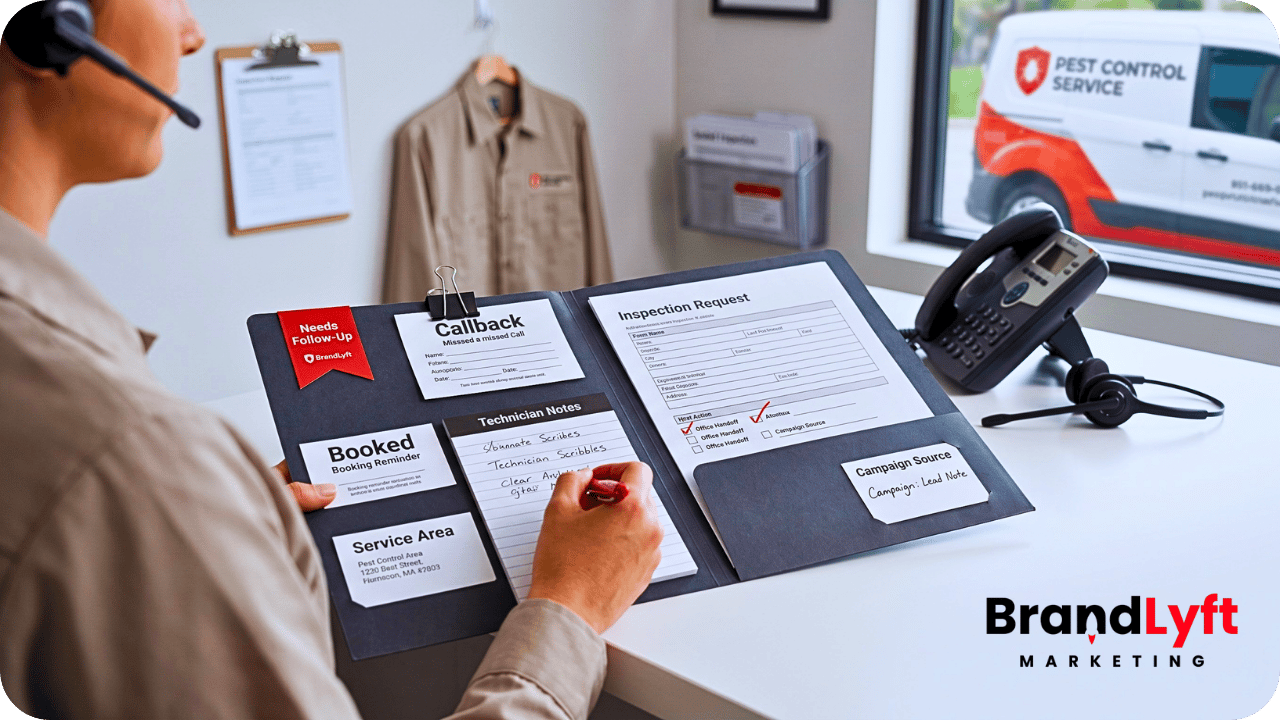
    health club marketing agency reviewing GoHighLevel automation for trial follow-up missed calls class bookings and member reactivation

    From the owner’s view, GHL may look busy.

    Inside the club, people still do too much by memory.

    Trial Follow-Up Gets Too Generic

    Trial leads are not all the same.

    Someone requesting a seven-day gym pass is different from someone asking about personal training. A parent asking about youth classes is different from a former member thinking about coming back. A lead from a paid ad may need a faster response than someone filling out a general contact form late at night.

    If every lead gets the same message path, the automation may feel efficient but still miss the actual sales moment.

    A health club marketing agency should check whether trial follow-up changes based on lead source, offer, location, service interest, booking status, and response behavior. If a lead books, the follow-up should shift. If a lead does not book, the path should keep pushing toward the next real action. If the lead replies, the right person should see it fast.

    Missed Calls Get a Text But No Owner

    Missed-call text-back can be useful for health clubs because front desk staff may be helping members, checking someone in, giving a tour, or handling a class rush.

    But a text-back alone does not fix the lead.

    If someone calls about a trial, receives an auto-text, replies, and nobody owns the next step, the club still loses the opportunity. The automation created movement without accountability.

    A stronger GHL setup should connect missed calls to ownership, tasks, pipeline status, and follow-up timing. It should also account for location. A missed call for the downtown club should not sit in the same pile as a missed call for the suburban club if each location has its own staff and schedule.

    BrandLyft’s Speed to Lead service fits this part of the work because response speed only matters if the handoff after the first response is clear.

    Class Booking Reminders Do Not Match the Real Class Flow

    Health clubs and fitness studios often depend on class attendance.

    That makes reminders useful, but only when the booking logic is clean. A reminder for a group class should not behave exactly like a private consultation reminder. A no-show path should not look the same as a cancellation path. A recurring member class may need a different communication path than a first-time trial class.

    HighLevel supports class booking calendars and appointment notifications, but the setup still has to match the way the club runs sessions. If the calendar is wrong, the automation will be wrong too.

    A health club marketing agency should check whether class booking calendars, confirmations, reminders, reschedules, cancellations, and no-show follow-up all point to the right next step.

    Lead Routing Breaks Across Locations

    For a single gym, routing may be simple.

    For a multi-location health club, routing can get messy fast.

    A lead might come from a main website, a local landing page, a Facebook campaign, Google Business Profile, a referral, a missed call, a class inquiry, or a campaign tied to one location. If GHL does not identify where that lead belongs, the wrong location may follow up or nobody may follow up at all.

    This is where a generic setup starts to fail.

    Health club automation needs location logic. It may need routing by branch, zip code, service area, campaign, class type, staff availability, or offer. If the system only says “new lead,” the local team still has to solve the real question manually.

    BrandLyft’s article on GoHighLevel location usage is a useful bridge here because it explains how GHL starts breaking when each location uses the system differently.

    Member Reactivation Feels Random

    Member reactivation is not just sending “we miss you” texts.

    A former member may have left because of schedule, price, injury, relocation, motivation, class availability, staff experience, or lack of use. A past trial lead may not have joined because nobody followed up after the first visit. A former personal training client may need a different path than someone who only attended group classes.

    If reactivation messages do not reflect those differences, they can feel flat.

    A stronger GHL setup should segment contacts by history, interest, stage, location, and last meaningful action. Then the club can send fewer, better messages instead of blasting the same offer to everyone.

    Before You Push More Fitness Leads

    Check Where the Health Club GHL Setup Is Already Leaking

    If trial follow-up, missed calls, class reminders, routing, or reactivation already feel uneven across locations, use the Franchise GHL Optimization Map before sending more leads into the same setup.

    What a Health Club Marketing Agency Should Fix Inside GoHighLevel

    A health club marketing agency should not start by asking how many workflows can be added.

    The better question is what the club needs GHL to do every day.

    For a gym or fitness business, that usually means the account has to support five real jobs: capture the lead, route the lead, book the visit, follow up after the visit, and bring quiet contacts back into the schedule.

    Build Separate Paths for Trial Leads, Class Leads, and Membership Inquiries

    Most clubs have more than one kind of lead.

    A “join now” inquiry is different from a class question. A seven-day pass lead is different from a personal training consultation. A franchise development lead is different from a local membership inquiry. A corporate wellness inquiry is different from a single trial form.

    If those leads all enter the same GHL path, the team ends up interpreting the lead by hand.

    Separate paths do not need to be complicated. They just need to make the next step clear. The form, tag, pipeline, workflow, task, and assigned owner should match the offer the lead responded to.

    Match Calendars to Real Club Operations

    Calendars are one of the easiest places to create hidden friction.

    A club may need different booking paths for tours, intro classes, personal training consults, group sessions, recovery services, or membership calls. One location may have staff available in the morning. Another may only book tours during certain windows. One class may have seat limits. Another may require a staff member to confirm manually.

    HighLevel can support appointment calendars, class booking calendars, and notifications, but the club still has to decide how those tools should work before they go live.

    The health club marketing agency should check whether each calendar matches the real appointment type, location, staff availability, reminder timing, cancellation path, and no-show recovery path.

    Create Pipeline Stages That Match the Health Club Sales Path

    A generic pipeline may look clean but still hide the real sales process.

    For a health club, stages like “New Lead,” “Contacted,” and “Won” are usually too thin. They do not show whether the person booked a tour, attended the trial, missed the class, received the membership offer, joined, paused, canceled, or needs reactivation.

    HighLevel pipelines can track opportunities through stages, but the stages have to match the real club process.

    A better pipeline might separate new trial request, first response sent, visit booked, visit completed, offer presented, joined, no-show, lost, and reactivation candidate. The exact stage names depend on the club. The point is that the pipeline should help the team see what needs action.

    Connect Missed Calls to Tasks and Pipeline Movement

    Missed-call recovery should not stop at the first text.

    If the caller replies, the team needs to know. If the caller does not reply, the system should create a second step. If the call came from a campaign or location page, the owner should be clear. If the call was about a class or trial, the pipeline should reflect that.

    That is the difference between a quick auto-response and real speed-to-lead support.

    BrandLyft’s article on speed-to-lead automation for franchises explains this same handoff issue for multi-location teams already using GHL.

    Use Member Reactivation Based on Behavior, Not Just Time

    Reactivation should be tied to what happened.

    A former member who stopped attending may need a different message than someone who canceled after one month. A trial lead who attended but never joined may need a different offer than someone who requested info and never booked. A personal training client who went quiet may need a different path than a class member who missed several sessions.

    That means the health club marketing agency should check the contact data before writing the reactivation workflow.

    Good reactivation depends on the lead’s history, not just the date of the last message.

    How GHL Can Support Health Club Marketing Automation When It Is Built Right

    GoHighLevel can support health club marketing automation well when the account reflects the real operating model.

    The platform has tools for workflows, calendars, appointment status, class bookings, missed-call text-back, opportunities, pipelines, notifications, forms, and conversations. But tools only work when the account knows what each tool is supposed to do.

    A workflow trigger can start the next action. A calendar can book the session. A pipeline can show the sales stage. A notification can alert the team. A missed-call text can recover the first response.

    None of that automatically means the lead moved closer to joining.

    The setup has to connect the pieces.

    For example, a trial request should not just create a contact. It should identify the location, offer, source, booking path, owner, follow-up timing, and pipeline stage. A class booking should not just send a reminder. It should update the right record and create a no-show path if the person does not attend. A reactivation workflow should not just send a message. It should point the contact toward a real offer or conversation.

    That is what separates useful automation from busy automation.

    Why Health Clubs Already Using GHL Still Need Cleanup

    A lot of health clubs already have the pieces.

    They have forms. They have calendars. They have workflows. They have pipelines. They may even have missed-call text-back turned on.

    The issue is that the pieces may not agree with each other.

    The form may tag the lead one way. The workflow may route based on another rule. The calendar may assign the wrong staff member. The pipeline may not show what actually happened. The local team may use conversations but ignore opportunities. The owner may look at reports that do not show why leads stalled.

    That kind of setup does not need more campaigns first.

    It needs cleanup.

    BrandLyft’s article on appointment-based wellness franchises outgrowing a basic GoHighLevel setup covers a similar problem. Wellness, fitness, and health club brands often grow past the point where one basic calendar and one basic pipeline can support every appointment path.

    When to Bring in a Health Club Marketing Agency for GHL Cleanup

    A health club marketing agency makes the most sense when the marketing problem and the GHL problem are now connected.

    That usually happens when the club is paying for leads but cannot clearly see what happens after the lead arrives.

    Look for these signs:

    • Trial leads come in, but booking rates are hard to track.
    • Front desk staff respond differently at each location.
    • Missed calls get auto-texts but no clear owner.
    • Class bookings and reminders do not match the real schedule.
    • No-shows are not entering a recovery path.
    • Former members get the same reactivation message.
    • Owners cannot compare lead response by location.
    • Managers do not trust the GHL pipeline.

    If those problems are already happening, a general campaign vendor may not be enough.

    You need someone who can look at the system behind the campaigns.

    BrandLyft’s GoHighLevel Partner service fits this stage because the work is implementation and cleanup, not just surface-level campaign support.

    What to Review Before Building More Health Club Campaigns

    Before launching another trial offer, challenge, or membership campaign, review the GHL setup underneath it.

    Start with lead capture.

    Every form, landing page, phone number, missed call, chat widget, ad source, and manual entry path should send the lead into the right place.

    Then review routing.

    Each lead should have a clear location, owner, task, pipeline stage, and next step.

    Then review booking.

    Trial bookings, class bookings, tours, consults, and personal training sessions should each have the right calendar rules, reminders, and follow-up paths.

    Then review reactivation.

    Past members, former trial leads, quiet contacts, and no-shows should not all receive the same message.

    Then review reporting.

    Owners should be able to see which sources, offers, locations, and follow-up paths are creating booked visits and memberships. If the report only shows activity, the club still has to guess.

    BrandLyft’s article on GoHighLevel integrations for franchise brands is also useful when a health club uses outside booking tools, phone systems, review tools, ad platforms, or member software that needs to connect back to GHL.

    How BrandLyft Fits as a Health Club Marketing Agency

    BrandLyft is a fit when a health club, gym group, or fitness franchise already has marketing activity but needs the GHL system behind it to work better.

    That may mean cleaning up trial follow-up, missed-call response, class booking reminders, lead routing, member reactivation, pipeline stages, reporting, or location-level usage.

    For a single club, the work may focus on lead response and booking flow.

    For a multi-location health club or fitness franchise, the work usually has to go deeper. Each location needs the right access, routing, calendars, workflows, reporting, and local handoff. Corporate needs visibility without forcing every local team into a setup that does not match how the club operates.

    That is why the right health club marketing agency should understand both sides: the marketing that brings in leads and the GHL setup that turns those leads into booked visits, trials, classes, and memberships.

    BrandLyft can help review the current account, find the weak spots, and build a cleaner path from lead capture to membership follow-up.

    Before You Hire or Build More, Check the Health Club Automation Path

    If your health club already uses GoHighLevel, do not judge the setup by whether workflows exist.

    Judge it by what happens after a real person shows interest.

    Do they get the right response? Does the right location see the lead? Does the booking path match the class, trial, or tour? Does a no-show get followed up with? Does a former member get a useful reactivation path? Can the owner tell which location is moving leads and which one is letting them sit?

    If the answer is unclear, the next move is not just more automation.

    The next move is a cleaner GHL review.

    When The Club Already Uses GHL

    Turn the Account Into a Health Club Sales System

    If GHL is live but trial follow-up, booking flow, missed-call handling, and reactivation still feel uneven, BrandLyft can help review the setup before more campaigns push more leads into the same gaps.

    A better health club marketing agency will not only ask how many leads you want.

    It will ask what happens to those leads after they enter the system.

  • GoHighLevel Implementation Partner: What to Look For Before You Hire One

    GoHighLevel Implementation Partner: What to Look For Before You Hire One

    A GoHighLevel implementation partner should do more than build pages, pipelines, and workflows. The right partner should understand how your business captures leads, routes them, follows up, books appointments, tracks opportunities, and keeps the team using the system after launch.

    That is the difference between a clean implementation and another account your team does not trust.

    Many businesses hire GoHighLevel help after the account already feels heavy. A few workflows exist. The pipeline is there. Forms are connected. Calendars may be live. But the setup still leaks leads because nobody mapped the real sales path before building inside the platform.

    That is usually when the search for a GoHighLevel implementation partner starts.

    The hard part is knowing who can actually fix the system and who is only good at clicking around the platform.

    Why Hiring a GoHighLevel Implementation Partner Is Different From Hiring Setup Help

    Setup help usually starts inside the tool.

    An implementation partner should start before the tool.

    That distinction matters because most GoHighLevel problems are not caused by missing features. They happen because the account was built in the wrong order. Someone created workflows before ownership was clear. Someone added pipeline stages before the sales process was mapped. Someone connected a calendar before deciding who should receive the booking. Someone turned on notifications before defining what counts as urgent.

    From the outside, the account looks active.

    Inside daily work, the team still guesses.

    A real GoHighLevel implementation partner should slow the project down just enough to answer the right questions. Where do leads enter? Who owns the first response? What happens after a missed call? Which pipeline stage means a real sales action happened? What should the team do when a lead books, cancels, no-shows, replies, or goes quiet?

    Without those answers, the build may look finished without being usable.

    That is why BrandLyft treats GoHighLevel as part of a bigger revenue system, not just a software account. If your current setup already feels patched together, BrandLyft’s GoHighLevel Partner service is the more relevant path than generic setup help.

    What a GoHighLevel Implementation Partner Should Check First

    A good GoHighLevel implementation partner should not open the account and immediately start adding more automations.

    More automation can make a broken setup harder to read.

    The first job is diagnosis. The partner should inspect the account in the same order your business works: lead capture, routing, ownership, pipeline movement, follow-up, booking, integrations, reporting, and team use.

    GoHighLevel implementation partner reviewing lead routing, workflow logic, pipeline stages, and calendar setup before buildout

    If they skip that step, they may fix the visible mess and leave the real leak untouched.

    Lead Capture

    The partner should check every place a lead can enter the system. That includes website forms, landing pages, call tracking, missed calls, chat, ads, manual entry, referrals, imports, and third-party tools.

    The question is not only “does the lead enter GoHighLevel?”

    The better question is “does the lead enter the right path with the right source, owner, task, notification, pipeline stage, and next step?”

    A lot of accounts fail right there.

    A form works, but the lead has no clear owner. A call is logged, but no follow-up task fires. A Facebook lead enters the CRM, but the pipeline does not show what happened next. A web lead gets tagged, but nobody knows who should call first.

    That is not a small setup issue. That is a revenue leak.

    BrandLyft’s article on GoHighLevel setup mistakes covers this same problem from the account-cleanup side: a setup can have the right pieces and still fail if those pieces do not match the way the business sells.

    Routing and Ownership

    Lead routing is where many GoHighLevel builds start sounding better than they work.

    The account may assign a lead to someone. That does not mean the assignment matches the business. A partner should ask how routing actually works across services, teams, territories, calendars, locations, reps, booking types, and fallback rules.

    For a single-location service business, this might mean assigning by service type or first available rep. For a franchise or multi-location business, routing may need to account for territory, branch, zip code, service area, call source, local availability, or regional oversight.

    This is where a basic builder often struggles. They can create the workflow. They may not understand the operating rule behind it.

    If your business has multiple branches or locations, BrandLyft’s GoHighLevel for Franchises support is the better fit because the work is not just setup. It is rollout logic.

    Workflows and Automation Logic

    Workflows should support the sales path. They should not become the sales path.

    A GoHighLevel implementation partner should review active workflows, draft workflows, triggers, actions, wait steps, branches, tags, task creation, notifications, pipeline movements, and dead ends. HighLevel’s own Workflow Builder Walkthrough shows how workflows rely on triggers and actions, which means weak trigger logic can send the wrong lead into the wrong path.

    The partner should also test workflows with fresh contacts, not assume they work because they are published.

    This is one of the biggest differences between setup and implementation. Setup asks, “Did we build the workflow?” Implementation asks, “Does this workflow behave correctly when a real lead enters from a real source at the wrong time of day?”

    That second question is where lead leakage gets found.

    If your account already has duplicate workflows, old branches, unclear tags, or automations nobody wants to touch, start with BrandLyft’s article on a stalled GoHighLevel account before adding more logic.

    Pipeline Stages

    Pipelines are not just columns on a screen.

    HighLevel’s pipeline documentation describes opportunities moving through defined stages. That means the stages need to match real movement in the sales or service process, not vague labels that make reporting look cleaner than it is.

    A partner should check whether each pipeline stage has a clear meaning. The team should know when to move a lead, who moves it, what action caused the movement, and what happens when the lead gets stuck.

    Weak stages create weak reporting.

    For example, “New Lead,” “Contacted,” “Interested,” and “Won” may look fine in a simple account. But in real daily work, those stages may not tell you who called, whether the customer replied, whether the quote went out, whether the appointment was booked, or whether the job is waiting on a deposit.

    If the pipeline does not match how the team sells, people will create side notes somewhere else. That is when the CRM starts losing trust.

    Calendars and Booking Logic

    Booking is often treated like a simple calendar link. It is not.

    A GoHighLevel implementation partner should check calendar availability, booking rules, assigned staff, appointment types, reminders, reschedule logic, no-show follow-up, and calendar permissions. HighLevel has dedicated Calendars & Appointments documentation because scheduling depends on more than one link.

    A calendar can technically accept bookings and still hurt the business.

    It may show times that do not match staff availability. It may route appointments to the wrong person. It may lack follow-up after a cancellation. It may send reminders that do not match the service. It may let team members see or change calendar items they should not touch.

    That is why calendar setup needs to connect with routing, pipeline movement, and team roles.

    If the business depends on fast booking, BrandLyft’s Speed to Lead work is also relevant because the first few minutes after a lead comes in often decide whether the opportunity moves or stalls.

    Permissions and Team Access

    User permissions are not a boring admin task.

    They affect adoption, security, cleanup, and trust.

    HighLevel supports user roles, assigned data, and granular permissions across modules such as workflows, calendars, contacts, opportunities, dashboards, and more. Its sub-account user roles and permissions documentation explains how access can be assigned or restricted across the account.

    A partner should know how to design access based on how the team works, not just give everyone admin access because it is faster.

    Good permissions help each person see what they need and avoid what they should not change.

    For franchise and multi-location teams, this becomes even more important. Corporate may need account-wide reporting. Regional managers may need several locations. Local managers may need full access inside their location. Front desk or sales staff may only need conversations, calendars, opportunities, tasks, and assigned contacts.

    If those roles are not thought through, the team either feels boxed in or has too much room to break the setup.

    After The First System Check

    See Where the GHL Build Is Already Weak

    If lead capture, routing, workflows, calendars, or pipeline stages already feel unclear, run the GHL Implementation Scorecard before you add another builder to the account.

    Signs You Are Talking to the Wrong GoHighLevel Implementation Partner

    The wrong partner usually sounds confident too early.

    They say they can build anything before they ask how your business works. They promise quick turnaround without asking about lead sources, booking paths, follow-up standards, integrations, team roles, reporting, or launch testing.

    Fast is not always bad.

    Fast without diagnosis is the problem.

    They Lead With Features Instead of Flow

    If the first conversation is mostly about funnels, snapshots, AI, automations, dashboards, or templates, be careful.

    Those pieces may matter. But they only matter after the business flow is clear.

    A GoHighLevel implementation partner should ask about how money moves through the business. How do leads become booked calls, appointments, estimates, consultations, jobs, memberships, or closed deals? What usually causes a lead to get lost? Who owns the next step? Where does the team currently work outside the CRM?

    If they cannot explain the flow, they should not build the system.

    They Treat a Snapshot Like a Finished System

    Snapshots can be useful. They can save time and create a cleaner starting point.

    But a snapshot is not an implementation.

    A snapshot does not know your sales process. It does not know who handles missed calls. It does not know which locations need different calendar rules. It does not know which pipeline stages your team will actually update. It does not know how your staff talks to leads.

    A partner can use a snapshot as a base, but they still need to adapt the setup to your actual operation.

    They Cannot Explain Their QA Process

    Ask how they test the account before handoff.

    A weak answer sounds like, “We check everything before launch.”

    A useful answer names the tests. Form submissions. Missed calls. SMS replies. Email delivery. Booking paths. Calendar assignment. Pipeline movement. Workflow branches. Task creation. Notifications. User permissions. Source tracking. Reporting fields. Mobile behavior. Team handoff.

    Testing should not happen after the first week of live leads exposes the problem.

    They Avoid Ownership Questions

    Automation without ownership creates fake movement.

    The system sends a text. A task appears. A tag gets added. A stage changes. But nobody knows who should call, who should check the reply, who should move the opportunity, or who should review stuck leads.

    A partner who avoids ownership questions may create a busy account without creating a usable system.

    That is one reason BrandLyft’s Revenue System Build path starts with the system behind the CRM, not just the CRM settings.

    They Sell Ongoing Support Without Cleaning the Build

    Support can be useful after launch.

    But ongoing support should not become a paid workaround for a bad build.

    If the account is unstable, the first job is to clean the logic, routing, ownership, and reporting. After that, support can help the system stay healthy.

    Before paying for monthly GHL support, ask what will be fixed first and what will be monitored after launch.

    Questions to Ask a GoHighLevel Implementation Partner Before You Hire

    The right questions expose how the partner thinks.

    Do not only ask what they can build. Ask how they diagnose, test, and hand off the system.

    1. How do you map the sales process before touching GoHighLevel?

    This question shows whether they think like an operator or a button-clicker.

    A good answer should mention lead sources, sales stages, ownership, response standards, booking paths, follow-up rules, close points, reporting needs, and team behavior.

    2. How do you find lead leakage inside an existing account?

    If your account already exists, the partner should know how to trace a lead from entry to close.

    They should inspect forms, calls, workflows, conversations, pipeline stages, tasks, calendars, notifications, integrations, and reporting fields. If they only talk about redesigning funnels, they may miss the deeper leak.

    BrandLyft’s GoHighLevel audit guide is a useful reference for what this kind of review should check before more buildout work begins.

    3. What do you test before launch?

    A good partner should have a launch test list.

    That list should include lead capture, routing, workflow triggers, actions, wait steps, pipeline movement, appointment booking, missed-call response, SMS and email behavior, user permissions, source tracking, and reporting.

    If the partner cannot name the tests, the account may become the test.

    4. How do you handle workflows that already exist?

    This matters if your account is already patched together.

    The partner should not blindly delete old workflows or build new ones over the top. They should inspect what exists, identify what still works, mark what should be retired, and map the new logic before making changes.

    That is especially important when live leads are still entering the account.

    5. How do you decide what belongs in GoHighLevel and what should stay in another tool?

    GoHighLevel can handle a lot, but that does not mean every business process should be forced into it.

    A good implementation partner should understand integrations, handoff points, and tool boundaries. They should know when GHL should become the main operating layer and when it should connect cleanly to another system.

    If the project involves custom integrations or more advanced system work, BrandLyft’s CRM and app development support may be part of the conversation.

    6. How do you train the team after buildout?

    Training should match roles.

    Owners need to know how to read the system. Managers need to know what to review. Sales or front desk staff need to know what to update. Local teams need to know what happens after a new lead, booking, reply, missed call, or stuck opportunity.

    A generic walkthrough is not enough.

    The team needs operating rules, not a tour of every tab.

    7. What happens after launch?

    A serious partner should explain the first few weeks after launch.

    Who checks if leads are routing correctly? Who reviews stuck pipeline stages? Who watches workflow errors or missed notifications? Who checks adoption? Who handles small fixes before the team loses trust?

    Launch is not the finish line.

    It is the first real test.

    What a Serious GHL Buildout Should Include

    A serious GHL implementation does not need to be bloated. It needs to be complete enough to support the way the business actually works.

    The scope depends on the business, but a strong buildout usually includes the following areas.

    Lead Source and Capture Map

    Every source should have a defined path into GoHighLevel.

    That includes website forms, landing pages, calls, missed calls, ads, referrals, chat, imports, and integrations. Each source should create the right contact record, source label, task, notification, owner, and pipeline entry.

    Pipeline Architecture

    The pipeline should match real sales behavior.

    Stages should be clear enough that the team knows when to move an opportunity. The pipeline should help managers see stuck leads, late follow-up, unbooked consultations, open estimates, no-shows, and closed revenue without guessing.

    Workflow Buildout and Cleanup

    Workflows should have clear names, clean triggers, useful conditions, tested actions, and a reason to exist.

    Old workflows should be reviewed before new ones are added. Duplicate automations should be removed or retired carefully. Live workflow changes should be handled with care if leads are still moving through the account.

    Calendar and Appointment Rules

    Calendars should match staffing, location, service type, availability, booking rules, reminders, and ownership.

    A calendar link that books the wrong person or creates the wrong follow-up is not working just because it accepts appointments.

    Reporting Setup

    Reporting should show the real state of the pipeline.

    That means lead source, speed to lead, booking movement, pipeline stage movement, stuck opportunities, conversion points, and location-level differences when relevant.

    If the data entering the system is weak, reporting will be weak too.

    Launch QA

    Before launch, the partner should test the system with realistic lead paths.

    That includes form submissions, calls, missed calls, bookings, replies, cancellations, follow-up timing, pipeline movement, user permissions, and notifications. The goal is not to prove the build exists. The goal is to catch the breaks before live leads do.

    Team Handoff

    The final handoff should not be a long video nobody watches.

    It should explain what each role needs to do inside the system. Who checks new leads? Who moves opportunities? Who watches late follow-up? Who owns booking issues? Who updates closed deals? Who can change workflows?

    Without that handoff, the account may slowly drift back into manual work.

    When You Need an Implementation Partner Instead of Another Freelancer

    A freelancer can be useful for small fixes.

    If you need one funnel cleaned up, one workflow adjusted, or one form connected, a smaller task-based hire may be enough.

    But if the account affects lead response, booking, pipeline trust, reporting, multiple users, several lead sources, franchise locations, or paid traffic, the risk is higher.

    That is when you need an implementation partner.

    You are not just buying task completion. You are buying system judgment.

    You need someone who can decide what should be fixed first, what should be left alone, what should be rebuilt, and what should be tested before more leads enter the account.

    This matters even more if your current GoHighLevel account has already been touched by several people. When too many hands have edited the same system, the account can carry old logic, hidden triggers, duplicate automations, inconsistent names, outdated users, and unclear reporting.

    That kind of account does not need more random edits.

    It needs a controlled review.

    How BrandLyft Fits as a GoHighLevel Implementation Partner

    BrandLyft is a fit when your business needs GoHighLevel to become a working revenue system, not just a cleaner software account.

    That usually means one of three situations.

    First, you are planning a serious buildout and want it mapped correctly before launch.

    Second, your current account already exists, but the setup feels half-built, patched, or hard to trust.

    Third, your business has multiple locations, teams, lead sources, or service paths and needs GHL to support real daily work without creating a support mess.

    BrandLyft can help review lead capture, routing, workflows, calendars, pipelines, reporting, permissions, integrations, and team handoff. The work is not about adding more features for the sake of it. It is about building the path from lead entry to booked call, appointment, estimate, sale, or closed job.

    That is the standard a GoHighLevel implementation partner should meet.

    Before You Hire, Check the Account First

    If your GoHighLevel account is already live, do not hire based only on who sounds confident.

    Run the account through a basic check first.

    Look at where leads enter. Check who owns them. Review what workflows fire. Test what happens after a form submission, missed call, booking, reply, cancellation, and no-show. Look at whether the pipeline matches real sales movement. Ask if the team trusts the account enough to run from it.

    If the answer is no, you are not just looking for setup help.

    You are looking for a GoHighLevel implementation partner who can find the weak points, rebuild the right pieces, and help the team use the system after launch.

    When The Account Already Feels Patched

    Don’t Hire Another Builder Until You Know the Real Fix

    If the account has duplicate workflows, unclear routing, weak reporting, or low team trust, the next move may not be more setup. It may be a controlled rescue plan.

    The right partner will not rush to impress you with everything GoHighLevel can do.

    They will show you what your system needs to do first.

  • GoHighLevel Multi-Location Setup Checklist: What to Fix Before You Add More Locations

    GoHighLevel Multi-Location Setup Checklist: What to Fix Before You Add More Locations

    GoHighLevel Multi-Location Setup Checklist: What to Fix Before You Add More Locations

    A GoHighLevel multi-location setup should not expand until the current locations can capture leads, route them, follow up, report, and use the system consistently.

    That sounds obvious, but this is where many franchise and multi-location teams get into trouble.

    The first few locations go live. Workflows exist. Pipelines exist. Calendars exist. Local teams have access. Corporate can see some activity. On the surface, the account looks ready for the next wave.

    Then more locations get added, and the weak spots spread.

    Lead capture gets inconsistent. Routing rules do not match real service areas. Missed calls sit too long. Pipeline stages mean different things by location. Reporting looks active but not useful. Local teams use GHL differently. Integrations create duplicate records. Corporate and local teams both assume the other side owns the handoff.

    That is why a GoHighLevel multi-location setup needs a cleanup checklist before the next location gets added.

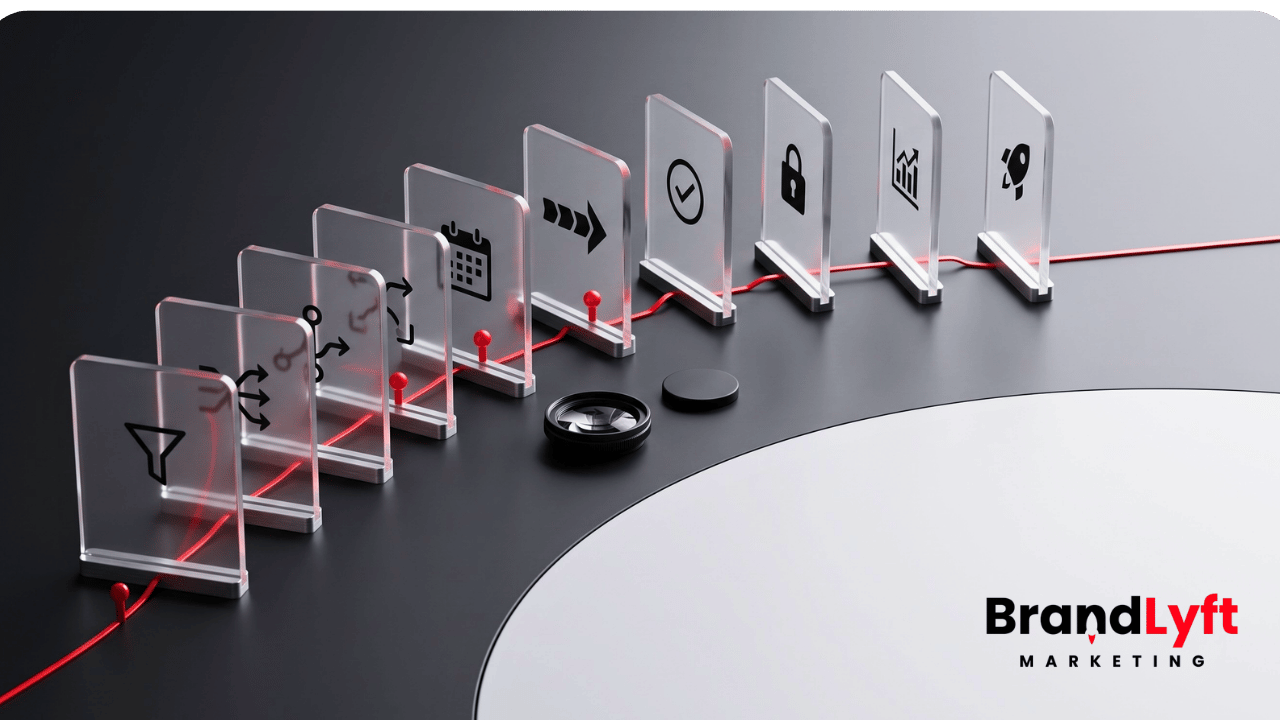
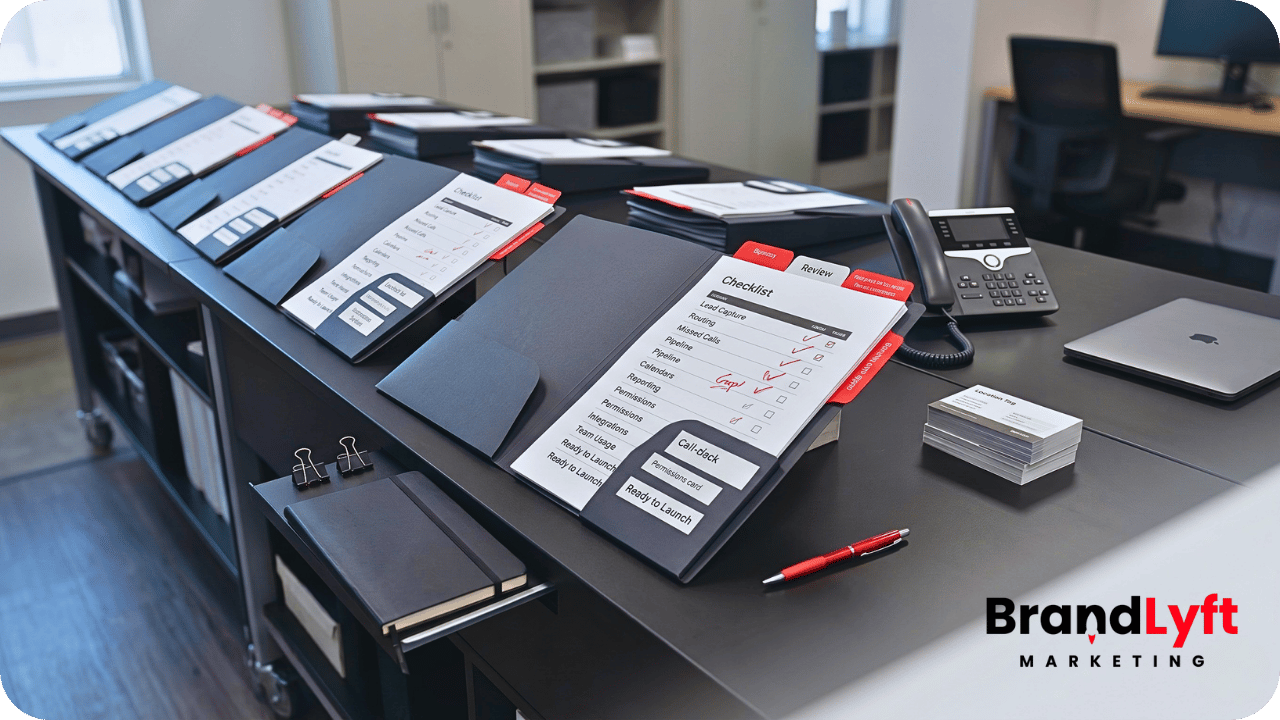
    GoHighLevel multi-location setup checklist showing lead capture routing missed calls reporting integrations and team usage across locations

    The goal is not to make the account more complicated.

    The goal is to stop weak setup decisions from getting copied across the franchise.

    If one location has messy routing, five more locations will not fix it. If the pipeline already feels unclear, adding more users will make it harder to trust. If corporate cannot see what each team does with every lead, more dashboards may only create more noise.

    Before you add more locations, fix the system you already have.

    Check the Setup Before You Copy It Wider

    The Franchise GHL Optimization Map helps franchise and multi-location teams review lead capture, booking, routing, follow-up, reporting, integrations, and location handoff before more locations inherit the same gaps.

    Run the Location Check
    Use the GHL Playbook

    Why a GoHighLevel Multi-Location Setup Needs a Checklist Before Expansion

    A GoHighLevel multi-location setup gets harder to fix after more branches, users, campaigns, and local workflows enter the account.

    Early setup gaps are easier to ignore when only a few locations use the system.

    A manager can manually reassign a lead. Corporate can ask one location for an update. Someone can fix a bad pipeline stage by hand. A missed call can get handled with a quick text from a local phone.

    That kind of manual cleanup does not scale.

    Once the franchise adds more locations, every unclear rule creates more drag. The team has more records to review, more staff to train, more dashboards to explain, more workflow branches to test, and more exceptions to track.

    This is why the checklist matters.

    It gives leadership a practical way to review the account before more locations get added. It also helps separate small cleanup from deeper rebuild work.

    BrandLyft’s earlier article on GoHighLevel multi-location setup explains why deployments stall. This checklist focuses on what to fix before the next expansion step.

    Checklist Item 1: Clean Up Lead Capture Before Adding More Locations

    Lead capture is the first place to check.

    Every location should receive leads from clean, trackable entry points. That may include website forms, local landing pages, paid ads, calls, missed calls, chat widgets, booking pages, referral forms, lead magnets, or third-party sources.

    The problem starts when those sources enter GHL differently.

    One form may capture location correctly. Another may miss the service area. A paid campaign may pass campaign data but not location data. A missed call may create a contact without enough context. A local landing page may skip the fields corporate needs for reporting.

    That creates bad follow-up later.

    Before more locations go live, review every lead source and ask:

    • Does the lead enter the right GHL account or location structure?
    • Does the form collect enough information to route the lead?
    • Does source tracking stay attached to the contact?
    • Does the lead create the right opportunity?
    • Does the right location receive the alert?
    • Can corporate report on the lead source later?

    If the answer is unclear, fix lead capture first.

    A weak form setup or messy call source will not improve when more locations copy it. It will only create more contacts that no one can trust.

    Checklist Item 2: Fix Location Routing Before More Leads Hit the Account

    Routing is the second checkpoint.

    A lead entering GHL is not enough. The system has to know which location owns it, who should respond, and what happens if the first owner does not act.

    Franchise routing often gets messy because real territories are not simple.

    Some teams route by ZIP code. Others route by nearest branch, city, region, service area, owner group, appointment type, staff availability, or local capacity. Some leads sit between two locations. Some leads come from corporate campaigns with incomplete location data.

    If the routing rule is loose, the local team has to guess.

    That guesswork becomes more expensive as the franchise grows.

    Before expanding your GoHighLevel multi-location setup, test lead routing across real lead paths. Submit a lead from a corporate page, a local page, a paid ad, a missed call, a referral source, and a booking request. Then check where each lead lands.

    The right test is not “Did the workflow fire?”

    The right test is “Did the correct location get a lead it can actually work?”

    BrandLyft’s article on GoHighLevel lead routing for franchises goes deeper on this handoff. For this checklist, the point is simple: do not add locations until routing rules match how the franchise really operates.

    Checklist Item 3: Review Missed-Call Follow-Up by Location

    Missed calls can leak revenue quietly.

    A buyer may not fill out a form or wait for a nurture sequence. They may call the nearest location, expect a quick answer, and move on if nobody responds.

    For a multi-location brand, missed-call recovery needs more than one generic text.

    The system should show which location missed the call, who should call back, how fast the follow-up happened, and what happened after that. It should also help corporate spot patterns.

    One branch may miss calls during lunch. Another may miss them after 5 p.m. A third may miss weekend calls. A fourth may reply quickly but never update the pipeline.

    Those are different problems.

    Before adding more locations, check the missed-call path:

    • Does a missed call trigger a text quickly?
    • Does the right location get the callback task?
    • Does a manager see missed calls that sit too long?
    • Does the missed call create or update the right opportunity?
    • Does reporting show missed calls by location?
    • Does the workflow stop once the lead books or gets handled?

    Speed matters, but ownership matters more.

    BrandLyft’s article on speed-to-lead automation for franchises is the natural next read for teams that need a stronger first-response and missed-call recovery path.

    Checklist Item 4: Standardize Pipeline Stages Before the Next Rollout

    Pipeline stages should mean the same thing across every location.

    This sounds basic, but it breaks often.

    One location may move a lead to “Contacted” after an automated text. Another may wait until a live phone call happens. Another may skip the stage entirely. A manager may close opportunities differently from a sales rep. A front desk team may book appointments but never move the opportunity.

    When that happens, reporting starts losing trust.

    Before more locations join the system, define what each pipeline stage means. Then check whether local teams can follow that definition during real work.

    A useful pipeline review should ask:

    • Which stages are required for every location?
    • Which stages are optional by service line or offer?
    • What exact action moves a lead from one stage to the next?
    • Who moves the opportunity?
    • What stages trigger automation?
    • What stages should show up in owner-level reporting?

    HighLevel’s documentation on understanding pipelines explains how pipelines organize opportunities and stages. For franchise teams, the bigger job is making those stages mean the same thing across the brand.

    If stages are unclear now, more locations will not make them clearer.

    Checklist Item 5: Check Calendar and Booking Rules by Location

    Calendar setup can look finished before it works in real life.

    A location may have a calendar in GHL, but that does not mean the booking path matches the branch’s hours, staff, service types, appointment length, or availability.

    Booking problems show up fast when a franchise expands.

    A lead may route to one location but receive another location’s calendar. A buyer may book a service the branch does not offer. A same-day request may go to a team that cannot handle it. A local staff member may receive a booking without enough context.

    Before adding more locations, test booking paths by location.

    Check the form, workflow, calendar link, confirmation message, reminder, no-show path, and reporting view. The whole path should match the local operating model.

    HighLevel’s calendars and appointments resources cover the platform mechanics. Franchise teams still need to decide how each branch should book, confirm, reschedule, and follow up.

    A clean GoHighLevel multi-location setup should not send every buyer into one generic booking path.

    Checklist Item 6: Fix Reporting Visibility Before Leadership Loses Trust

    Reporting is one of the clearest signs that a setup is not ready to scale.

    Owners should not have to chase managers for basic answers.

    Which location responded fastest? Which one missed calls? Which one booked the most leads? Which pipeline stages stall? Which team follows up after no answer? Which locations actually use GHL?

    If the account cannot answer those questions, the reporting layer needs work before more locations get added.

    Bad reporting usually starts with bad inputs.

    If lead sources are inconsistent, location routing is unclear, pipeline stages mean different things, and local teams work outside the CRM, dashboards will not solve the trust problem. They will only make the inconsistency easier to see.

    Before expansion, review:

    • Lead response by location
    • Booked vs. unbooked leads
    • Missed calls and callback status
    • Pipeline movement by branch
    • Overdue tasks
    • Stale opportunities
    • Local team activity
    • CRM adoption by location

    HighLevel’s dashboard permissions documentation shows how access can be controlled by role or user. For multi-location teams, permissions should match the reporting model so corporate, regional managers, and local teams see the right level of data.

    BrandLyft’s article on GoHighLevel reporting for multi-location brands breaks down what owners need to see across every location.

    Checklist Item 7: Review User Roles, Permissions, and Assigned Data

    User access is not just an admin detail.

    In a franchise GHL setup, access design affects daily work.

    Local reps need to see the leads and tasks they own. Managers need enough visibility to coach and catch missed follow-up. Regional leaders may need a group of locations. Corporate needs cross-location reporting without getting buried in local noise.

    If permissions are too loose, teams see too much. If they are too tight, people miss the context needed to act.

    Before adding more locations, check user roles and assigned data.

    Review who can see contacts, conversations, opportunities, workflows, calendars, dashboards, and pipeline records. Then check whether that access matches how the franchise actually works.

    HighLevel’s support docs on user roles, permissions, and assigned data explain how sub-account access can restrict visibility and control tools such as workflows.

    That matters before expansion because every new location adds more users, more records, and more permission decisions.

    Do not wait until the account is full of confused users before cleaning access rules.

    Checklist Item 8: Check Team Usage Before Training More Locations

    Training more locations does not fix a system that current teams do not use correctly.

    Before the next rollout, look at how active locations actually work inside GHL.

    Do they call from the system? Do they reply inside conversations? Do they move opportunities? Do they complete tasks? Do they leave notes? Do they update appointment outcomes? Do they handle no-answer follow-up inside the CRM?

    If one location uses GHL daily and another treats it as a notification tool, expansion will widen the gap.

    This is where corporate teams often misread the problem.

    They assume the issue is training. Sometimes it is. Other times, the workflow does not match daily work. The pipeline has too many stages. The booking path is confusing. The reporting view does not help local managers. The team does not know which system owns the next action.

    BrandLyft’s article on GoHighLevel for franchises and location usage covers this adoption problem in more depth.

    For this checklist, the rule is simple: do not train more locations on a process your current locations do not follow.

    Checklist Item 9: Clean Up Integrations Before They Create More Duplicate Work

    Many franchise teams use GHL alongside other systems.

    A booking platform may hold appointments. A job system may hold service outcomes. A membership platform may hold customer status. An ad platform may hold campaign data. A custom database may hold location records.

    That is not automatically a problem.

    The problem starts when no one defines which system owns which part of the handoff.

    Before adding more locations, review how GHL connects with other tools. Look for duplicate contacts, missing location IDs, broken booking status updates, unclear job outcomes, stale membership data, and reporting gaps.

    HighLevel’s inbound webhook workflow trigger can receive data from outside applications into workflows. Its webhook and API options can support integration paths, but the franchise still needs business rules before the connection is useful.

    BrandLyft’s article on GoHighLevel integrations for franchise brands explains why integrations should protect the handoff, not just move data between tools.

    A weak integration copied to more locations becomes harder to unwind later.

    Checklist Item 10: Clarify the Corporate-to-Local Handoff

    A GoHighLevel multi-location setup needs a clear handoff between corporate and local teams.

    Corporate may own campaigns, templates, dashboards, brand standards, reporting, and system rules. Local teams usually own calls, replies, bookings, notes, show-up handling, and real customer conversations.

    Both sides need to know where their responsibility starts and ends.

    Without that clarity, leads get stuck between teams.

    Corporate assumes the location is working the lead. The location assumes the workflow handled it. A manager assumes the rep responded. The rep assumes the buyer booked. The dashboard shows activity, but no one owns the outcome.

    Before adding more locations, document the handoff in plain language.

    Who owns new leads? Who owns first response? Who owns missed calls? Who owns bookings? Who owns no-shows? Who owns stale opportunities? Who reviews local reporting? Who fixes workflow issues? Who decides when a location is ready to go live?

    BrandLyft’s article on GoHighLevel for franchises deployment is useful here because deployment needs shared structure and location-level ownership, not just another copied setup.

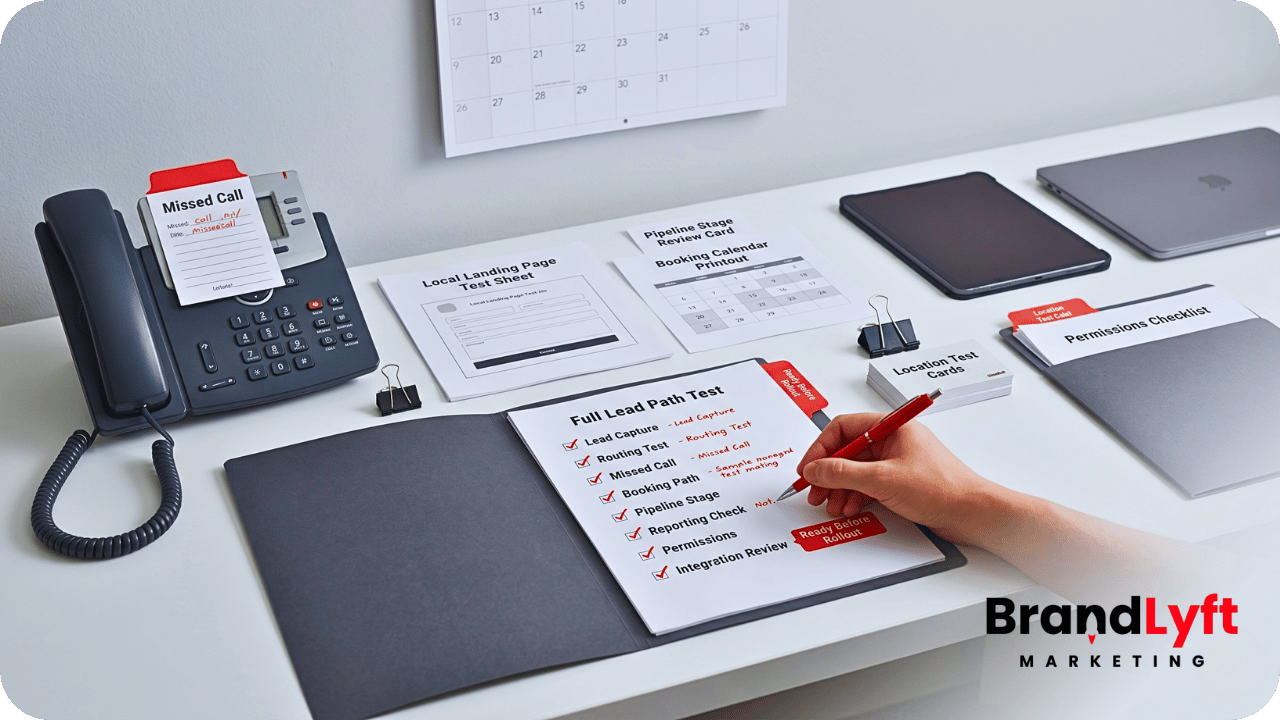
    Checklist Item 11: Test the Full Lead Path Before the Next Location Goes Live

    The final checklist item is a full lead-path test.

    Do not only check workflows one by one.

    Test the buyer journey from entry to outcome.

    Submit a test lead through each major source. Call the location after hours. Trigger a missed call. Book an appointment. Reply to the first automated message. Let a task become overdue. Move an opportunity through the pipeline. Check what corporate can see afterward.

    The goal is to find the breaks before the next location copies them.

    A full test should answer:

    • Did the lead enter with clean source data?
    • Did the right location receive it?
    • Did the right person get the next action?
    • Did the first response happen fast enough?
    • Did the booking path match the location?
    • Did the pipeline update correctly?
    • Did reporting show what happened?
    • Did the fallback path catch stalled activity?

    If the account fails this test, the next location should wait.

    That delay is not wasted time. It prevents the franchise from copying a broken handoff into another branch.

    What BrandLyft Looks For Before a Multi-Location GHL Expansion

    When BrandLyft reviews a GoHighLevel multi-location setup, the first question is not “Can we add another location?”

    The better question is “Should this setup be copied yet?”

    A review may cover lead capture, routing, missed-call recovery, pipeline stages, calendars, reporting, permissions, user roles, team usage, integrations, workflow naming, templates, source tracking, and fallback rules.

    The review may show that the account only needs cleanup.

    It may show that some workflows need tightening. It may show that reporting needs better inputs. It may show that each location needs a clearer owner. It may also show that the current setup was patched too many times and needs deeper rebuild work before expansion.

    That distinction matters.

    A franchise does not need to slow down for the sake of being careful. It needs to slow down when speed would copy the same operational mistakes into more locations.

    BrandLyft’s GoHighLevel for Franchises team helps franchise and multi-location brands review the system before the same gaps spread wider.

    Do Not Add Locations to a Setup You Do Not Trust Yet

    Use the GoHighLevel Implementation Playbook to review workflows, routing, calendars, permissions, pipelines, reporting, integrations, and launch readiness before the next location goes live.

    Use the Setup Playbook
    Review the Expansion Path

    FAQ About GoHighLevel Multi-Location Setup

    What should a GoHighLevel multi-location setup include?

    A GoHighLevel multi-location setup should include clean lead capture, location routing, missed-call recovery, standard pipeline stages, calendar rules, reporting visibility, user permissions, team usage rules, integrations, and a clear corporate-to-local handoff.

    When should a franchise clean up GHL before adding more locations?

    A franchise should clean up GHL before adding more locations when current branches use the system inconsistently, leads need manual reassignment, reporting feels hard to trust, missed calls sit too long, or local teams work outside the CRM.

    Should every location use the exact same GHL setup?

    Every location should follow the same core structure, but not every detail has to be identical. The franchise may need location-specific calendars, users, service areas, routing rules, and staffing logic while keeping shared reporting and pipeline definitions consistent.

    Can BrandLyft help review a live GHL account before expansion?

    Yes. BrandLyft can review a live GHL account before more locations get added. The review should look at the full handoff from lead capture to routing, follow-up, booking, pipeline movement, reporting, team usage, and integrations.

    The Real Checklist Question: Should This Setup Be Copied?

    A GoHighLevel multi-location setup does not fail only because more locations get added.

    It fails when the franchise copies a setup that was already unclear.

    Before the next rollout, look at the account honestly.

    Can every location capture leads cleanly? Can the right branch receive the lead? Can missed calls trigger real follow-up? Can pipeline stages mean the same thing everywhere? Can owners see what happens after a lead arrives? Can local teams use the system without creating side processes? Can integrations protect the handoff instead of adding duplicate work?

    If the answer is yes, expansion gets safer.

    If the answer is no, the next location may only make the problem harder to fix.

    Do the cleanup first.

    Then add locations to a system the franchise can actually trust.

  • Marketing Automation for Occupational Health Clinics: Multi-Location GoHighLevel Guide

    Marketing Automation for Occupational Health Clinics: Multi-Location GoHighLevel Guide

    Marketing automation for occupational health clinics gets messy fast when every location handles employer inquiries, appointment reminders, intake, follow-up, and reporting a little differently. One clinic uses a shared inbox. Another relies on front desk sticky notes. Another has a manager who knows how to move every employer account forward, but the process lives mostly in that person’s head.

    That may work for one clinic with a small team. It breaks down once the business has several locations, employer accounts, recurring screenings, walk-ins, after-hours calls, drug testing requests, DOT physicals, workers’ comp referrals, and HR teams asking for updates.

    Marketing automation for occupational health clinics should not feel like a pile of random texts and workflows. It should create one clean operating path from inquiry to booked appointment, from visit to follow-up, and from location-level activity to owner-level visibility.

    That is where GoHighLevel can fit well. Used the right way, it can support lead capture, appointment flow, location routing, reminders, missed-call follow-up, pipeline tracking, employer reactivation, review requests, and reporting. Used halfway, it becomes another place where data gets parked but nobody fully trusts it.

    This guide breaks down how marketing automation for occupational health clinics can work across multiple locations without turning the clinic into a software project.

    Why Marketing Automation for Occupational Health Clinics Needs a Different Setup

    Occupational health clinics do not operate like a basic local service business.

    The buyer is often an employer, HR director, safety manager, staffing coordinator, risk manager, transportation company, or franchise operator. The person receiving the service may be an employee, applicant, driver, injured worker, or returning team member. The clinic has to manage both sides of that relationship without confusing the process.

    That is why marketing automation for occupational health clinics needs more than a generic CRM pipeline. The system has to sort employer inquiries, employee appointment flow, service type, location, urgency, and follow-up status.

    For example, a clinic may need separate paths for:

    Pre-employment physicals, DOT physicals, drug testing, respirator fit testing, hearing testing, vaccines, titers, workers’ comp visits, employer account inquiries, on-site service requests, and recurring compliance-related programs.

    Some of those requests are patient-facing. Some are employer-facing. Some need a same-day callback. Some need account setup. Some need documentation before the employee arrives.

    A generic “new lead” workflow is too blunt for that.

    Marketing automation for occupational health clinics should help the team know what came in, who owns it, where it belongs, and what needs to happen next.

    Where Multi-Location Clinic Systems Usually Break

    Most multi-location clinic problems do not start as major failures. They start as small workarounds.

    Quick Gut Check

    If Each Location Handles Leads Differently, Your CRM Is Already Telling You Something

    Before adding more workflows, it may be smarter to see where the handoff is breaking first. A Franchise GHL Location Usage Audit gives you a clear read on which locations are following the system, which ones are working around it, and where leads are getting stuck.

    Find the Location Gaps

    A front desk person calls an employer back manually. A location manager keeps a spreadsheet of key accounts. Appointment reminders are inconsistent. A form sends to one inbox, but the person responsible for that service works at another location. A clinic marks an inquiry complete even though the employer never received the next step.

    Over time, the system becomes harder to trust.

    Marketing automation for occupational health clinics should reduce those quiet leaks. The goal is not to automate every judgment call. The goal is to remove avoidable delay, missed handoff, and unclear ownership.

    Common issues include employer inquiries going to the wrong location, service forms that do not identify the right appointment type, missed calls with no fast text-back, no-shows with no reschedule path, pipeline stages that do not match the clinic’s real process, and reporting that shows activity without showing which locations are actually moving.

    GoHighLevel can support these pieces, but only if the setup reflects the real clinic workflow. A copied snapshot or basic template will not understand your service lines, clinic locations, employer account process, or staff responsibilities.

    Start With the Real Intake Paths

    The first step in marketing automation for occupational health clinics is mapping every front door.

    That means more than the contact page. A multi-location occupational health clinic may receive inquiries through website forms, landing pages, paid ads, phone calls, referral partners, HR emails, chat widgets, Google Business Profile clicks, repeat employer contacts, and manual staff entry.

    Each source needs a clear path.

    A “schedule a physical” form should not move the same way as a “set up an employer account” request. A DOT physical inquiry should not get the same follow-up as a workplace injury visit. An on-site testing request should not land in the same bucket as a single applicant appointment.

    BrandLyft’s own GoHighLevel audit content makes this same point in a broader GHL context: lead capture is only useful when each entry point is connected, tagged correctly, attributed correctly, and routed into the right path. That is why this article fits naturally beside a real GoHighLevel audit conversation.

    For occupational health clinics, those tags and routing rules may include clinic location, service category, employer account status, appointment urgency, source, campaign, assigned staff member, and next required action.

    Marketing automation for occupational health clinics works better when intake is boring, clear, and repeatable.

    Build Service-Based Routing Inside GoHighLevel

    Once intake is mapped, routing becomes the next big piece.

    For multi-location clinics, routing should usually answer four questions:

    Which location should handle this? Which service line does this involve? Is this a new employer, existing employer, applicant, employee, or referral? What should happen first?

    That logic can drive pipeline placement, user assignment, internal alerts, appointment links, and follow-up timing.

    A new employer inquiry may need a fast sales or account setup path. An existing employer sending an employee for testing may need a simpler scheduling path. A missed call after hours may need an instant text-back that asks what service the caller needs, then routes the response to the right team.

    This is where a GoHighLevel build needs clinic-specific thinking. Marketing automation for occupational health clinics should not dump every inquiry into one general pipeline. It should create simple lanes that the team can understand and actually use.

    A clean setup might include separate pipeline stages for new employer inquiry, account setup needed, appointment requested, appointment booked, visit completed, follow-up pending, employer reactivation, and closed.

    The names matter less than the behavior. If staff cannot tell what stage means, the stage will not last.

    Use Appointment Reminders Without Creating Compliance Drag

    Appointment reminders are one of the easiest wins, but clinics need to use them carefully.

    HHS says covered health care providers may communicate electronically with patients when reasonable safeguards are applied, and it gives appointment reminders as an example of communications a provider may accommodate by email when reasonable. That does not mean every clinic should blast detailed health information through SMS or email. It means reminders should be simple, limited, and built with privacy in mind.

    For marketing automation for occupational health clinics, the safest operational pattern is usually short reminders that confirm the appointment time, location, and basic prep instructions without exposing unnecessary details.

    A reminder can say the appointment is coming up and include what to bring. It does not need to include sensitive clinical details. The clinic’s own compliance lead should decide what language is approved.

    GoHighLevel can support reminders, confirmations, no-show follow-up, and reschedule prompts, but the content should be reviewed before it goes live.

    Marketing automation for occupational health clinics should reduce no-shows and confusion without creating a new privacy problem.

    Clean Up Employer Follow-Up

    Employer follow-up is where many clinics leave money sitting.

    An employer asks about setting up a new account. Someone responds once. The employer gets busy. No one follows up. Three months later, the clinic is still hoping that account comes back around.

    Marketing automation for occupational health clinics can keep those employer conversations alive without forcing the staff to remember every manual follow-up.

    A good employer follow-up path can include an instant confirmation, a task for the assigned team member, a short follow-up sequence, reminders to check back, and a pipeline stage that shows account status.

    The message should sound human, not like a drip campaign. Employers are not looking for ten marketing emails. They need a clear next step, clean scheduling, simple service information, and someone who responds when the need is active.

    This is where BrandLyft’s Revenue System Build angle fits. The point is not “more automation.” The point is a system where every lead gets captured, routed, followed up with, and tracked through a pipeline the team can run day to day.

    For occupational health, that means employer accounts should not disappear into a shared inbox.

    Give Each Location Room Without Losing Central Visibility

    A multi-location clinic has a real tension. Each location has local staffing, hours, capacity, and service mix. Ownership still needs one clear view of performance.

    Marketing automation for occupational health clinics should standardize the parts that need consistency while leaving room for location-level reality.

    That may mean shared pipeline logic across all clinics, but separate calendars by location. Shared employer intake forms, but location-specific routing. Shared reporting rules, but local staff assignments. Shared reminder language, but different availability and service options.

    BrandLyft’s Who We Serve page says the agency builds systems for service businesses that rely on calls, leads, and booked appointments, including multi-location businesses where routing complexity and reporting consistency matter. That maps cleanly to occupational health clinics with several offices.

    The wrong setup makes every location feel trapped inside a corporate CRM. The right setup gives each team a clear operating lane while ownership can still see where inquiries, bookings, and bottlenecks are happening.

    Marketing automation for occupational health clinics should make the business easier to read, not harder to manage.

    Connect Forms, Calendars, Calls, and Reporting

    A lot of GoHighLevel accounts fail because the pieces exist but do not talk cleanly.

    The form captures the inquiry. The calendar books the appointment. The phone number receives calls. The pipeline tracks movement. The reporting dashboard shows outcomes. But if those pieces are not connected, the team still has to stitch the story together manually.

    That defeats the purpose.

    Marketing automation for occupational health clinics should connect the core workflow:

    A lead comes in. The service type is captured. The location is assigned. The right team is notified. The appointment path starts. The pipeline updates. The employer or patient receives the right next step. The report shows what happened.

    This is where a GoHighLevel partner can be useful. The job is not just turning on features. The job is wiring forms, calendars, workflows, pipeline stages, reminders, alerts, and reporting around how the clinic actually operates.

    Before You Build More Automation

    See What Your GoHighLevel Account Is Actually Doing Across Locations

    Most messy GHL accounts do not need more features first. They need a cleaner read on forms, calendars, workflows, routing, pipelines, reminders, and reporting. That is what the audit is built to uncover.

    If the clinic uses other systems for EHR, billing, lab results, occupational medicine records, or employer portals, GoHighLevel should not be treated as the clinical source of truth. It can still handle marketing, intake, follow-up, and routing if the boundaries are clear.

    Use Automation for Speed-to-Lead, Not Clinical Judgment

    Occupational health clinics still need trained staff making the right decisions.

    Marketing automation for occupational health clinics should not replace clinical review, compliance judgment, or staff responsibility. It should speed up the parts that do not need a person thinking from scratch every time.

    That includes instant missed-call text-back, appointment confirmations, reminders, internal notifications, task creation, employer follow-up, reactivation, review requests, and pipeline movement.

    It should not include unreviewed medical advice, sensitive diagnosis details, or anything that should live inside a clinical workflow.

    This boundary matters. OSHA’s medical screening and surveillance guide points employers back to specific standards and notes that its guide is a general overview, not a standard or regulation. Occupational health work can involve real compliance requirements, so automation should support the process without pretending to replace professional review.

    The strongest marketing automation for occupational health clinics respects the line between operational follow-up and clinical decision-making.

    Create Reporting That Owners Can Actually Use

    Reporting is where multi-location clinic leaders often find the real problem.

    They may know total lead volume. They may know appointment counts. But they may not know which location is slow to respond, which source brings employer accounts, which services create repeat demand, where no-shows are highest, or which follow-up path is failing.

    Marketing automation for occupational health clinics should make those questions easier to answer.

    Useful reporting may include inquiry source by location, booked appointments by service line, speed-to-lead, missed-call volume, no-show trends, employer account status, pipeline aging, follow-up completion, and location-level conversion.

    This does not need to become a heavy data project. The first version can be simple. The key is that the data has to be clean enough to trust.

    BrandLyft’s CRM and app development work is a natural fit when clinics need integrations, custom workflow logic, dashboards, and cleaner data flow across systems.

    For a clinic group, better reporting is not just a management perk. It shows where staff need support, where demand is coming from, and where the process is quietly leaking.

    Add Employer Reactivation and Retention Paths

    Occupational health clinics often have past employer relationships that went quiet.

    Some sent candidates for drug testing last year. Some booked physicals during a hiring push. Some asked about on-site services but never moved forward. Some were active accounts until a coordinator changed jobs.

    Marketing automation for occupational health clinics can help identify and re-engage those accounts.

    A reactivation path does not need to be aggressive. It can be a simple check-in tied to hiring season, annual testing needs, flu shot timing, respirator fit testing cycles, DOT renewal reminders, or updated employer service options.

    The key is relevance. If every employer receives the same broad message, it will feel like generic marketing. If the message reflects the employer’s prior service interest, it feels more useful.

    BrandLyft already has a Speed to Lead service path for faster response, and the same logic can support cleaner employer reactivation for occupational health clinics.

    Marketing automation for occupational health clinics should support new inquiries, but it should also protect the value of accounts the clinic already earned.

    Add AI Carefully Where It Helps

    AI can help occupational health clinics, but only in narrow, practical ways.

    AI chat can help collect basic inquiry details, point visitors toward the right service path, and reduce abandoned website visits. AI voice or conversational tools can help after-hours callers get a fast response and route basic requests.

    But AI should not create confusion around medical guidance, patient privacy, or service promises.

    Marketing automation for occupational health clinics can use AI well when the job is intake support, routing, FAQs, and next-step collection. It becomes risky when the tool starts acting like a clinician, benefits administrator, or compliance officer.

    A safer setup is to use AI to gather structured information, then hand the lead to the right team. For example, an AI chat widget can ask if the visitor is an employer, applicant, or current account, then route the conversation based on location and service need.

    That fits BrandLyft’s broader AI Live Chat and AI conversation direction without turning the clinic website into an uncontrolled advice tool.

    What a Clean GoHighLevel Build Could Include

    A strong GoHighLevel setup for occupational health clinics should feel practical.

    It may include location-based calendars, employer inquiry forms, service-specific forms, missed-call text-back, appointment reminders, no-show follow-up, employer account pipelines, lead source tracking, internal notifications, staff tasks, winback lists, review requests, and reporting dashboards.

    Marketing automation for occupational health clinics becomes stronger when those pieces are simple enough for staff to trust.

    That means clean naming conventions, clear ownership, limited duplicate workflows, documented routing rules, and testing before launch. It also means checking the system after real leads start moving through it.

    The goal is not to make GoHighLevel impressive. The goal is to make the clinic’s lead flow, appointment flow, and employer follow-up easier to run.

    A multi-location occupational health clinic does not need a beautiful CRM that nobody uses. It needs a working system that supports real clinic behavior.

    When to Audit Before Rebuilding

    If a clinic already uses GoHighLevel, do not start by adding more workflows.

    Start by checking what is already there.

    The Next Workflow Can Wait Until You Know What Is Broken

    If your clinic group already has GoHighLevel, the smartest move is not guessing which automation to add next. Start with the usage audit, then fix the account around the way each location really works.

    Show Me What To Fix First

    Marketing automation for occupational health clinics can get messy when multiple people have edited the account over time. Before rebuilding, review the forms, calendars, users, custom fields, tags, workflows, pipelines, triggers, integrations, phone numbers, reporting, and automations that already exist.

    Look for duplicate workflows, outdated reminders, broken routing, confusing tags, unused pipeline stages, missing attribution, and team workarounds.

    That is why the right CTA for this article is a Franchise GHL Location Usage Audit. It gives a clinic group a way to see how each location is using the system, where staff trust it, where they avoid it, and where the setup no longer matches the real workflow.

    Marketing automation for occupational health clinics should begin with truth. If the current account is already unstable, adding more automation only makes the mess harder to diagnose.

    Final Takeaway

    Marketing automation for occupational health clinics is not about replacing clinic staff with software. It is about reducing the manual drag around employer inquiries, appointment scheduling, follow-up, location routing, and reporting.

    For multi-location occupational health clinics, the real win is consistency. Every location should know what to do when an inquiry comes in. Every employer should get a clear next step. Every appointment should have a reminder path. Every missed call should get a response. Every owner should be able to see what is working without chasing spreadsheets.

    GoHighLevel can support that kind of system, but only when it is built around the way the clinic actually operates.

    If your occupational health clinic group already uses GoHighLevel, start with a Franchise GHL Location Usage Audit before adding another workflow. Find the gaps first. Then build the automation around the real clinic process.

    Request a Franchise GHL Location Usage Audit

    If your clinic group has multiple locations using GoHighLevel, BrandLyft can help you find where the account is clean, where it is patched together, and where location usage is creating hidden lead leaks.

    Start with a Franchise GHL Location Usage Audit so your team can see what needs cleanup before more automation gets added.