Tag: Lead Follow-Up

  • Marketing Automation for Service-Based Businesses That Follows the Lead

    Marketing Automation for Service-Based Businesses That Follows the Lead

    A service business usually does not lose a lead because nobody owns marketing automation software. It loses the lead because the next step depended on somebody remembering to do it.

    The phone rings while the team is busy. A form sits in an inbox. The prospect gets an automatic reply, but no person owns the callback. Someone books and then no-shows. A completed customer never gets asked for a review. Six months later, the database is full of old leads and past customers nobody has contacted again.

    Marketing automation for service-based businesses should make those handoffs more dependable. It should capture the inquiry, acknowledge it quickly, give it an owner, support the booking path, keep follow-up moving, and stop when the situation changes.

    That last part matters. Automation should remove repeatable chasing and admin. It should not keep sending messages after a customer has replied, booked, opted out, become a customer, or reached a point where a person needs to take over.

    Marketing automation for service-based businesses starts with clean lead capture

    The first job is getting every real inquiry into a place where the business can see and work it.

    For a service company, that may mean calls, website forms, landing pages, web chat, paid-ad forms, referral forms, appointment requests, or other booking paths. Those sources do not have to look identical, but the business should be able to tell which person raised a hand, what they asked about, where the inquiry came from, and what should happen next.

    A weak setup starts automating before that foundation is clear. The form creates one contact. The phone call lives somewhere else. A chat conversation never reaches the sales pipeline. Paid leads lose the campaign or service information that would have helped the team respond properly.

    Before adding another sequence, check the capture path. One inquiry should produce one usable record whenever the business can confidently identify the same person. The important source and service context should stay attached. The team should know where to look when the customer comes back through another channel.

    The first automatic response should set up the human response

    An immediate acknowledgement is useful because it confirms the inquiry arrived and gives the prospect a sensible expectation.

    It does not need to pretend a staff member personally typed the message. A simple response can confirm receipt, give the next step, offer a booking option when that fits, or tell the person when somebody will call. The copy should match what the business can actually do.

    The internal side matters just as much. Somebody needs the lead, the context, and a next action. If a new inquiry receives three polished messages while nobody on the team knows they own the callback, the automation has made noise rather than improving the handoff.

    BrandLyft’s Speed to Lead service fits this part of the system. Fast automation is most useful when it leads into clear human ownership instead of becoming the whole response plan.

    Lead assignment needs a person, team, and fallback

    Assignment is where a lot of otherwise good automation becomes fragile.

    A service business should know how a new lead gets an owner. Routing may depend on location, service, territory, schedule, language, or the team handling that type of work. The exact logic varies, but the operating question does not: who is expected to do something next?

    That answer should include a fallback. People take days off. Technicians stay on jobs. Salespeople miss notifications. One person leaving the company should not leave a queue of new opportunities pointing at a user nobody monitors.

    Escalation also has to mean something. A manager alert can help when a lead has not been accepted or contacted within the time the business considers reasonable. Sending more internal notifications to the same unavailable person does not.

    Missed-call automation should recover the conversation

    Calls are easy to lose because the customer’s intent may never appear in a form.

    A missed-call text-back can acknowledge the call quickly and give the person a way to reply without waiting on hold or trying again later. That is the opening move. The useful version also creates a callback path for the team and keeps the inquiry connected to the same contact record.

    The automation should know when to stop. If the caller replies by text, somebody should own that conversation. If staff return the call and resolve the inquiry, the system should not keep sending the same missed-call recovery messages. Existing customers may also need different handling from new prospects.

    This is one reason broad service-business automation should be designed around business events instead of a pile of isolated campaigns. The missed call is not just a message trigger. It is a customer asking for attention.

    Booking automation should protect the appointment, not just create it

    A booking is another handoff point.

    The calendar should reflect the service, staff, location, and availability the business actually offers. Once the appointment exists, confirmation and reminder automation can reduce the amount of manual chasing around it.

    But a reminder sequence should react to the appointment record. If the customer reschedules, the old reminder should not keep promoting the original time. If the appointment is cancelled, the next message should not read as though it is still happening. When the customer has already completed the appointment, the system needs a different next step.

    For businesses that do not use appointments, the same principle applies to estimates, consultations, site visits, intake calls, demos, or whatever event moves the lead forward.

    No-response and no-show follow-up need different logic

    A lead who never replied is not the same as somebody who booked and missed.

    The first person may still need help choosing a time, understanding the service, or deciding whether to move forward. A no-show already made a stronger commitment and failed to complete it. The follow-up should reflect that difference.

    No-response automation can make several reasonable attempts across the channels the business uses, then slow down instead of repeating the same message forever. No-show automation can acknowledge the missed appointment and make rebooking easy. Staff may need a task when the prospect is high value or the conversation suggests a person should step in.

    The useful question is not how many messages a workflow can send. It is what new information or easier next step each message adds. Good marketing automation for service-based businesses should make the path clearer as the lead moves, not noisier.

    Pipeline movement should follow real business actions

    A CRM pipeline is useful when its stages tell the team what is actually happening.

    Automation can help move records when the event is clear. A new enquiry can enter the correct starting stage. Once a booking is confirmed, the opportunity can move into a booked stage. A completed consultation may create a follow-up task or another defined status.

    Problems start when the system guesses. Moving every lead to “Contacted” because an automatic text went out can make reporting look healthier than the sales work really is. A lead has not necessarily been contacted in the business sense just because software sent something.

    Use automation for stage changes that have a clear trigger. Keep human updates where judgment is involved. The pipeline should explain the state of the opportunity, not the activity of the workflow.

    Marketing automation for service-based businesses needs stop conditions

    Every follow-up path should have a way out.

    A prospect replies. The next step may be a booking. Someone may ask to stop receiving messages, become a customer, or tell the business they are not ready until a later date. Sometimes the conversation simply becomes complicated enough that automation is no longer the right voice.

    Those are not exceptions to work around. They are normal customer behavior.

    The automation should stop, pause, branch, or hand off based on the event. A person who booked should not keep getting “still interested?” messages. An opted-out contact should not remain in the marketing sequence. A customer with a complaint needs a person, not the next nurture step.

    Business eventUseful automationWhat still needs ownershipStop or branch when
    New form or chat inquiryCreate or update record, acknowledge, notifyFirst real response and qualificationLead replies, books, or is disqualified
    Missed callText back, create callback task, routeReturn call or live text conversationConversation is picked up or resolved
    Appointment bookedConfirmation and remindersThe service, consultation, or estimate itselfRescheduled, cancelled, completed, or no-show
    No responseTimed follow-up and task creationJudgment on high-value or unusual leadsReply, booking, opt-out, or nurture handoff
    Service completedReview request, retention, future reminderResolve service problems before promotionIssue, complaint, opt-out, or next service event

    Review requests should follow a real completed service

    Review automation works best when the business has a reliable event that says the customer actually received the service.

    A completed job, closed appointment, delivered project, or other confirmed milestone is a better trigger than an arbitrary number of days after the lead first appeared. The request then reaches a real customer at a point when the experience is still recent.

    Repaired customer boots ready for pickup inside a shoe repair workshop
    A reliable completed-service event is a better review trigger than an arbitrary delay after the original inquiry.

    Do not use automation to filter for only happy customers or trade discounts for positive reviews. Google’s Business Profile policies allow businesses to ask for reviews that reflect genuine experiences, but prohibit incentivized reviews and selective solicitation designed to manipulate ratings.

    If a customer reports a problem, route the issue to the team instead of pushing the review request harder. The business should fix the experience before asking the customer to market it.

    BrandLyft’s Reputation Engine service fits this part of the customer path when review generation needs its own operating system.

    Reactivation should start with history, not a giant old list

    Old leads and past customers can be useful because the business already knows something about them.

    That history should shape the automation. A lead who requested an estimate and never booked is different from a customer whose service was completed two years ago. A former client may be due for repeat work. Another contact may have opted out, complained, moved away, or already returned through a newer opportunity.

    Segment before sending. Use the last known stage, service history, timing, and consent information the business actually has. Give the person a reason to re-engage that fits the earlier relationship.

    BrandLyft’s Nurture & Winback service sits deeper in this part of the system. The broad automation foundation should make it possible to tell who belongs in a reactivation audience before another campaign begins.

    How marketing automation for service-based businesses should be measured

    Open rates and workflow counts can help diagnose the system. They are not the final business result.

    A service business should be able to connect automation to events that matter: how many inquiries were captured, how quickly they received a useful response, how many were assigned, how many booked, how many showed, how many opportunities stalled, how many customers left reviews, and how many old leads or past customers came back into a real sales conversation.

    Google Analytics lets important events be marked as key events and, where appropriate, used to create conversions for cross-channel measurement. Its current conversion guidance is useful for web-side actions, but the service business still needs CRM or operational data to explain what happened after the form or booking.

    Reporting should expose gaps instead of decorating them. If a lead received an automatic text but nobody called, the system should not count that as proof of a strong sales response. If a booking was created and then no-showed, the report should not stop at “appointment generated.”

    The useful question is whether automation helped move a real customer event forward.

    The foundation matters more than the number of workflows

    A weak automation setup often turns into a long feature list. That is easy to build and hard to operate. Useful marketing automation for service-based businesses is usually a smaller set of connected handoffs that the team can actually trust.

    The foundation is simple: capture the inquiry, keep the source and context, give it an owner, respond quickly, support the booking or next sales step, follow up when nothing happens, and stop when the situation changes. After the service, record the outcome, ask for a review at the right time, and keep enough history to re-engage the customer later when there is a sensible reason.

    Once that works, the business can add detail around specific services, locations, seasons, teams, or customer segments.

    The shape changes by industry. A home-service company may care heavily about missed calls and estimates. Clinics may care more about consultations and reminders. Fitness businesses may care about trials and no-shows. The foundation stays recognizable even when the triggers and handoffs change.

    A service business should be able to follow one lead from start to finish

    The simplest automation audit is to pick one ordinary inquiry and trace it.

    Where did it enter? Which record was created? What source stayed attached? Who owned the first response? What happened if the person did not answer? Could they book? Did reminders change when the appointment changed? What moved the opportunity? Which event stopped follow-up? What happened after the service? Could the business find that same person again six months later?

    If the answers live across five disconnected tools and three people’s memories, another workflow is probably not the first fix.

    BrandLyft’s Revenue System Build is the broader implementation path for businesses that need lead capture, routing, follow-up, booking, attribution, pipeline stages, and reporting built as one operating foundation.
    Build the automation around the way the business actually handles a lead

    BrandLyft can connect lead capture, routing, missed-call recovery, follow-up, booking, reviews, reactivation, and reporting so the system follows the customer instead of a collection of isolated workflows.

    Review Revenue System Build

    Already know the current setup needs outside help? Book a discovery call.

  • Roofing Lead Follow-Up: From Quote Request to Booked Inspection

    Roofing Lead Follow-Up: From Quote Request to Booked Inspection

    A homeowner notices storm damage, finds a roofing company online, and submits a quote request. The company already paid to generate that inquiry, but nobody clearly owns it. No confirmation reaches the homeowner. The request sits in an inbox until someone remembers to call.

    By then, another roofer may already have the inspection booked.

    Roofing lead follow-up is the path between a new inquiry and a real inspection appointment. Getting the lead is only the first step. The roofing company still has to acknowledge the request, assign an owner, collect the right details, offer an inspection, and keep following up until the homeowner books, declines, or does not qualify.

    More roofing leads will not fix that path.

    They will put more pressure on it.

    Why Roofing Lead Follow-Up Breaks Before Inspection Booking

    Most roofing quote requests do not disappear because the homeowner suddenly stopped caring about a leak, missing shingles, storm damage, or an aging roof.

    They disappear because the business side becomes unclear.

    A website form sends an email, but it never creates a task. A missed call appears in the call log, but nobody sends a text. The CRM assigns the lead to someone who is unavailable. Sales assumes the office called. The office assumes a salesperson already took it.

    The contact technically exists.

    The next action does not.

    Common roofing follow-up gaps include:

    • Website forms that only send an email notification
    • Missed calls with no useful text response or call-back task
    • Leads routed to the wrong office, salesperson, or service area
    • No confirmation telling the homeowner what happens next
    • Quote requests sitting outside the sales pipeline
    • Sales staff assuming someone else already followed up
    • No recovery path when the homeowner does not answer

    BrandLyft’s Speed to Lead work connects directly to this problem. Fast response is useful, but only when the message leads to clear ownership and a real inspection path.

    What Roofing Lead Follow-Up Should Do as Soon as a Lead Comes In

    A new roofing lead needs a small set of actions to happen in the right order.

    The system should first acknowledge the homeowner. That message confirms that the request arrived and explains what will happen next.

    Next, the business should record the original lead source. A quote request from Google Ads, Local Services Ads, organic search, Facebook, a referral, or a roofing landing page should not enter the CRM as the same vague “website lead.”

    The right person then needs an alert and ownership of the next action. That may be an office manager, dispatcher, salesperson, inspector, or location-specific team member.

    The lead should also enter the roofing pipeline as an opportunity. A contact record alone does not show whether anyone called, qualified, or offered an inspection.

    HighLevel’s workflow documentation explains how a form submission can trigger actions such as sending a confirmation, creating internal notifications, and starting follow-up. The roofing company still has to decide who owns those actions and what each one means.

    BrandLyft’s Revenue System Build fits when forms, calls, assignments, calendars, and pipelines need to work as one roofing sales path instead of separate tools.

    What the First Roofing Confirmation Should Say

    The first message should sound helpful, not automated for the sake of automation.

    It should confirm receipt, name the roofing request, and tell the homeowner what happens next.

    Example: Hi [First Name], we received your roofing request for [Property Address]. Someone from [Roofing Company] will contact you to confirm the project details and available inspection times.

    That message does not need to sell the roof.

    It needs to remove uncertainty.

    A homeowner dealing with active damage may also need a clearer expectation around emergency availability. A replacement inquiry may need a normal inspection route. An insurance-related request may need someone to confirm storm date, claim status, or the next inspection step.

    The message should match the service path without asking the homeowner to explain everything again.

    Qualify the Roofing Lead Without Adding Friction

    Roofing qualification should collect enough information to route the request without turning the form or first call into an interrogation.

    The company usually needs:

    • Property address and service area
    • Repair, replacement, inspection, maintenance, or emergency need
    • Residential or commercial property
    • Insurance-related or retail project
    • Preferred inspection time
    • Best phone number and contact method

    Those details help the team decide who should handle the lead and how quickly the situation needs attention.

    An emergency leak may need a different path than a planned roof replacement. A commercial project may need a different salesperson from a residential inspection. An address outside the service area should not sit in the same queue as a qualified local homeowner.

    Ask only for details the team will actually use.

    If the form collects fifteen fields but sales still asks every question again, the process creates more work without improving the handoff.

    Route Roofing Leads by Area, Urgency, and Project Type

    One roofing workflow should not blindly treat every inquiry the same.

    The routing path may need to consider service area, project type, emergency status, residential or commercial work, insurance involvement, assigned salesperson, and inspector availability.

    This does not mean every roofing company needs complicated automation.

    A smaller roofer may route every qualified lead to one office manager. A larger operation may need territory rules, separate sales teams, storm-response assignments, or location-based calendars.

    The important part is that the lead reaches someone who can act.

    BrandLyft’s roofing industry page explains the broader relationship between lead generation, CRM follow-up, and booked roofing work. This article focuses on the tighter operating path that begins after the homeowner raises a hand. Review the broader roofing marketing system when the problem also includes lead volume, ads, local SEO, or wider campaign performance.

    Move Qualified Roofing Leads Into Inspection Booking

    Qualification should lead somewhere.

    Once the company confirms that the property, service area, and project type fit, the next step should be an inspection offer.

    The calendar needs to reflect real inspector availability. It may also need service-area rules, appointment buffers, travel time, project type, and limits on how many inspections one person can take.

    The homeowner should receive a confirmation after booking. Reminders should make the appointment easier to keep. Rescheduling should not force the homeowner to restart the process.

    HighLevel’s customer-booked appointment trigger can start actions after someone schedules. A roofing company might use that event to notify the assigned inspector, update the opportunity, send appointment details, or stop the pre-booking follow-up.

    The harder case is the homeowner who qualifies but does not choose a time.

    That lead should not remain trapped between “interested” and “booked.” The system needs a clear follow-up stage, an owner, and a task to help the homeowner finish scheduling.

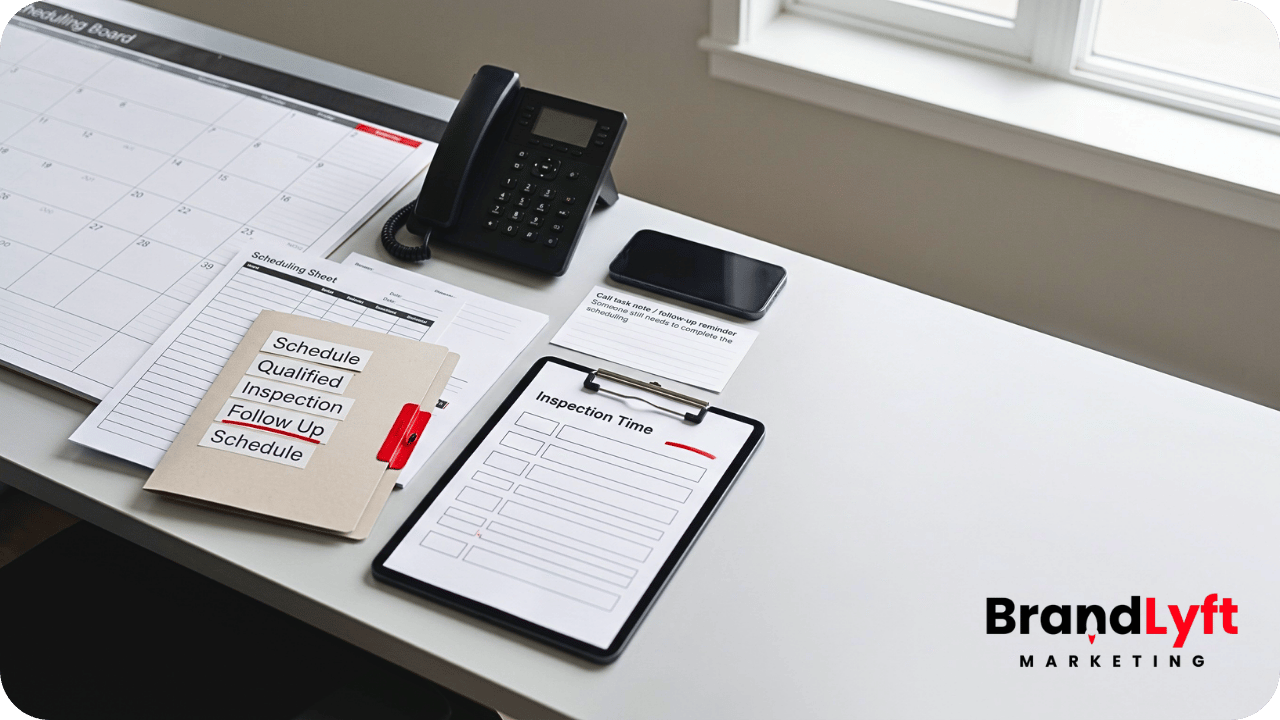
    roofing lead follow-up path from quote request through qualification ownership and booked roof inspection

    Before You Buy More Roofing Leads

    Check Where the Quote-to-Inspection Path Is Breaking

    Use the GHL Rescue Decision Guide to check lead capture, ownership, follow-up, calendars, and reporting before more roofing quote requests enter the same setup.

    Start the Teardown

    The first-response path also needs work? Review Speed to Lead.

    Give Every Roofing Lead One Clear Owner

    Pipeline stages do not matter when nobody owns the next action.

    Each roofing lead needs one current owner. Other people may help with scheduling, inspection, estimating, or production, but the CRM should show who carries the lead right now.

    A focused quote-to-inspection pipeline could use stages like:

    • New Quote Request
    • First Response Sent
    • Contact Attempted
    • Qualified
    • Inspection Offered
    • Inspection Scheduled
    • Reschedule or No-Show
    • Unqualified

    Each stage needs a plain meaning.

    “First Response Sent” might mean the homeowner received the confirmation and the assigned person has a call task. “Qualified” might mean the address, service area, project type, and contact details fit. “Inspection Offered” should mean someone gave the homeowner a real scheduling option.

    HighLevel’s guide to pipelines and opportunity stages explains how stages organize opportunities. Roofing teams still need their own definitions so the pipeline reflects actual work instead of vague labels.

    BrandLyft’s article on HighLevel for roofing businesses covers the wider platform value. The more specific requirement here is simpler: one lead, one owner, one next action.

    Build Follow-Up for Homeowners Who Do Not Reply

    Many roofing leads will not answer the first call.

    The homeowner may be at work, talking to an insurance company, dealing with interior damage, comparing roofers, or waiting for another family member.

    One failed call attempt should not end the process.

    A practical roofing lead follow-up sequence can mix calls, texts, and email without sending the same pressure message repeatedly.

    The first follow-up should remind the homeowner why the company is contacting them. Later messages can offer the inspection again, ask one useful qualification question, or make rescheduling easier.

    Example: Hi [First Name], following up on your roofing request for [Property Address]. We can help confirm the project details and available inspection times. Is this for a repair, replacement, or storm-damage inspection?

    A missed inbound call needs its own recovery path. HighLevel’s missed-call text-back documentation explains how the account can send a message after an unanswered call.

    The text does not replace the salesperson or office team.

    Someone still needs to own the reply.

    Follow-up also needs stop conditions. Messages should end when the homeowner replies, books an inspection, declines, falls outside the service area, requests no further contact, or becomes unqualified.

    Without those conditions, automation creates noise and makes the roofing company look disconnected.

    Track Quote Requests Through Booked Inspections

    Lead volume alone does not tell a roofing owner if the follow-up path works.

    The owner should be able to see:

    • New quote requests by source
    • Leads that received a first response
    • Leads assigned to a real owner
    • Qualified roofing opportunities
    • Inspections offered
    • Inspections booked
    • Inspection show rate
    • Leads with no recorded next action

    That view helps separate marketing problems from follow-up problems.

    A source may generate plenty of roofing leads while the office books very few inspections. Another source may produce fewer inquiries but stronger inspection rates. Without clean ownership and stage movement, the business cannot make that comparison.

    HighLevel also documents how teams can use workflows for tasks such as assigning leads, scheduling appointments, and updating opportunity statuses. The account still needs stage rules that match the roofing process instead of moving leads merely because an automated message fired.

    What Happens After the Roof Inspection?

    The booked inspection completes this article’s page job.

    After the inspection, the opportunity should move into the roofing company’s estimate and sales process. That next path may include measurement, scope review, insurance documentation, estimate preparation, presentation, financing, decision follow-up, contract signing, and production handoff.

    Insurance, retail replacement, repair, maintenance, and commercial roofing projects may need different post-inspection stages.

    Do not force all of them into one generic follow-up sequence.

    A separate article should cover what happens after the estimate reaches the homeowner. Mixing that problem into this page would make both paths harder to explain.

    When Roofing Lead Follow-Up Needs More Than Another Workflow

    Sometimes the company does not have one broken follow-up message.

    It has several disconnected systems.

    The website form was built by one person. Another person built the calendar. Sales created the pipeline. The office handles calls in a different tool. Notifications go to old users. Reporting counts automated messages as response. Nobody can clearly trace a quote request from source to inspection.

    Adding another workflow may hide the problem for a while.

    It will not fix the operating path.

    BrandLyft’s article on costly GoHighLevel setup mistakes explains how forms, workflows, pipelines, calendars, and ownership break when teams build them separately. BrandLyft’s GoHighLevel Partner service fits when the roofing account needs a wider review rather than another isolated automation.

    A wider review should trace one real roofing lead through the entire path:

    • Where the inquiry entered
    • Which source appeared
    • Who received the alert
    • Who owned the first action
    • What confirmation reached the homeowner
    • How qualification happened
    • Which calendar offered the inspection
    • Where the opportunity moved
    • What happened after no reply
    • What the owner could see in reporting

    That test usually reveals more than reviewing the workflow list alone.

    Fix the Quote-to-Inspection Path Before Buying More Leads

    A roofing quote request is not a booked inspection.

    The homeowner still needs a clear response, a useful qualification path, the right salesperson or office owner, an inspection option, and follow-up that ends at the right time.

    If quote requests keep going cold, the roofing company may not need more leads yet.

    It may need a cleaner path for the leads it already receives.

    Bring Us the Lead Path

    Get a Second Set of Eyes on Your Roofing Follow-Up

    If quote requests are coming in but booked inspections stay inconsistent, the problem may sit between the form, the calendar, and the sales handoff.

    Book the Roofing Review

    Prefer to check the account first? Start the free teardown.