Tag: franchises

  • GoHighLevel Multi-Location Setup Checklist: What to Fix Before You Add More Locations

    GoHighLevel Multi-Location Setup Checklist: What to Fix Before You Add More Locations

    GoHighLevel Multi-Location Setup Checklist: What to Fix Before You Add More Locations

    A GoHighLevel multi-location setup should not expand until the current locations can capture leads, route them, follow up, report, and use the system consistently.

    That sounds obvious, but this is where many franchise and multi-location teams get into trouble.

    The first few locations go live. Workflows exist. Pipelines exist. Calendars exist. Local teams have access. Corporate can see some activity. On the surface, the account looks ready for the next wave.

    Then more locations get added, and the weak spots spread.

    Lead capture gets inconsistent. Routing rules do not match real service areas. Missed calls sit too long. Pipeline stages mean different things by location. Reporting looks active but not useful. Local teams use GHL differently. Integrations create duplicate records. Corporate and local teams both assume the other side owns the handoff.

    That is why a GoHighLevel multi-location setup needs a cleanup checklist before the next location gets added.

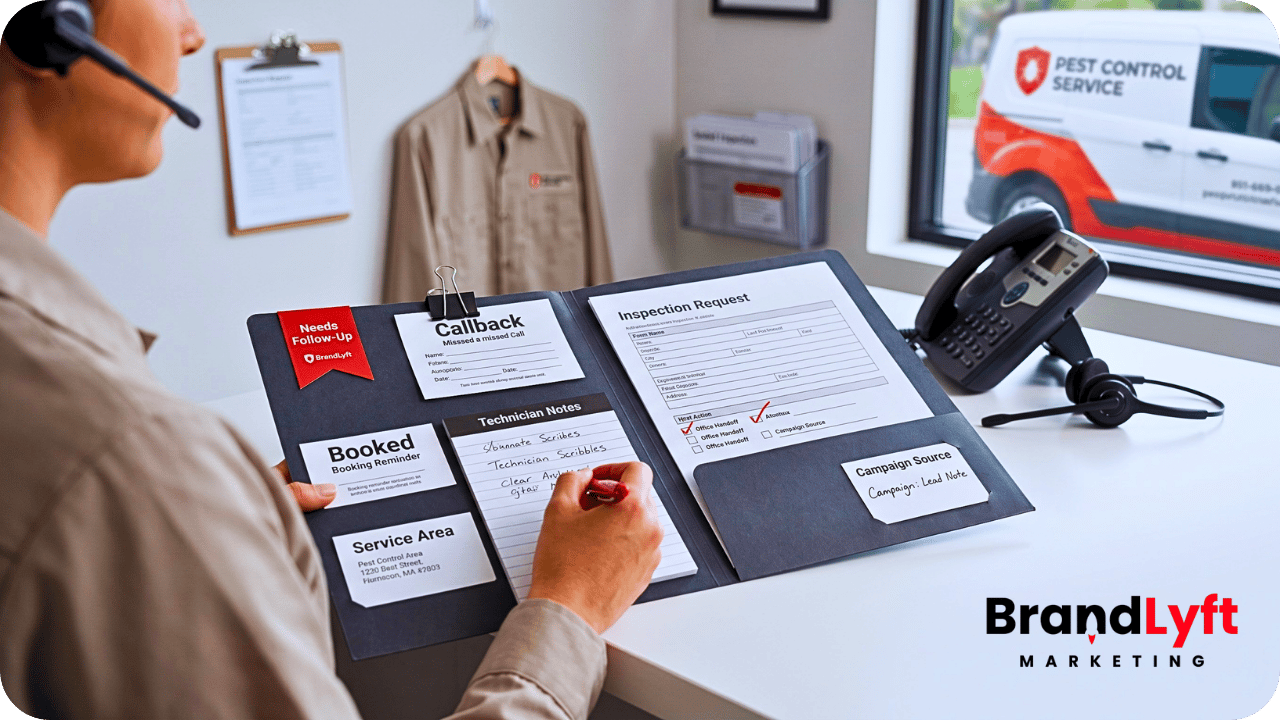
    GoHighLevel multi-location setup checklist showing lead capture routing missed calls reporting integrations and team usage across locations

    The goal is not to make the account more complicated.

    The goal is to stop weak setup decisions from getting copied across the franchise.

    If one location has messy routing, five more locations will not fix it. If the pipeline already feels unclear, adding more users will make it harder to trust. If corporate cannot see what each team does with every lead, more dashboards may only create more noise.

    Before you add more locations, fix the system you already have.

    Check the Setup Before You Copy It Wider

    The Franchise GHL Optimization Map helps franchise and multi-location teams review lead capture, booking, routing, follow-up, reporting, integrations, and location handoff before more locations inherit the same gaps.

    Run the Location Check
    Use the GHL Playbook

    Why a GoHighLevel Multi-Location Setup Needs a Checklist Before Expansion

    A GoHighLevel multi-location setup gets harder to fix after more branches, users, campaigns, and local workflows enter the account.

    Early setup gaps are easier to ignore when only a few locations use the system.

    A manager can manually reassign a lead. Corporate can ask one location for an update. Someone can fix a bad pipeline stage by hand. A missed call can get handled with a quick text from a local phone.

    That kind of manual cleanup does not scale.

    Once the franchise adds more locations, every unclear rule creates more drag. The team has more records to review, more staff to train, more dashboards to explain, more workflow branches to test, and more exceptions to track.

    This is why the checklist matters.

    It gives leadership a practical way to review the account before more locations get added. It also helps separate small cleanup from deeper rebuild work.

    BrandLyft’s earlier article on GoHighLevel multi-location setup explains why deployments stall. This checklist focuses on what to fix before the next expansion step.

    Checklist Item 1: Clean Up Lead Capture Before Adding More Locations

    Lead capture is the first place to check.

    Every location should receive leads from clean, trackable entry points. That may include website forms, local landing pages, paid ads, calls, missed calls, chat widgets, booking pages, referral forms, lead magnets, or third-party sources.

    The problem starts when those sources enter GHL differently.

    One form may capture location correctly. Another may miss the service area. A paid campaign may pass campaign data but not location data. A missed call may create a contact without enough context. A local landing page may skip the fields corporate needs for reporting.

    That creates bad follow-up later.

    Before more locations go live, review every lead source and ask:

    • Does the lead enter the right GHL account or location structure?
    • Does the form collect enough information to route the lead?
    • Does source tracking stay attached to the contact?
    • Does the lead create the right opportunity?
    • Does the right location receive the alert?
    • Can corporate report on the lead source later?

    If the answer is unclear, fix lead capture first.

    A weak form setup or messy call source will not improve when more locations copy it. It will only create more contacts that no one can trust.

    Checklist Item 2: Fix Location Routing Before More Leads Hit the Account

    Routing is the second checkpoint.

    A lead entering GHL is not enough. The system has to know which location owns it, who should respond, and what happens if the first owner does not act.

    Franchise routing often gets messy because real territories are not simple.

    Some teams route by ZIP code. Others route by nearest branch, city, region, service area, owner group, appointment type, staff availability, or local capacity. Some leads sit between two locations. Some leads come from corporate campaigns with incomplete location data.

    If the routing rule is loose, the local team has to guess.

    That guesswork becomes more expensive as the franchise grows.

    Before expanding your GoHighLevel multi-location setup, test lead routing across real lead paths. Submit a lead from a corporate page, a local page, a paid ad, a missed call, a referral source, and a booking request. Then check where each lead lands.

    The right test is not “Did the workflow fire?”

    The right test is “Did the correct location get a lead it can actually work?”

    BrandLyft’s article on GoHighLevel lead routing for franchises goes deeper on this handoff. For this checklist, the point is simple: do not add locations until routing rules match how the franchise really operates.

    Checklist Item 3: Review Missed-Call Follow-Up by Location

    Missed calls can leak revenue quietly.

    A buyer may not fill out a form or wait for a nurture sequence. They may call the nearest location, expect a quick answer, and move on if nobody responds.

    For a multi-location brand, missed-call recovery needs more than one generic text.

    The system should show which location missed the call, who should call back, how fast the follow-up happened, and what happened after that. It should also help corporate spot patterns.

    One branch may miss calls during lunch. Another may miss them after 5 p.m. A third may miss weekend calls. A fourth may reply quickly but never update the pipeline.

    Those are different problems.

    Before adding more locations, check the missed-call path:

    • Does a missed call trigger a text quickly?
    • Does the right location get the callback task?
    • Does a manager see missed calls that sit too long?
    • Does the missed call create or update the right opportunity?
    • Does reporting show missed calls by location?
    • Does the workflow stop once the lead books or gets handled?

    Speed matters, but ownership matters more.

    BrandLyft’s article on speed-to-lead automation for franchises is the natural next read for teams that need a stronger first-response and missed-call recovery path.

    Checklist Item 4: Standardize Pipeline Stages Before the Next Rollout

    Pipeline stages should mean the same thing across every location.

    This sounds basic, but it breaks often.

    One location may move a lead to “Contacted” after an automated text. Another may wait until a live phone call happens. Another may skip the stage entirely. A manager may close opportunities differently from a sales rep. A front desk team may book appointments but never move the opportunity.

    When that happens, reporting starts losing trust.

    Before more locations join the system, define what each pipeline stage means. Then check whether local teams can follow that definition during real work.

    A useful pipeline review should ask:

    • Which stages are required for every location?
    • Which stages are optional by service line or offer?
    • What exact action moves a lead from one stage to the next?
    • Who moves the opportunity?
    • What stages trigger automation?
    • What stages should show up in owner-level reporting?

    HighLevel’s documentation on understanding pipelines explains how pipelines organize opportunities and stages. For franchise teams, the bigger job is making those stages mean the same thing across the brand.

    If stages are unclear now, more locations will not make them clearer.

    Checklist Item 5: Check Calendar and Booking Rules by Location

    Calendar setup can look finished before it works in real life.

    A location may have a calendar in GHL, but that does not mean the booking path matches the branch’s hours, staff, service types, appointment length, or availability.

    Booking problems show up fast when a franchise expands.

    A lead may route to one location but receive another location’s calendar. A buyer may book a service the branch does not offer. A same-day request may go to a team that cannot handle it. A local staff member may receive a booking without enough context.

    Before adding more locations, test booking paths by location.

    Check the form, workflow, calendar link, confirmation message, reminder, no-show path, and reporting view. The whole path should match the local operating model.

    HighLevel’s calendars and appointments resources cover the platform mechanics. Franchise teams still need to decide how each branch should book, confirm, reschedule, and follow up.

    A clean GoHighLevel multi-location setup should not send every buyer into one generic booking path.

    Checklist Item 6: Fix Reporting Visibility Before Leadership Loses Trust

    Reporting is one of the clearest signs that a setup is not ready to scale.

    Owners should not have to chase managers for basic answers.

    Which location responded fastest? Which one missed calls? Which one booked the most leads? Which pipeline stages stall? Which team follows up after no answer? Which locations actually use GHL?

    If the account cannot answer those questions, the reporting layer needs work before more locations get added.

    Bad reporting usually starts with bad inputs.

    If lead sources are inconsistent, location routing is unclear, pipeline stages mean different things, and local teams work outside the CRM, dashboards will not solve the trust problem. They will only make the inconsistency easier to see.

    Before expansion, review:

    • Lead response by location
    • Booked vs. unbooked leads
    • Missed calls and callback status
    • Pipeline movement by branch
    • Overdue tasks
    • Stale opportunities
    • Local team activity
    • CRM adoption by location

    HighLevel’s dashboard permissions documentation shows how access can be controlled by role or user. For multi-location teams, permissions should match the reporting model so corporate, regional managers, and local teams see the right level of data.

    BrandLyft’s article on GoHighLevel reporting for multi-location brands breaks down what owners need to see across every location.

    Checklist Item 7: Review User Roles, Permissions, and Assigned Data

    User access is not just an admin detail.

    In a franchise GHL setup, access design affects daily work.

    Local reps need to see the leads and tasks they own. Managers need enough visibility to coach and catch missed follow-up. Regional leaders may need a group of locations. Corporate needs cross-location reporting without getting buried in local noise.

    If permissions are too loose, teams see too much. If they are too tight, people miss the context needed to act.

    Before adding more locations, check user roles and assigned data.

    Review who can see contacts, conversations, opportunities, workflows, calendars, dashboards, and pipeline records. Then check whether that access matches how the franchise actually works.

    HighLevel’s support docs on user roles, permissions, and assigned data explain how sub-account access can restrict visibility and control tools such as workflows.

    That matters before expansion because every new location adds more users, more records, and more permission decisions.

    Do not wait until the account is full of confused users before cleaning access rules.

    Checklist Item 8: Check Team Usage Before Training More Locations

    Training more locations does not fix a system that current teams do not use correctly.

    Before the next rollout, look at how active locations actually work inside GHL.

    Do they call from the system? Do they reply inside conversations? Do they move opportunities? Do they complete tasks? Do they leave notes? Do they update appointment outcomes? Do they handle no-answer follow-up inside the CRM?

    If one location uses GHL daily and another treats it as a notification tool, expansion will widen the gap.

    This is where corporate teams often misread the problem.

    They assume the issue is training. Sometimes it is. Other times, the workflow does not match daily work. The pipeline has too many stages. The booking path is confusing. The reporting view does not help local managers. The team does not know which system owns the next action.

    BrandLyft’s article on GoHighLevel for franchises and location usage covers this adoption problem in more depth.

    For this checklist, the rule is simple: do not train more locations on a process your current locations do not follow.

    Checklist Item 9: Clean Up Integrations Before They Create More Duplicate Work

    Many franchise teams use GHL alongside other systems.

    A booking platform may hold appointments. A job system may hold service outcomes. A membership platform may hold customer status. An ad platform may hold campaign data. A custom database may hold location records.

    That is not automatically a problem.

    The problem starts when no one defines which system owns which part of the handoff.

    Before adding more locations, review how GHL connects with other tools. Look for duplicate contacts, missing location IDs, broken booking status updates, unclear job outcomes, stale membership data, and reporting gaps.

    HighLevel’s inbound webhook workflow trigger can receive data from outside applications into workflows. Its webhook and API options can support integration paths, but the franchise still needs business rules before the connection is useful.

    BrandLyft’s article on GoHighLevel integrations for franchise brands explains why integrations should protect the handoff, not just move data between tools.

    A weak integration copied to more locations becomes harder to unwind later.

    Checklist Item 10: Clarify the Corporate-to-Local Handoff

    A GoHighLevel multi-location setup needs a clear handoff between corporate and local teams.

    Corporate may own campaigns, templates, dashboards, brand standards, reporting, and system rules. Local teams usually own calls, replies, bookings, notes, show-up handling, and real customer conversations.

    Both sides need to know where their responsibility starts and ends.

    Without that clarity, leads get stuck between teams.

    Corporate assumes the location is working the lead. The location assumes the workflow handled it. A manager assumes the rep responded. The rep assumes the buyer booked. The dashboard shows activity, but no one owns the outcome.

    Before adding more locations, document the handoff in plain language.

    Who owns new leads? Who owns first response? Who owns missed calls? Who owns bookings? Who owns no-shows? Who owns stale opportunities? Who reviews local reporting? Who fixes workflow issues? Who decides when a location is ready to go live?

    BrandLyft’s article on GoHighLevel for franchises deployment is useful here because deployment needs shared structure and location-level ownership, not just another copied setup.

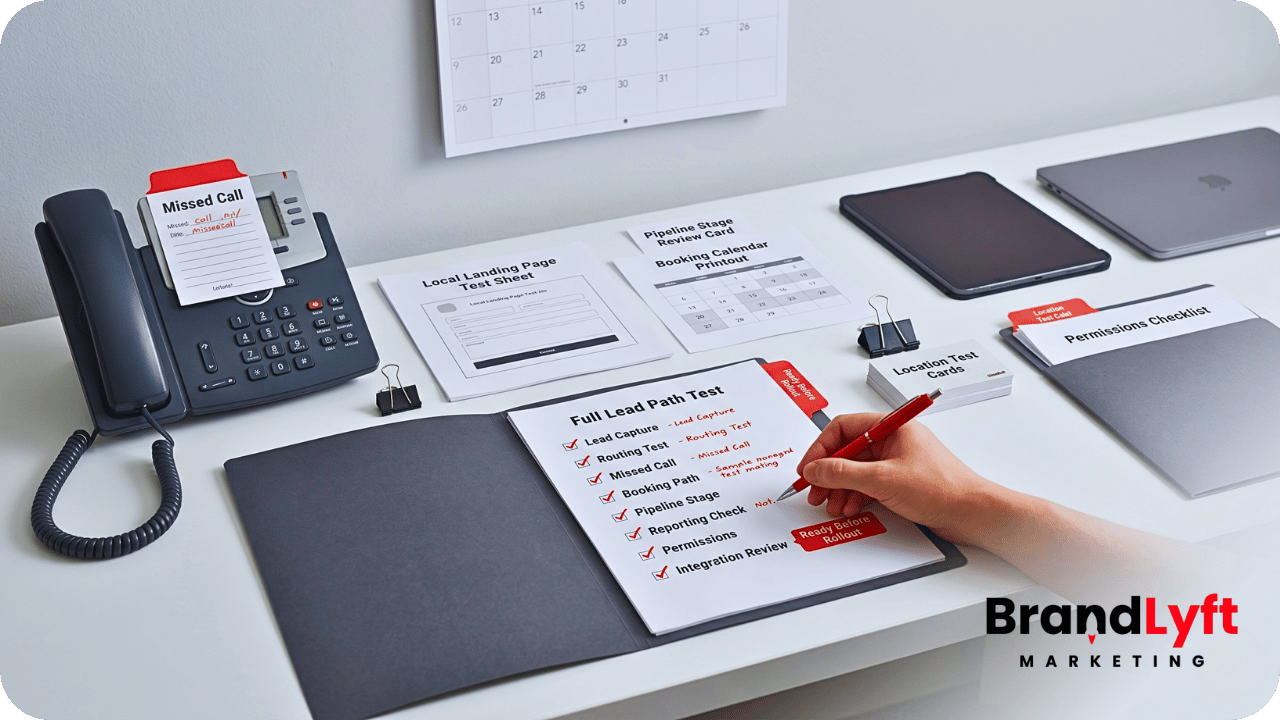
    Checklist Item 11: Test the Full Lead Path Before the Next Location Goes Live

    The final checklist item is a full lead-path test.

    Do not only check workflows one by one.

    Test the buyer journey from entry to outcome.

    Submit a test lead through each major source. Call the location after hours. Trigger a missed call. Book an appointment. Reply to the first automated message. Let a task become overdue. Move an opportunity through the pipeline. Check what corporate can see afterward.

    The goal is to find the breaks before the next location copies them.

    A full test should answer:

    • Did the lead enter with clean source data?
    • Did the right location receive it?
    • Did the right person get the next action?
    • Did the first response happen fast enough?
    • Did the booking path match the location?
    • Did the pipeline update correctly?
    • Did reporting show what happened?
    • Did the fallback path catch stalled activity?

    If the account fails this test, the next location should wait.

    That delay is not wasted time. It prevents the franchise from copying a broken handoff into another branch.

    What BrandLyft Looks For Before a Multi-Location GHL Expansion

    When BrandLyft reviews a GoHighLevel multi-location setup, the first question is not “Can we add another location?”

    The better question is “Should this setup be copied yet?”

    A review may cover lead capture, routing, missed-call recovery, pipeline stages, calendars, reporting, permissions, user roles, team usage, integrations, workflow naming, templates, source tracking, and fallback rules.

    The review may show that the account only needs cleanup.

    It may show that some workflows need tightening. It may show that reporting needs better inputs. It may show that each location needs a clearer owner. It may also show that the current setup was patched too many times and needs deeper rebuild work before expansion.

    That distinction matters.

    A franchise does not need to slow down for the sake of being careful. It needs to slow down when speed would copy the same operational mistakes into more locations.

    BrandLyft’s GoHighLevel for Franchises team helps franchise and multi-location brands review the system before the same gaps spread wider.

    Do Not Add Locations to a Setup You Do Not Trust Yet

    Use the GoHighLevel Implementation Playbook to review workflows, routing, calendars, permissions, pipelines, reporting, integrations, and launch readiness before the next location goes live.

    Use the Setup Playbook
    Review the Expansion Path

    FAQ About GoHighLevel Multi-Location Setup

    What should a GoHighLevel multi-location setup include?

    A GoHighLevel multi-location setup should include clean lead capture, location routing, missed-call recovery, standard pipeline stages, calendar rules, reporting visibility, user permissions, team usage rules, integrations, and a clear corporate-to-local handoff.

    When should a franchise clean up GHL before adding more locations?

    A franchise should clean up GHL before adding more locations when current branches use the system inconsistently, leads need manual reassignment, reporting feels hard to trust, missed calls sit too long, or local teams work outside the CRM.

    Should every location use the exact same GHL setup?

    Every location should follow the same core structure, but not every detail has to be identical. The franchise may need location-specific calendars, users, service areas, routing rules, and staffing logic while keeping shared reporting and pipeline definitions consistent.

    Can BrandLyft help review a live GHL account before expansion?

    Yes. BrandLyft can review a live GHL account before more locations get added. The review should look at the full handoff from lead capture to routing, follow-up, booking, pipeline movement, reporting, team usage, and integrations.

    The Real Checklist Question: Should This Setup Be Copied?

    A GoHighLevel multi-location setup does not fail only because more locations get added.

    It fails when the franchise copies a setup that was already unclear.

    Before the next rollout, look at the account honestly.

    Can every location capture leads cleanly? Can the right branch receive the lead? Can missed calls trigger real follow-up? Can pipeline stages mean the same thing everywhere? Can owners see what happens after a lead arrives? Can local teams use the system without creating side processes? Can integrations protect the handoff instead of adding duplicate work?

    If the answer is yes, expansion gets safer.

    If the answer is no, the next location may only make the problem harder to fix.

    Do the cleanup first.

    Then add locations to a system the franchise can actually trust.

  • GoHighLevel Integrations for Franchise Brands With Multiple Locations

    GoHighLevel Integrations for Franchise Brands With Multiple Locations

    GoHighLevel Integrations for Franchise Brands With Multiple Locations

    GoHighLevel integrations for franchise brands matter most when GHL is already part of the system, but the rest of the business still runs somewhere else.

    The franchise may use GoHighLevel for lead capture, follow-up, texts, forms, campaigns, pipelines, or reporting. At the same time, booking, dispatch, job management, memberships, front desk activity, advertising data, customer records, or local reporting may live in another platform.

    That is where the integration problem starts.

    GHL can look active while the franchise still has disconnected systems behind it. Leads enter one place. Appointments get booked somewhere else. Job details live in another system. Local teams update records manually. Corporate tries to compare location performance from reports that do not agree.

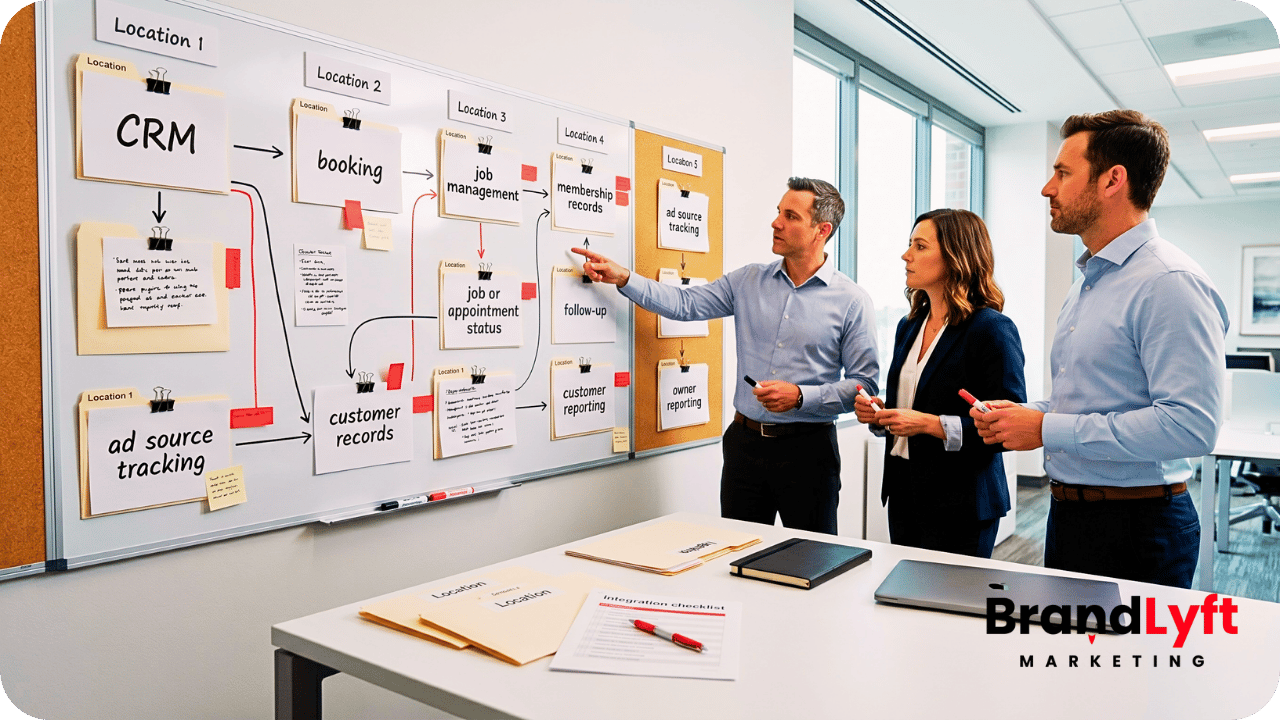
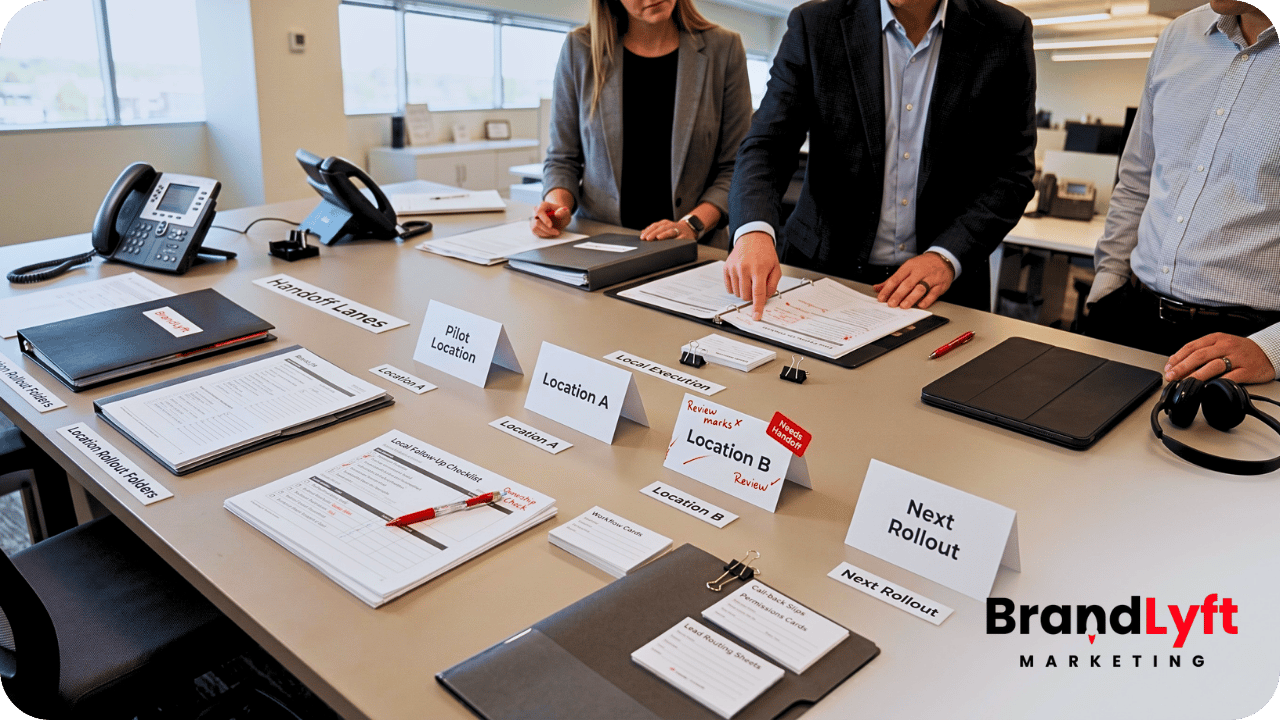
    GoHighLevel integrations for franchise brands showing connected CRM booking reporting and location systems

    The point is not that every franchise needs a complicated integration project.

    The point is simpler: if GoHighLevel does not connect cleanly to the systems that already run the franchise, the setup may never give owners the full picture.

    Good integrations help the franchise see what happened from first lead to booked appointment, service request, customer record, follow-up, and location-level reporting.

    Weak integrations create the opposite problem. They add another active tool without connecting the real operating flow.

    Before You Connect More Tools, Map the Real Handoff

    The GoHighLevel Implementation Playbook helps franchise teams review the systems, workflows, handoffs, and reporting paths that need to be clear before integrations spread across more locations.

    Use the Integration Playbook
    Map the Franchise Gaps

    Why GoHighLevel Integrations for Franchise Brands Get Messy

    GoHighLevel integrations for franchise brands get messy when the team starts connecting tools before naming the operating rules.

    That is common in multi-location systems.

    A franchise may add GHL after the business already uses ServiceTitan, JobNimbus, Mindbody, Boulevard, Nextdoor, a call platform, a booking tool, a payment system, a reporting dashboard, or a custom database.

    Each tool may have a real job.

    Service businesses may depend on a field service or job system. Wellness franchises may depend on a booking and membership platform. Home service brands may need estimate, dispatch, and job status data. Local marketing teams may need ad source data from platforms like Nextdoor or other location-based channels.

    GHL can support the revenue path, but it does not automatically become the source of truth for every part of the franchise.

    That is why integration planning matters.

    The team has to decide what GHL should own, what another platform should own, what data needs to move between them, and what should happen when the data does not match.

    BrandLyft’s GoHighLevel for Franchises work is built around that kind of rollout logic. The goal is not just to turn on GHL. The goal is to make it fit how the franchise actually sells, books, follows up, reports, and supports locations.

    What GoHighLevel Should Own in a Franchise System

    Before a franchise connects GHL to outside tools, leadership should decide what role GHL should play.

    For many franchise brands, GHL works best as the lead capture, follow-up, pipeline, automation, and communication layer.

    That may include forms, landing pages, call tracking, SMS, email, appointment reminders, nurture, reactivation, lead routing, local follow-up, opportunity stages, and owner-level reporting.

    Another platform may still handle scheduling, jobs, technicians, memberships, payments, inventory, service notes, client profiles, or operational records.

    That split is not a problem by itself.

    The problem starts when the split is unclear.

    If GHL creates a lead, but the booking platform owns the appointment, the integration needs to answer a few practical questions. Does the booking status return to GHL? Does the pipeline update? Does the local team get a task? Does the owner see the appointment by location? Does the no-show trigger follow-up?

    Without those answers, the franchise may end up with two systems that both look active but tell different stories.

    GoHighLevel integrations for franchise brands should reduce confusion. They should not create another place where teams have to check manually.

    Integration Gap 1: Lead Sources Do Not Carry Clean Location Data

    Many franchise integration problems begin with lead source data.

    A lead may come from a corporate landing page, local page, paid ad, marketplace listing, referral campaign, missed call, chat widget, or event form. If that lead enters GHL without clean location data, the rest of the setup starts weak.

    The integration may not know which branch should receive the lead.

    The pipeline may not know which location owns the opportunity. The reporting may count the lead under corporate instead of the local team. The follow-up workflow may fire, but the wrong manager may receive the alert.

    This is why field mapping matters.

    Every serious franchise integration should decide which fields carry location identity. That may include location name, location ID, market, region, ZIP code, service area, owner group, lead source, campaign, booking type, or platform source.

    If those fields stay inconsistent, every connected system inherits the problem.

    BrandLyft’s Speed to Lead work connects directly to this issue. Fast follow-up only works when the system knows which location should respond and who owns the next step.

    Integration Gap 2: Booking Platforms Do Not Feed the Pipeline

    Booking data often lives outside GHL.

    That is normal for many franchise businesses. Appointment-based brands may use a separate booking platform. Home service brands may use job scheduling or dispatch software. Wellness, spa, fitness, and med-adjacent brands may have a front desk or membership platform that holds booking activity.

    The problem is not that booking happens outside GHL.

    The problem is that GHL reporting and follow-up may never receive the booking result.

    A lead can book an appointment in another system while the GHL pipeline still shows the person as a new lead. Another lead may cancel or no-show while GHL keeps sending reminders that no longer match reality. A location may have strong booking performance, but corporate cannot see it clearly inside the CRM.

    That is where integration logic matters.

    HighLevel supports API and webhook paths that can help send or receive data between systems. Its developer documentation covers REST API resources, and its outbound webhook workflow action explains how GHL can send contact data to external services in real time.

    The technical option is only one part of the work. The franchise still has to decide what a booking should do inside GHL.

    Should it move the opportunity? Should it stop a nurture workflow? Should it alert the location? Should it trigger prep messages? Should it show up in a location-level report?

    GoHighLevel integrations for franchise brands work better when every integration event has a clear business meaning.

    Integration Gap 3: Job and Service Systems Hold the Real Outcome

    For service-based franchises, the most valuable outcome may not happen inside GHL.

    The lead may enter through GHL, but the real work may happen in a job system, dispatch platform, estimate tool, or field service platform.

    That creates a reporting gap.

    GHL may know that a lead came in. The job system may know that the estimate was scheduled, completed, sold, delayed, canceled, or lost. If those systems do not share enough information, corporate cannot see the full path from lead to revenue.

    This matters for platforms like ServiceTitan and JobNimbus because many franchise or multi-location service businesses may already depend on those systems for job management, estimates, production, dispatch, or service records.

    ServiceTitan has developer/API resources for building integrations, and JobNimbus documents an Open API for custom integrations when its existing catalog does not cover the needed connection. For franchise teams, those resources matter because the system connection may need to reflect how the business actually tracks jobs and outcomes.

    In practice, the integration does not always need to sync everything.

    A cleaner plan may only pass the fields that support follow-up, reporting, and ownership. That may include job status, estimate booked, appointment completed, sale won, sale lost, cancellation, no-show, or customer type.

    BrandLyft’s Revenue System Build service fits this kind of work because integrations usually touch more than one tool. They affect pipelines, reporting, workflows, sales handoff, location ownership, and follow-up timing.

    Integration Gap 4: Membership and Package Data Stays Outside Follow-Up

    Some franchise brands do not only sell one appointment.

    They sell memberships, packages, recurring services, consultations, renewals, upgrades, or reactivation opportunities.

    That makes integration planning more important.

    If membership or package data lives in another platform, GHL may not know which contacts should receive renewal messages, winback campaigns, upgrade offers, review requests, or local follow-up.

    This is common for appointment-based franchises that depend on tools like Mindbody or Boulevard.

    Mindbody has a developer portal for wellness technology integrations, and Boulevard has developer resources for its scheduling and point-of-sale platform. Those resources do not automatically create a finished GHL setup, but they show why franchise brands should treat booking and customer-system data as part of the integration conversation.

    For example, a lead may book a first consultation, purchase a package, miss a visit, or become inactive. Each event may need a different follow-up path.

    If GHL does not receive that status, the franchise may keep sending generic messages.

    That can make follow-up feel disconnected. A current member may receive a new-lead nurture message. A lapsed customer may never enter a winback path. A local manager may not know which clients need outreach this week.

    GoHighLevel integrations for franchise brands should help the follow-up match the actual customer stage, not just the original form submission.

    Integration Gap 5: Ad and Local Platform Data Does Not Tie Back to Outcomes

    Franchise marketing teams often look at ad performance by location.

    That gets harder when ad source data, lead records, bookings, and sales outcomes sit in separate places.

    A local campaign may create leads through a platform like Nextdoor, Meta, Google, a directory, or a location-specific landing page. GHL may capture the lead. Another tool may handle booking or job outcome. Corporate may need to know which locations convert the traffic into real appointments or customers.

    If the systems do not share the right identifiers, reporting turns into guesswork.

    Nextdoor has developer resources for partners and local/community apps, and many advertising platforms offer their own conversion or data paths. The larger point is not that every ad platform needs a deep custom build. The point is that source data must survive the handoff into GHL and beyond it.

    At minimum, franchise teams should protect campaign source, location, service type, lead owner, booking result, and final outcome where possible.

    Otherwise, the marketing team may see leads, the local team may see bookings, and the owner may never see the connection clearly.

    That makes budget decisions weaker.

    The team may cut a campaign that produced good leads but suffered from poor local follow-up. It may increase spend in a market where the issue was booking capacity, not lead quality. It may blame an integration when the real issue was bad field mapping.

    Good integration planning protects the signal from source to outcome.

    Integration Gap 6: Duplicate Records Create Confusing Follow-Up

    Duplicate contacts can break trust fast.

    A franchise may have one customer record in GHL, another in a booking platform, another in a job system, and another in a payment or membership tool.

    When those records do not match, teams start guessing.

    One system may show the customer as booked. Another may show the same person as a new lead. A local rep may call someone who already scheduled. A nurture workflow may continue after the buyer converts. Corporate may see inflated lead counts because the same person entered through more than one path.

    Integrations need matching rules.

    The business should decide which identifiers matter most. Email may work in some cases. Phone number may work better in others. Location ID, customer ID, booking ID, opportunity ID, or external platform ID may also matter.

    The goal is not perfect data for its own sake.

    The goal is to stop bad data from creating bad follow-up.

    BrandLyft’s CRM and app development work can support deeper integration needs when a franchise needs custom data flow, app logic, dashboards, webhooks, or workflow behavior that basic setup does not cover.

    Integration Gap 7: Local Teams Do Not Know Which System to Trust

    Integration problems are not only technical.

    They create behavior problems inside local teams.

    When two systems disagree, team members choose the one that helps them get through the day. A front desk team may trust the booking platform. A sales rep may trust GHL. A manager may trust a spreadsheet. Corporate may trust a dashboard that local teams never update.

    That creates a quiet adoption problem.

    People stop using the system the same way. One location updates GHL carefully. Another treats it as a notification tool. Another logs notes somewhere else. Another ignores pipeline stages because the “real” status lives in the booking or job platform.

    GoHighLevel integrations for franchise brands should make the working path clearer for local teams.

    That means the team should know where to look first, where to update status, which system owns each step, and what happens automatically after a record changes.

    BrandLyft’s article on GoHighLevel for franchises and location usage connects to this issue because weak integrations often lead to inconsistent CRM adoption across locations.

    Integration Gap 8: Corporate Reporting Still Needs Manual Cleanup

    One of the main reasons franchise teams want integrations is reporting.

    Owners want to see the full path.

    Lead source. Location. Response time. Booking. Job or appointment status. Follow-up. Outcome. Adoption. Revenue signal when available.

    Integrations should make that easier.

    But many teams still end up exporting reports, cleaning spreadsheets, asking local managers for updates, and comparing numbers from several systems.

    That usually means the integration moved data without solving the reporting question.

    A strong integration plan starts with the reports leadership needs to trust. Then it works backward into fields, workflows, ownership, and source systems.

    For example, if corporate wants to compare booking rate by location, the setup needs clean lead count, location assignment, booking status, and date ranges. If owners want to see revenue influenced by campaigns, the system needs source data and outcome data. If managers want to catch stalled leads, the setup needs pipeline stage rules and task visibility.

    GoHighLevel integrations for franchise brands should make reports easier to trust, not harder to explain.

    BrandLyft’s article on GoHighLevel reporting for multi-location brands is the natural follow-up for teams that need better owner-level visibility after the integration path is mapped.

    What a Clean Franchise Integration Plan Should Decide

    A clean integration plan should answer practical questions before anyone connects tools.

    Start with the role of each system.

    Which system captures the lead? Which system owns the appointment? Which system owns the job, ticket, consultation, membership, or service record? Which system owns follow-up? Which system should leadership use for reporting?

    Then define the data that needs to move.

    That may include contact details, location ID, service type, appointment time, booking status, job status, membership status, campaign source, pipeline stage, owner, follow-up status, or outcome.

    Next, define the trigger points.

    What should happen when a lead enters GHL? What should happen when someone books? What should happen when a job closes? What should happen when a customer no-shows? What should happen when a package expires? What should happen when a location fails to follow up?

    Finally, define the fallback path.

    Integrations fail sometimes. APIs change. Fields get renamed. Staff members enter data incorrectly. A tool may not send the expected value. A workflow may fire without the status needed for the next step.

    The franchise needs a way to catch those breaks before they become lost leads or bad reports.

    HighLevel’s inbound webhook workflow trigger can receive outside data into workflows, and its outbound webhook action can send data out. Those tools are useful, but the business rules still matter more than the connection method.

    What BrandLyft Looks For in GoHighLevel Integrations for Franchise Brands

    When BrandLyft reviews GoHighLevel integrations for franchise brands, the first question is not “Can these tools connect?”

    The better question is “What business handoff should this connection protect?”

    A good integration should support a real workflow, not just move data because it can.

    BrandLyft looks at lead sources, location rules, field mapping, source-of-truth decisions, booking status, pipeline movement, follow-up logic, missed-call handling, local team behavior, owner reporting, permissions, duplicate records, and fallback paths.

    The review may show that a native connection is enough. It may show that a webhook path makes sense. It may require API work. It may need middleware. It may reveal that the real fix is not an integration at all, but cleaner process rules inside GHL.

    That distinction matters.

    Some franchise teams try to solve unclear ownership with another connection. That usually creates more noise. The better move is to define the handoff first, then decide what should connect.

    BrandLyft’s GoHighLevel Partner team can help review the account when GHL is already live but the connected systems still feel disconnected.

    Your Integrations Should Protect the Handoff, Not Add Noise

    Use the Franchise GHL Optimization Map to check where lead capture, booking, job status, follow-up, reporting, and location ownership need cleaner connection logic.

    Check Integration Gaps
    Walk Through the Systems

    FAQ About GoHighLevel Integrations for Franchise Brands

    What are GoHighLevel integrations for franchise brands?

    GoHighLevel integrations for franchise brands connect GHL with the other systems a franchise uses for booking, jobs, memberships, ads, reporting, follow-up, or customer records. The goal is to help the business move cleaner data across locations and reduce manual handoff problems.

    Does every franchise need custom GHL integrations?

    No. Some franchise brands only need cleaner GHL workflows, better fields, stronger routing, and clearer reporting. Others need native connections, webhook logic, API work, middleware, or custom app support because key data lives in another platform.

    Which systems might franchise brands connect to GoHighLevel?

    Common examples include booking platforms, job systems, field service tools, ad platforms, payment tools, membership systems, call tracking, dashboards, and custom databases. Some franchise brands may need to account for systems like ServiceTitan, JobNimbus, Mindbody, Boulevard, Nextdoor, or similar platforms.

    What should a franchise decide before building an integration?

    A franchise should decide which system owns the lead, booking, job, customer record, follow-up, and reporting view. It should also define required fields, trigger points, location IDs, duplicate rules, and fallback paths before connecting tools.

    The Real Goal Is Cleaner Franchise Visibility

    GoHighLevel integrations for franchise brands should not start with tools.

    They should start with the handoff.

    Where does the lead enter? Which location owns it? Where does booking happen? Which system holds the real outcome? What should GHL know? What should the other platform know? What does corporate need to see?

    When those answers stay unclear, integrations usually create more noise.

    When those answers are clear, GHL can become a stronger part of the franchise operating system. It can help capture leads, support follow-up, connect location activity, and give owners cleaner visibility across the brand.

    The right integration does not just move data.

    It protects the path from lead to booked appointment, customer outcome, local follow-up, and owner-level reporting.

    If your franchise already uses GHL but still relies on disconnected tools, manual exports, duplicate records, or inconsistent location updates, start by mapping the handoff before adding another connection.

    The fix may not be more software.

    It may be cleaner integration logic around the systems your franchise already uses.

  • GoHighLevel for Franchises: What It Actually Takes to Deploy GHL Across Every Location

    GoHighLevel for Franchises: What It Actually Takes to Deploy GHL Across Every Location

    GoHighLevel for franchises is not hard because franchise teams do not understand CRM.

    It is hard because every location has to use the same system without losing the local handoff that makes follow-up actually happen.

    That is the part most generic GHL pitches skip.

    A franchise marketing director does not need another explanation of what pipelines, forms, calendars, workflows, and dashboards are. An operations lead does not need another sales demo promising that GoHighLevel can replace a messy stack. An emerging franchise founder does not need a feature tour.

    They need to know what it actually takes to deploy GoHighLevel for franchises across every location without creating a support mess, reporting problem, or location-level adoption failure.

    Because a franchise GHL deployment can look clean from the corporate side and still break inside daily location work.

    The snapshot imports. The workflows exist. The pipeline stages match. The calendars are connected. The dashboards look active. But one location follows the system, another works from memory, another keeps side notes, and another stops trusting the CRM after a few bad handoffs.

    That is not a software problem only.

    That is a deployment problem.

    A real GoHighLevel for franchises rollout has to protect corporate visibility and local execution at the same time.

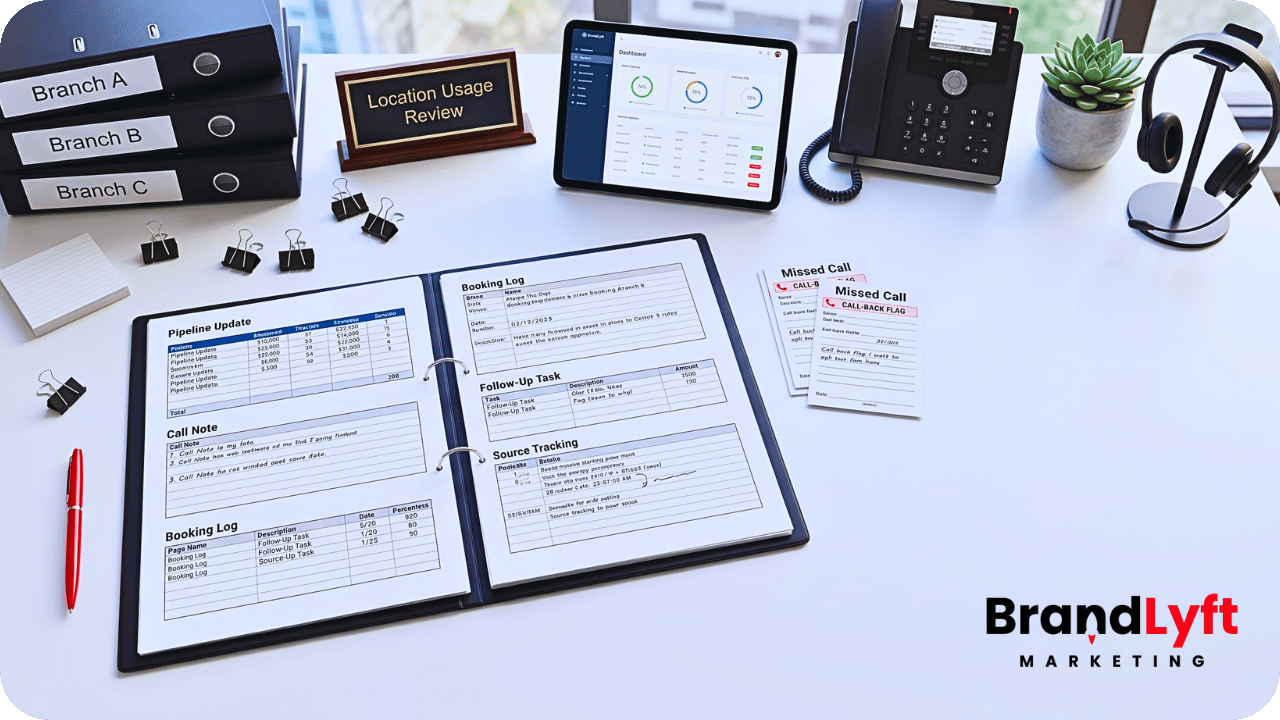
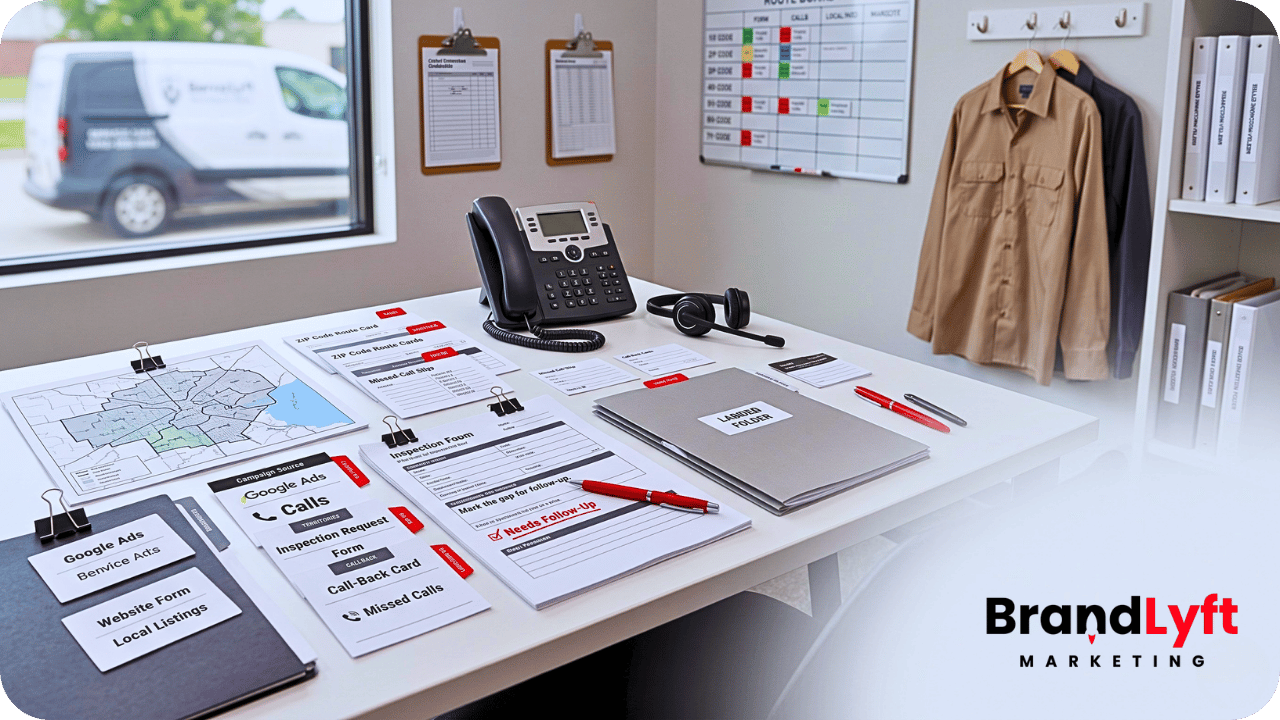
    GoHighLevel for franchises deployment across every location

    Rollout Scan

    Before GHL Touches Every Location, Check the Weak Spots

    The Franchise GHL Optimization Map helps you review routing, permissions, workflows, calendars, reporting, and location-level follow-up before the rollout gets copied wider.

    Scan the Rollout

    Why GoHighLevel for Franchises Is Not Just a Bigger GHL Setup

    A single-location GHL setup can survive a little mess.

    A franchise rollout usually cannot.

    If one location has a confusing pipeline, the manager can still chase updates. If one location forgets to tag lead sources, the damage is limited. If one location has a shaky follow-up workflow, someone can manually catch issues for a while.

    But once the same messy setup gets copied across ten, twenty, or fifty locations, small problems become operational drag.

    Lead routing gets inconsistent. Reporting gets harder to trust. Local teams start working around the CRM. Corporate loses visibility. Managers blame training when the real problem is that the rollout was never designed around how each location handles leads.

    That is why GoHighLevel for franchises needs a deployment model, not just a buildout checklist.

    BrandLyft’s franchise CRM setup support fits this exact problem because multi-location GHL work needs structure, permissions, local ownership, reporting, and launch sequencing. It cannot be treated like one account copied over and over.

    Start With the Franchise Operating Model Before Touching Workflows

    The first question is not “what can GoHighLevel do?”

    The first question is “how does this franchise actually run?”

    Corporate may own the brand standards, templates, messaging rules, reporting requirements, campaign structure, and shared workflow logic. Local teams may own appointment handling, service-area realities, front-desk follow-up, local notes, daily pipeline updates, and stuck-lead recovery.

    That split needs to be decided before the GHL deployment begins.

    If corporate controls too much, location teams may feel boxed into a system that does not match real work. If every location gets too much freedom, the franchise loses reporting consistency and brand control.

    A strong rollout defines what stays shared and what stays local.

    For GoHighLevel for franchises, shared structure usually includes pipeline definitions, naming conventions, brand templates, core workflows, source tracking rules, standard dashboards, and required follow-up windows.

    Local ownership usually includes who gets the lead, who calls first, who handles missed calls, who updates the pipeline, who manages booking exceptions, and who watches stale opportunities.

    If that line is blurry, the system will feel blurry too.

    Build the Location Structure Before the Franchise Rollout

    Every franchise team needs to decide how GHL will be organized across the footprint.

    Some locations may need separate sub-accounts. Some users may need access to more than one location. Corporate may need reporting visibility without giving every user agency-level access. Regional leaders may need access to a group of locations but not the whole system.

    This is where permissions become part of the rollout, not an admin afterthought.

    HighLevel’s official user access and permissions docs cover agency and sub-account access, assigned data, account-level users, and ways to manage multiple locations without giving someone full agency access. Those details matter for franchise teams because access design shapes how safely and cleanly each location can work inside the platform. Review HighLevel’s user access documentation before giving every franchise user the same view.

    A practical GoHighLevel for franchises deployment should answer these questions early:

    • Who needs access across all locations?
    • Who needs access to only one location?
    • Who manages local users?
    • Who can edit workflows?
    • Who can edit pipelines?
    • Who can export reporting data?
    • Who owns failed handoffs or stalled opportunities?

    If those answers are not clear, the rollout can create more risk every time a new location gets added.

    Design Pipeline Standards Before Teams Start Using the CRM

    Pipeline consistency is one of the fastest ways a franchise deployment either works or drifts.

    Every location may technically have the same stages. But if those stages mean different things in daily work, the reporting will still be weak.

    For example, “contacted” may mean one call attempt at one location and an actual conversation at another. “Booked” may mean the calendar event exists in one location and the customer confirmed in another. “Lost” may mean the lead said no, went cold, or was never reached.

    The pipeline looks consistent from corporate.

    The behavior is not.

    That is why GoHighLevel for franchises needs shared stage definitions before launch.

    Each stage should have a plain meaning, a required action, an owner, and a next step. If a location manager cannot explain when to move a lead, the stage is not ready for rollout.

    BrandLyft’s article on a stalled GoHighLevel account connects directly here because stalled accounts often leak leads through weak pipeline logic, broken handoff, and low team trust.

    Set Lead Routing Rules Before Real Leads Move Through the System

    Lead routing is where franchise CRM deployments become real.

    A franchise may have corporate campaigns, local landing pages, paid ads by region, local phone numbers, form fills, missed calls, chat conversations, referral partners, and third-party lead sources.

    All of those leads need somewhere to go.

    The system needs to know which location owns the lead, which user gets the alert, which pipeline receives the opportunity, what first response should happen, and what happens if the lead is not touched fast enough.

    Without clear routing, the CRM becomes a shared storage bin.

    That is dangerous for a franchise because local teams may assume corporate is watching, while corporate assumes the location is handling it.

    A serious GoHighLevel for franchises rollout should define routing by location, service area, lead source, ownership, availability, and follow-up window.

    If speed matters, the system also needs escalation rules. A hot lead should not sit quietly because one user missed a notification. BrandLyft’s Speed to Lead service fits this part of the rollout because fast response only works when routing and ownership are already clear.

    Build Workflows Around Ownership, Not Just Automation

    A workflow can make a clean process faster.

    It can also make a messy process harder to understand.

    That is why workflows should not be the first thing built in a franchise rollout.

    The workflow should come after the operating path is clear.

    Who owns the lead? What happens after a missed call? When does the first SMS go out? When does a task appear? Who gets notified if no one touches the lead? What message is corporate-approved? What can the location change? What should stay locked?

    HighLevel’s workflow docs describe workflows as trigger-and-action systems, and HighLevel’s trigger documentation explains that triggers initiate workflow actions based on specific events. That is useful, but franchise teams still need to decide the operational meaning behind those actions before copying workflows across locations. Review HighLevel’s workflow basics before treating workflow volume as proof that the rollout is ready.

    For GoHighLevel for franchises, shared workflows should usually cover standard lead acknowledgement, missed-call recovery, booking reminders, no-show follow-up, stale opportunity alerts, review requests, and reactivation paths.

    But shared does not mean every location gets the same owner, same calendar, same availability, or same escalation path.

    That is where a lot of franchise deployments break.

    Separate Corporate Templates From Local Follow-Up

    Franchises need message consistency.

    Locations need practical follow-up.

    Those are not the same thing.

    Corporate may want approved messaging for first responses, nurture, reactivation, review requests, and campaign follow-up. That makes sense. The brand should not have ten locations writing ten different versions of the same offer or appointment reminder.

    But local teams still need a clear way to handle real conversations.

    A lead may ask a location-specific question. A staff member may need to confirm availability. A manager may need to recover a missed call. A customer may reply after hours. A local team may need to know which message fired before they step in.

    If the system hides too much behind corporate-controlled automation, local teams stop trusting it.

    A better GoHighLevel for franchises deployment gives corporate control over the core templates while keeping local follow-up visible, assigned, and easy to act on.

    BrandLyft’s AI Conversational Bot service also fits this discussion when the goal is to keep SMS, social DMs, and missed-call follow-up connected inside GoHighLevel without removing human ownership from local teams.

    Use Calendars Carefully Across Locations

    Calendar setup can look simple until the franchise has different services, staff schedules, appointment types, rooms, local rules, and booking paths.

    A shared calendar pattern may work for one location and fail in another.

    One location may need round-robin booking. Another may need service calendars. Another may need staff-level availability. Another may need buffers before and after appointments. Another may need linked calendars and conflict calendars to stop double bookings.

    HighLevel’s calendar documentation covers booking tools, calendar types, services, linked calendars, appointment notifications, integrations, and troubleshooting. That is why calendar setup should be tested by location before the deployment is treated as done. Review HighLevel’s calendar documentation before copying booking logic across every location.

    For GoHighLevel for franchises, the calendar is not only a scheduling tool.

    It is part of the lead handoff.

    If the calendar logic breaks, the follow-up path breaks too.

    Plan Reporting Before Locations Start Creating Their Own Habits

    Franchise reporting fails when every location enters data differently.

    That is true even if the dashboards look polished.

    Corporate needs reporting that answers real operating questions. Which locations respond fastest? Which locations book more qualified leads? Which campaigns are creating opportunities? Which teams are letting leads age? Which locations are working the CRM and which are working around it?

    The answers depend on clean inputs.

    If source naming changes by location, pipeline stages are used differently, users skip opportunity updates, or local managers define outcomes their own way, the dashboard becomes a guess.

    HighLevel’s custom dashboard documentation describes dashboards as configurable spaces for tracking KPIs from contacts, appointments, opportunities, calls, revenue, and more. That is useful for franchise leadership only if the rollout sets clear reporting rules before teams start creating local habits. Review HighLevel’s custom dashboard guide before building franchise reporting on messy local inputs.

    BrandLyft’s Revenue System Build service fits this layer because franchise leaders do not need another dashboard for the sake of it. They need a system that makes lead capture, routing, follow-up, attribution, pipeline visibility, and owner-level reporting easier to trust.

    Train for Adoption, Not Platform Knowledge

    Franchise teams do not need every local user to understand the whole platform.

    They need each user to understand their part of the handoff.

    That is a different kind of training.

    Corporate users need to know what standards to monitor. Regional leaders need to know how to check location performance. Local managers need to know what to review daily. Front desk or sales staff need to know where leads appear, how to respond, when to update the pipeline, and what to do when a lead stalls.

    A rollout walkthrough that only explains features will not fix adoption.

    Training has to match roles.

    For GoHighLevel for franchises, the better training questions are practical:

    • Where does a new lead show up?
    • Who owns the first response?
    • What stage should the lead enter?
    • What does the user do after a call attempt?
    • When does a manager step in?
    • Where does a location check stuck leads?
    • What does corporate review weekly?

    If teams cannot answer those questions, the deployment is not ready.

    Roll Out in Phases Instead of Copying the Setup Everywhere at Once

    A franchise-wide launch can feel efficient.

    It can also multiply mistakes fast.

    A phased rollout gives the team room to test the system with real location behavior before the whole footprint depends on it.

    Start with a pilot group. Watch how leads route. Check whether notifications make sense. Confirm that local users know what to do. See whether reporting matches reality. Find where the process creates confusion.

    Then fix the deployment before expanding.

    For GoHighLevel for franchises, this is often the safer path because franchise teams rarely find every problem during setup. They find it when real users, real leads, and real follow-up windows hit the system.

    A phased rollout turns those problems into correctable rollout feedback instead of system-wide frustration.

    What a Location-Ready GoHighLevel Deployment Should Include

    A location-ready GHL deployment should not leave local teams guessing.

    Before every location goes live, the franchise should have shared pipeline definitions, lead routing rules, location ownership, calendar logic, workflow naming, message templates, source tracking, permissions, dashboards, role-based training, and escalation rules.

    Each location should know what happens after a new lead comes in.

    Corporate should know what each location is supposed to do.

    Regional leaders should know what to review.

    Local managers should know where to find stuck opportunities.

    Front-line users should know how to work the lead without leaving the CRM.

    That is what separates a real GoHighLevel for franchises deployment from a copied setup.

    What to Fix Before Deploying GoHighLevel for Franchises

    Before the rollout expands, check the places that usually break first.

    Start with location structure. Then check user access, lead routing, pipeline definitions, calendars, workflow ownership, message templates, reporting rules, and training.

    After that, test the real lead path.

    Submit a form. Trigger a missed-call path. Book an appointment. Move an opportunity. Let a lead go stale. Watch the dashboard. Ask the local team what they would do next.

    If the system still depends on memory, side notes, or manual checking, it is not ready to deploy across every location.

    If the setup already feels messy, BrandLyft’s article on GoHighLevel setup mistakes is a useful next read because it explains how feature-first builds create weak handoff, unclear ownership, and low trust.

    Scale Check

    Do Not Copy the Same Broken Handoff Across Every Location

    If the rollout still depends on manual checking, side notes, or local memory, map the risk before more locations inherit the same gaps.

    What to Do Next

    If your franchise is evaluating GoHighLevel as the system of record, do not start with a feature list.

    Start with the operating model.

    Decide what corporate controls, what locations own, how users get access, how leads route, how calendars work, how workflows fire, how reporting gets defined, and how each team is trained.

    If the answers are still fuzzy, the deployment is not ready for every location.

    That does not mean GoHighLevel is the wrong fit.

    It means the rollout needs a better order.

    A strong GoHighLevel for franchises deployment should give corporate cleaner visibility and give local teams a system they can actually work from.

    If your current plan does not do both, book a discovery call before the same setup problems get copied across the whole footprint.

    FAQ

    What does it take to deploy GoHighLevel for franchises?

    Deploying GoHighLevel for franchises takes more than cloning one setup across every location. The rollout needs clear location structure, user permissions, lead routing, pipeline definitions, calendars, workflows, reporting rules, training, and follow-up ownership.

    Should every franchise location use the same GoHighLevel setup?

    Every location should share the same core standards, but not every local detail should be identical. Corporate should control the core structure, templates, reporting, and workflow standards. Locations still need clear ownership for follow-up, calendars, availability, and daily CRM usage.

    Why do GoHighLevel franchise rollouts fail?

    GoHighLevel franchise rollouts usually fail when the system is copied across locations without clear ownership, permissions, routing, reporting definitions, and local training. The tool may be installed, but the operating model is still unclear.

    When should a franchise hire a GoHighLevel partner?

    A franchise should consider hiring a GoHighLevel partner when the rollout involves multiple locations, shared workflows, local follow-up, user permissions, reporting visibility, integrations, speed-to-lead needs, or teams that already work around the CRM.