
Tag: CRM migration

  • GoHighLevel Phone Number Migration – What to Test Before Calls and SMS Move to a New Account

    GoHighLevel Phone Number Migration – What to Test Before Calls and SMS Move to a New Account

    A GoHighLevel phone number migration can look finished while the part customers actually use is still broken.

    The contacts may be in the new account. Pipelines may open correctly. Workflows may be published. None of that proves the business can still receive a call, place an outbound call from the expected number, send a text, receive a reply, or recover a missed call after the phone layer moves.

    That is the cutover to test. Before the old setup is disconnected, the business needs to prove that every number it intends to keep still reaches the right people and still behaves correctly across voice, SMS, routing, voicemail, and automation.

    First, identify what kind of phone-number move this actually is

    “Move the number” can describe several different jobs inside and around HighLevel.

    A number may be reassigned between sub-accounts under the same agency. It may move between different agencies or phone providers. An established business number may be ported from an outside carrier into HighLevel. The business may also decide not to move an old number at all and instead provision a new one.

    Those are not interchangeable cutovers. HighLevel currently documents separate paths for same-agency moves, cross-account or provider migrations, and external-carrier ports. The first useful step in a GoHighLevel phone number migration is therefore not clicking a transfer button. It is identifying which case applies to each number.

    SituationWhat is changingMain cutover risk
    Same-agency number moveThe number is reassigned to another sub-accountRouting, assignments, messaging registration, or workflow senders no longer match the destination
    Agency or provider migrationThe number changes account or phone-system ownershipThe number arrives, but call and SMS behavior is not rebuilt around it
    External carrier portAn existing business number moves from another carrier into HighLevelThe old carrier is cancelled too early or the port completes before destination testing is ready
    New numberA fresh number replaces or supplements the old lineCustomers, ads, listings, workflows, and staff keep using the old number

    HighLevel’s current phone-number migration guide is worth checking before the cutover because the supported process depends on where the number lives now and where it is going.

    Build the number inventory before anyone changes routing

    Businesses often know their main phone number and forget the rest of the phone system around it.

    A location may have a sales line, a support number, tracking numbers used in campaigns, a toll-free line, department numbers, numbers assigned to specific users, and older numbers that still receive real customer calls. Some may send SMS. Some may exist only for inbound voice. Others may be referenced inside a workflow nobody has opened in months.

    For each number, record what it is for, where it lives today, whether it must be kept, who should answer it, what should happen after hours, whether it sends SMS, whether a workflow names it explicitly, and what public places still show it.

    This is also where number ownership needs to become clear. A business should know whether the number is controlled inside LC Phone, tied to a Twilio setup, held by an outside carrier, or sitting in an account somebody else owns. That fact changes the migration path and the fallback options.

    If the wider account is being rebuilt at the same time, BrandLyft’s GoHighLevel buildout timeline covers the broader launch sequence. This article stays narrower: the phone layer does not pass until the live numbers work in the destination.

    Inbound calling has to be tested beyond “the phone rang”

    An inbound call reaching somebody once is a useful start. It is not enough.

    The same number may behave differently depending on the assigned user, ring group, forwarding setup, call menu, business hours, timeout, voicemail settings, or backup handling. HighLevel also supports working-hours routing that can skip a user outside the selected schedule and send the call to the number’s existing backup path.

    That creates several ways for a migration to appear fine during a daytime test and fail later that evening.

    Call each migrated number from a phone outside the business. Let one call get answered. Let another time out. Test the number after hours. Confirm the correct users ring, the correct backup behavior starts, voicemail lands where expected, and the caller does not disappear into a line nobody monitors.

    If the business uses a menu or routing tree, test every option that real callers use. Do not stop after pressing the first extension.

    Outbound caller identity can fail while inbound routing looks perfect

    A migrated number may receive calls correctly while staff place outbound calls from the wrong number.

    That matters because the customer may see a number they do not recognize, call back into the wrong line, or continue an existing conversation under a different identity than the business intended.

    Test outbound calling from the actual users who will place calls after cutover. Check what number appears to the recipient. Then call it back.

    User assignments deserve attention here. HighLevel lets businesses assign LC Phone numbers to individual users or shared groups, so a number reaching the destination account does not automatically prove those assignments match the new operating setup.

    For multi-location or department setups, repeat the outbound test by location or role. A central office, local branch, estimator, sales rep, and support team may not be supposed to present the same number.

    SMS needs a separate GoHighLevel phone number migration test

    Voice working does not prove SMS works.

    Send a text from the destination account to a real test handset. Reply from that handset. Confirm the reply returns to the correct conversation and can be seen by the people expected to handle it.

    Then test the automated paths.

    HighLevel can choose an SMS sender from several possible numbers, and a workflow Send SMS action can name a specific “From Number.” A rebuilt account can therefore contain a perfectly valid workflow that still points to a number the business did not move, did not register, or no longer wants to use.

    Missed-call text back deserves the same attention. HighLevel’s current setup uses the default number for that feature. If the default number changed during migration, the missed-call acknowledgement may change with it.

    Do not treat messaging registration as a one-time box that must follow every number automatically. A2P 10DLC, toll-free verification, and country-specific requirements can behave differently depending on the migration path. HighLevel’s current guidance specifically warns that some A2P registrations or number-to-campaign relationships do not carry through certain moves. After cutover, confirm the destination account has the required registration and that each applicable number is attached correctly before relying on live SMS.

    For US local messaging, HighLevel’s A2P campaign-linking guide explains the number-to-campaign relationship that should be checked after a move.

    Workflows may still contain the old phone setup

    A phone cutover can fail without any phone setting looking wrong.

    The problem may be inside automation.

    Search the workflows that send SMS, trigger from calls, recover missed calls, notify staff, route replies, create callbacks, or use location-specific communication. Check whether the sender is fixed to one phone number, inherited from another setting, or expected to come from the assigned user.

    Do the same with voicemail notifications, internal alerts, call menus, forwarding rules, and any outside tool that still stores the old number.

    This is where a rebuilt CRM often exposes an awkward truth: the number itself moved, but the business logic around the number did not.

    That is also why this work fits the operating side of BrandLyft’s GoHighLevel Partner support. A phone migration is rarely just telecom when the same numbers drive workflows, lead ownership, response paths, and customer conversations.

    Test the paths that are easiest to miss during a clean cutover

    A cutover test should imitate normal customer behavior, not only prove that one technician can make one successful call.

    Use the real team and the real routing hours. If the company has several locations, repeat the test against each location number. If one number serves several departments, test each route.

    A practical cutover set should prove these situations:

    • Inbound calling reaches the intended person or group.
    • If nobody answers, the call reaches the correct voicemail or backup path.
    • After-hours calling follows the intended schedule.
    • Outbound calling presents the intended business number.
    • An outbound SMS reaches the test handset from the intended sender.
    • An inbound SMS reply returns to the correct conversation.
    • A workflow-generated SMS uses the intended number.
    • A missed call triggers the expected recovery behavior when that feature is part of the setup.

    Record the result against each number instead of relying on memory. When one test fails, the team should know whether the failure came from routing, user assignment, SMS registration, sender selection, workflow logic, or the migration itself.

    Do not disconnect the old phone setup just because the move says complete

    A carrier, support ticket, or HighLevel screen can tell you the number moved. The business still needs its own signoff.

    Before the old setup is cancelled or disconnected, confirm the destination account shows every expected number and that inbound voice, outbound voice, outbound SMS, inbound SMS, routing, voicemail, after-hours handling, and required automated messages have been tested.

    If the business ported a number from an outside carrier, keep the losing service active until the port has actually completed. HighLevel’s current porting guidance warns against cancelling the old carrier early and notes that a brief service impact can still happen during the port window.
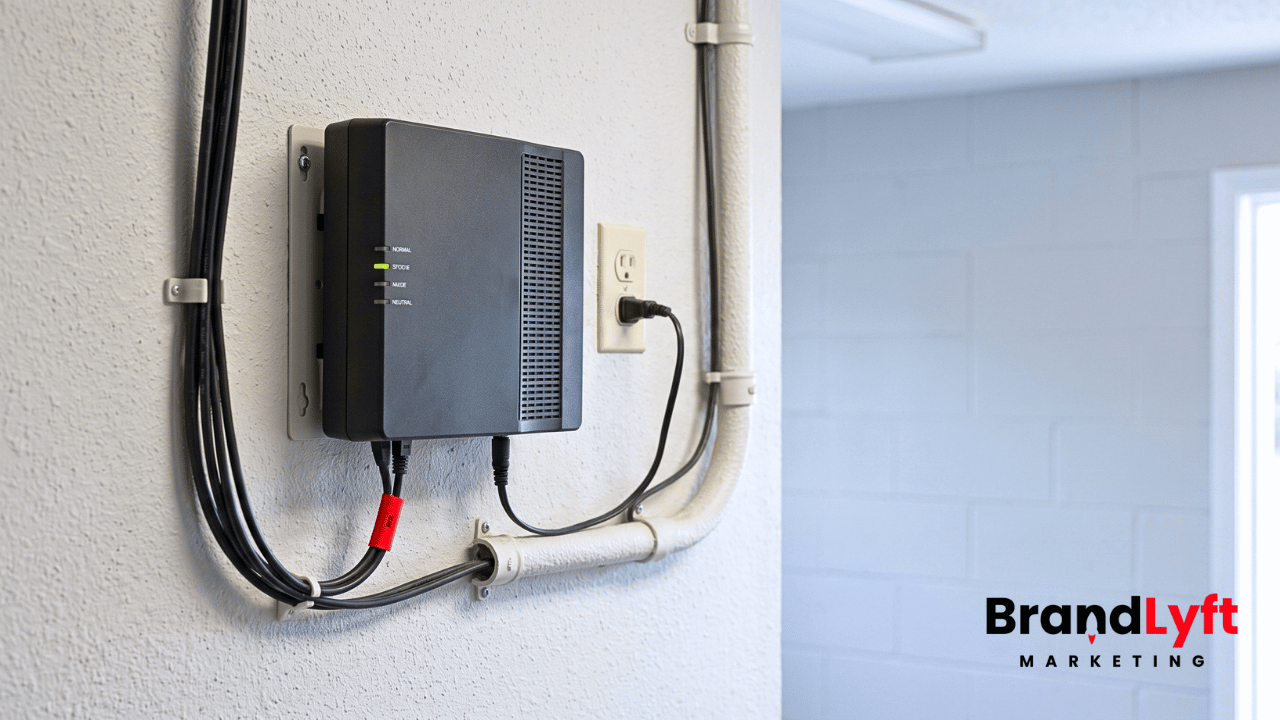
    Existing carrier voice gateway left powered and connected during a phone-number migration cutover.
    Keep the losing carrier active until the port is complete and the destination has passed its real-world tests.

    Historical call recordings and voicemail assets also need separate thought. Current HighLevel migration guidance says those historical assets may not move with the phone number in some migration cases. If they matter, download what the business needs before the old account or provider becomes inaccessible.

    A rollback plan should exist before the cutover window starts

    The worst time to decide what “go back” means is after the business line stops receiving calls.

    Write down who owns the migration, who can contact the carrier or HighLevel, which old services must remain active during the window, how the team will communicate if SMS is unavailable, and what temporary routing option is acceptable if the final state cannot be restored immediately.

    Do not promise that every migration can be reversed instantly. HighLevel’s current migration guidance says rollback options depend on the carrier and timing. The useful plan is therefore not “we can always undo it.” It is knowing what fallback the business can live with while the underlying move is corrected.

    That may mean keeping an old line active, using a temporary forwarding path where appropriate, giving staff a backup outbound number, or scheduling the cutover when somebody can test and respond to failures immediately.

    The phone cutover is finished when customers can reach the same business again

    A GoHighLevel phone number migration should not be signed off because the number appears in the new account.

    It is finished when the number still does its job.

    Customers can call it. Staff can call out from the correct identity. Texts go out and replies come back. After-hours behavior still makes sense. Missed calls still have a recovery path. Workflows use the intended sender. Location and department numbers reach the right people. The old setup can be disconnected without removing something the business still depends on.

    If the phone layer is part of a larger rebuild, BrandLyft’s Revenue System Build is the broader implementation path. If the account already exists and the main question is what has to be checked, moved, or corrected inside GoHighLevel, start with the GoHighLevel Partner path.

    Move the phone layer without guessing what will survive

    Bring the current numbers, account structure, routing rules, workflows, and destination setup. BrandLyft can help trace what needs to move, what needs to be rebuilt around the number, and what must pass before the old setup is disconnected.

    Review GoHighLevel Partner Help
    Book a Discovery Call

  • What Should Happen to Open Leads During a GoHighLevel CRM Cutover?

    What Should Happen to Open Leads During a GoHighLevel CRM Cutover?

    A clean CRM import can still fail the business on cutover day.

    A lead may have an appointment tomorrow, an unread reply from this morning, and a salesperson who promised to call back at 3:00 p.m. The contact record can arrive in GoHighLevel while every one of those commitments gets lost between systems.

    That is the risk behind a GoHighLevel CRM cutover. Historical data selection matters, but active work needs a different transfer plan. The team has to know which system owns today’s lead, which messages are still allowed to send, and which next action must survive the switch.

    A successful import proves that records moved. It does not prove the business can keep working without missing a person who was already in motion.

    A CRM Cutover Is a Change in Working Ownership

    BrandLyft’s article on moving CRM data into GoHighLevel deals with a different decision: which historical records, fields, statuses, and context deserve a place in the new account.

    This article starts after that scope is known.

    The cutover question is narrower. At a specific point, the old CRM stops being the place where staff create new work. GoHighLevel becomes the system the team trusts for current leads, appointments, follow-up, and pipeline activity.

    That switch needs a named time, not a vague day.

    If sales keeps updating the old CRM until lunch while marketing assumes GHL became live at 8:00 a.m., both systems can contain different versions of the same opportunity before anyone notices. One rep may close a task in the old system. Another may send a message from GHL. A new form submission may enter the new workflow while the previous lead from the same source still waits in an old sequence.

    Pick the point when new activity changes systems. Tell the team what becomes read-only, what remains temporarily active, and who can approve an exception.

    BrandLyft’s GoHighLevel buildout timeline covers the broader work required before a new account goes live. The cutover sits inside that launch, but active commitments deserve their own review because they already belong to real people.

    Build an Active-Work Register Before the Switch

    Do not start the cutover review with every contact in the database.

    Start with work somebody still owes.

    That usually includes open opportunities, upcoming appointments, overdue or future tasks, unread conversations, promised callbacks, estimates waiting on a decision, no-shows still inside a recovery path, and leads currently sitting inside an automation that has not finished.

    The register can be simple. Each item needs enough information to answer who owns it now, what should happen next, and whether the old system is still capable of doing something after the cutover.

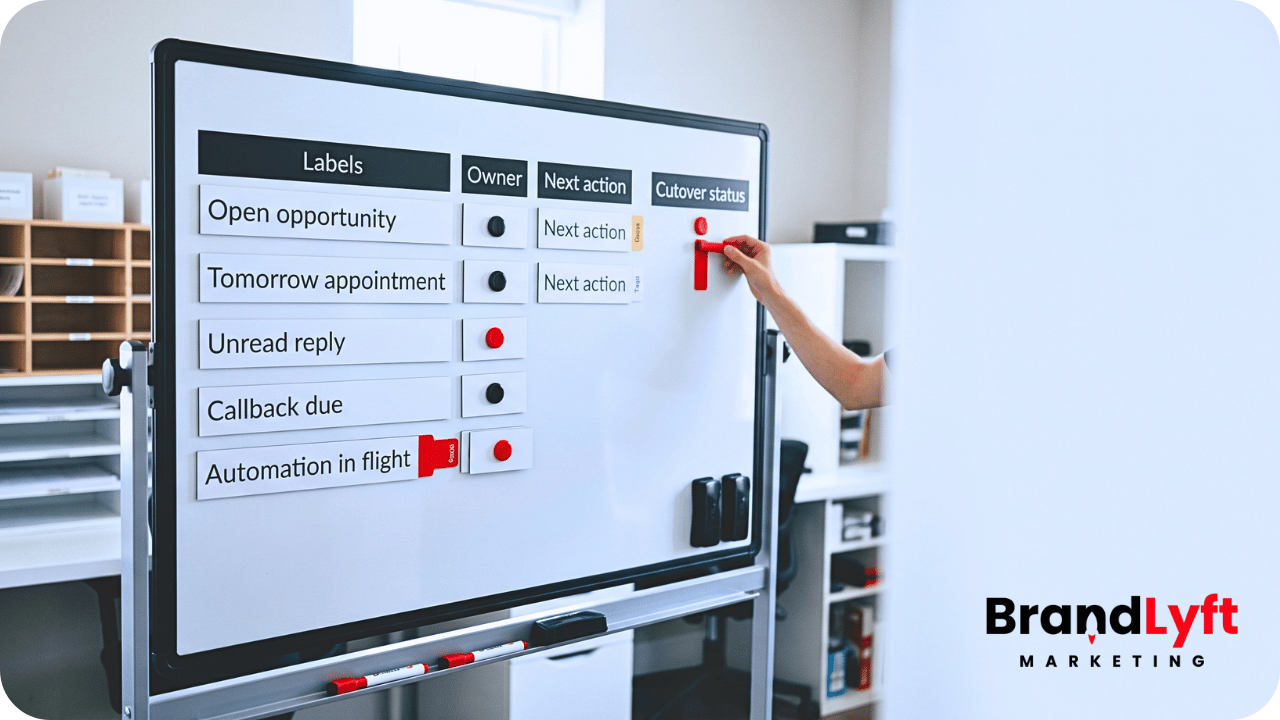
    Rolling operations board showing active opportunities, appointments, replies, and callbacks tracked during a GoHighLevel CRM cutover.
    A simple active-work register helps teams track live opportunities, appointments, replies, and follow-up during CRM cutover.
    Active itemCutover questionWhat must survive
    Open opportunityWho owns the next sales action after cutover?Owner, current stage, next action, due date, useful context
    Upcoming appointmentWhich system sends the confirmation and reminders?Date, time, calendar, assigned person, reminder state
    Unread conversationHas somebody actually seen and accepted the reply?Message context, owner, response needed
    Live automationWill the old sequence finish, stop, or move?Current automation state and approved next communication

    The point is not to create another migration spreadsheet that nobody uses. This register is the cutover control list. When something goes missing during the first day, the team should know which live commitments existed before the switch.

    Open Leads Need More Than a Pipeline Stage

    An opportunity imported into the right stage can still be unusable.

    Suppose the old CRM shows a lead at “Estimate Follow-Up.” That label does not tell the new owner whether the estimate went out yesterday, the customer asked for a revision, or the salesperson promised to call next Friday.

    For active opportunities, move the current responsibility with the record.

    The useful handoff includes the assigned owner, current relationship or opportunity status, the next real action, the due date when one exists, and the small amount of context the next person needs to continue without restarting the conversation.

    Do not recreate every old task just because the export contains it. A dozen completed or stale tasks can hide the one callback that still matters.

    Owners need the same review. If the old assignee no longer works at the company, map the lead to the person taking responsibility before GHL becomes the working CRM. Leaving an inactive user name in the record only postpones the decision until somebody replies.

    During cutover QA, open several active opportunities as the salesperson would. The record should make the next move obvious without checking the old CRM.

    Upcoming Appointments Need One Reminder System

    Appointments are especially risky because two systems can behave correctly and still create a bad customer experience.

    The old CRM may already have confirmation and reminder messages scheduled. GoHighLevel may receive the same appointment and enroll the contact in a new reminder workflow. The customer then gets two confirmations, two reminders, or conflicting cancellation instructions.

    Decide which system owns each appointment that crosses the cutover date.

    For appointments close to the switch, the safest choice may be to let the old reminder path finish while the appointment exists in GHL for staff reference. In another setup, the team may cancel the old reminder sequence and place the contact into the approved GHL workflow. The right choice depends on what has already sent, what still waits, and which system can prove the current appointment state.

    Do not enroll every imported appointment into a fresh reminder sequence by default.

    Check the next few days of appointments one by one or in a controlled cohort. Confirm the customer, time, assigned user, calendar, status, and remaining communications. If the cutover changes the booking link or cancellation path, the message must point to the system the team will actually use after launch.

    Unread Replies and Promised Callbacks Can Disappear Quietly

    An unread conversation does not look like a missing record.

    The contact may exist in GHL. So can the opportunity. Even the source may be correct. Yet the customer’s last message can remain trapped in the old inbox or arrive without the context that tells the new owner a response is due.

    Treat unread or recently active conversations as work, not history.

    Before cutover, identify replies waiting on a person and conversations with a promise attached. A salesperson who said “I will call you tomorrow afternoon” created an operational commitment even if nobody created a formal task.

    Move that commitment into a place the new owner will see.

    If conversation history cannot move cleanly through the chosen migration method, preserve the useful context in a note or cutover field and keep the old system available for reference during the transition. The new CRM does not need every old message to continue the relationship, but the team cannot lose the sentence that changes what should happen next.

    Live Automations Need a Finish, Stop, or Replace Decision

    Automation creates the most dangerous overlap because it can keep acting after staff think the old CRM has become inactive.

    List the sequences that currently contain open leads. Separate informational nurture from messages tied to an appointment, estimate, no-show, renewal, onboarding step, or another current event.

    Then decide the fate of each active path.

    Some contacts can finish the old sequence because only one harmless message remains and the new system will not send anything competing. Other contacts should stop because the old automation refers to a form, calendar, owner, offer, or stage that no longer exists after cutover. A third group may need to enter a replacement GHL workflow at a specific point rather than start again from the first message.

    HighLevel gives teams several controls for this kind of workflow state. Its current Workflow Builder documentation distinguishes Draft from Published workflows and notes that contacts waiting in a workflow remain at their current step when a draft workflow resumes. HighLevel also supports pausing workflows for selected date ranges.

    Those controls do not choose the cutover policy for the business. The team still needs to decide which contacts are allowed to continue and which communications should stop.

    When imported contacts need to enter a replacement automation, HighLevel’s Add to Automation bulk action can enroll selected contacts into a published workflow. Use that deliberately. Re-enrolling an active lead at the start of a sequence can repeat messages the person already received.

    Cutover Control Check

    Move the live work, not just the records

    BrandLyft’s Revenue System Build connects ownership, pipelines, follow-up, calendars, and outside systems around the way the business needs to keep working after launch.

    Review the Revenue System Build

    Planning the implementation itself? See BrandLyft’s GoHighLevel Partner service.

    Duplicate Messages Usually Start With Two Systems Acting at Once

    Duplicate outreach is often blamed on a broken workflow when the real problem is overlapping ownership.

    The old CRM sends a reminder because the contact remains active there. GHL sends another because the imported record meets a new trigger. A salesperson also creates a manual task after seeing the lead in the new pipeline.

    Nothing has to be technically broken for the customer to receive too much contact.

    Use the cutover register to mark which system owns each type of communication during the transition. For the first few days, pay special attention to appointment reminders, new-lead confirmations, estimate follow-up, no-show recovery, and any sequence built around a scheduled date.

    Suppression needs to happen before the first duplicate message, not after the complaint.

    When a contact moves to a replacement workflow, confirm which old messages have already sent. Start the new path from the state the customer is actually in. If that requires a temporary cutover field, tag, or controlled list, remove the helper logic after the transition rather than leaving permanent migration scaffolding inside the account.

    The Old CRM Needs a Clear End State

    “We are mostly in GoHighLevel now” is not a source-of-truth rule.

    After the cutover point, staff need to know what the old CRM is still allowed to do.

    For many teams, the old system becomes reference-only for a short period. Staff can look up history or verify an exception, but they should not create new opportunities, reschedule appointments, assign fresh tasks, or record new sales activity there.

    If an old automation must finish for a controlled group, document that exception. The automation can remain active without making the old CRM the working system again.

    Also decide what happens to new inbound activity that reaches an old form, number, integration, or inbox after the cutover. A forgotten entry point can quietly create fresh work in the retired system.

    The cleanest transition closes or redirects those paths as the new account takes over. Until that happens, somebody needs to watch them.

    The First 24 to 48 Hours Need Operational QA

    Cutover testing should use real operating questions, not only record counts.

    Can the team see today’s new leads? Did the right owner receive them? Are tomorrow’s appointments present once, with the correct reminders? Did a customer reply land where somebody will read it? Are open tasks still attached to the correct person? Did a replaced workflow start at the intended point?

    Check actual records from several lead states.

    Use a fresh inquiry, an opportunity already in follow-up, an appointment inside the next 24 hours, a no-show or reschedule, an unread reply, and a lead that crossed from an old automation into a new one. Trace each case through the system as the team would during a normal workday.

    HighLevel’s current Execution Logs and Enrollment History can show how contacts moved through GHL workflows, including errors, skipped actions, and current enrollment states. Those logs help inspect the new side of the cutover. They do not replace the active-work register that tells the team what should have existed in the first place.

    Review the register at least twice during the first day. The goal is to find silent misses while the old system still provides a useful reference.

    Keep an Exception Log Until the Active Work Reconciles

    Something will usually need manual attention.

    An opportunity may arrive without the right owner. One appointment may exist twice. A callback can have the correct due date but no note explaining why it matters. A lead may still receive an old email after the team thought the sequence stopped.

    Log the exception instead of fixing it silently.

    Record the contact or opportunity, the missing or conflicting state, which system showed the issue, the correction, and whether the same rule could affect other records. One bad owner mapping may point to fifty more records with the same problem.

    This is also the rollback record.

    Rollback does not have to mean moving the entire company back to the old CRM. It means the team can see what changed, restore a previous routing or communication decision when needed, and identify which records require correction if part of the cutover fails.

    Keep source exports, mapping notes, workflow versions, and the active-work register until the transition stabilizes. HighLevel also keeps workflow version history and execution records that can help trace changes inside the new account.

    A GoHighLevel CRM Cutover Is Finished When Active Work No Longer Depends on the Old System

    A clean import is useful. It is not the finish line.

    The cutover is closer to done when today’s leads have owners, upcoming appointments have one reminder path, unread replies reach a person, promised callbacks remain visible, active automations follow one approved communication plan, and staff stop adding current work to the old CRM.

    Historical lookup can remain available when the business needs it. That is different from relying on the old system to remember what the team promised yesterday.

    The real test happens on a busy day. A new lead arrives while another customer reschedules, a salesperson returns a callback, and an old opportunity replies at the same time. The team should know which system to use without asking whether the cutover is “done enough.”

    That is what the transition has to protect.

    CRM Cutover Review

    Switch systems without making the team guess what happened to today’s leads

    BrandLyft can review the active-work transfer, workflow cutover, pipeline ownership, calendars, and launch checks before GoHighLevel becomes the system your team depends on every day.

    Book a Discovery Call

    Need the wider implementation path? Review GoHighLevel Partner support.

  • Moving to GoHighLevel: What Data Is Worth Bringing Into the New CRM

    Moving to GoHighLevel: What Data Is Worth Bringing Into the New CRM

    A CRM export can make a migration look simple. Thousands of contacts fit in a file. Pipeline stages fit into columns just as easily. Old tags, custom fields, notes, owners, and source values all look portable because they already exist somewhere.

    That does not mean they belong in the new account.

    When a business plans to migrate to GoHighLevel, the first useful decision is not the maximum amount an import tool can carry. It is which information the team still needs to sell, follow up, report, and keep active customer relationships intact after the old CRM stops being the daily workspace.

    Dragging every historical choice into the new system can recreate the exact structure the business wanted to leave. The better migration keeps useful context, protects active work, and leaves dead structure behind on purpose.

    Before You Migrate to GoHighLevel, Decide What the New CRM Needs

    The old CRM grew over time. Teams added some fields for campaigns that ended years ago. Different contractors may have created tags for their own work. Pipeline stages may reflect an old sales process. A contact can have three owners because nobody removed earlier assignments. Notes may contain useful customer context mixed with reminders nobody needs anymore.

    An export treats all of that as data.

    The new CRM should treat it as a set of decisions.

    BrandLyft’s article on GoHighLevel buildout cost explains why migration quality affects implementation work. A small file full of conflicting records can take more thought than a much larger clean database. This article goes one level deeper. It is about deciding what deserves to become part of the working CRM at all.

    Start with the record somebody will open when a customer calls tomorrow. The sales team needs a usable status, any promised follow-up, source data that still matters, and enough context to avoid starting the relationship over.

    If a piece of old data cannot answer a current business question or support a current action, it should not automatically earn a place in GoHighLevel.

    Active Relationships Deserve Priority Over Raw Contact Count

    The contact table is usually the biggest export, so it attracts the most attention. Record count is easy to measure. Relationship value is harder.

    An active customer with an open issue, a warm prospect waiting on an estimate, and a five-year-old lead who never replied are all contacts. They are not equally important to the migration.

    Build the first migration group around people the business still has a reason to recognize. Current customers, active prospects, open opportunities, recent leads, referral partners, and contacts with a live follow-up commitment usually deserve closer review.

    Older records need a different test. A dormant contact may still matter because the company runs reactivation campaigns, maintains a long buying cycle, or needs the history for customer service. Another old record may contain nothing except a name, a dead phone number, and three obsolete tags.

    Do not keep the second record merely to say the migration preserved 100 percent of the database.

    HighLevel currently supports contact imports through CSV and lets users map standard and custom fields before the import. Users can leave unmatched columns out. Its contact import documentation makes the technical option clear. The business decision comes earlier: an importable column is not automatically a useful one.

    Dead Pipeline History Does Not Need to Become a Live Opportunity

    Pipeline history creates another trap.

    A business may have years of won, lost, abandoned, duplicated, and half-finished deals in the old CRM. Copying every one into a working GoHighLevel pipeline can make the new account look busy on day one while giving the sales team nothing useful to do.

    Open opportunities need careful treatment because somebody may still owe the prospect a call, appointment, proposal, revision, or decision. Those records should arrive with enough context to continue the work rather than restarting the sale.

    Closed history is different. Some of it may still matter for source analysis, customer value, warranty or service context, salesperson history, or future reactivation. That does not mean every old deal needs to sit beside today’s opportunities.

    A lost opportunity from four years ago can stay in an archive or reporting dataset if the business needs the historical fact. Recreating its exact old stage, task sequence, and obsolete owner inside the live pipeline may add noise without helping anybody act.

    HighLevel can import contacts and opportunities together, and its opportunity import flow maps records to existing pipeline structures. The important word is existing. Build the new pipeline around the process the team intends to use, then decide how old opportunities fit it. Do not rebuild weak stages only because the export contains them.

    Keep Lead Source Data That Still Explains How the Relationship Started

    Source data is easy to damage during migration because several fields may look similar.

    The old CRM may contain Original Source, Latest Source, Campaign, Referrer, UTM values, Lead Vendor, Imported From, or a custom field somebody created for one promotion. Some businesses also overwrite the original source each time a new interaction occurs.

    The migration should protect the fields that still answer a reporting question.

    If leadership needs to know which channels created customers, preserve the best available original-source evidence. Keep campaign identifiers when the business still uses them for reporting. If a value only says “CRM Import” because someone moved the contact between systems three years ago, it probably should not replace the source that describes how the person first found the company.

    This is also a good point to document uncertainty. Old attribution may already be incomplete. A migration should not turn weak historical data into false precision simply because the new CRM has a cleaner field name.

    If old attribution is weak, keep the useful evidence without pretending it became more accurate during migration. New records can start under cleaner source rules after cutover.

    Ownership and Relationship Status Are Operational Data

    A contact owner is not just a name in a column when that person still owes the customer something.

    Moving an active account without its current owner can create a quiet handoff failure. A customer replies after launch, the new CRM has no usable assignment, and several people assume somebody else is handling it.

    Preserve ownership when it reflects a current responsibility. If the old owner left the company, map the relationship to the person or team taking over rather than importing a dead user reference. If assignment will change under the new routing model, document that choice before the import.

    Relationship status matters for the same reason. A current customer should not arrive looking like a cold lead. A former customer should not enter new-lead nurture by accident. An active opportunity should not lose the stage that tells staff what action comes next.

    The useful migration record answers a simple question when staff open it: who is this person to us now?

    Notes Should Carry Context, Not the Entire History of the Company

    Notes can be some of the most valuable information in an old CRM. They can also be some of the worst.

    A good note tells the next person something they would otherwise have to ask again. Maybe the customer prefers afternoon calls. One buyer already rejected a particular option. Another property has a known access issue. A promised callback may be waiting on a document. The team may also need to recognize that a referral partner owns the relationship.

    Other notes are internal debris: “called,” “left VM,” “try Friday,” repeated system messages, old task text, copied email fragments, or comments tied to a process the company no longer uses.

    Do not solve this by pasting every historical note into one giant field.

    HighLevel’s CSV import guidance limits how that flow brings contact notes across. Other migration methods may support different history. For example, HighLevel’s current HubSpot importer can move supported notes and tasks for eligible accounts. The method depends on the source system and the migration route.

    The selection rule stays the same. Preserve context people still need. Keep full history somewhere accessible when there is a business reason. Do not make the working contact record harder to read just to prove the migration kept everything.

    Custom Fields Have to Earn Their Place in GoHighLevel

    Old CRMs collect fields because fields are easy to add and hard to retire.

    One campaign needs a dropdown. A salesperson asks for a checkbox. An integration creates a hidden status. A vendor adds five more fields. Years later, nobody knows which ones control anything.

    Rebuilding every field inside GoHighLevel preserves the clutter and may also preserve old assumptions about the business.

    Review each field by use, not by familiarity. Do staff use it? Could a workflow depend on it? What changes if the field disappears from routing, qualification, reporting, customer service, or an outside integration? Is the value current enough to trust?

    A field that survives this review deserves a clear name, owner, field type, and reason to exist. One that fails can stay in the archived export instead of becoming permanent CRM furniture.

    This matters technically too. HighLevel requires non-standard CSV data to map to existing custom fields if the business wants to import those values. Creating the destination field is a deliberate act. Use that moment to decide whether the field still belongs.

    Migration Scope Check

    Do not rebuild the old CRM inside the new one

    BrandLyft’s Revenue System Build starts with the system the business needs to run now. Migration decisions should support that structure instead of copying old fields, stages, and tags by habit.

    Review the Revenue System Build

    Need implementation support around the new account? See BrandLyft’s GoHighLevel Partner service.

    Consent and Communication Preferences Need More Care Than a Yes or No Field

    Contact data is not only names, phone numbers, and email addresses. The old system may also contain opt-outs, Do Not Disturb settings, channel preferences, consent timestamps, subscription status, or suppression lists.

    Those records can change what the new system sends and which channels it uses.

    Do not infer a fresh permission merely because a contact exists in the export. Preserve the recorded communication preference that the business relies on, and review how that preference maps into the new account.

    HighLevel supports channel-specific DND settings for contacts. Its CSV import documentation also notes an important migration detail: importing a basic DND column applies DND across all channels in that import flow. If the old CRM distinguishes SMS, email, and call preferences, flattening everything into one flag can lose useful information.

    Separate channel controls illustrating why communication preferences should remain distinct when migrating to GoHighLevel.
    Channel-specific preferences lose meaning when several separate communication choices are flattened into one migration status.

    This is a field-mapping issue with a real customer consequence. Treat preference records as operating data, not cleanup noise.

    Upcoming Appointments and Promised Follow-Up Cannot Sit in the Archive

    Some records matter because of what happens next Tuesday.

    An upcoming sales appointment, estimate review, onboarding call, renewal discussion, or promised callback cannot disappear while the team debates historical data. These commitments need their own migration review because they cross the cutover date.

    Identify every future-facing obligation before the old CRM stops being the daily workspace. Confirm the customer, owner, date, time, appointment type, current status, and any context the staff member needs.

    Do the same for open tasks and active follow-up. A task saying “call this week” may be useless without the note that explains why. Recreating a future appointment can also cause trouble if the old calendar keeps sending reminders while the new one starts a second set.

    This article is not a cutover runbook, but the selection principle is clear: anything the business has already promised deserves a controlled transition. The team should not discover a missed commitment after launch because a customer asks why nobody showed up.

    BrandLyft’s GoHighLevel buildout timeline covers the larger launch sequence and testing work after the team settles the migration scope.

    Duplicate Identities Need a Business Decision Before Deduplication

    Duplicate contacts are not always simple duplicates.

    Two records may share a phone number because a couple uses one household number. One person may have a work email and personal email. A property manager may appear under several buildings. Past customers sometimes return years later through another lead source. Another pair of records may truly be the same person created twice by two forms.

    Blindly merging them can destroy context. Blindly keeping them can split conversations, attribution, and ownership.

    Create a rule for identity before cleaning the file. Decide which fields make a match strong enough, what happens when values conflict, how the team treats secondary contact details, and which record wins when two sources disagree.

    HighLevel can match or update contacts during CSV imports based on identifiers and account deduplication settings. That feature does not decide which historical record is more trustworthy. The business still needs the reconciliation rule.

    Do not let the import tool become the first place that rule gets tested.

    Some Historical Data Belongs in an Archive, Not the Working CRM

    Leaving data out of GoHighLevel does not have to mean deleting it.

    A migration can keep a read-only archive of the original exports, reports, or source-system records when the business needs historical access but not daily CRM access. This is often cleaner than forcing every old activity into the live contact timeline.

    Archived history may still support finance, customer service, reporting, dispute resolution, warranty questions, or internal research. The retention need depends on the business and the data involved. The key is separating “we may need to look this up someday” from “our staff needs this field every day.”

    That separation protects the new CRM from becoming a museum.

    It also makes future maintenance easier. If the team treats every imported tag, field, stage, and activity as sacred, nobody wants to remove anything later. Starting with a smaller working record gives staff a clearer system and a known place to look when older context is genuinely needed.

    Migration Complete Means the Team Can Continue the Work

    A successful import count is not the same as a completed migration.

    The project is closer to complete when staff recognize active relationships, open opportunities still have owners and next actions, source data works for the reports the business actually uses, communication preferences survive correctly, the team accounts for upcoming commitments, and staff can find the context they need without reopening the old CRM for ordinary work.

    Test those conditions with real records.

    Pick a small group of real records and make them uncomfortable on purpose. Use a current customer, a recent lead, an opportunity close to a decision, a contact with an opt-out, somebody with a future appointment, and one of the duplicate identities that caused trouble in the old system. Compare the details against the source export and see if staff can tell what happens next.

    HighLevel’s opportunity import documentation warns that CSV opportunity imports cannot simply be undone. That is another reason to test mappings and sample records before treating a large import as the first real QA pass.

    Keep an exception list for records that fail the test. Fix the rule behind the problem before repeating the import across the whole database.

    “Migration complete” should describe a usable business state, not a percentage bar.

    Migrate to GoHighLevel Without Carrying Every Old Decision Forward

    The old CRM contains history. It also contains years of temporary choices, abandoned campaigns, outdated stages, duplicate records, and fields that survived because nobody had a reason to remove them.

    A new GoHighLevel account does not need to inherit all of it.

    The migration should leave staff with enough history to recognize the relationship and enough structure to keep working. The business can keep older information outside the daily CRM when staff may need access later but no longer need a field, tag, stage, or task inside the live account.

    That is a cleaner starting point without pretending the past never happened.

    GoHighLevel Migration Scope

    Move the data the new system actually needs

    BrandLyft can help map the working CRM, migration scope, field structure, pipeline, and launch requirements before the team copies old data into a new account.

    Book a Discovery Call

    Need the wider implementation path? Review GoHighLevel Partner support.